

TeachPilot Pro
For teachers running their own classes.
Lessons, gradebook, attendance, behaviour records and eight printable reports.
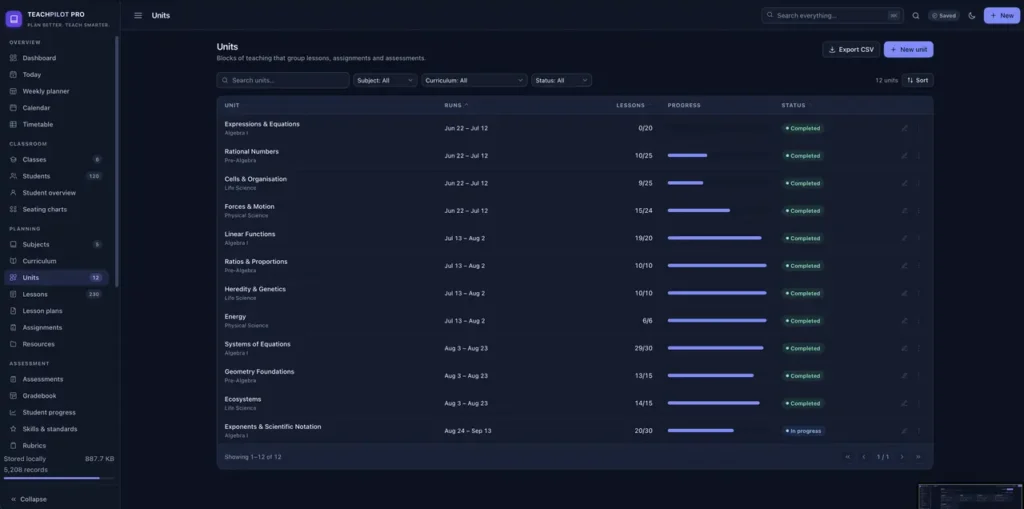
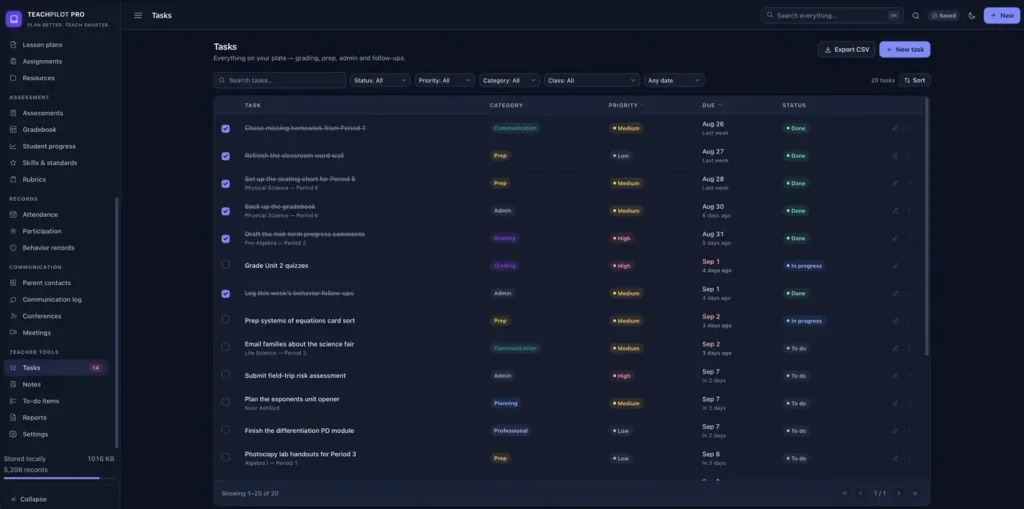
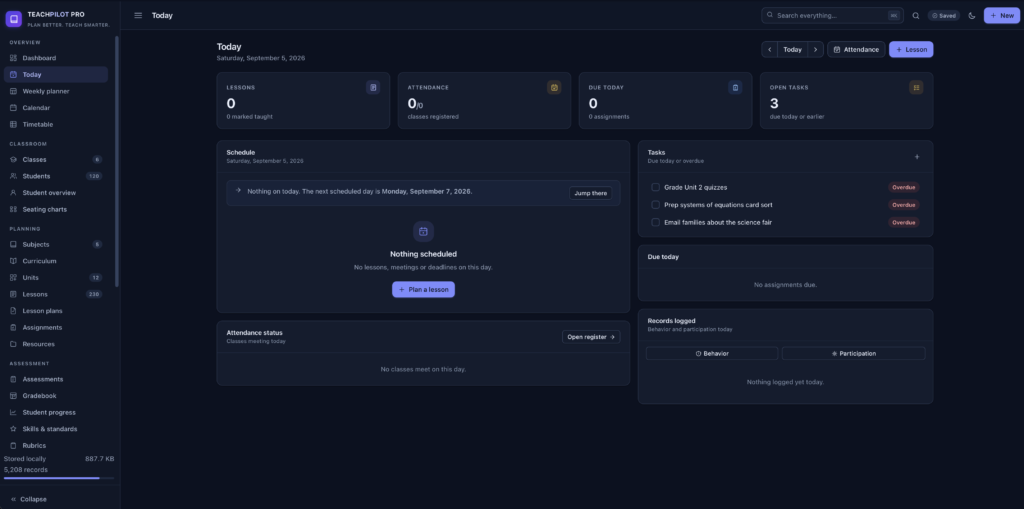
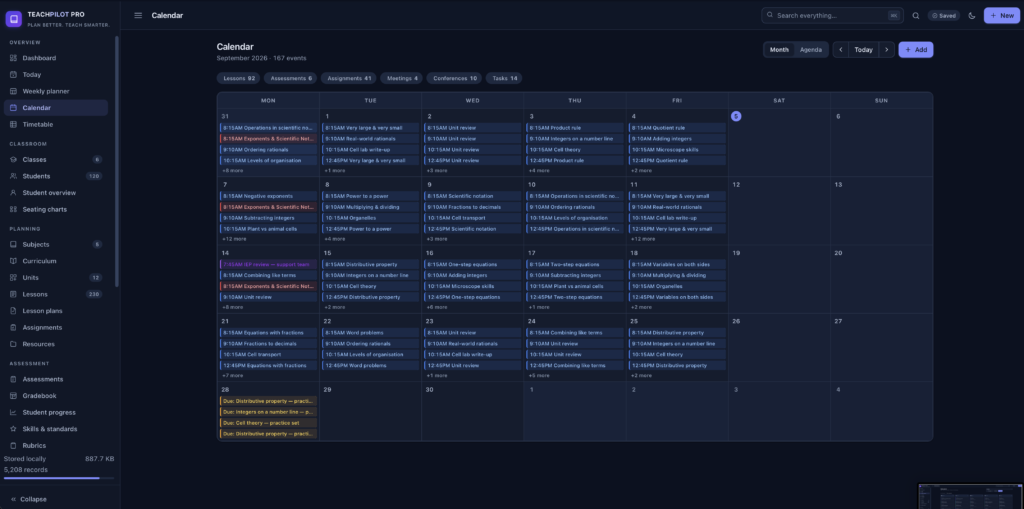
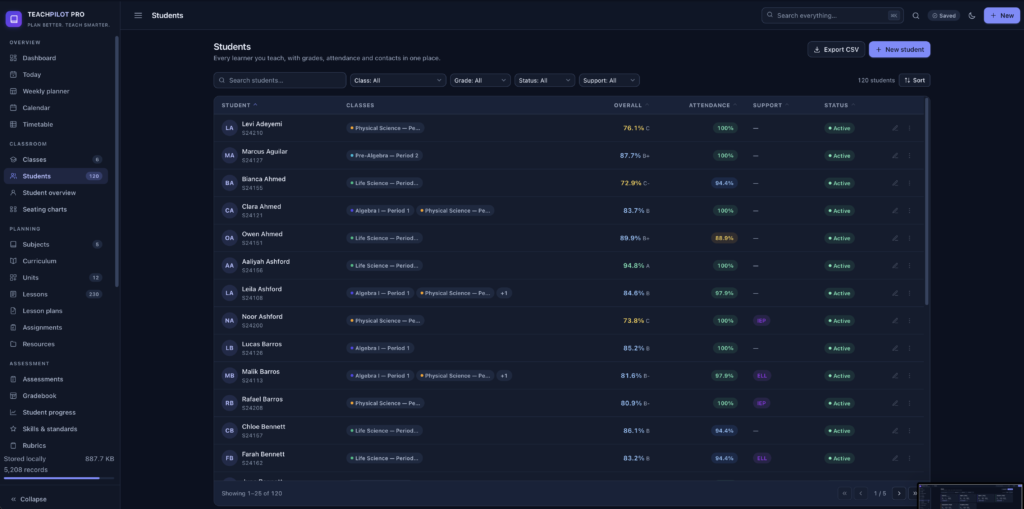
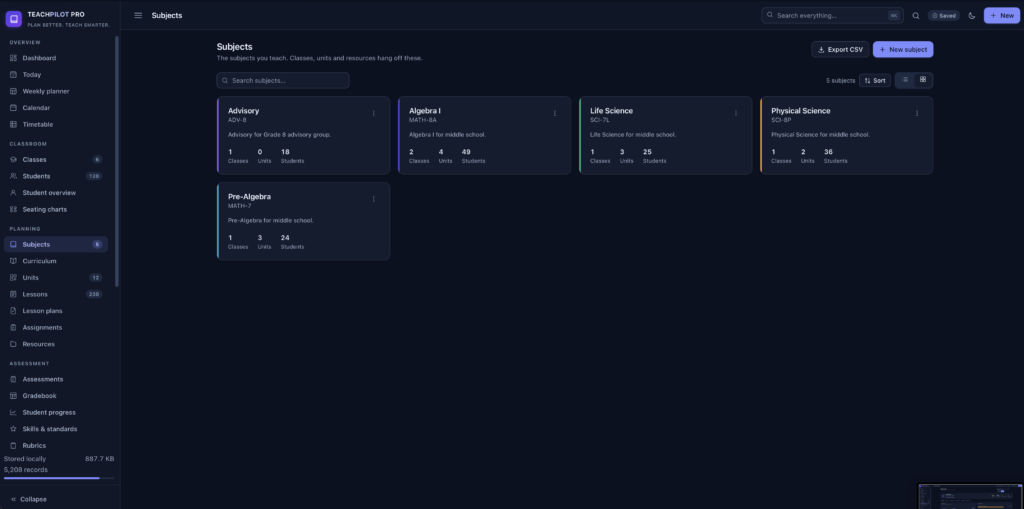
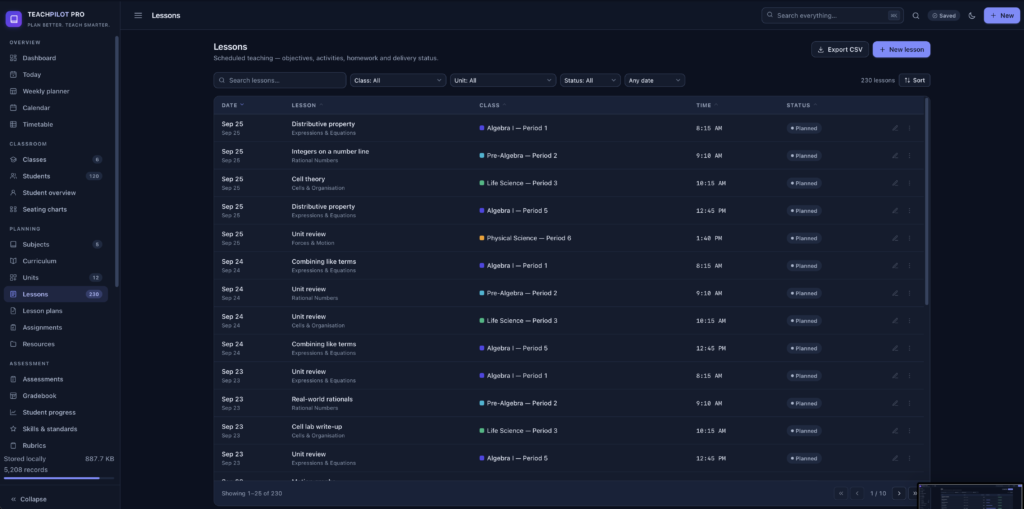
A short recording of the app, then the screens themselves.
$32.50
One-time purchase · yours to keep
Buy now- One payment - the file is yours to keep
- Works offline, no account, no subscription
- Your data stays on your own device
What's included
- 1 HTML file - the complete application
- 1 Getting Started guide (HTML)
- 1 License file
Delivery
Instant Download
Your files will be available to download once payment is confirmed.
TeachPilot Pro is a complete planning and classroom-management system for teachers. It runs entirely in the browser - every class, student, lesson, grade and record stays on your own device. There is nothing to sign up for, nothing to configure, and it keeps working with no connection at all.
On first launch a short setup asks for your name and school, then offers either a fully populated demo school to explore or a clean start with one starter class.
The day and the week
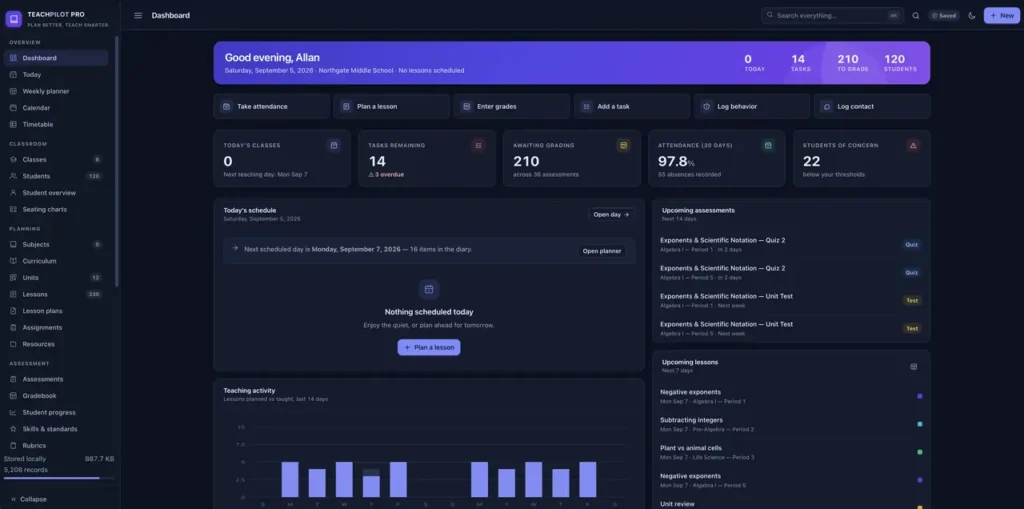
- Dashboard: today's classes, the grading queue, tasks, attendance, students needing attention, teaching activity, grade distribution and recent changes
- Today - a single day in full: schedule, attendance status per class, work due, tasks and records logged
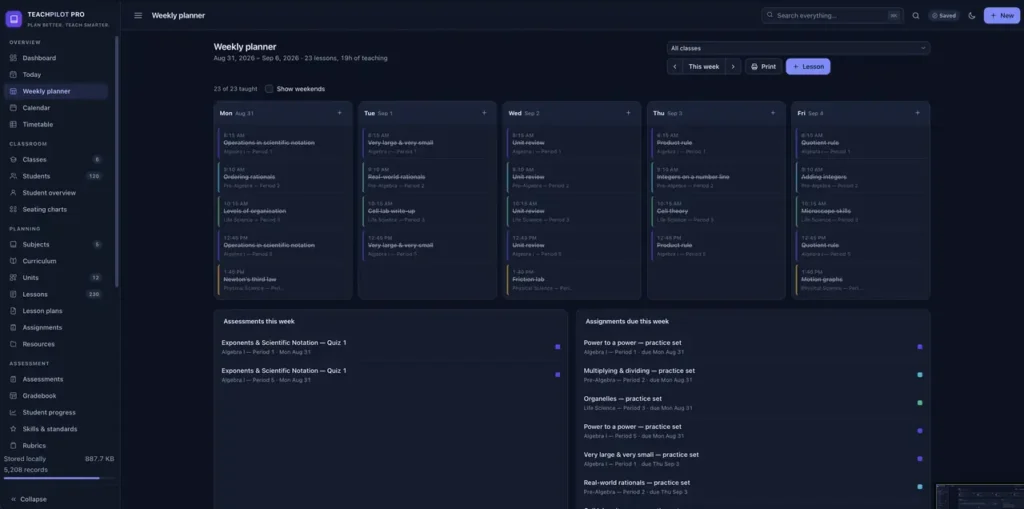
- Weekly planner: a week-at-a-glance lesson board with per-class filtering and printing
- Calendar: month and agenda views combining lessons, assessments, assignments, meetings, conferences and tasks
- Timetable built on your own bell schedule, with clash detection
Classroom
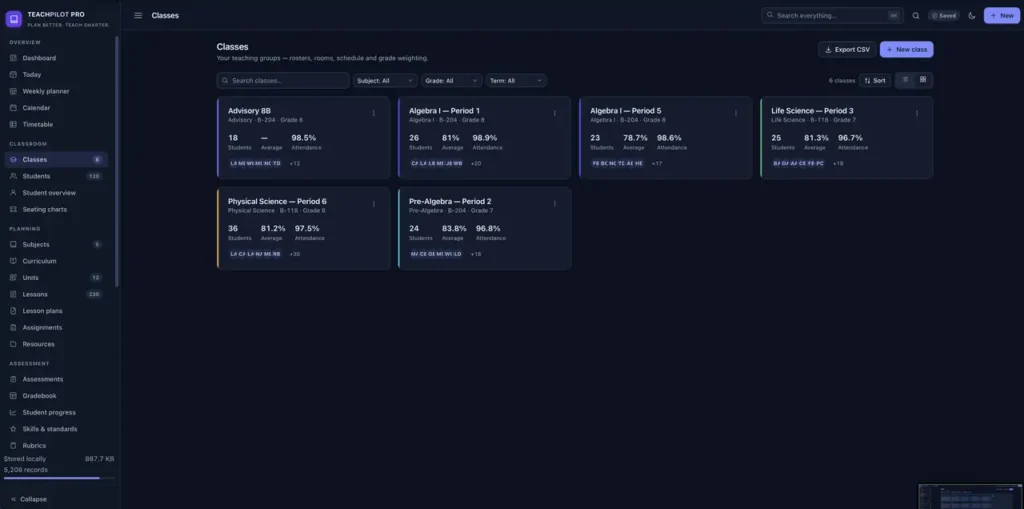
- Class rosters with live averages and attendance
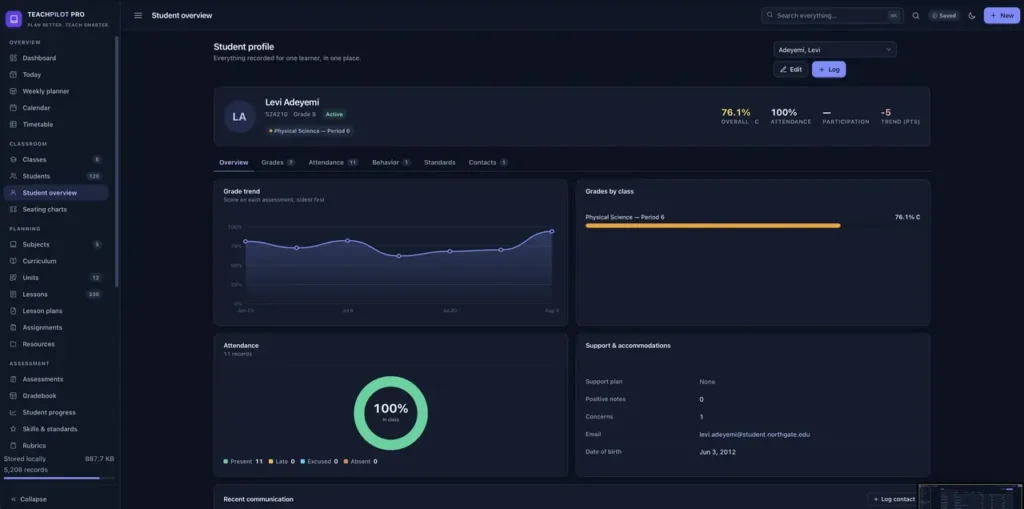
- A full student profile - grades, attendance, behaviour, standards mastery and contacts across six tabs
- Drag-and-drop seating charts that show each student's current grade in their seat
Planning
- Curricula hold units, units hold lessons
- Lessons carry objectives, activities, materials, standards, homework and a post-teaching reflection
- Reusable lesson plans can be dropped onto any scheduled lesson
- Subjects, assignments and a resource library
Assessment and grading
- A spreadsheet-style gradebook with keyboard navigation, missing and late flags and per-assessment statistics
- Weighted categories (Tests 40%, Quizzes 25%, and so on), straight points, or a mix of both - handled properly
- Optional late penalty, editable A+ to F scale and GPA
- Assessments can be excluded from the class grade for diagnostics and practice work
- Rubrics and standards-based mastery tracking
Classroom records
- Attendance in four states - present, late, absent, excused - with notes and minutes late
- A participation log scored 1 to 5
- Dated behaviour records, positives included, with severity and follow-up tracking
Communication
Parent contacts, a communication log, conferences and meetings - so the paper trail exists when you need it.
Reports
Eight printable, exportable reports: student progress, attendance, grade summary, assessment analysis, class performance, teaching activity, behaviour & participation, and communication.
Built for speed
- Command palette (⌘K / Ctrl K) to search everything and jump anywhere
- Go-to shortcuts for Dashboard, Today, Classes, Students, Gradebook, Attendance, Planner, Calendar, Lessons, Reports and Notes
- N for a new record, Esc to close, ⌘Enter to save, arrow keys to move through gradebook cells
Accessible by design
Every text colour clears WCAG AA contrast in both light and dark themes. Skip-to-content link, landmark roles, sortable headers that work from the keyboard, gradebook cells that announce the student and assessment, focus trapped in dialogs and returned on close, and it honours reduced-motion and system theme settings.
Your data, your device
Records live in IndexedDB on your own machine, with automatic fallback to local storage and a save indicator in the header. From Settings › Data & backup you can export a full JSON backup, restore one with a validation summary and a replace-or-merge choice, export every collection as CSV, import students from CSV, load demo data, start fresh, or delete everything behind a typed confirmation.
Two ways to run it
- Double-click TeachPilotPro.html - the whole application in one file. No server, no install, works from a USB stick.
- Or run the included local server (python3 devserver.py) and install it as an app from your browser, so it opens in its own window and caches itself for offline use.
Both are the same application. Browsers treat a file and a web address as separate stores, so pick one and stay with it, or move between them with a JSON backup.
Compatibility
Works in any modern desktop or mobile browser: Chrome, Edge, Safari or Firefox.
A note on your data
There is no cloud copy. Back up at the end of each term from Settings › Data & backup. Clearing your browser's site data deletes TeachPilot data with it, and private/incognito windows discard everything on close.
This is a digital download - no physical item will be shipped. Change-of-mind purchases are final once the file has been delivered; faulty or misdescribed files are covered by the refund policy.
Questions
Do I need an internet connection?
Only to download the file. After that it works completely offline - including from a USB stick.
Do I have to install anything or create an account?
No. Double-click the file and it opens in your normal browser. If you prefer it in its own window, an included script lets your browser install it as an app.
Where are my students' records stored?
On your own device, in your browser's local database. Nothing is uploaded anywhere and there is no server involved - which is what keeps student data private.
Can I import my class lists?
Yes. Students can be imported from CSV using first name, last name, ID, grade level and email, with duplicates skipped.
Can I get my data out again?
Yes. Export a full JSON backup, or export any collection - the gradebook, the attendance register, every report - as CSV for a spreadsheet.
Does it handle weighted grades?
Yes. Weighted categories, straight points, or a mix. Weights that do not total 100% still work; the app tells you rather than silently rescaling.
Will it work on my school laptop?
If it has a modern browser, yes. There is nothing to install and no admin rights needed for the single-file version.
Is it a subscription?
No. You pay once and the file is yours.
At a glance
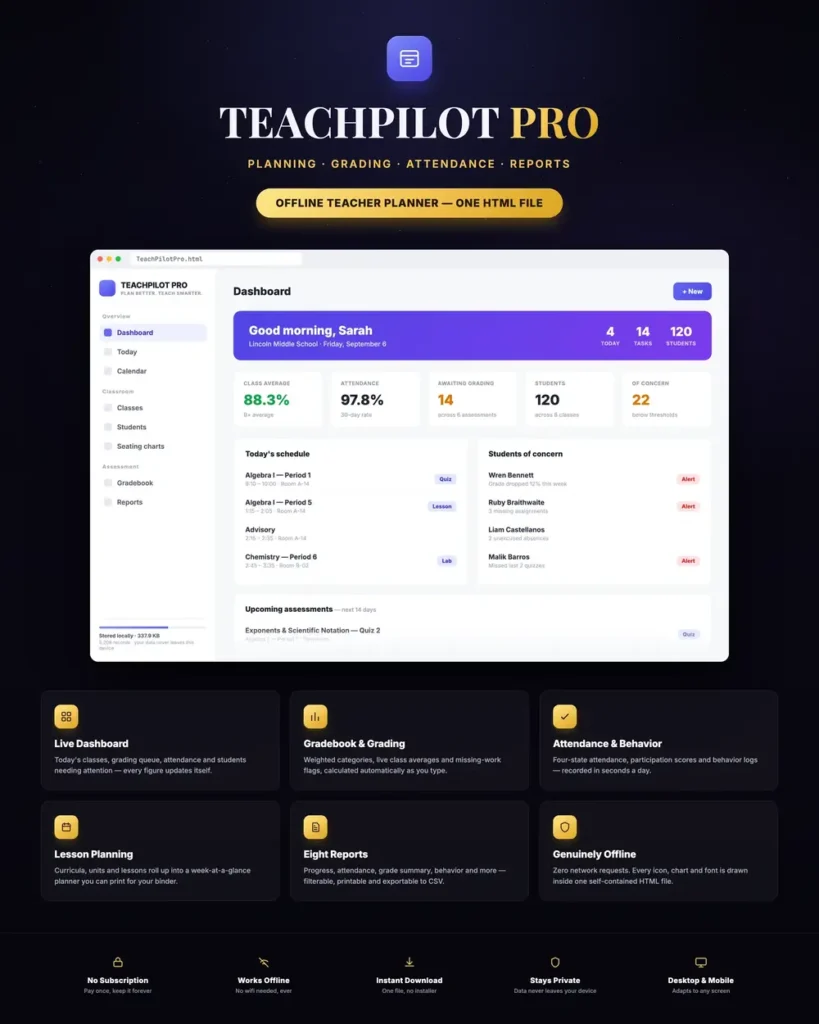
How it runs
-
1
Download
You get the application as one HTML file, with its documentation guide and its licence.
-
2
Open
Double-click it. It opens in the browser you already have - Chrome, Edge, Safari or Firefox. There is nothing to install and no account to create.
-
3
Keep
Your records save to that browser on that device. Export a backup from the app whenever you want a copy of your own.


