

SalonDesk Pro
For hair salons, beauty studios and independent stylists.
Appointments, client cards, checkout, commission and stock, in one offline workspace.
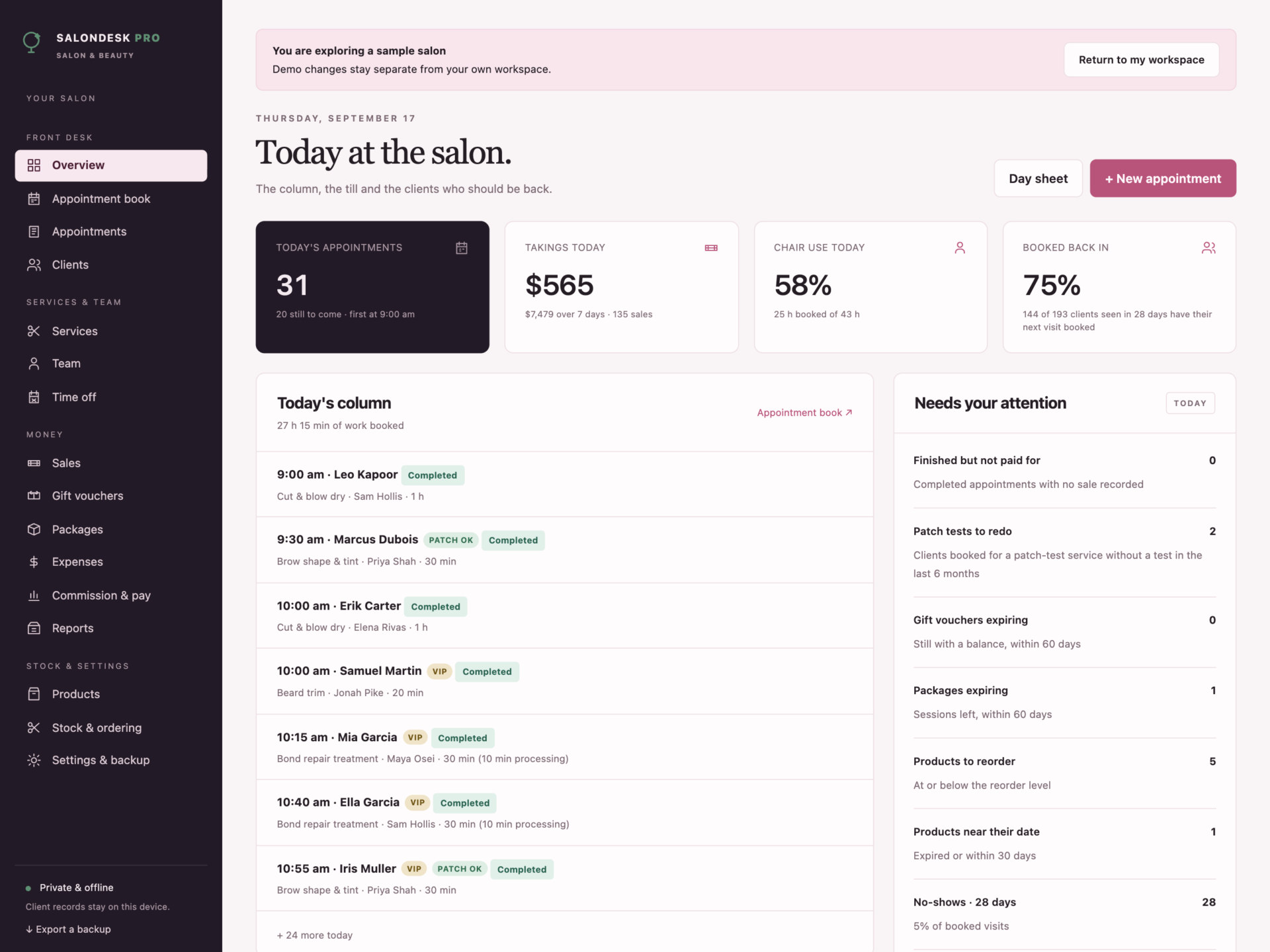

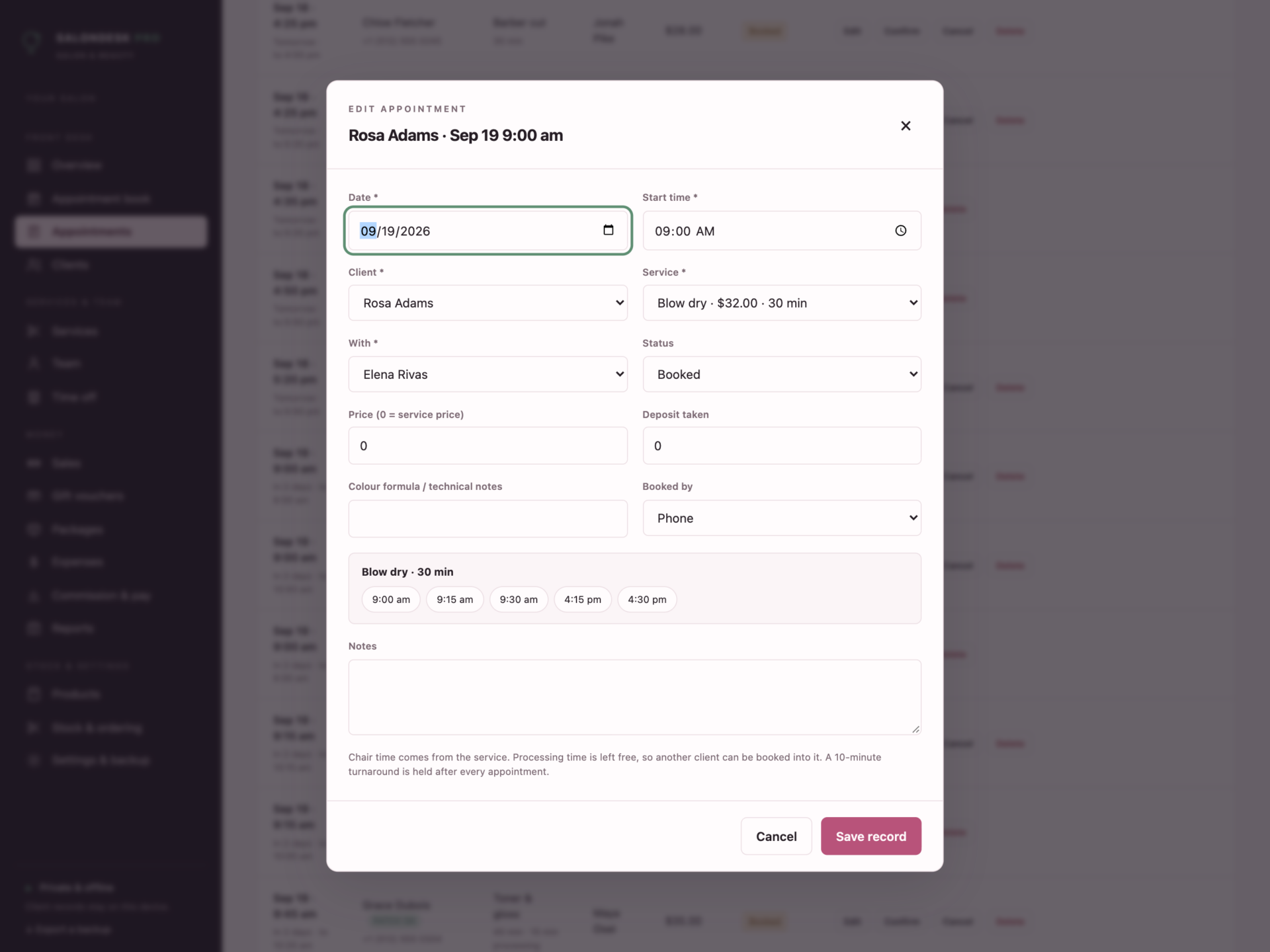
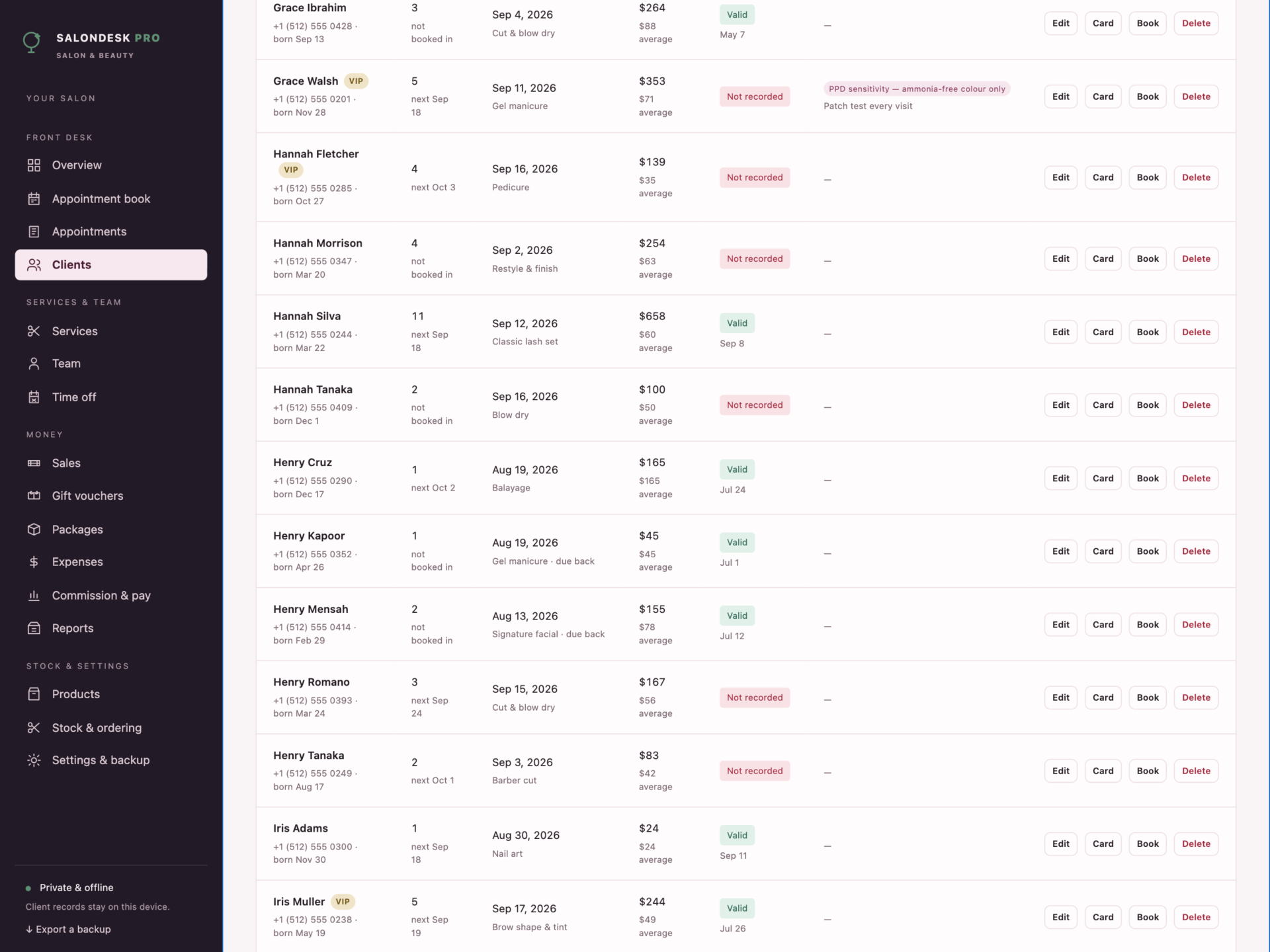
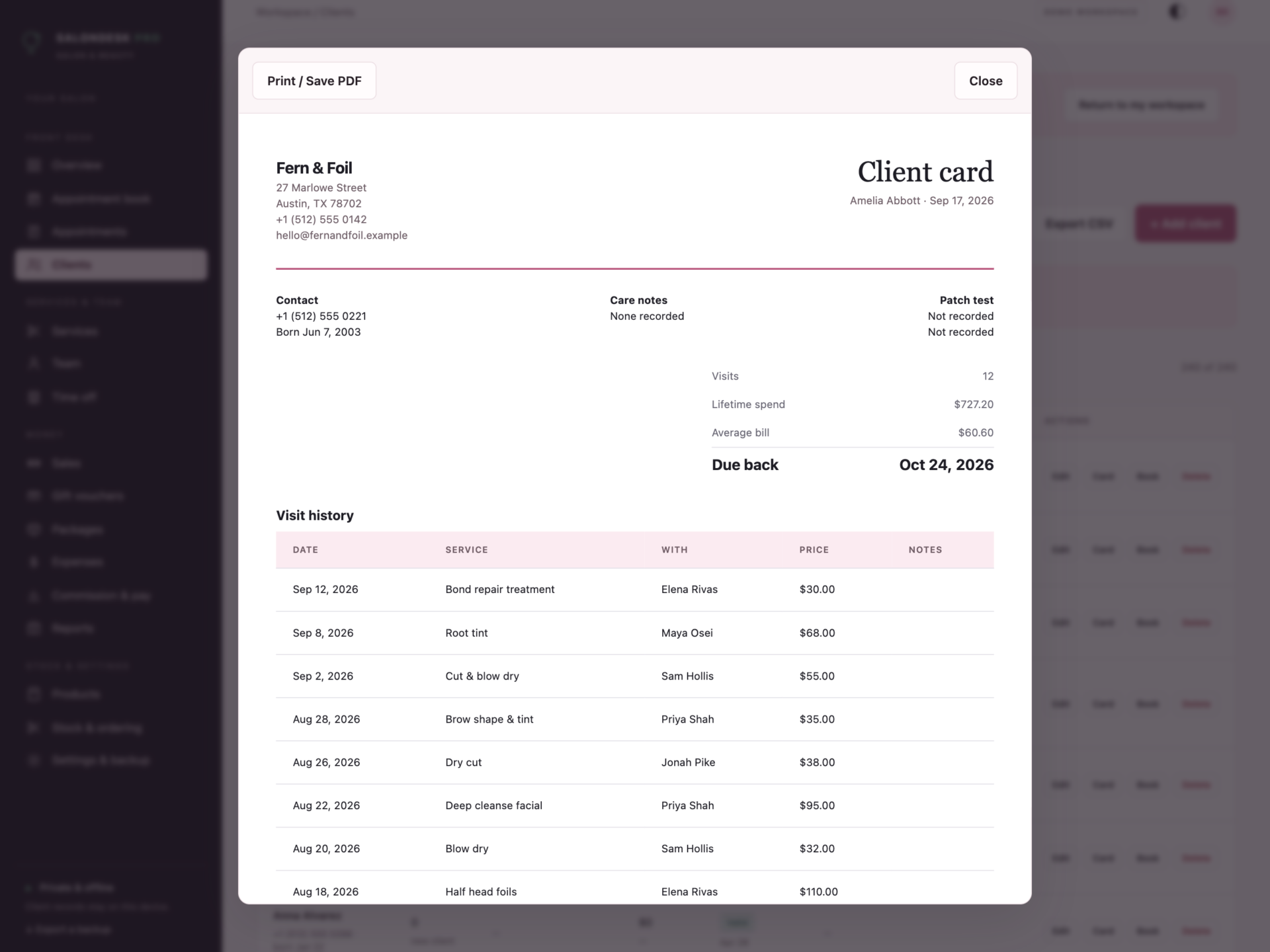
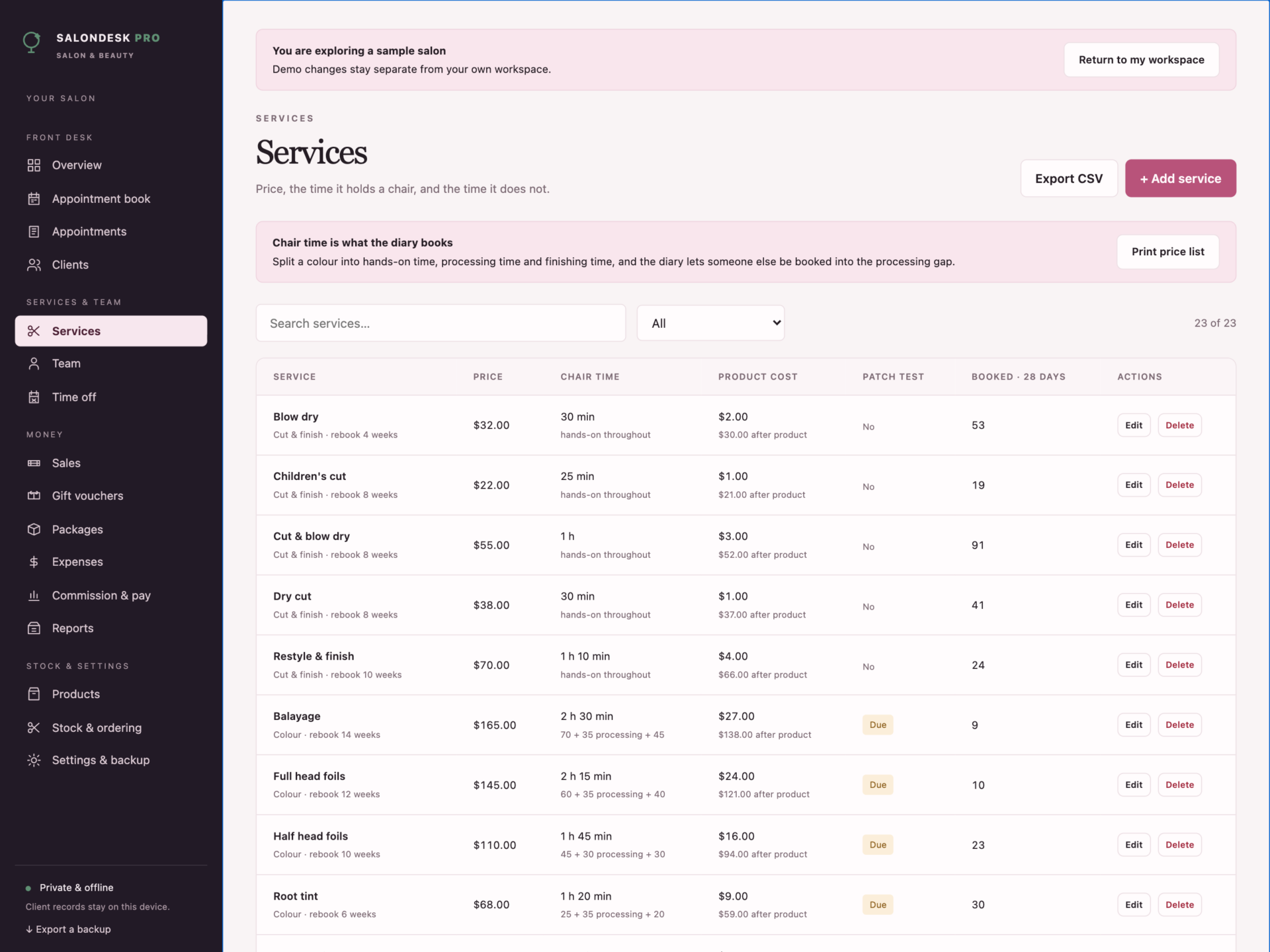
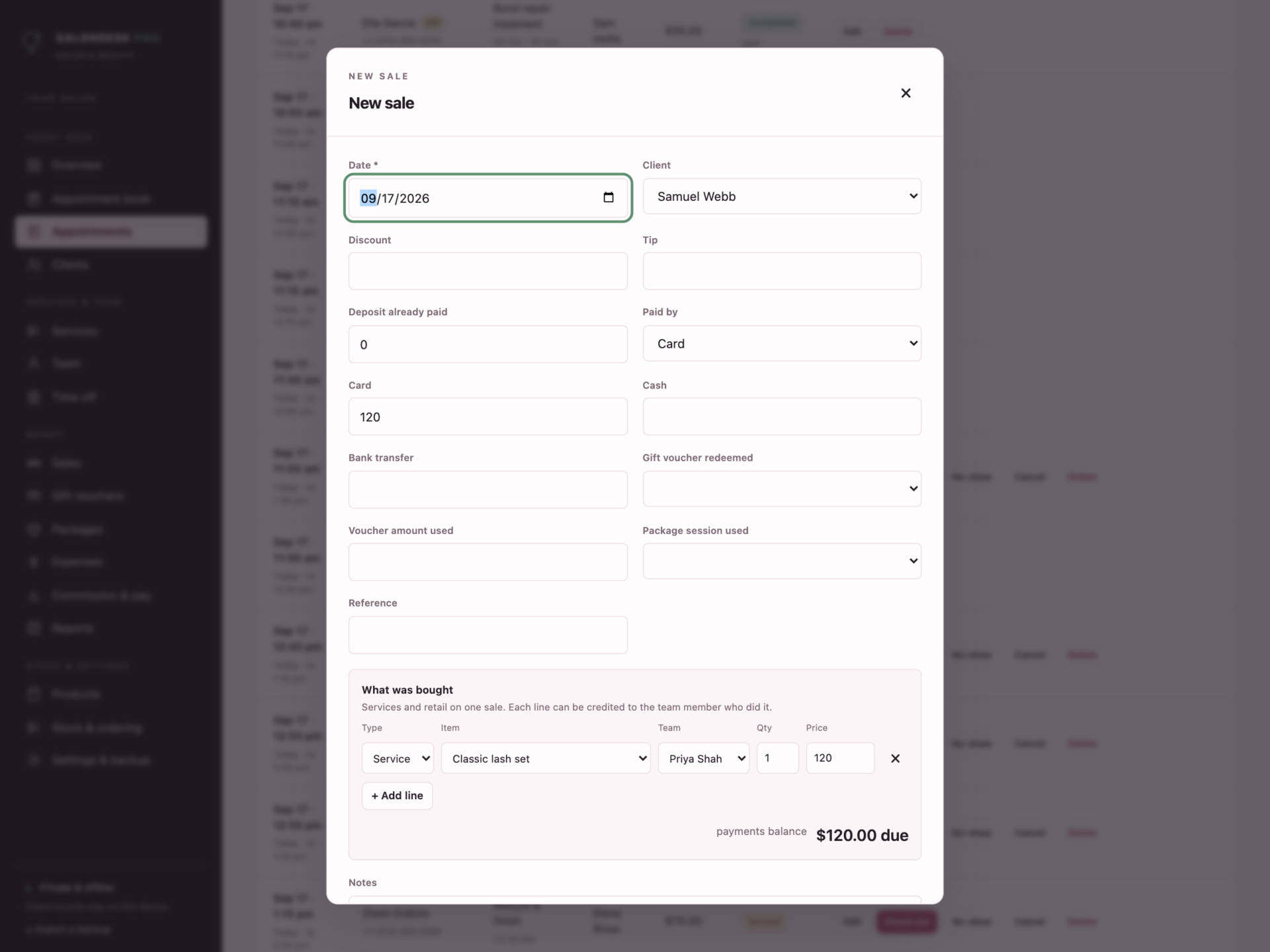

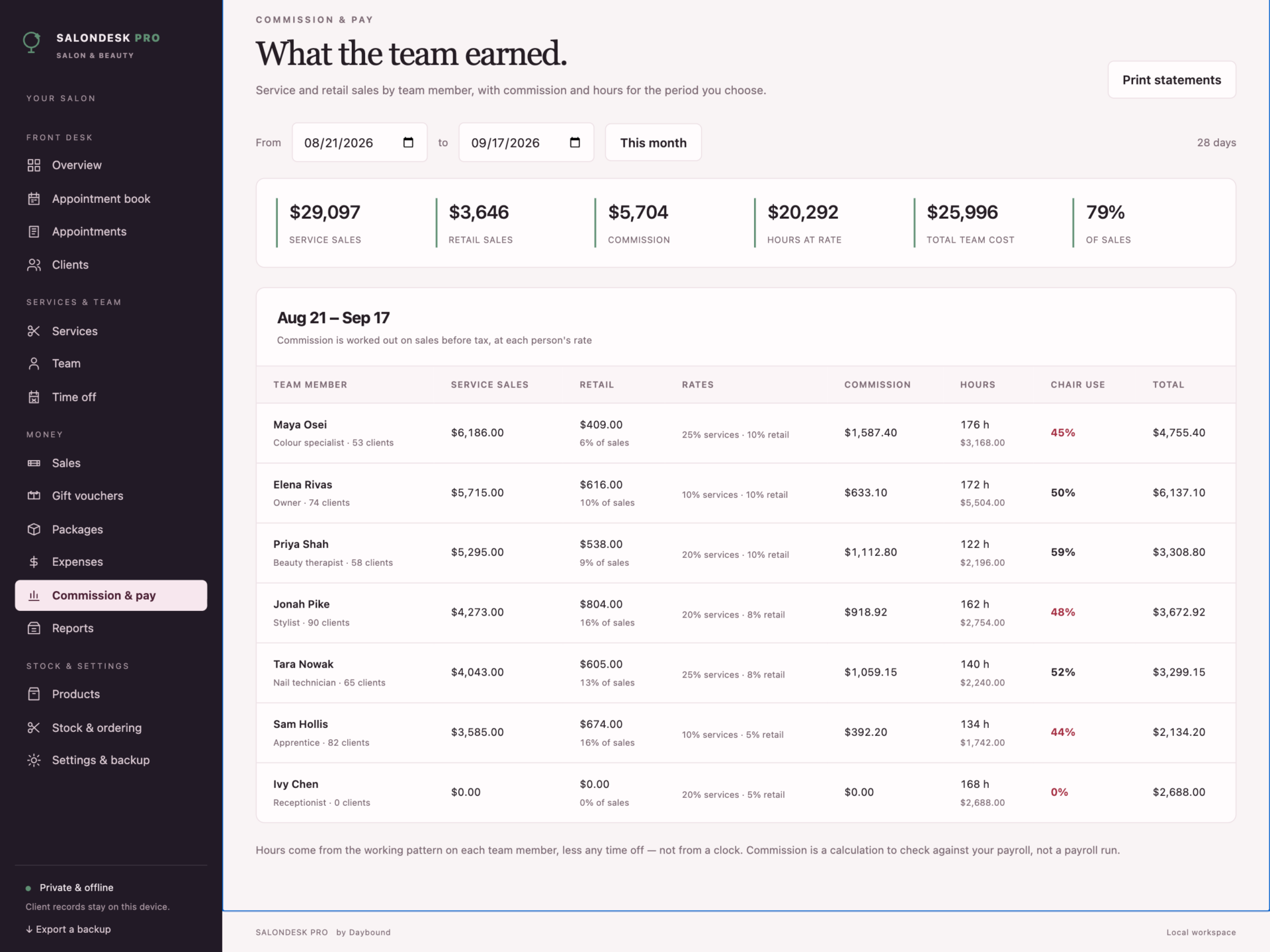
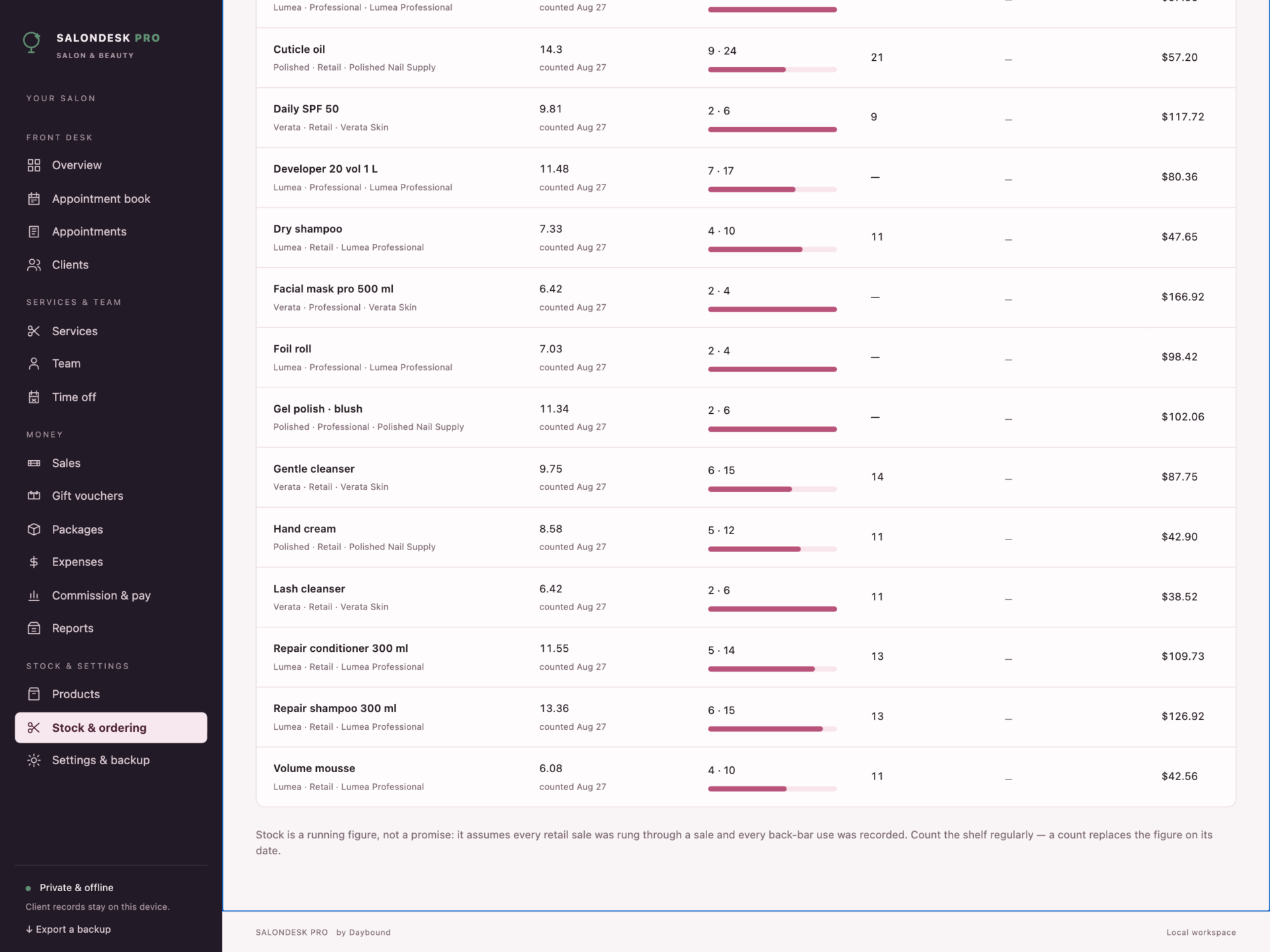
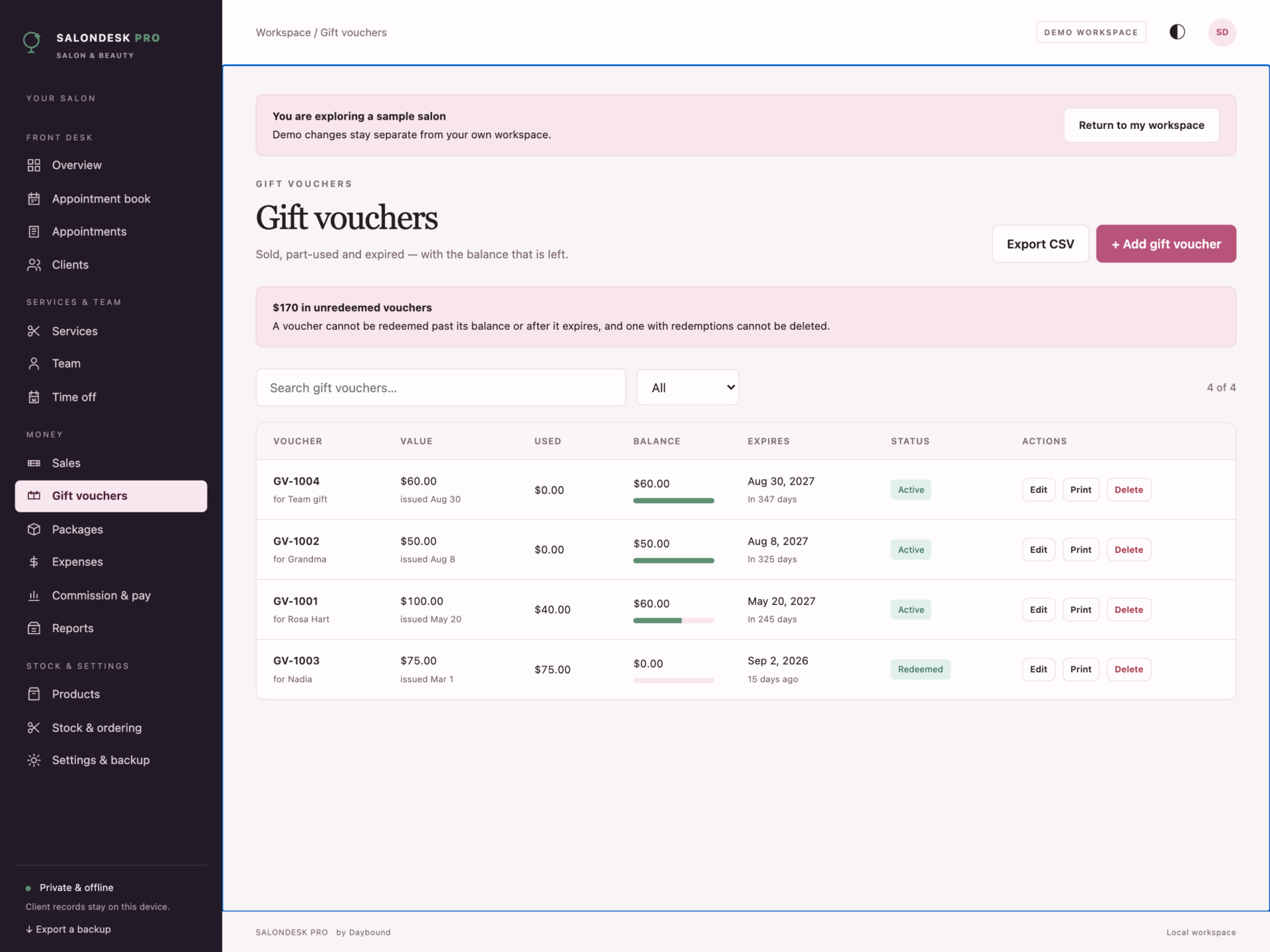
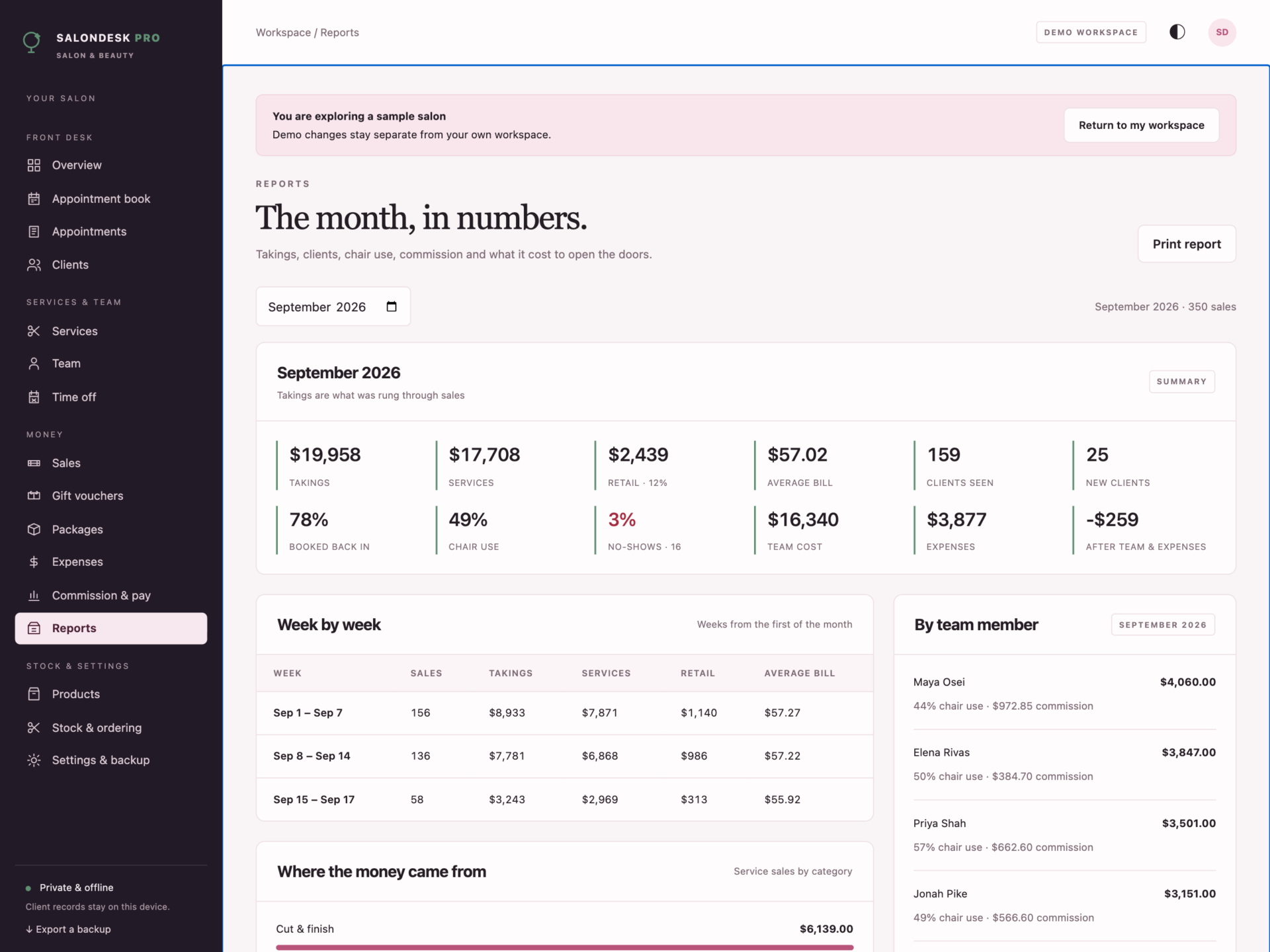
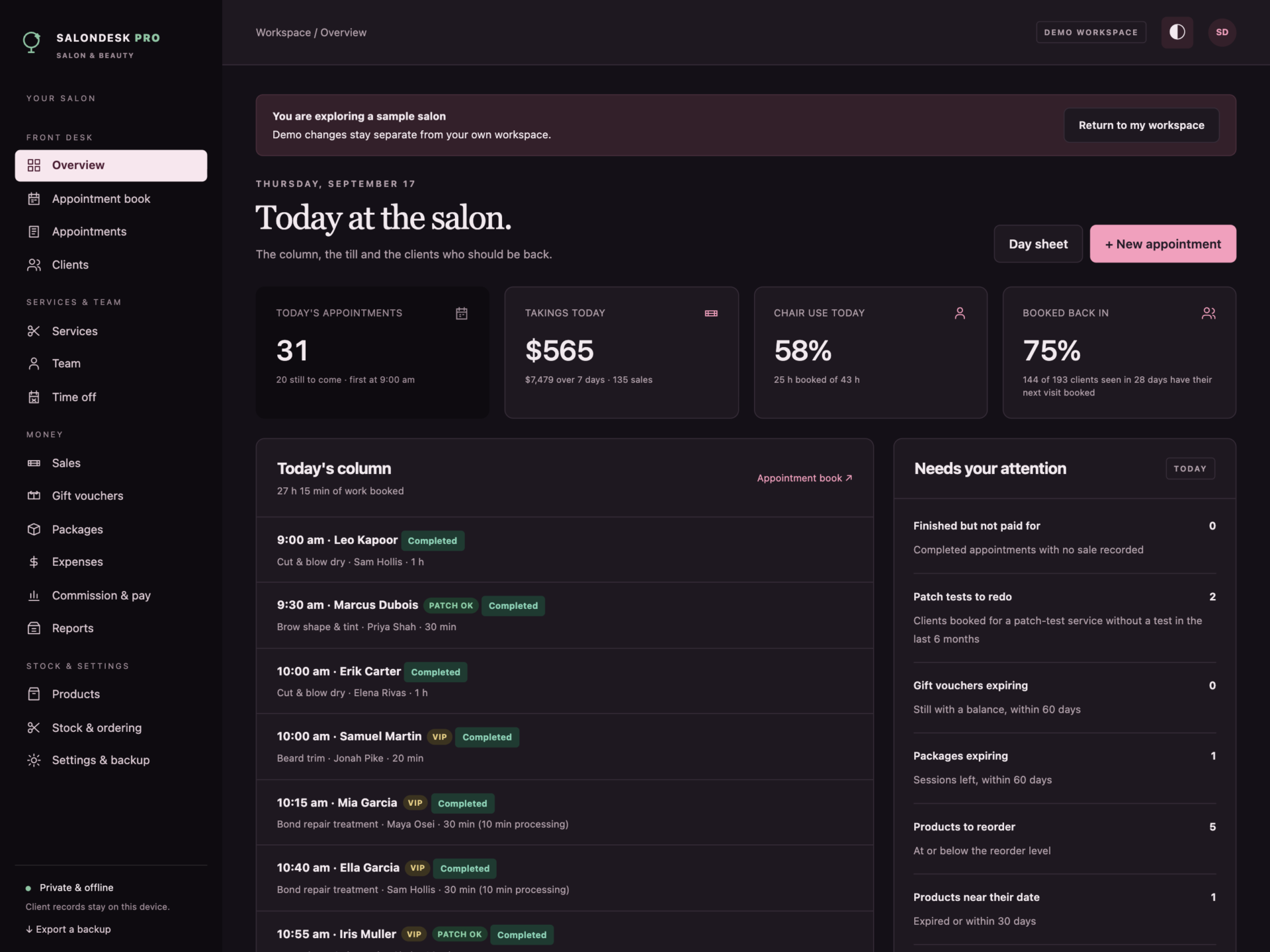
A short recording of the app, then the screens themselves.
$39
One-time purchase · yours to keep
Buy now- One payment - the file is yours to keep
- Works offline, no account, no subscription
- Your data stays on your own device
What's included
- 1 HTML file: the complete SalonDesk Pro application
- 1 Getting Started guide (HTML)
- 1 License file (HTML)
Delivery
Instant Download
Your files will be available to download once payment is confirmed.
The salon book that understands your services
SalonDesk Pro is a salon and beauty business manager for hair salons, barbershops, nail and lash studios, brow bars, beauty rooms and spas. The appointment book, client cards, checkout, commission, stock and reports live in one offline file - and the diary knows the difference between the time you are with a client and the time their colour is processing.
Download the HTML application, open it in your browser and start with your own salon, or explore the sample salon first: six people on the column, 23 services, six weeks of appointments and sales, gift vouchers, packages and stock.
A column that books itself right
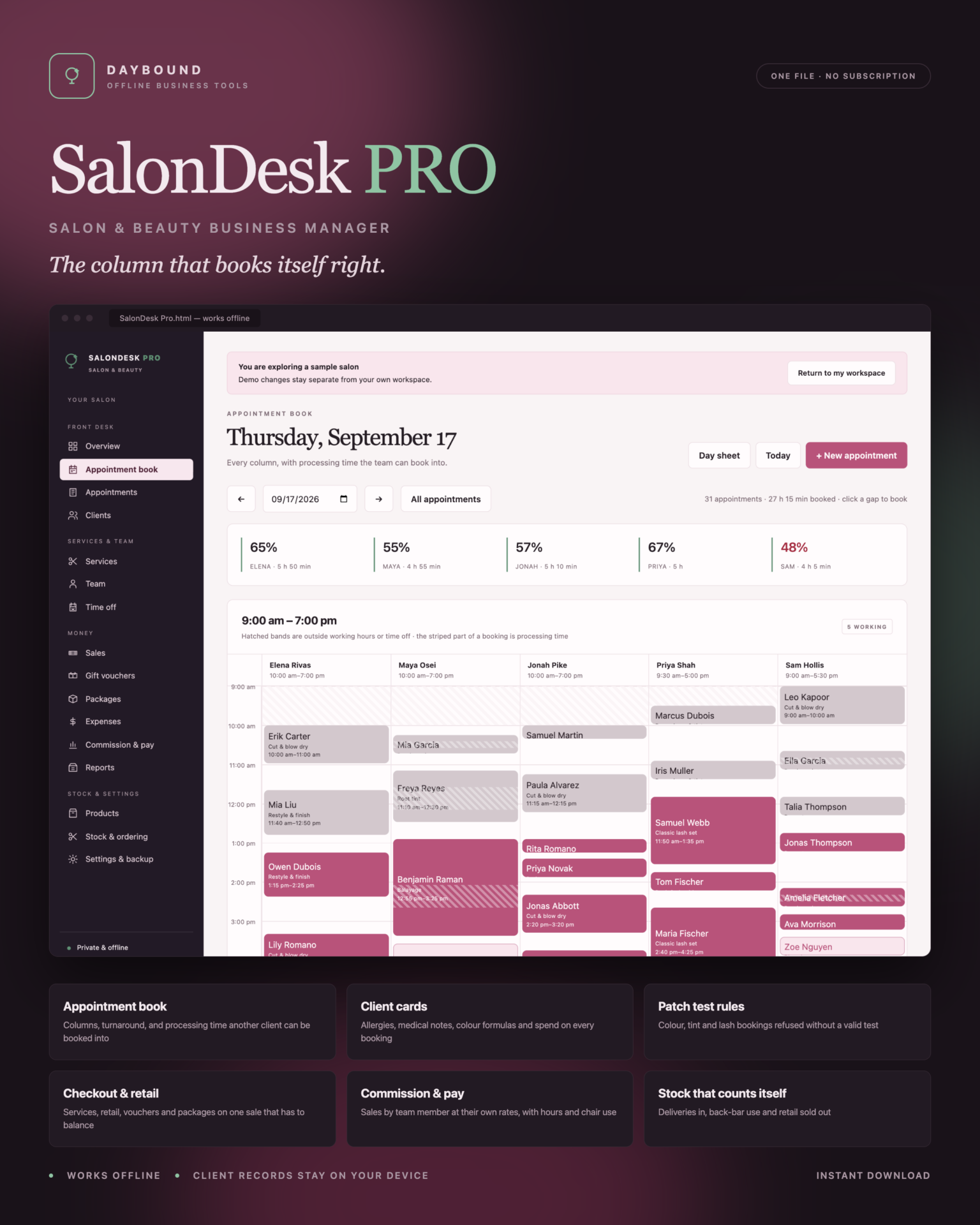
- Processing time is free time: a colour holds the chair, not the stylist - another client can be booked into the striped gap.
- Turnaround is held after every appointment for clean-down.
- Working hours and time off per person, so the column shows exactly who is available.
- Click any gap to book, or let the editor offer the free times left that day.
Refused, not double-booked
Two clients on one pair of hands, work outside someone’s hours or during their time off, a service they do not do, the same client twice at once, or a colour, tint or lash service without a valid patch test - all refused, each with a message that says what is in the way and who has the chair.
Client cards that travel with the booking
- Allergies, medical notes and preferences, shown on the appointment and printed on the day sheet.
- Colour formulas and technical notes kept visit by visit.
- Visits, lifetime spend, average bill and when they are due back.
- Patch test dates with their status - valid, expiring or expired.
Checkout that adds up
Check out from the appointment with the service already on the sale. Add retail, credit each line to the person who did it, take card, cash, transfer, a gift voucher or a package session - and the sale will not save unless the payments match the total. Vouchers keep a balance that cannot be overdrawn; packages give one session a sale and never more than were bought. Receipts and gift vouchers print.
Commission, chair use and stock
- Service and retail sales by team member at their own rates, with hours and chair use, and printable statements.
- Retail on the shelf and professional stock in the back bar: on hand is the last count, plus deliveries, minus back-bar use and anything sold.
- Reorder levels with suggested orders, product dates flagged, and a blind count sheet to print.
Print what you need
Day sheet, client card, receipt, gift voucher, commission statements, price list, stock count sheet and the monthly report - all print or save as PDF. Monthly reports cover takings, services against retail, average bill, clients seen, new clients, clients booked back in, chair use, no-shows, commission, hours and expenses.
Private by design
Client records - including allergies and medical notes - are stored by your browser on your own device, separately from the HTML file, and are never uploaded. Export a full JSON backup at any time, restore one after a validation check, or export any list to CSV. A backup with two appointments on one pair of hands, or a voucher redeemed past its value, is refused rather than loaded.
What you receive
- SalonDesk Pro.html: the complete offline application.
- Getting Started.html: diary rules, client cards, checkout, commission and stock guide.
- License.html: the included licence for use within one business.
Delivered together in one ZIP download. Screenshots and the walkthrough show sample records from the app’s demo workspace.
Before you buy
Use a current browser with JavaScript and local storage enabled. A laptop, desktop or tablet is recommended. This is a digital download; no physical item is shipped.
SalonDesk Pro is the book and the till behind your desk: it does not take online bookings, send reminders or texts, take card payments, or sync between devices, and deposits are recorded rather than collected. Patch test windows and treatment intervals are the ones you set - follow your product manufacturer’s instructions. Commission, hours and report figures are calculations from your own records, not payroll or accounts.
Frequently asked questions
Can another client be booked during a colour’s processing time?
Yes - that is the point. Each service is split into hands-on time, processing time and finishing time. The stylist is only held for the hands-on parts, so the diary will let you book into the gap, and the booking shows the processing time as a striped band.
Does it stop double bookings?
Yes. Two clients on one pair of hands at the same time, work outside someone’s hours or time off, and services a team member does not do are all refused, with a message that says exactly what is in the way.
How do patch tests work?
Mark the services that need one. A booking for those services is refused unless the client’s patch test is at least 48 hours old and inside the validity window you set. The window and the test itself follow your product manufacturer’s instructions - the app records the date and checks it.
Can clients book online?
No. It is your book, not a booking website - appointments are entered by you. That is what keeps it offline and private.
Does it take card payments?
No. You take payment as you do now and record it: card, cash, bank transfer, a gift voucher or a package session. The sale has to add up before it saves.
Does it work out commission?
It shows service and retail sales credited to each team member for any period, their commission at their own rates, hours from their working pattern and their chair use, with printable statements. It is a calculation to check against your payroll, not a payroll run.
Can I keep colour formulas?
Yes, on every appointment, and they are collected on the client card with the date and who did it.
Where are the client records stored?
In your browser’s local storage on your own device. Nothing is uploaded. Allergies and medical notes are personal data, so keep the device restricted and back up somewhere private.
Do I need an internet connection or an account?
Only to download the file. After that it works completely offline, with no account.
Is it a subscription?
No. You pay once and the file is yours.
One-time purchase: $39, tax included. No recurring software subscription - the price you see is the price you pay.
At a glance
How it runs
-
1
Download
You get the application as one HTML file, with its documentation guide and its licence.
-
2
Open
Double-click it. It opens in the browser you already have - Chrome, Edge, Safari or Firefox. There is nothing to install and no account to create.
-
3
Keep
Your records save to that browser on that device. Export a backup from the app whenever you want a copy of your own.


