

KeyDesk Pro
For real estate agents and small brokerage teams.
Leads, listings, showings, offers and deals to closing, in one offline workspace.
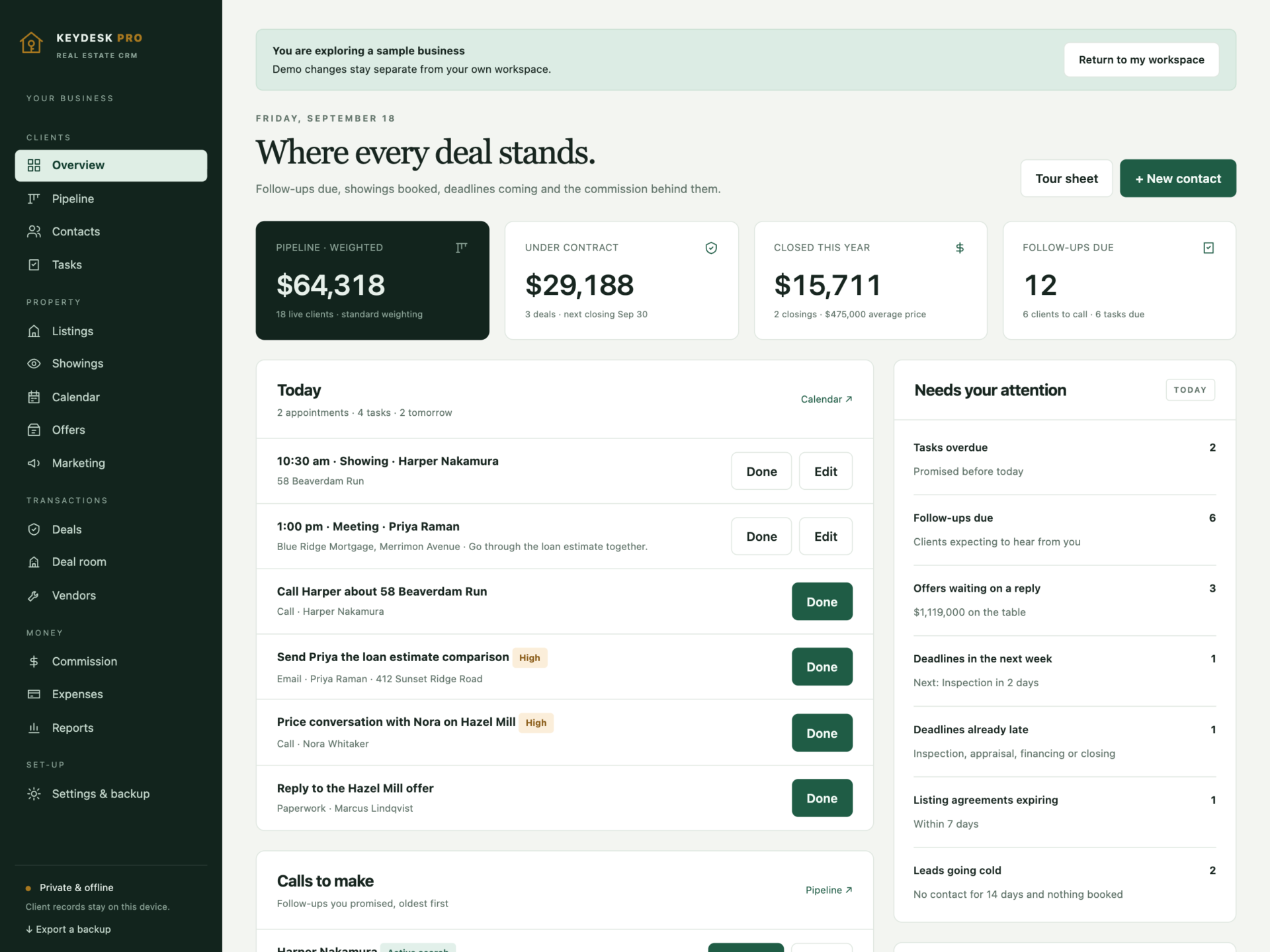
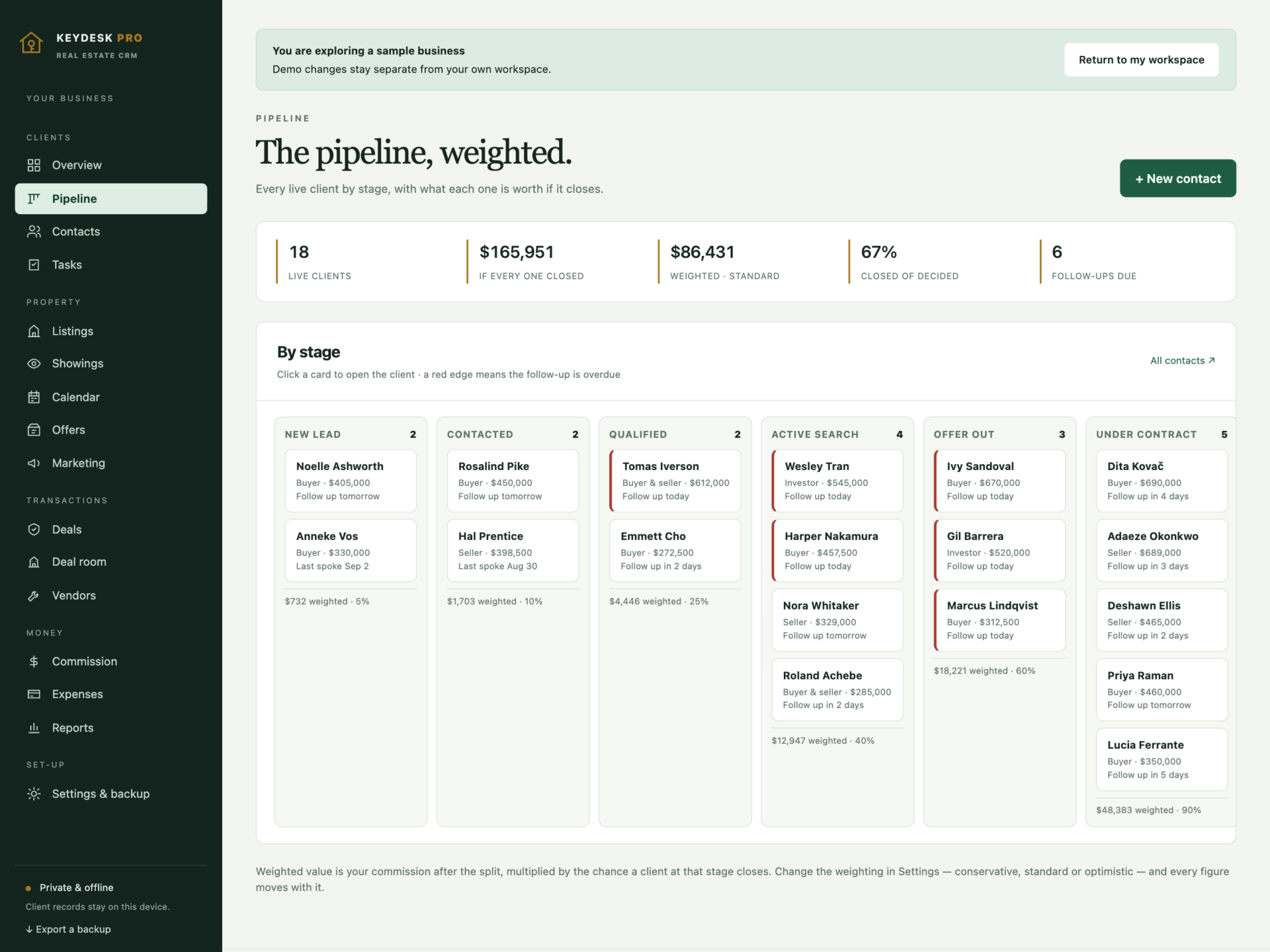
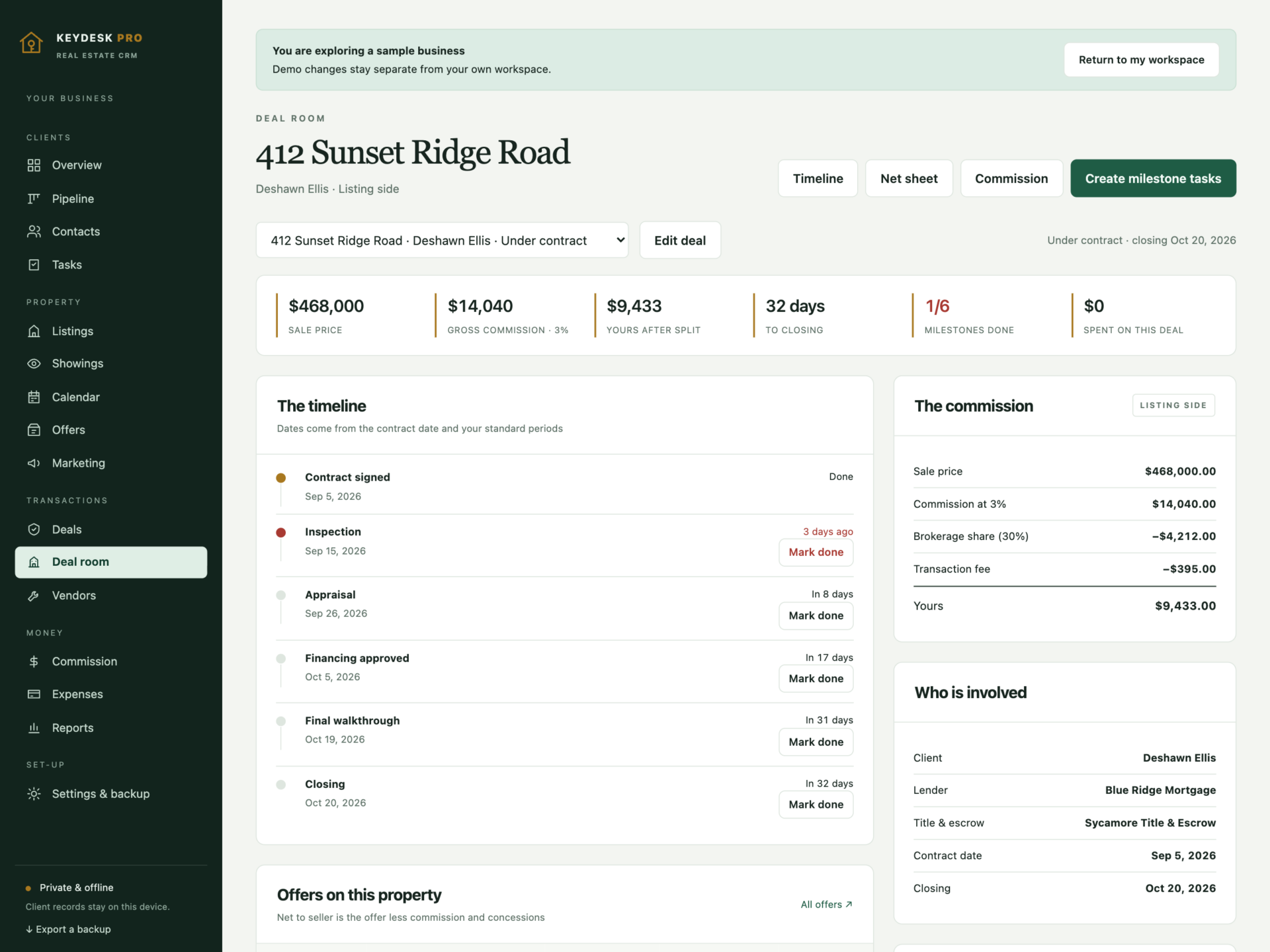
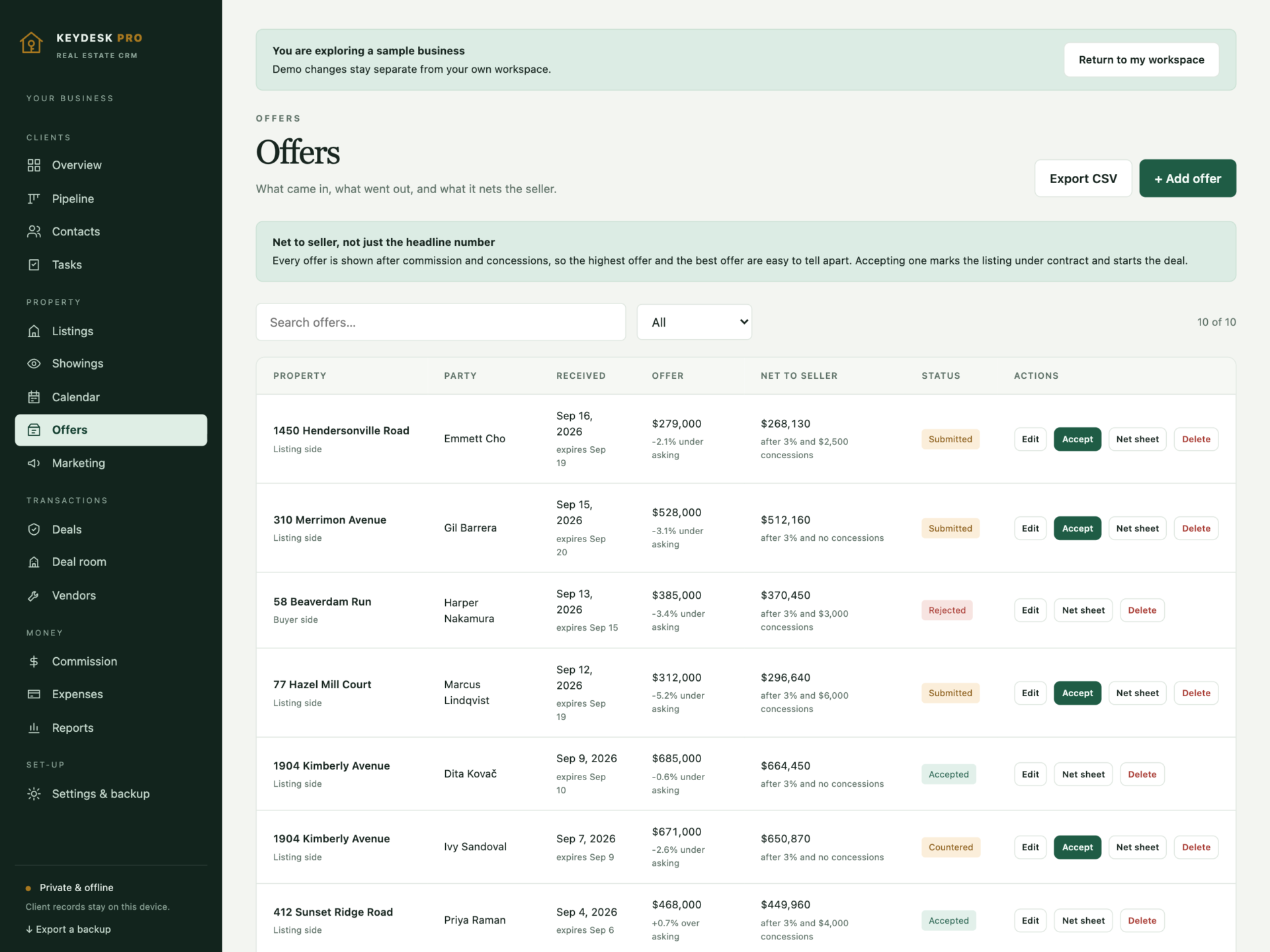
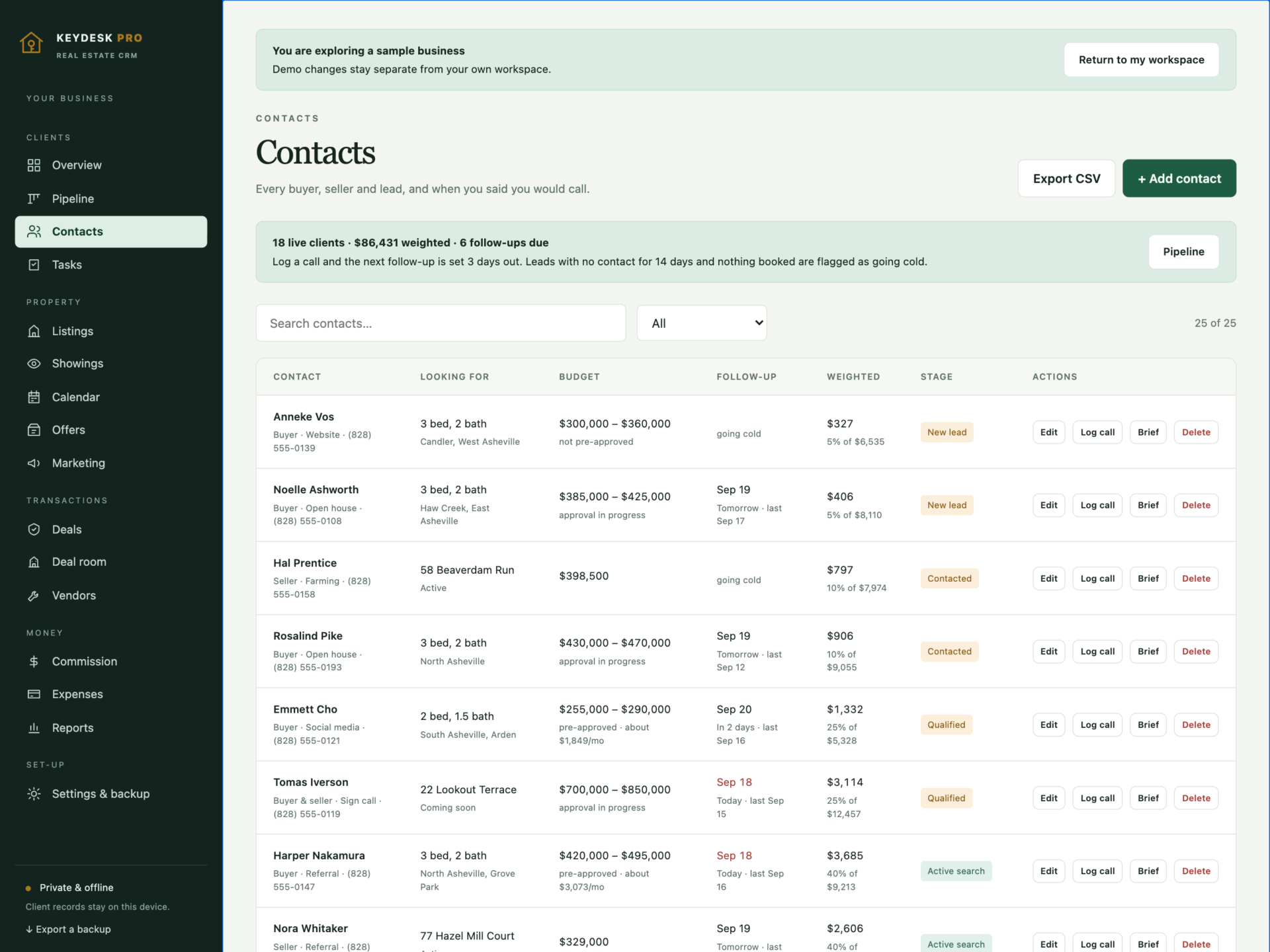
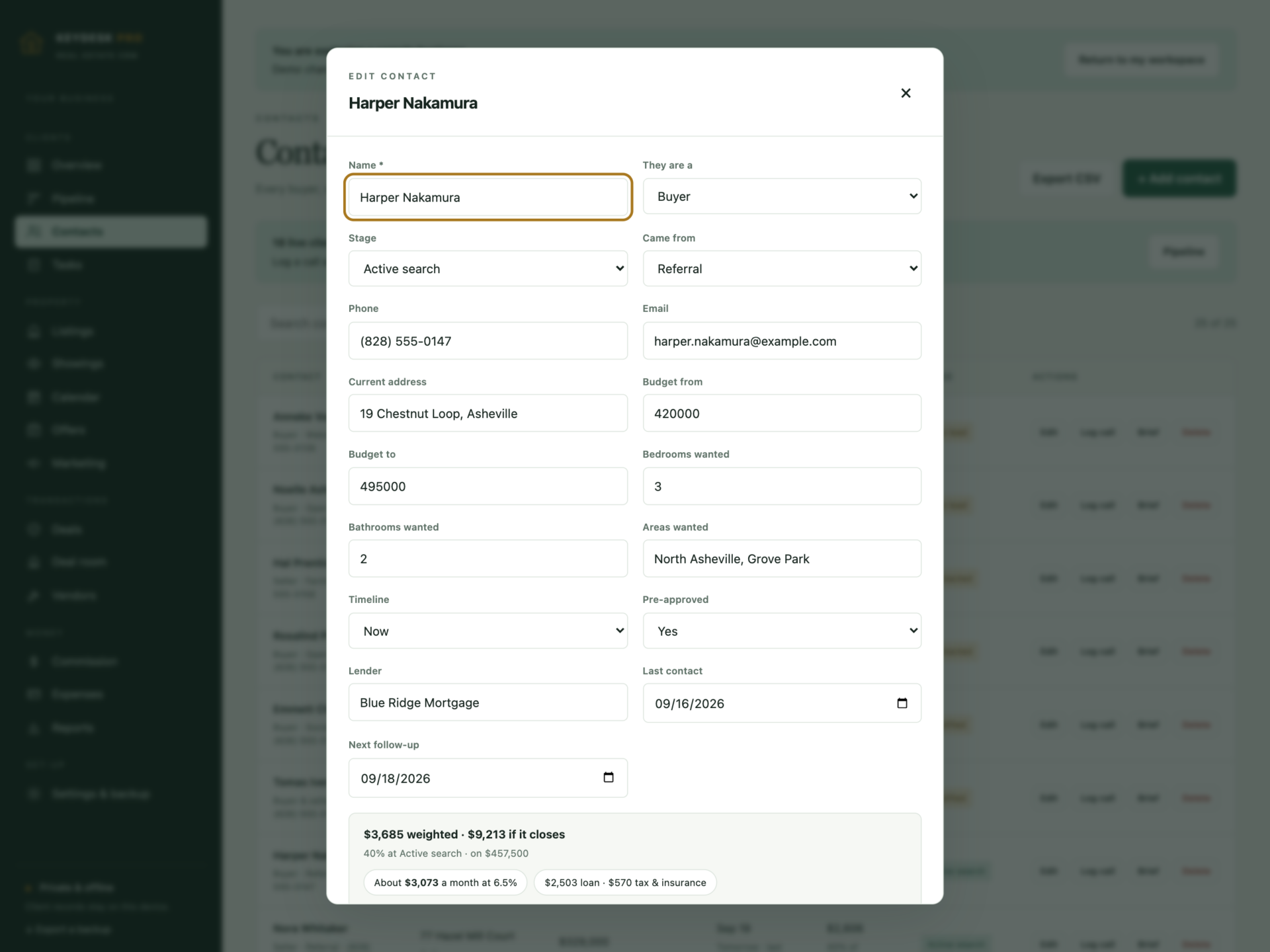
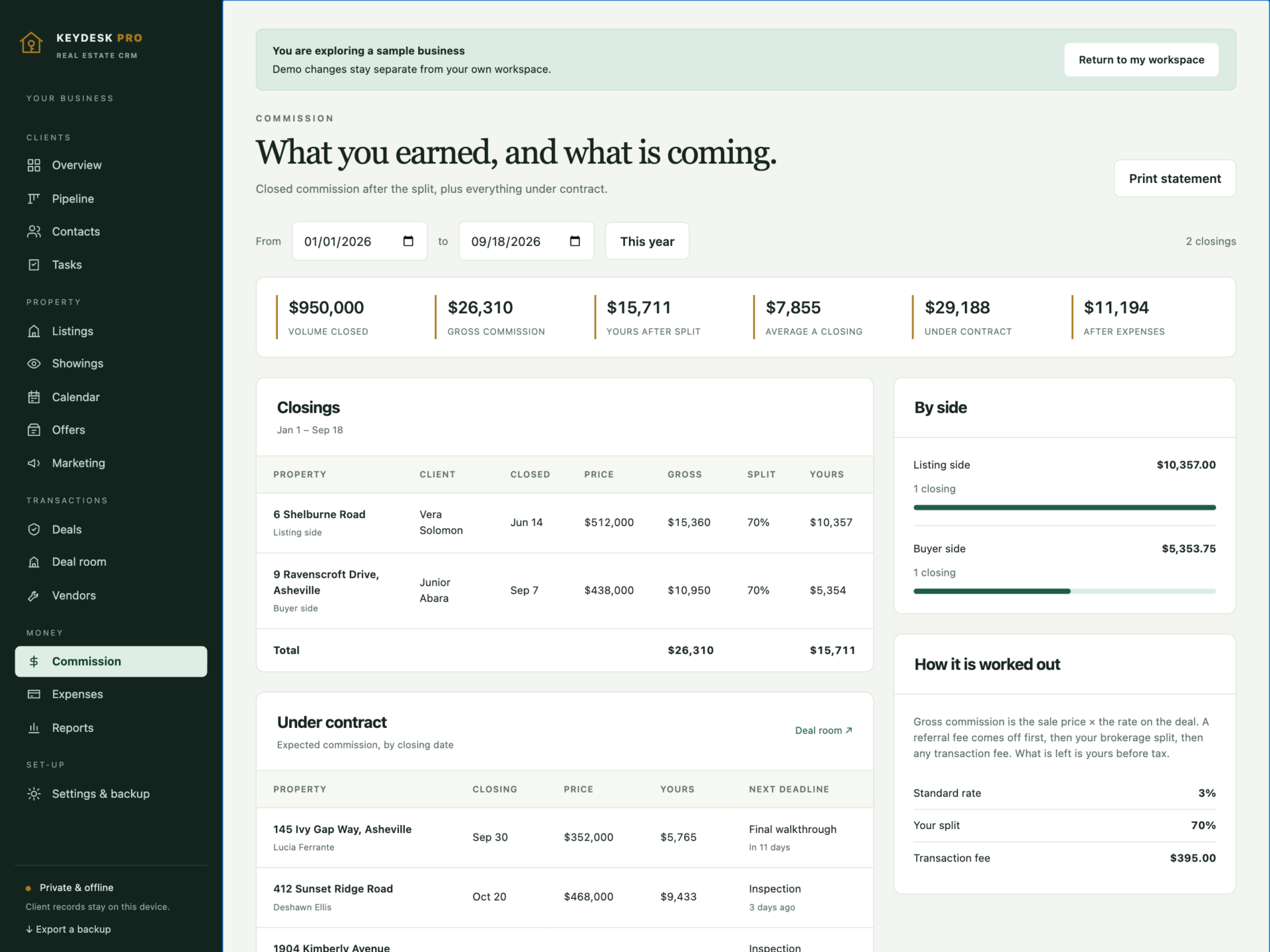
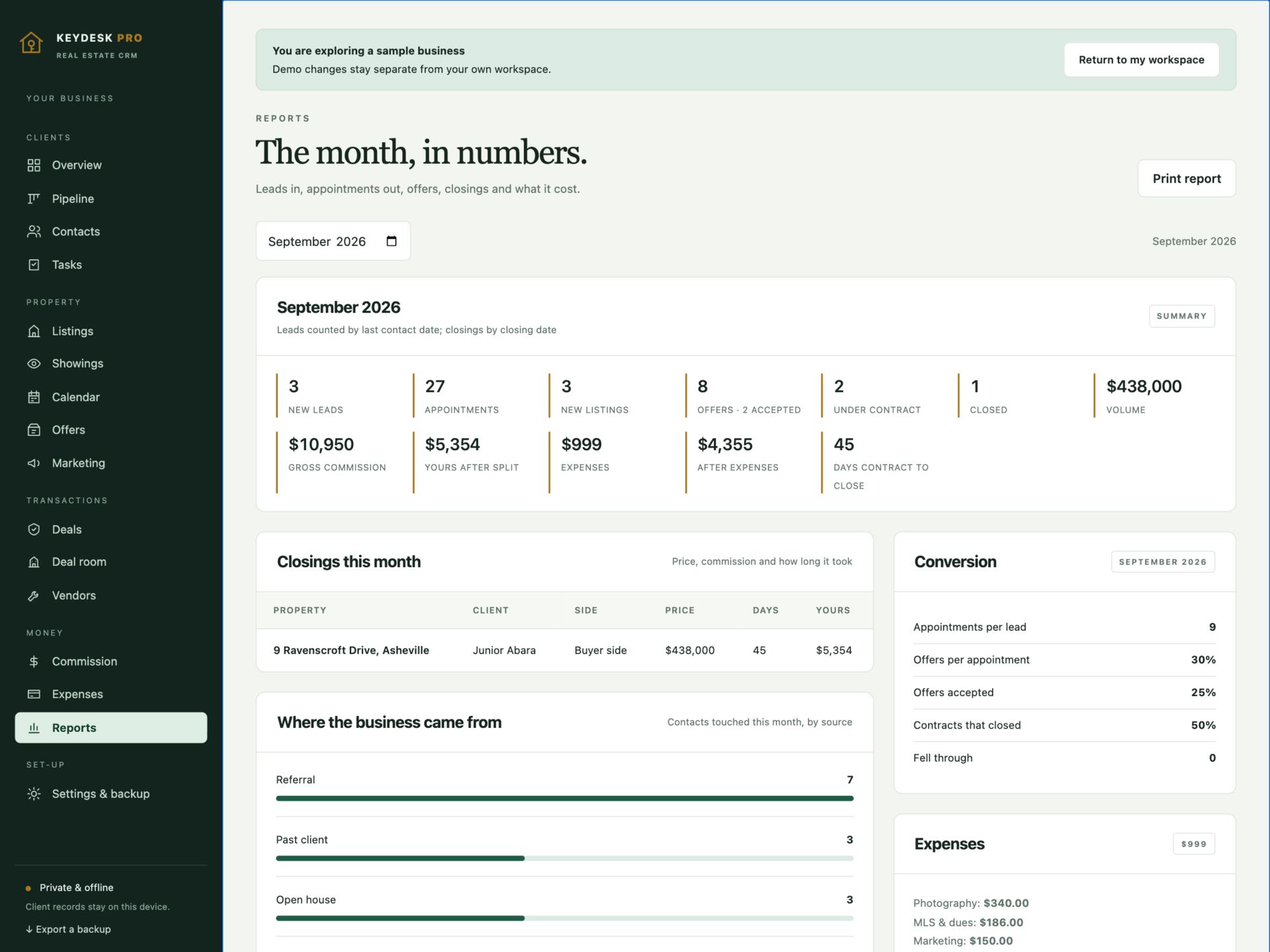
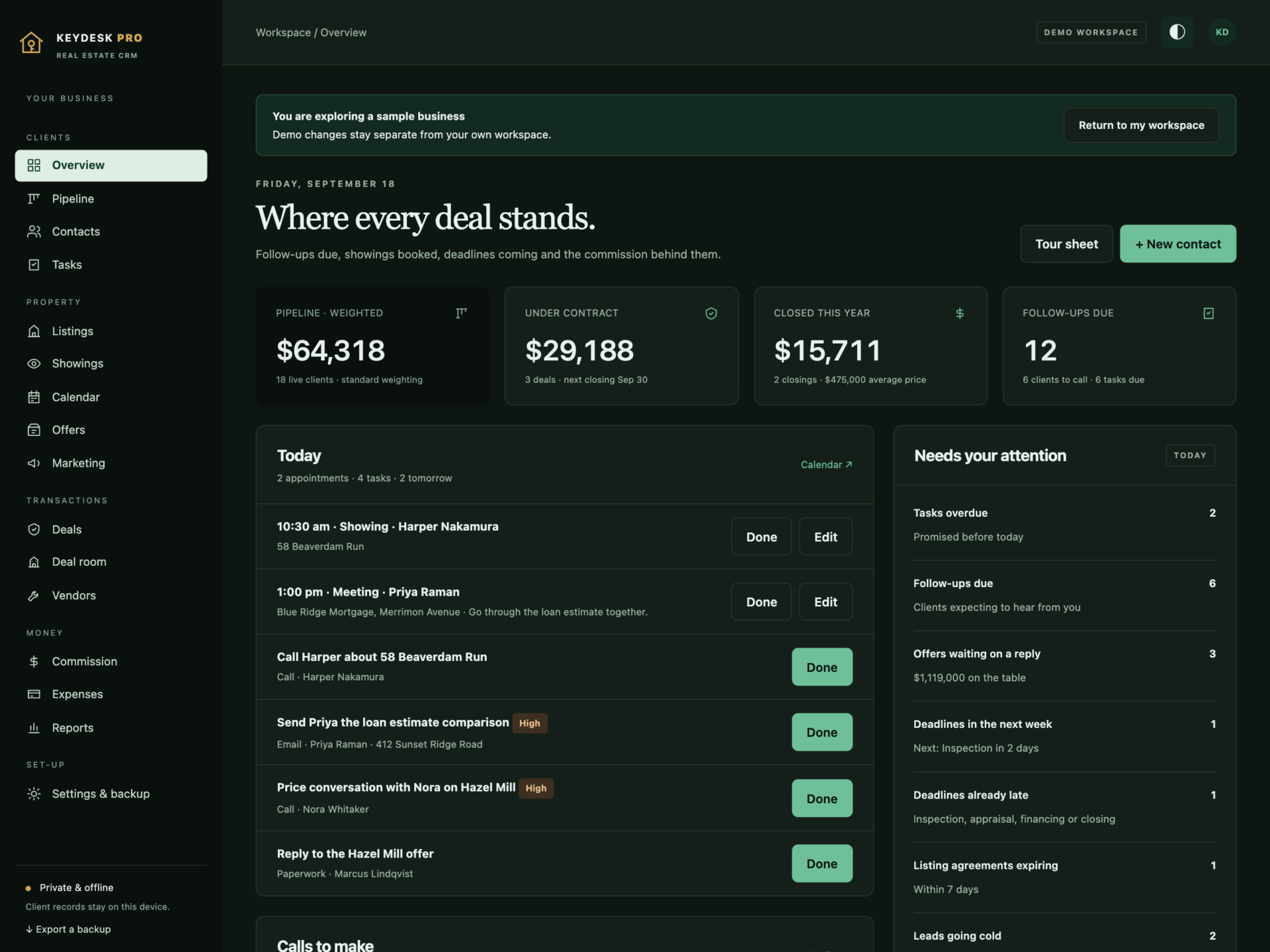
A short recording of the app, then the screens themselves.
$53
One-time purchase · yours to keep
Buy now- One payment - the file is yours to keep
- Works offline, no account, no subscription
- Your data stays on your own device
What's included
- 1 HTML file: the complete KeyDesk Pro application
- 1 Getting Started guide (HTML)
- 1 License file (HTML)
Delivery
Instant Download
Your files will be available to download once payment is confirmed.
Every lead, every listing, every key.
KeyDesk Pro is a real estate CRM and transaction desk for agents, small teams and independent brokerages. The pipeline, listings, showings, offers, the deal room and your commission live in one offline file - and every figure in it is worked out from your own rates, your own split and your own contract periods.
Download the HTML application, open it in your browser and start with your own clients, or explore the sample brokerage first: 25 clients across the pipeline, nine listings, a full week of appointments, ten offers and six transactions.
A pipeline that is worth something
- Every live client by stage, from new lead to under contract.
- Each one carries the commission you would actually earn - after the referral fee, the brokerage split and your transaction fee.
- Multiplied by the chance a client at that stage closes, so the total is a forecast rather than a wish.
- Switch the whole forecast to conservative or optimistic and every figure moves with it.
- Log a call and the next follow-up books itself. A lead going quiet is flagged before you lose it.
Offers ranked by what the seller keeps
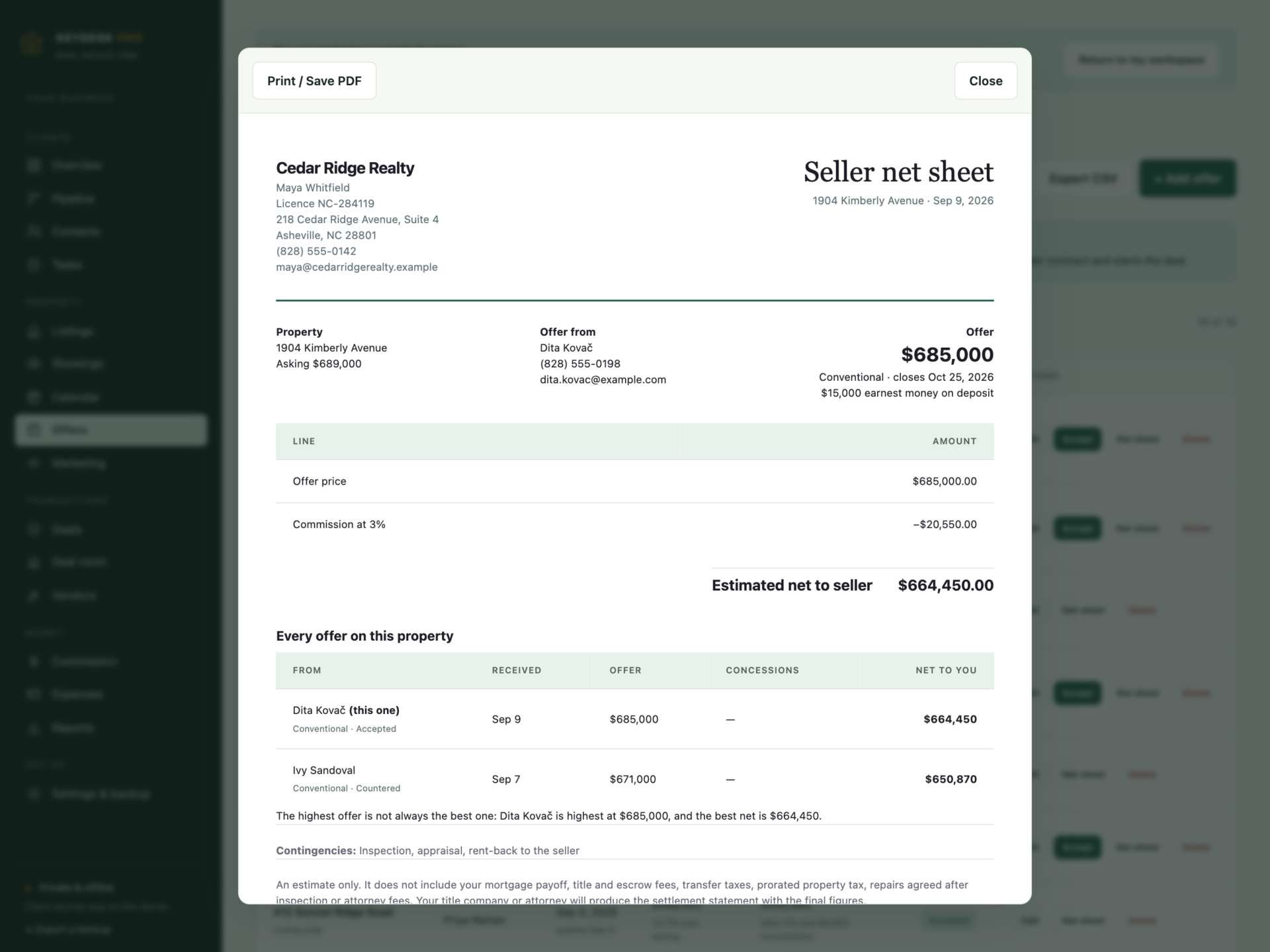
Every offer is shown after commission and concessions, beside the asking price - because two offers a few thousand apart can net very differently. The printable seller net sheet puts every offer on the property side by side. Accept one and the deal is created, the listing goes under contract, the other live offers are rejected and the client’s stage moves. Only one offer on a property can be accepted, and an expired one cannot be.
The deal room holds the dates
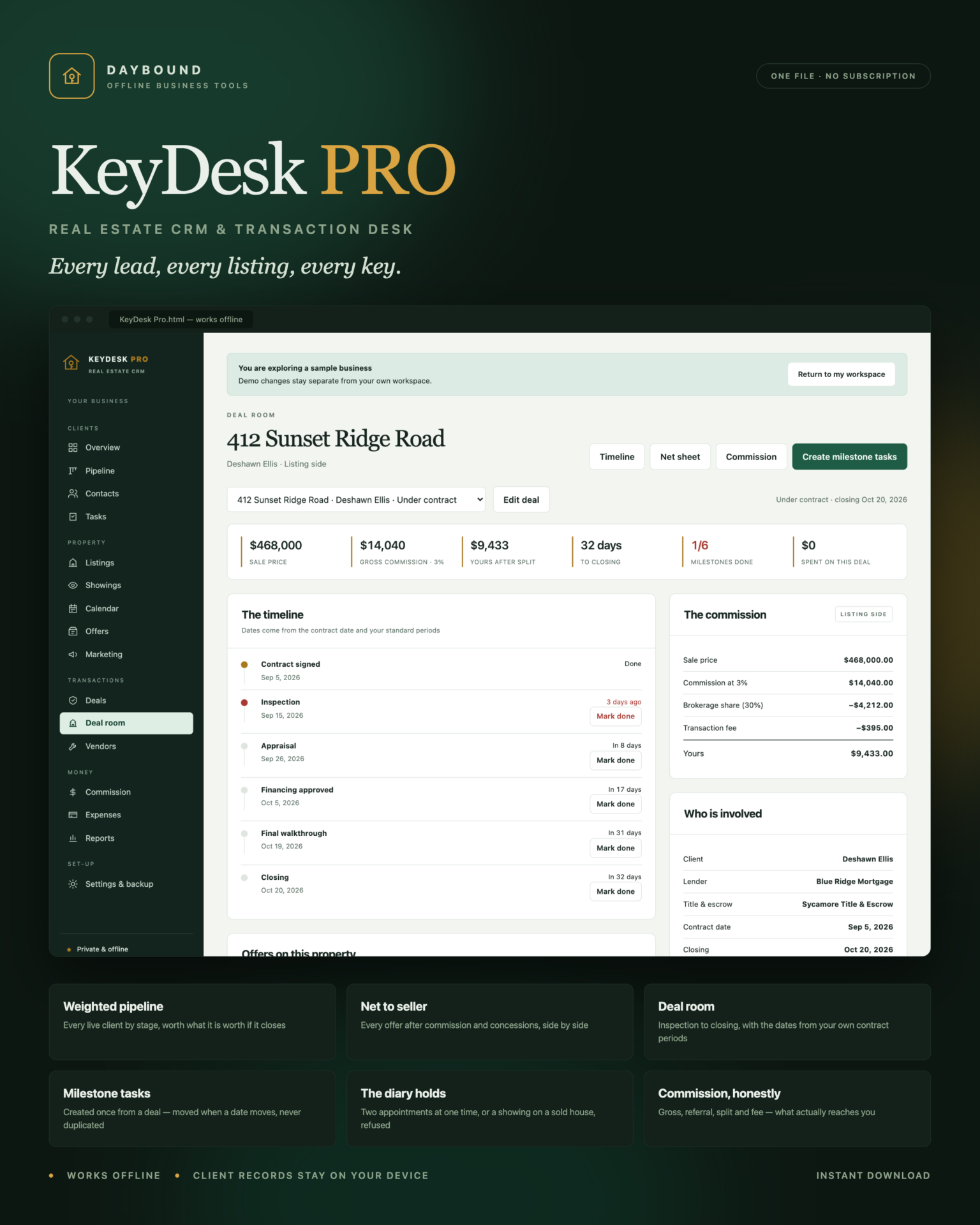
- Inspection, appraisal, financing, walkthrough and closing, dated from the contract using your own periods.
- Create the milestone tasks once - move a date and the task moves with it, never duplicated.
- Deadlines already late are flagged in red, on the deal and on the overview.
- Closing a deal marks the listing sold, completes the remaining tasks and moves the client.
- A deal cannot be closed before its date, or while a milestone is still open.
Listings that tell you how they are doing
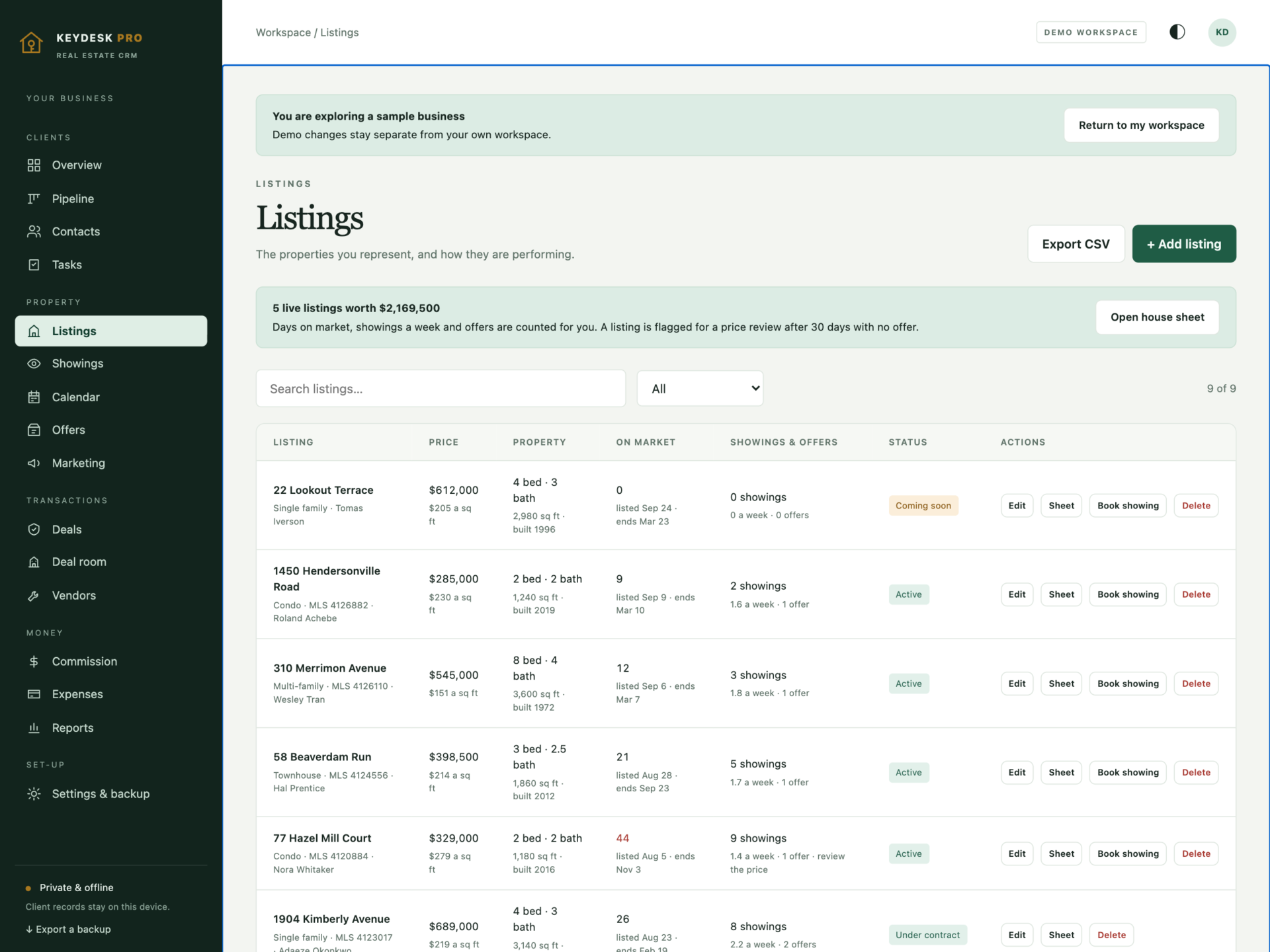
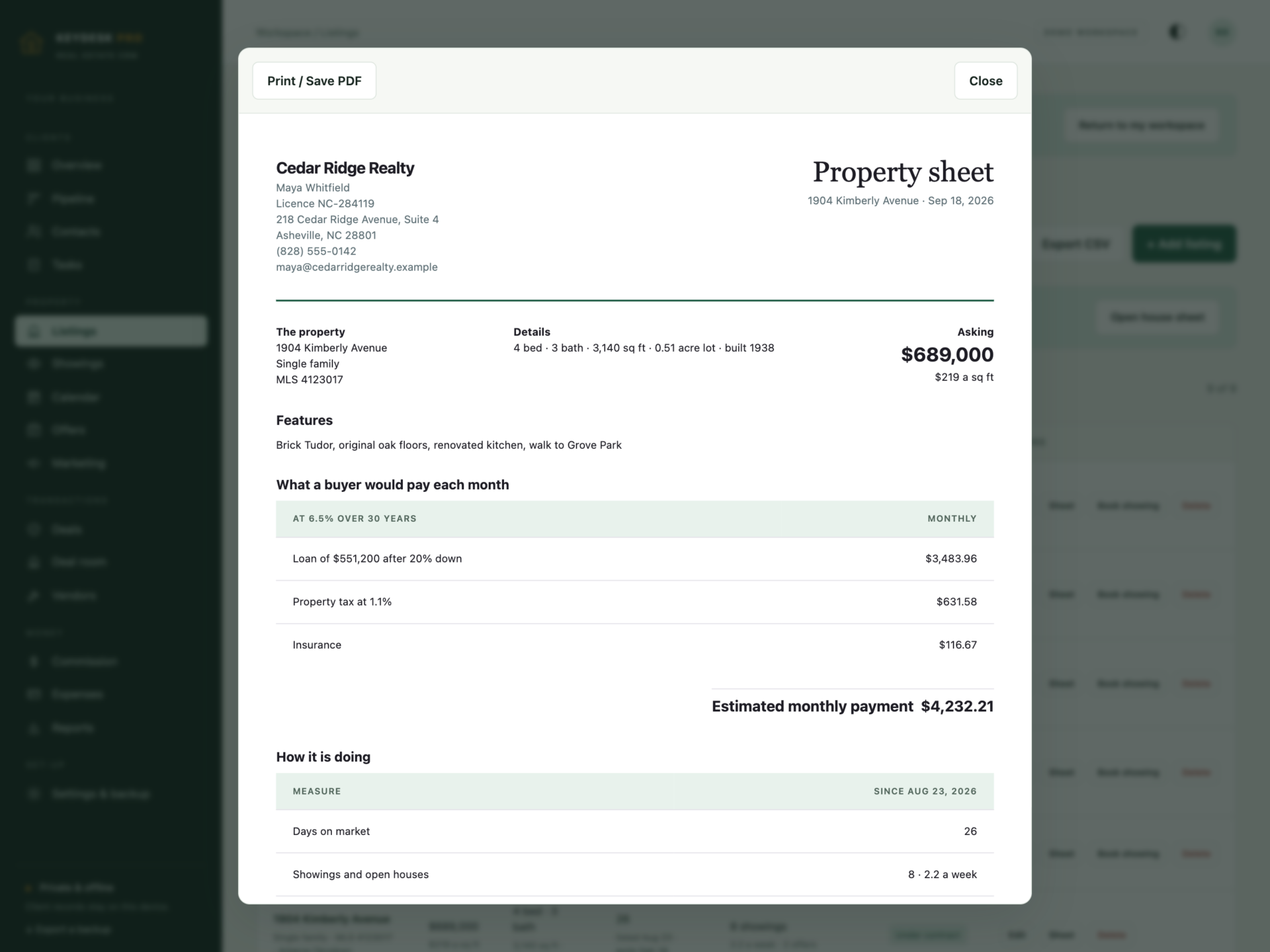
Days on market, showings a week and offers are counted for you. A listing is flagged for a price review once it passes your own market benchmark with no live offer, and agreements about to expire are surfaced on the overview. Marketing spend is tracked per listing, with the items that actually brought leads.
A diary that holds
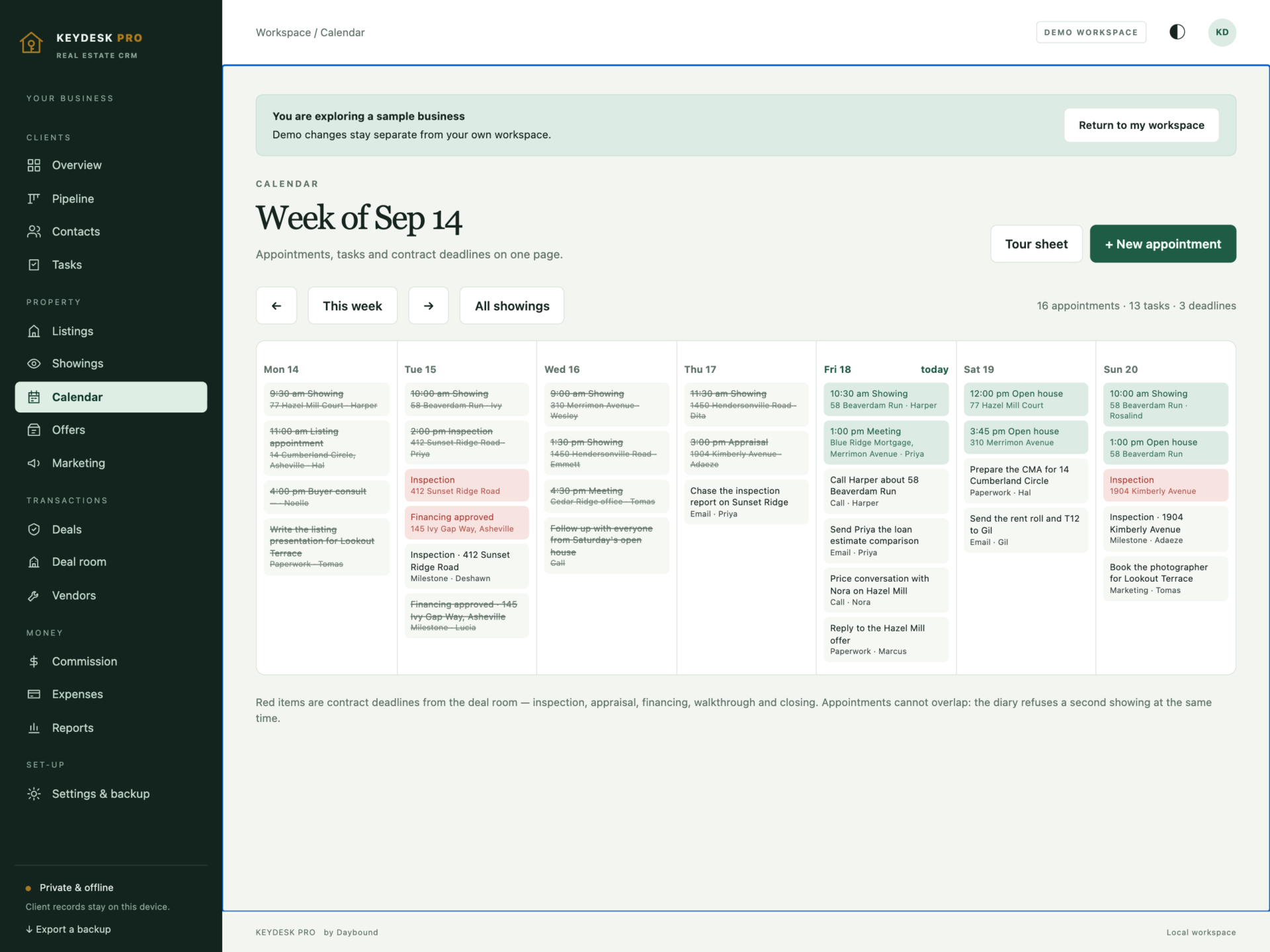
Showings, open houses, listing appointments, inspections, appraisals and closings. Two appointments at the same time are refused and the message names where you already are; a showing on a property that is sold or withdrawn is refused. Feedback you record shows up against the listing, and the week view puts appointments, tasks and contract deadlines on one page.
Commission, honestly
Gross commission, the referral fee off the top, the brokerage share, the transaction fee, and what actually reaches you - per deal, per period and per year, with what is under contract and what is left after expenses.
Private by design
Client names, phone numbers, addresses, budgets and transaction figures are stored by your browser on your own device, separately from the HTML file, and are never uploaded. Export a full JSON backup at any time, restore one after a validation check, or export any list to CSV. A backup with two accepted offers on one property, two listings at one address, a deal that closes before it starts or a link to a contact that is not there is refused rather than loaded.
What you receive
- KeyDesk Pro.html: the complete offline application.
- Getting Started.html: pipeline, listings, offers, deal room, commission and backup guide.
- License.html: the included licence for use within one real estate business.
Delivered together in one ZIP download. Screenshots and the walkthrough show sample records from the app’s demo workspace.
Before you buy
Use a current browser with JavaScript and local storage enabled. A laptop or tablet is recommended for the pipeline and calendar views. This is a digital download; no physical item is shipped.
KeyDesk Pro is the desk side of a real estate business: it does not connect to the MLS, publish to portals, send email or text, produce contracts, take payments, or sync between devices. Net sheets, weighted pipeline values and monthly payment estimates are calculations from the records and rates you enter - not an appraisal, a settlement statement, a loan estimate or financial advice. Check every figure before it reaches a client.
Frequently asked questions
How is the weighted pipeline worked out?
Each live client carries the commission you would earn if they closed - price × your rate, less the referral fee, the brokerage split and your transaction fee - multiplied by the chance a client at that stage closes, from 5% at new lead to 90% under contract. Set the whole forecast to conservative or optimistic and every figure moves with it.
What is a net sheet, and why does it matter?
It shows what the seller actually keeps: the offer, less the commission on that listing, less any concessions. Two offers a few thousand apart can net very differently. The printable sheet puts every offer on the property side by side so the conversation is about the right number.
Does it stop me double-booking myself?
Yes. Two appointments that overlap are refused, and the message names where you already are. A showing on a property that is sold, withdrawn or expired is refused too.
How do the contract deadlines work?
Inspection, appraisal, financing, walkthrough and closing are dated from the contract date using the periods you set. Press Create milestone tasks once and every deadline lands in the calendar. Move a date on the deal and the task moves with it - running it again never creates duplicates.
Can it handle both sides, and referral fees?
Yes. Each deal records the side, the commission rate, a referral fee percentage and your split, so the figure you see is what reaches you rather than the headline commission.
Does it connect to the MLS or my portal?
No. It is a completely offline file with no network access at all - that is what keeps your client list private. You enter the listings you work on.
Is the mortgage calculation a real quote?
No. It estimates the monthly payment from the rate, term, deposit, property tax rate and insurance figure you set, so you can have a useful conversation. It does not include HOA dues, mortgage insurance or lender fees. Send every buyer to a lender for a real number.
Is it an accounting package?
No. It tracks clients, listings, appointments, offers, transactions and commission. There is no tax return, no trust accounting and no bank feed - export CSV or hand the figures to your bookkeeper.
Where are the records stored?
In your browser’s local storage on your own device. Nothing is uploaded. Export a backup after every closing and keep it somewhere private.
Do I need an internet connection or an account?
Only to download the file. After that it works completely offline, with no account.
Is it a subscription?
No. You pay once and the file is yours.
One-time purchase: $39, tax included. No recurring software subscription - the price you see is the price you pay.
At a glance
How it runs
-
1
Download
You get the application as one HTML file, with its documentation guide and its licence.
-
2
Open
Double-click it. It opens in the browser you already have - Chrome, Edge, Safari or Firefox. There is nothing to install and no account to create.
-
3
Keep
Your records save to that browser on that device. Export a backup from the app whenever you want a copy of your own.


