

ProjectDesk Pro
For project managers and planners who run real schedules.
Critical path, baselines, workload, risks and status reports, in one offline workspace.
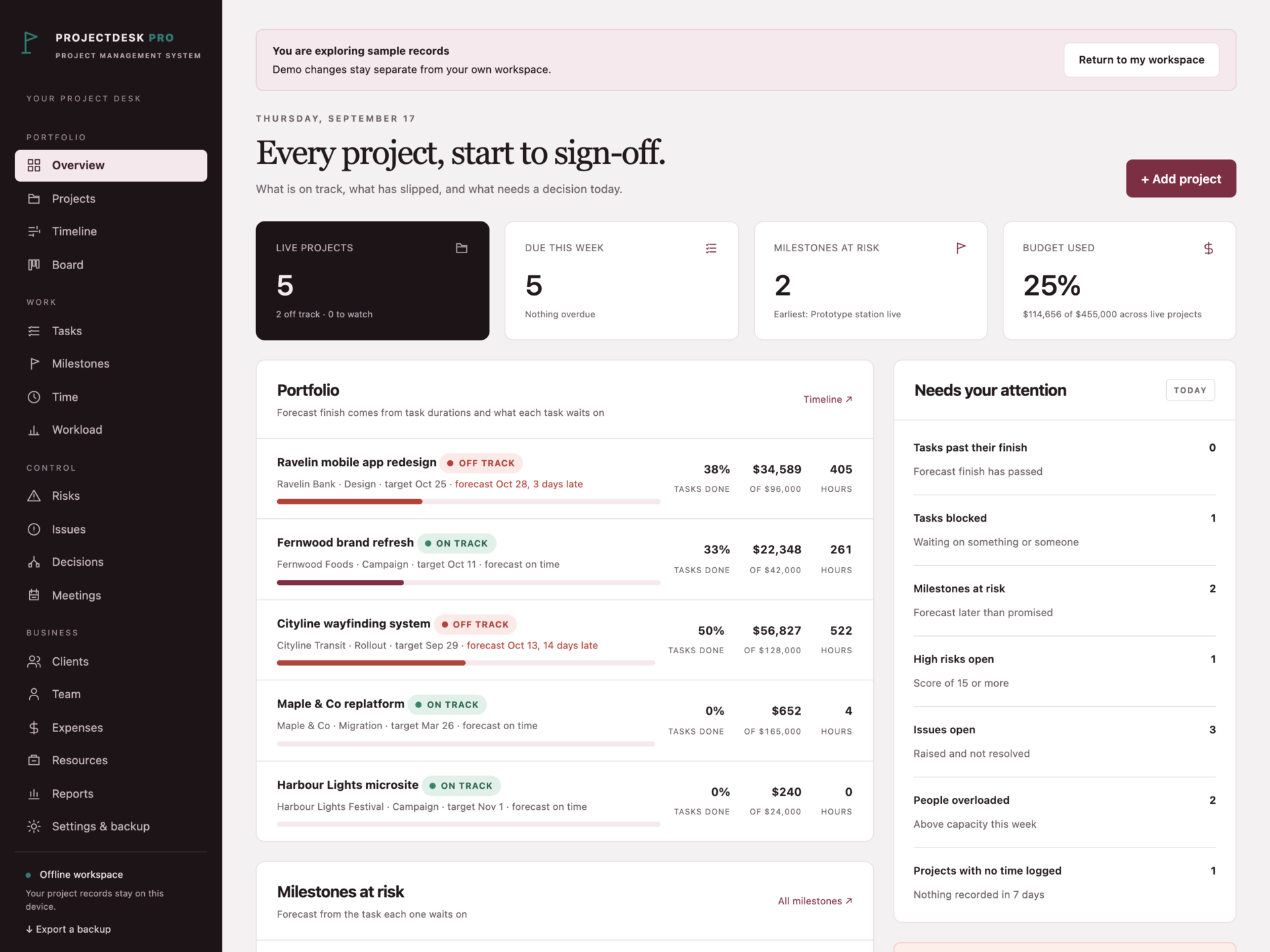
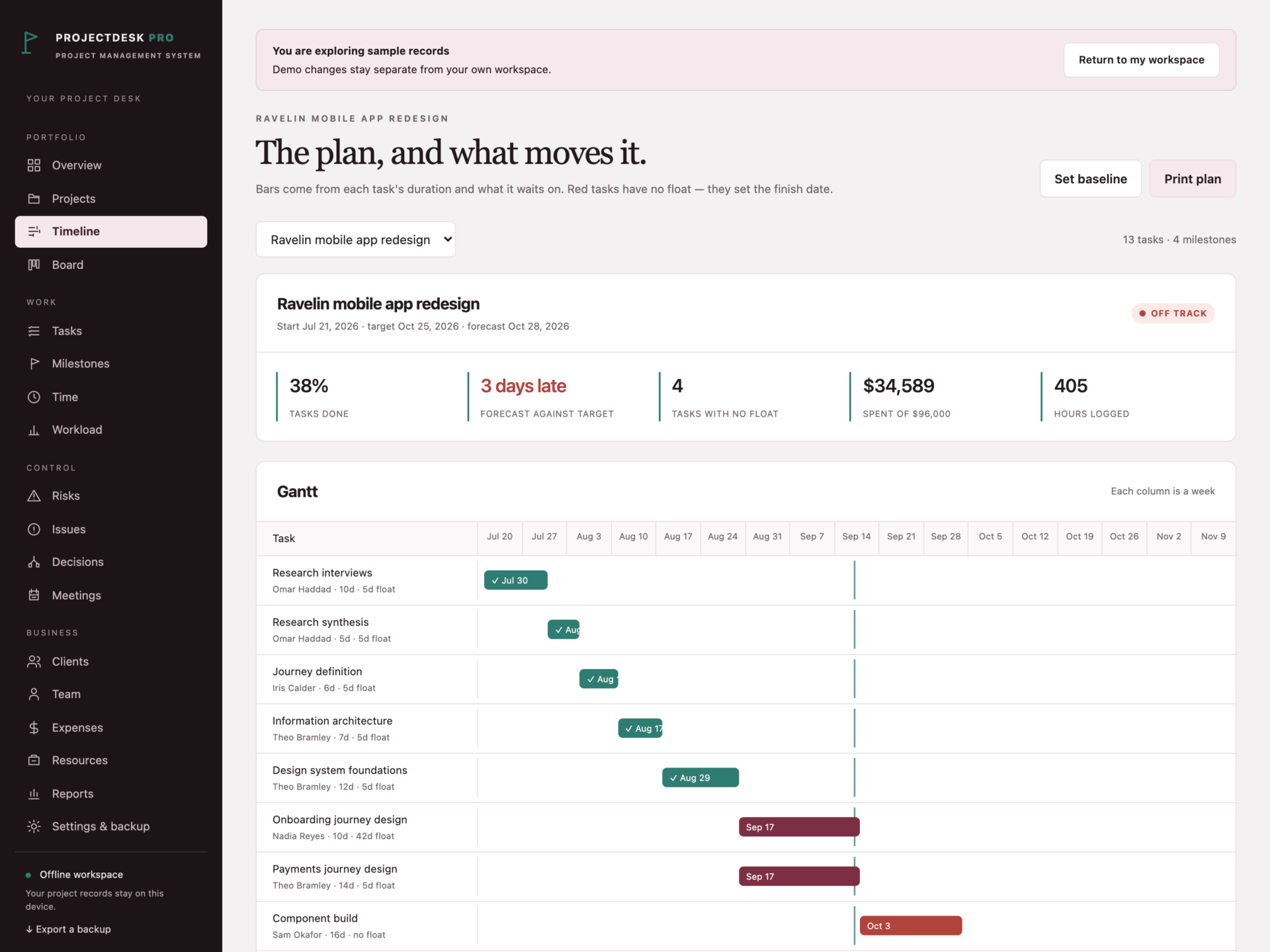

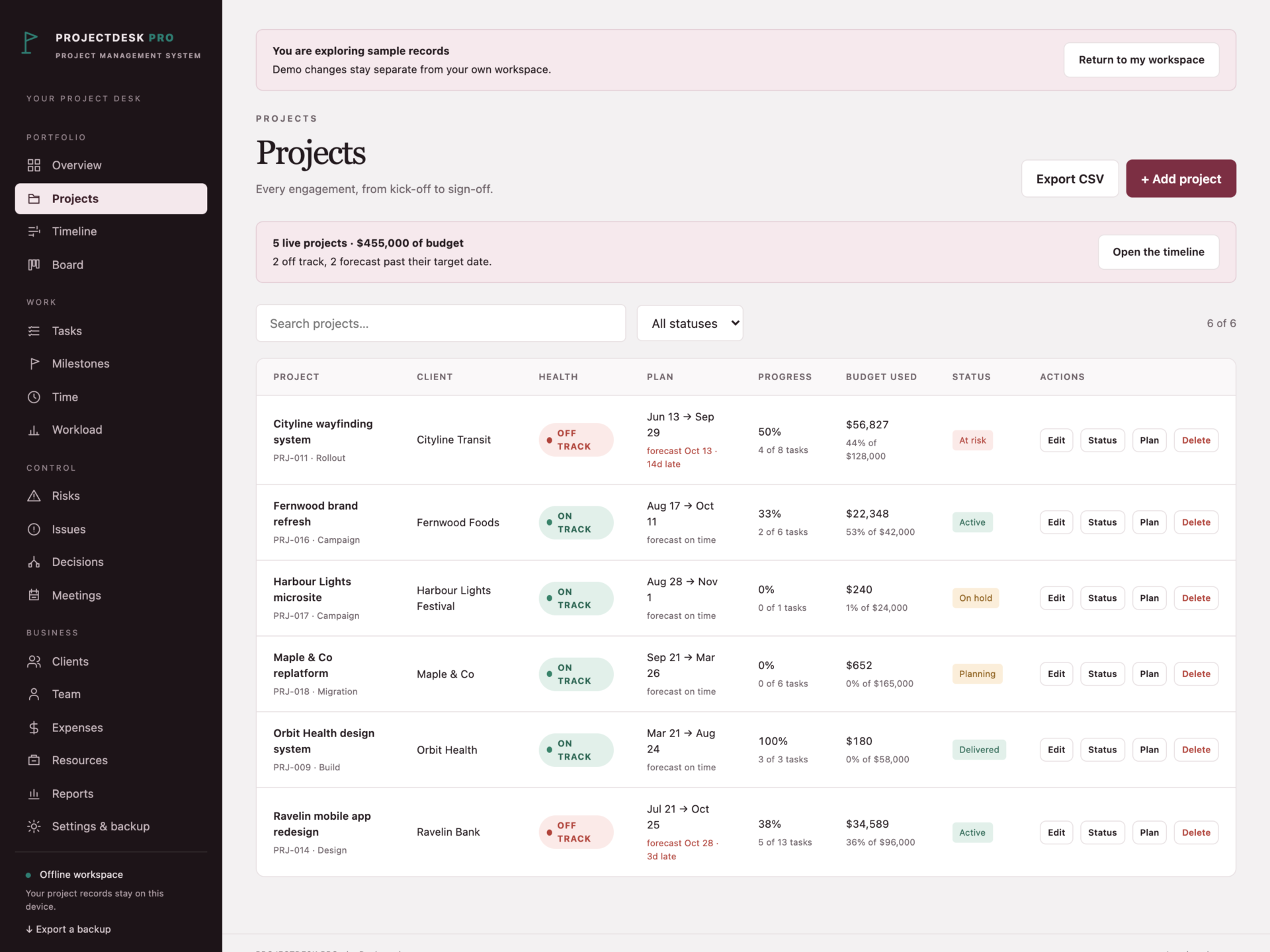
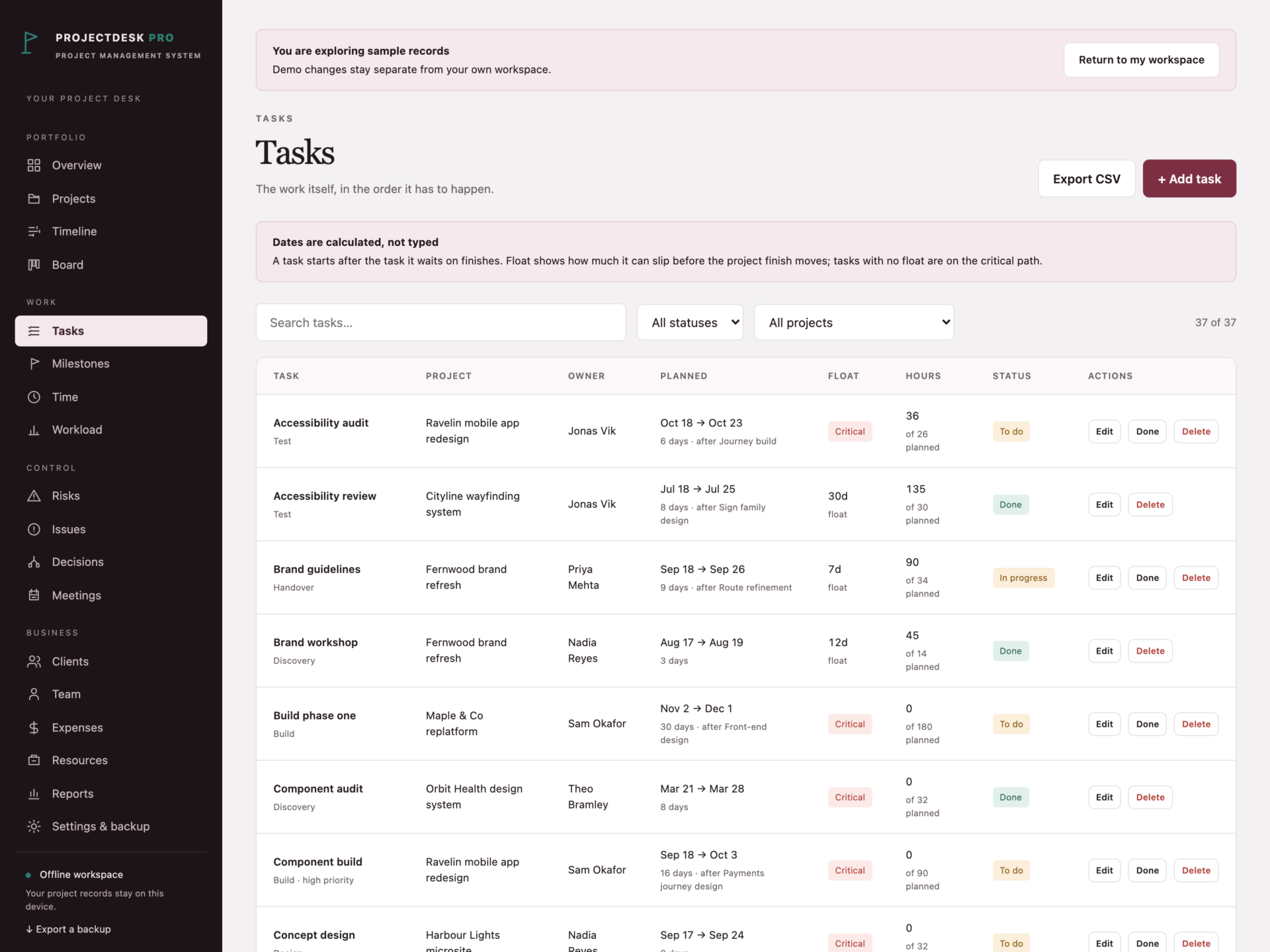


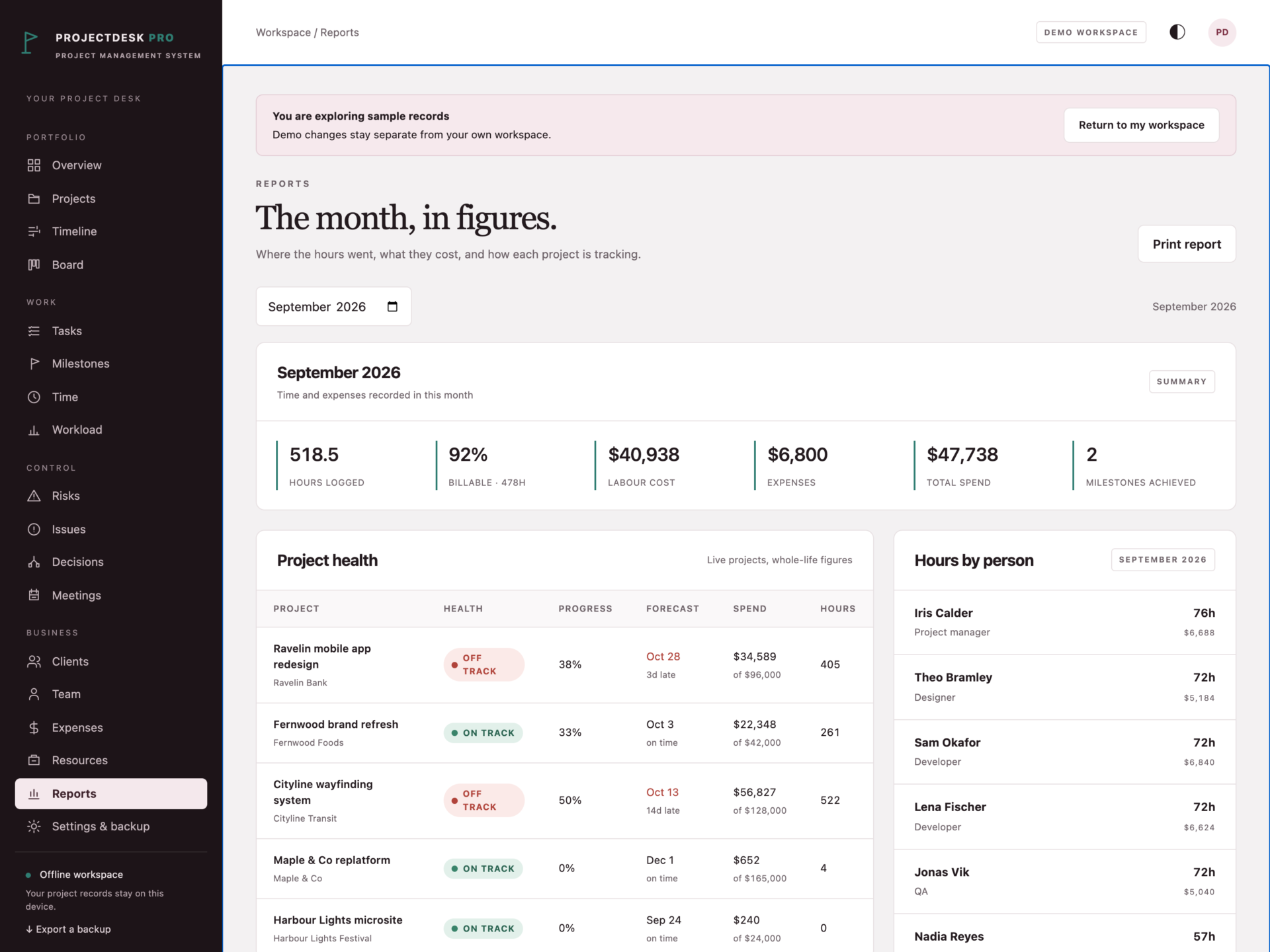
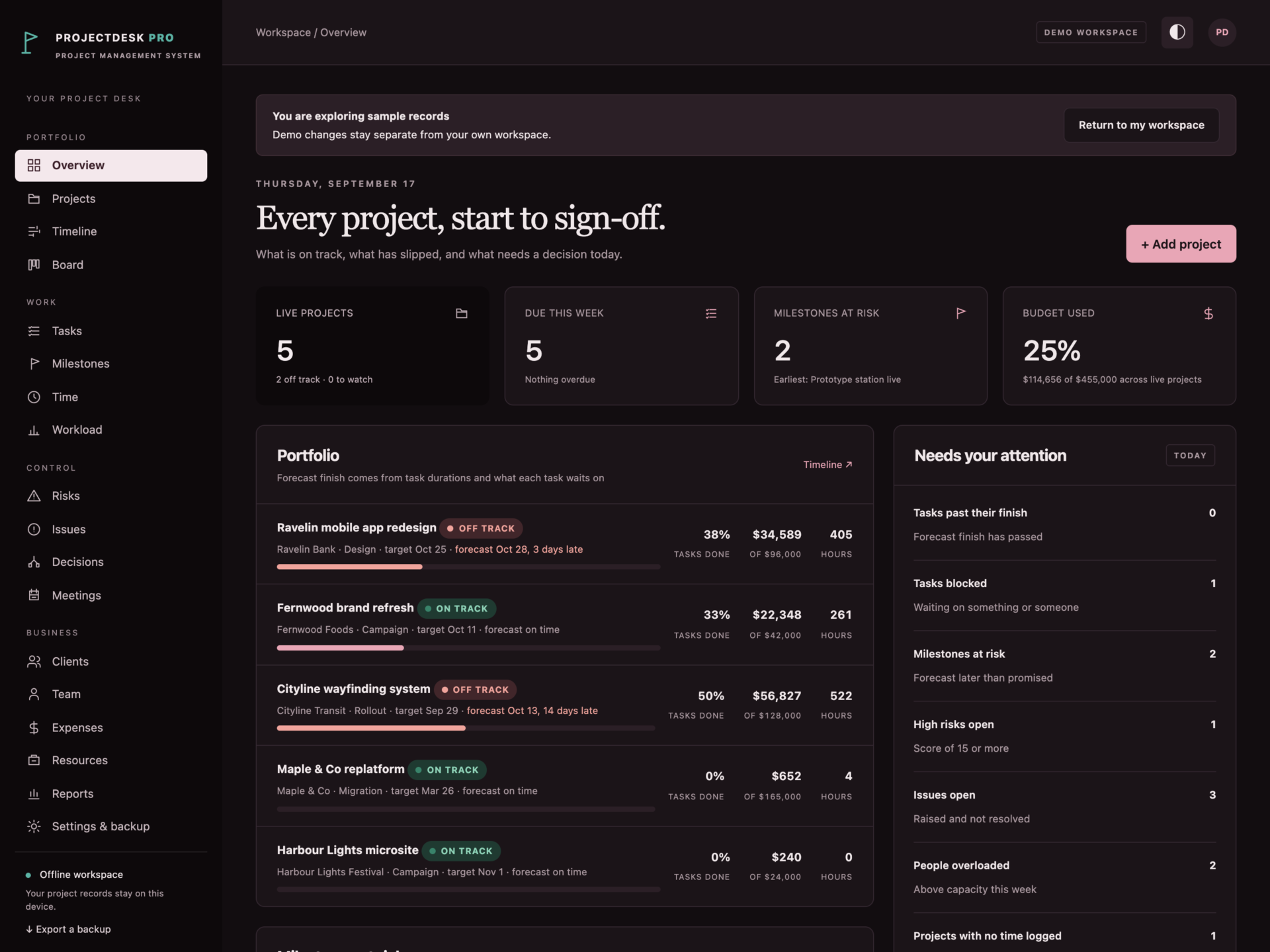
A short recording of the app, then the screens themselves.
$40
One-time purchase · yours to keep
Buy now- One payment - the file is yours to keep
- Works offline, no account, no subscription
- Your data stays on your own device
What's included
- 1 HTML file: the complete ProjectDesk Pro application
- 1 Getting Started guide (HTML)
- 1 License file (HTML)
Delivery
Instant Download
Your files will be available to download once payment is confirmed.
A plan that calculates itself
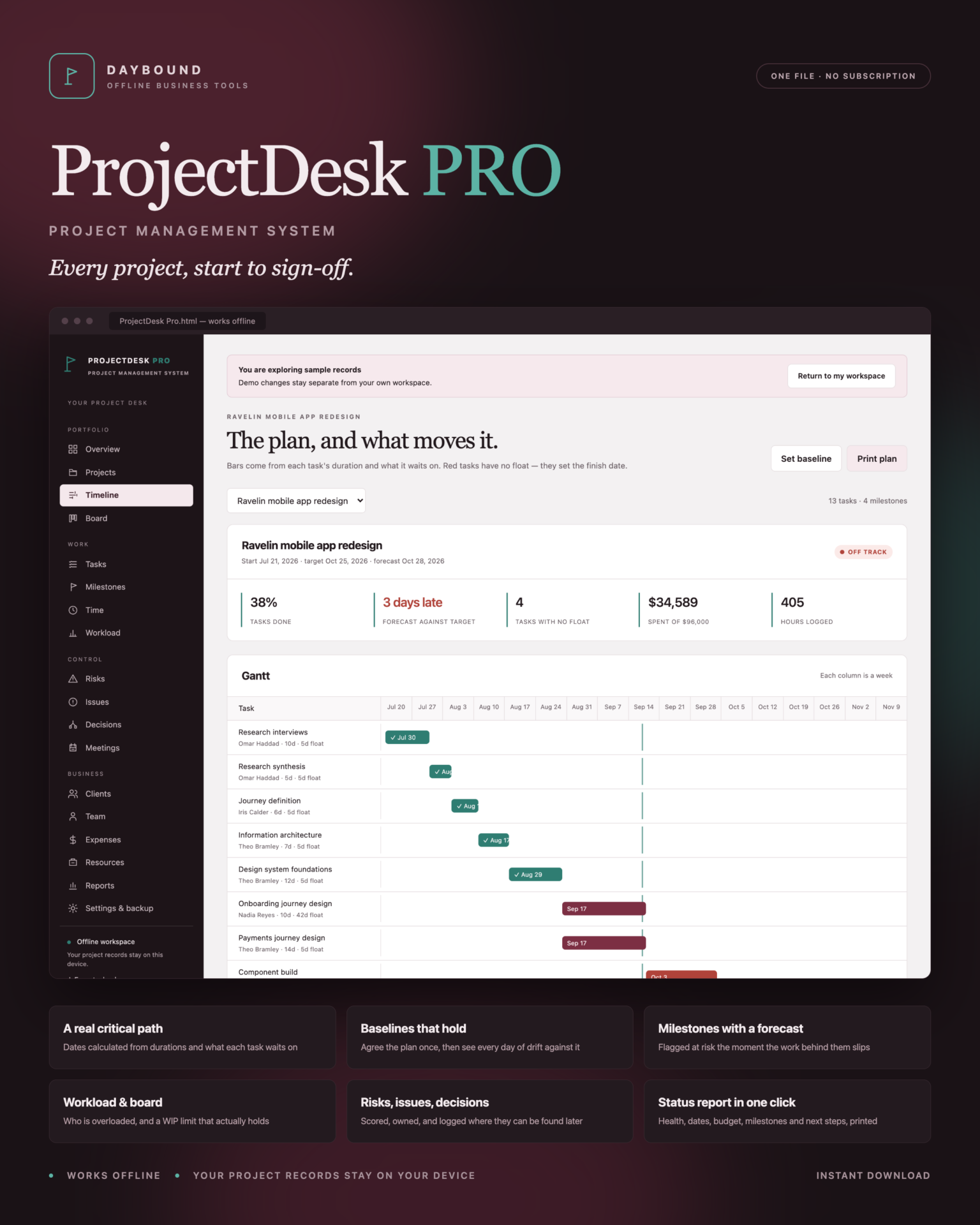
ProjectDesk Pro is a project management system for studios, agencies, consultancies and in-house teams. Give a task a duration and the task it waits on, and the dates follow: start, finish, float, and which tasks are actually on the critical path. Change one duration and the whole forecast redraws.
Download the HTML application, open it in your browser and start with your own projects, or explore the sample studio first: six projects, a dependency-linked plan, milestones, six weeks of timesheets, risks, issues, decisions and meetings.
Dates you can defend
- Critical path: tasks with no float are marked in red on the Gantt - they are the ones setting your finish date.
- Nothing hides: work that has not started is never scheduled in the past, so a late start moves the forecast immediately.
- Refused, not fudged: tasks that loop on each other, or wait on work in another project, cannot be saved.
- Baselines: freeze the agreed plan, then see drift per task - “+5d” means five days later than everyone signed up to. Re-baselining asks first, because it hides the slip you have already taken.
Milestones that forecast themselves
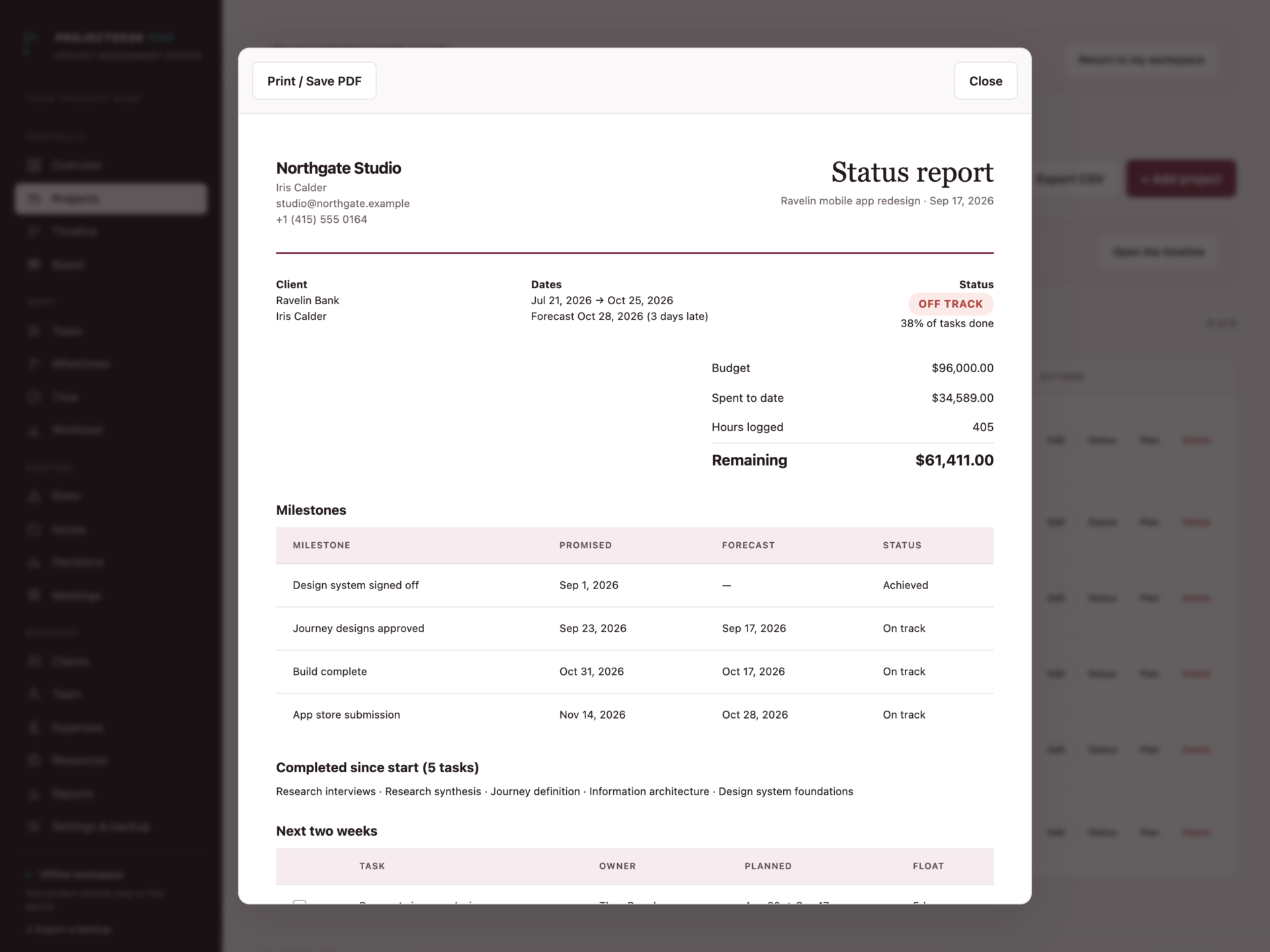
A milestone points at the task that delivers it. When that task slips, the milestone is flagged at risk with the number of days - on the dashboard, in the list, and in the printed status report. No separate spreadsheet, no manual re-checking.
The work in flight
- Board across To do, In progress, Review, Blocked and Done.
- A work-in-progress limit per project that is actually enforced: moving another task into In progress beyond the limit is refused.
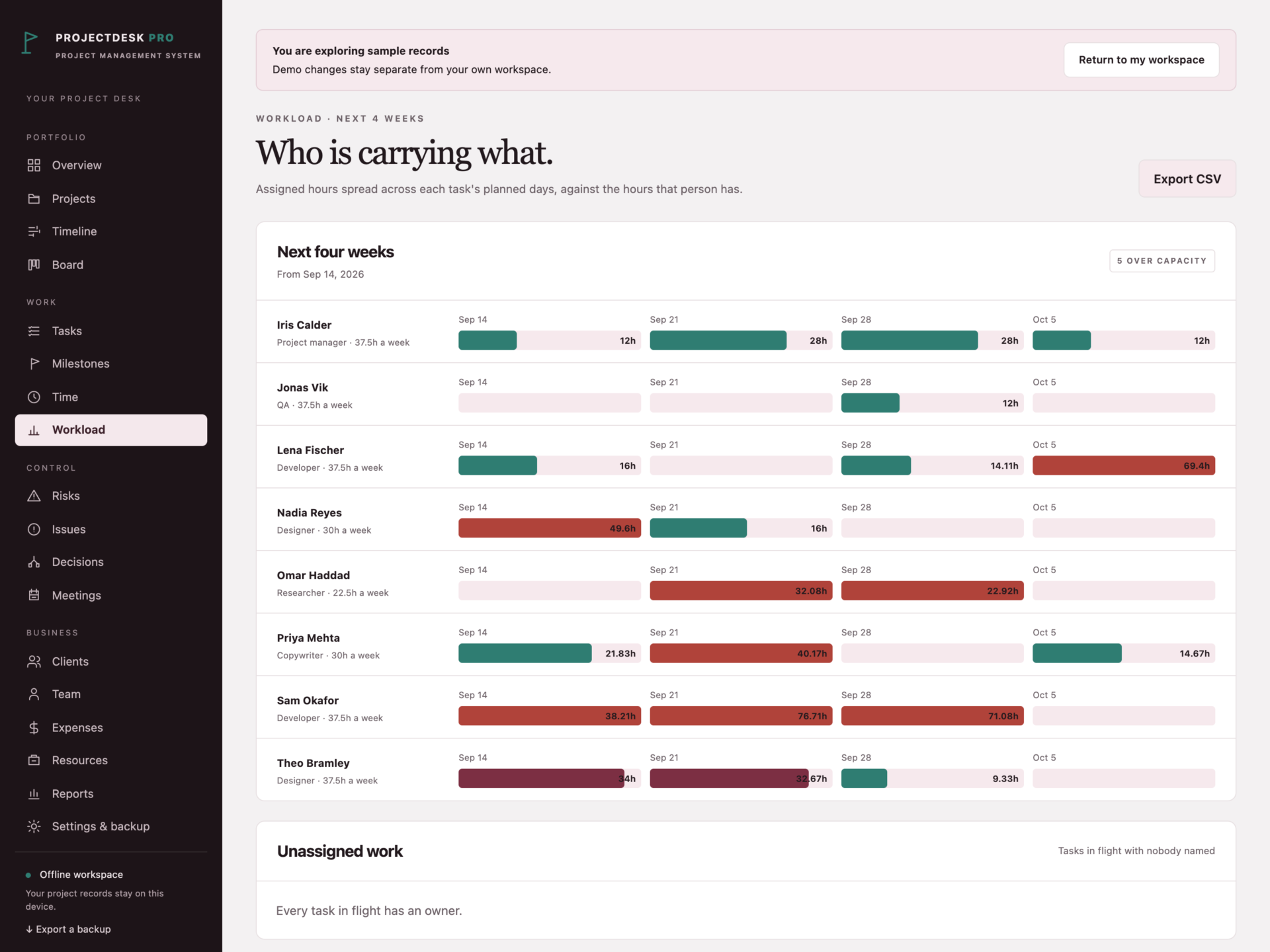
- Workload by person over four weeks, spreading each task’s hours across its planned days. Over capacity shows in red, and unassigned work is listed separately.
Control that stands up in a review
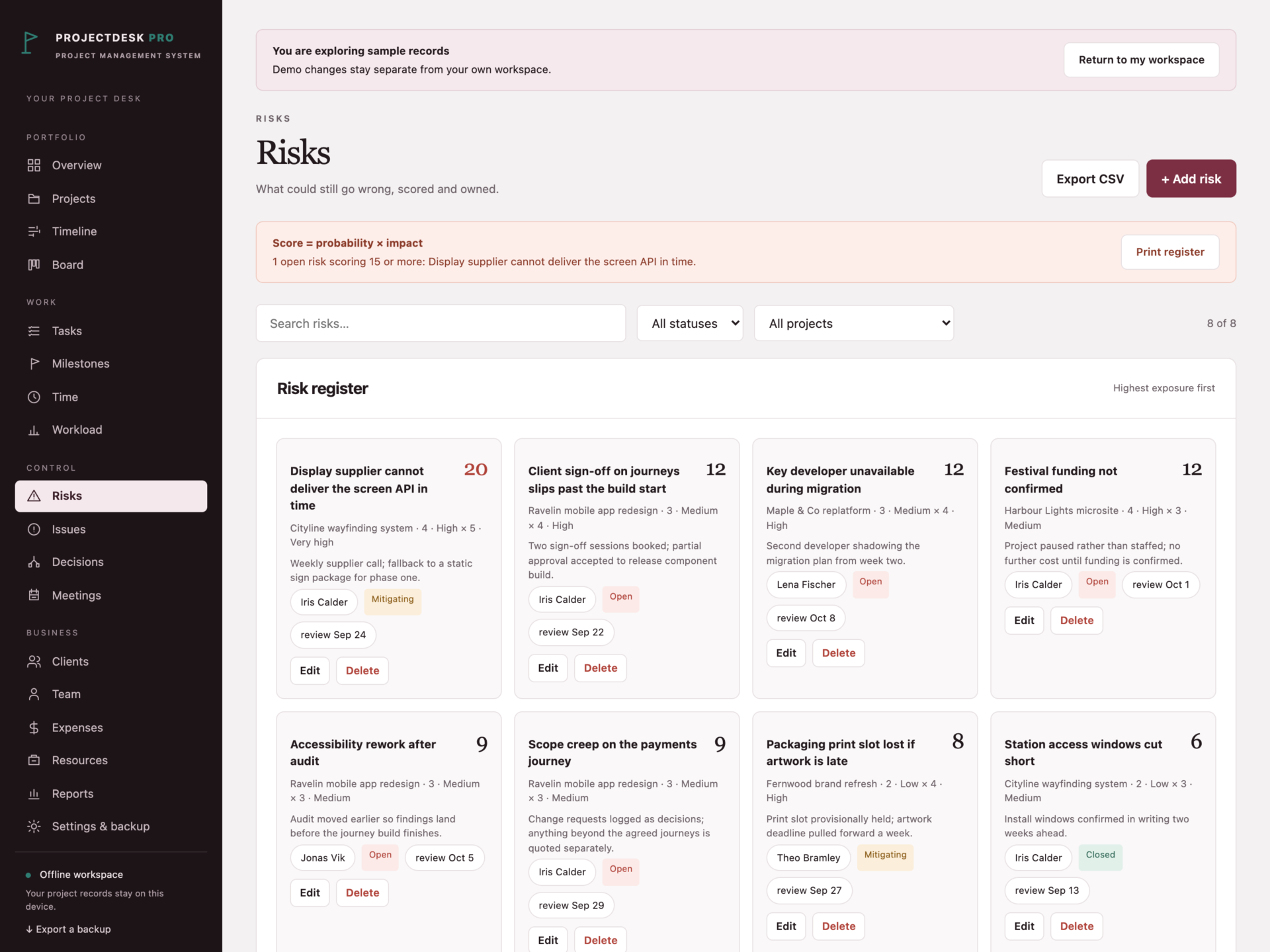
- Risks scored probability × impact, sorted highest first, with owners and mitigations.
- Issues with severity, owner and age.
- Decisions - what was agreed, when, and by whom. The log that settles arguments three months later.
- Meetings with agenda, minutes and the actions that came out of them.
Time, people and money
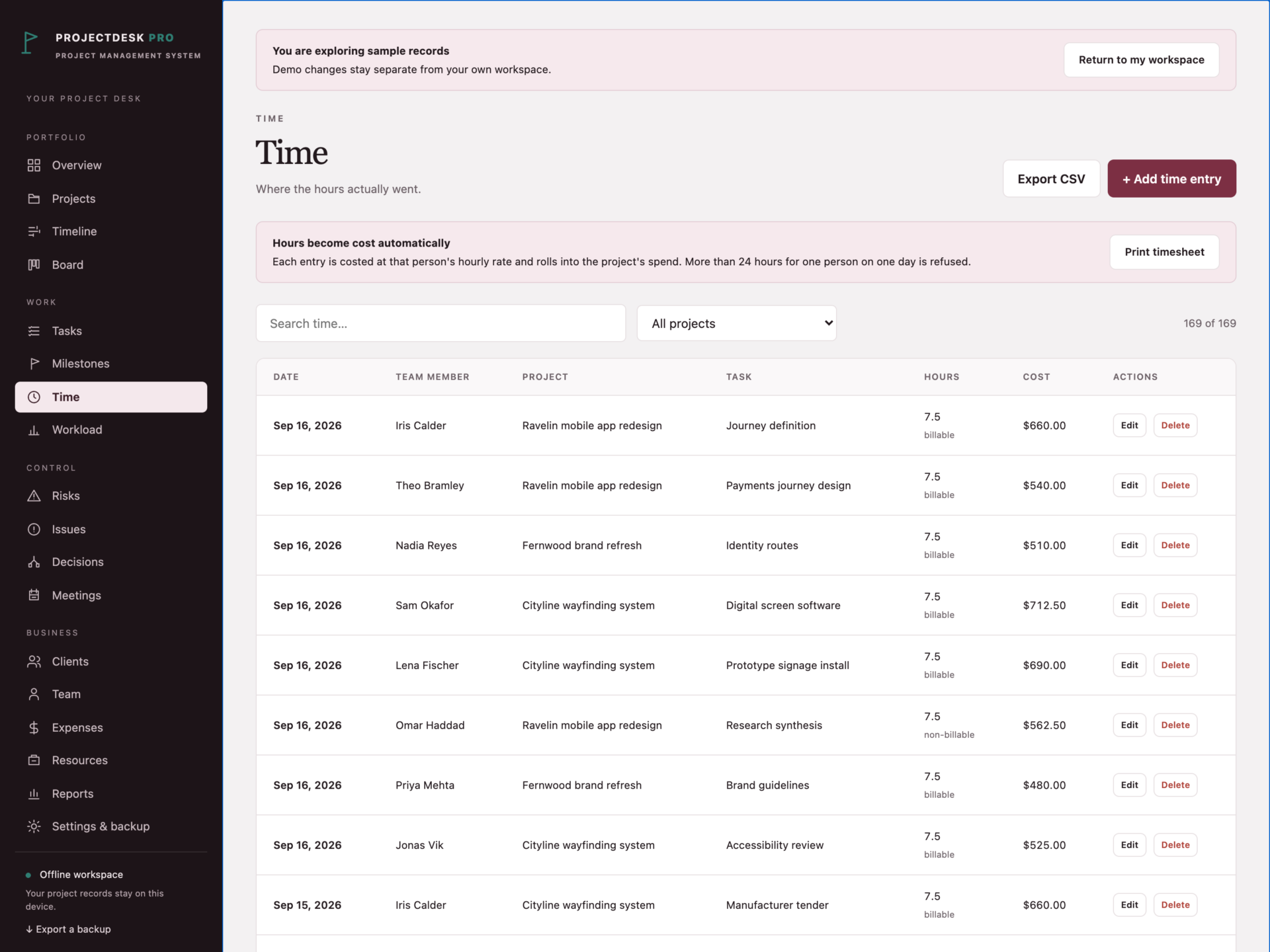
Time is recorded per person, project and task, and costed at that person’s hourly rate; more than 24 hours for one person in a day is refused, and so are future dates. Expenses sit alongside it, and each project shows spend against budget with a health chip that turns amber, then red.
Print what the meeting needs
Status report, project plan with calculated dates and baseline drift, risk register, meeting minutes, timesheet and budget report - all print or save as PDF.
Your data, your device
Records are stored by your browser on your own machine, separately from the HTML file, and are never uploaded. Export a full JSON backup at any time, restore one after a validation check, or export any filtered list to CSV. A backup that would break the plan - tasks looping on each other, a task waiting on another project, more than 24 hours in a day - is refused rather than loaded.
What you receive
- ProjectDesk Pro.html: the complete offline application.
- Getting Started.html: setup, scheduling, baselines and backups.
- License.html: the included licence for use within one business.
Delivered together in one ZIP download. Screenshots and the walkthrough show sample records from the app’s demo workspace.
Before you buy
Use a current browser with JavaScript and local storage enabled. A laptop or desktop is recommended for planning work. This is a digital download; no physical item is shipped.
ProjectDesk Pro is a workspace for one planner on one device. It is not shared team software: colleagues cannot log in, edit the same plan or be notified - you share a printed status report or plan instead. It does not connect to Jira, Asana, accounting or calendar systems, does not send notifications, does not store files or attachments, and does not sync between devices. Durations are calendar days, each task waits on at most one other task, and labour cost uses each person’s current rate, so changing a rate restates past cost.
Frequently asked questions
Is this a real Gantt chart or a picture of one?
It is calculated. Each task has a duration and, optionally, the task it waits on; the app works out start, finish, float and which tasks are on the critical path, and redraws the moment you change a duration.
What happens when something runs late?
Work that has not started is scheduled from today, so the forecast finish moves straight away, the milestones behind it are flagged at risk, and the project health chip turns red.
What is a baseline for?
It freezes the agreed plan. Afterwards, the printed project plan shows how many days each task has drifted from what everyone signed up to - the difference between “we are late” and “we are eleven days late on the build”.
Can my team use it at the same time?
No. This is a single-device workspace for the person running the project. You share the output - a status report, a plan, a risk register - rather than the file.
Does it track time and cost?
Yes. Time is recorded per person, project and task, and costed at each person’s hourly rate. Expenses sit alongside it, and each project shows spend against budget.
Does the board enforce a WIP limit?
If you set one on the project, yes - moving another task into In progress beyond the limit is refused, with a message telling you to finish something or raise the limit deliberately.
Do I need an internet connection or an account?
Only to download the file. After that it works completely offline, with no account.
Is it a subscription?
No. You pay once and the file is yours.
One-time purchase: $39, tax included. No recurring software subscription - the price you see is the price you pay.
At a glance
How it runs
-
1
Download
You get the application as one HTML file, with its documentation guide and its licence.
-
2
Open
Double-click it. It opens in the browser you already have - Chrome, Edge, Safari or Firefox. There is nothing to install and no account to create.
-
3
Keep
Your records save to that browser on that device. Export a backup from the app whenever you want a copy of your own.


