

BrushDesk Pro
For painting and decorating contractors.
Measured estimates, paint orders, crew planning and job costing, in one offline workspace.



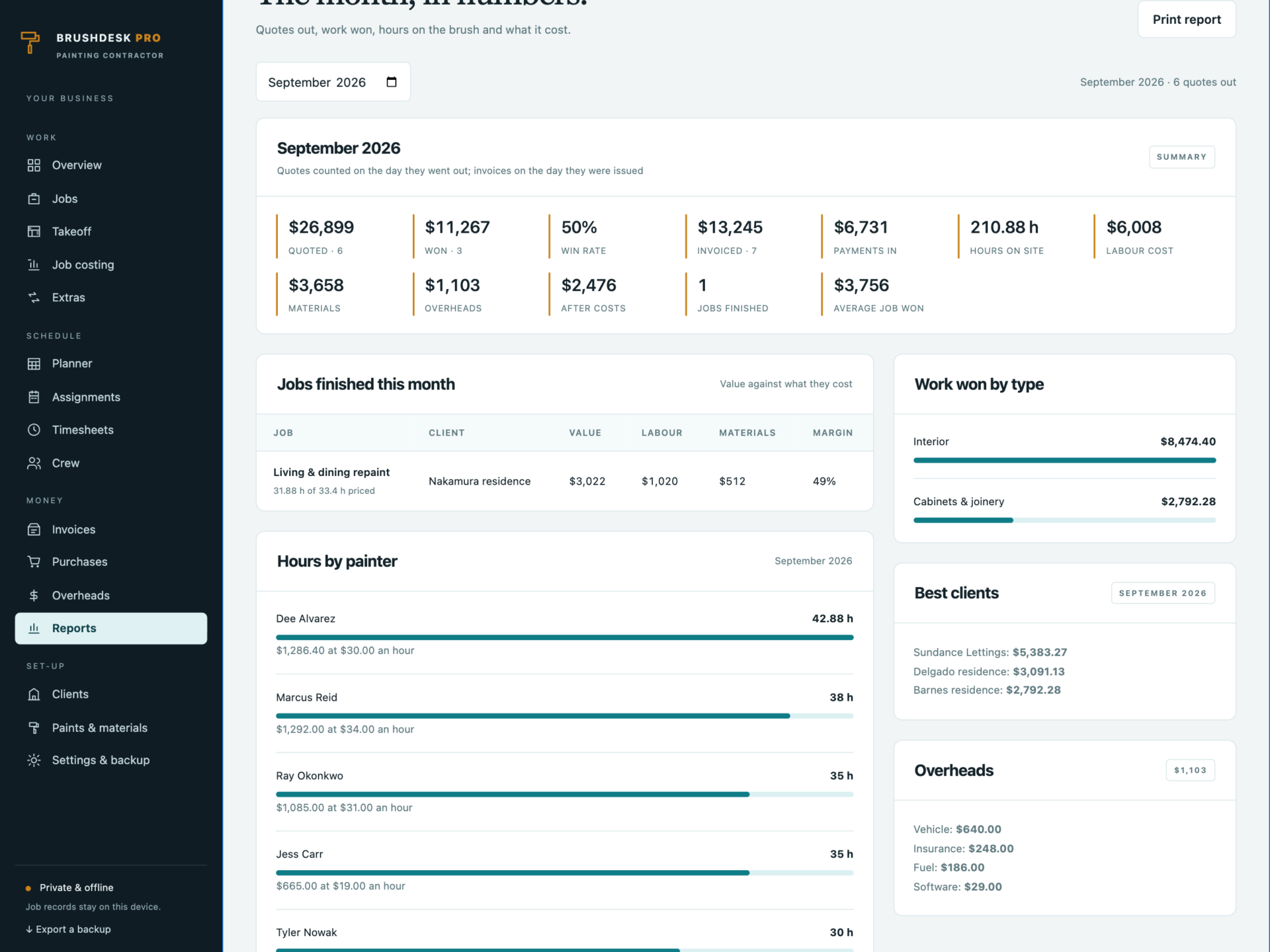
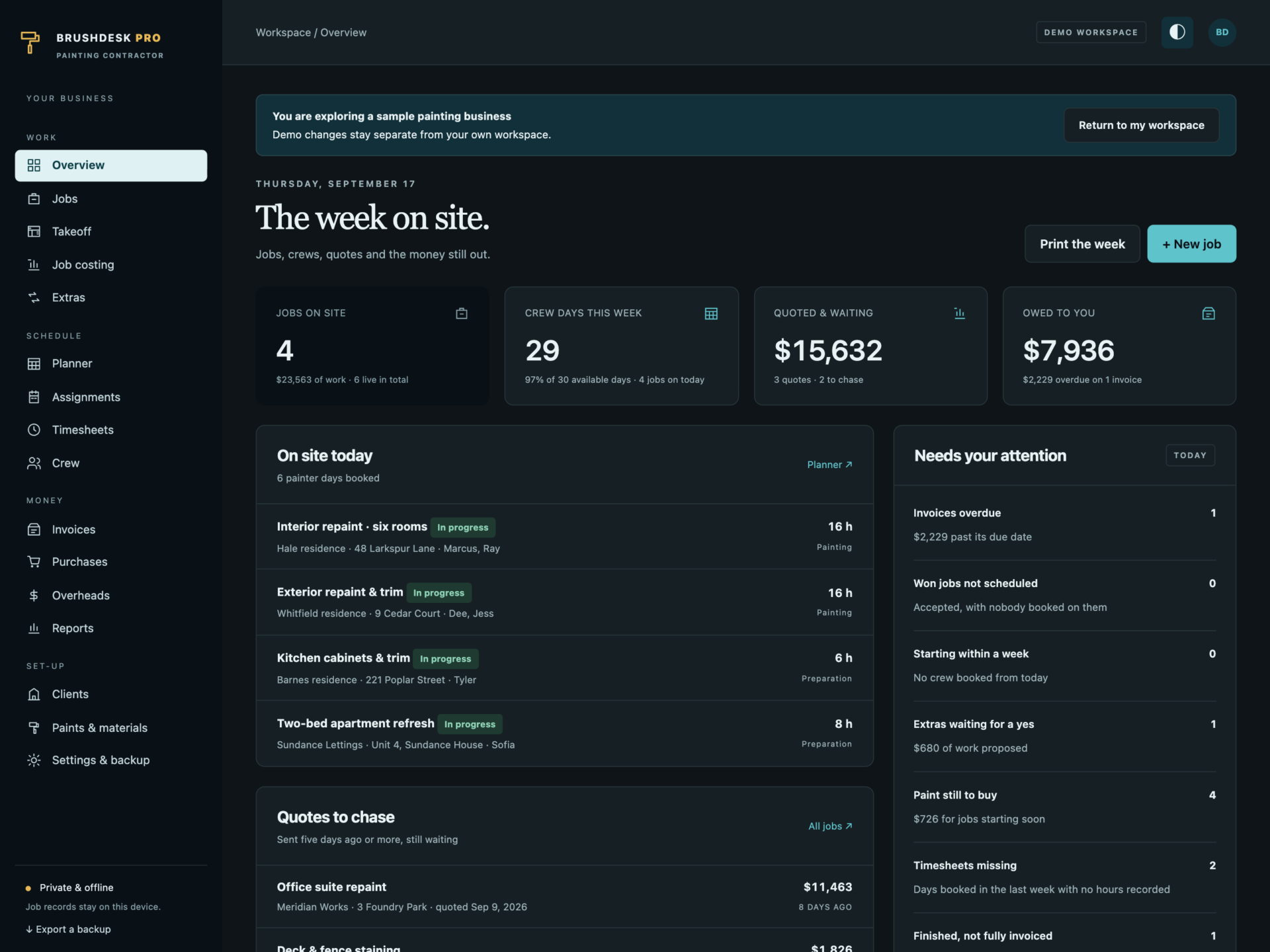
A short recording of the app, then the screens themselves.
$39
One-time purchase · yours to keep
Buy now- One payment - the file is yours to keep
- Works offline, no account, no subscription
- Your data stays on your own device
What's included
- 1 HTML file: the complete BrushDesk Pro application
- 1 Getting Started guide (HTML)
- 1 License file (HTML)
Delivery
Instant Download
Your files will be available to download once payment is confirmed.
Measure once. Price it properly.
BrushDesk Pro is a painting contractor manager for painters, decorators, cabinet refinishers and small commercial crews. Takeoff, estimating, quotes, the crew planner, timesheets, job costing and invoices live in one offline file - and the paint, the hours and the price come out of the measurements you take on site.
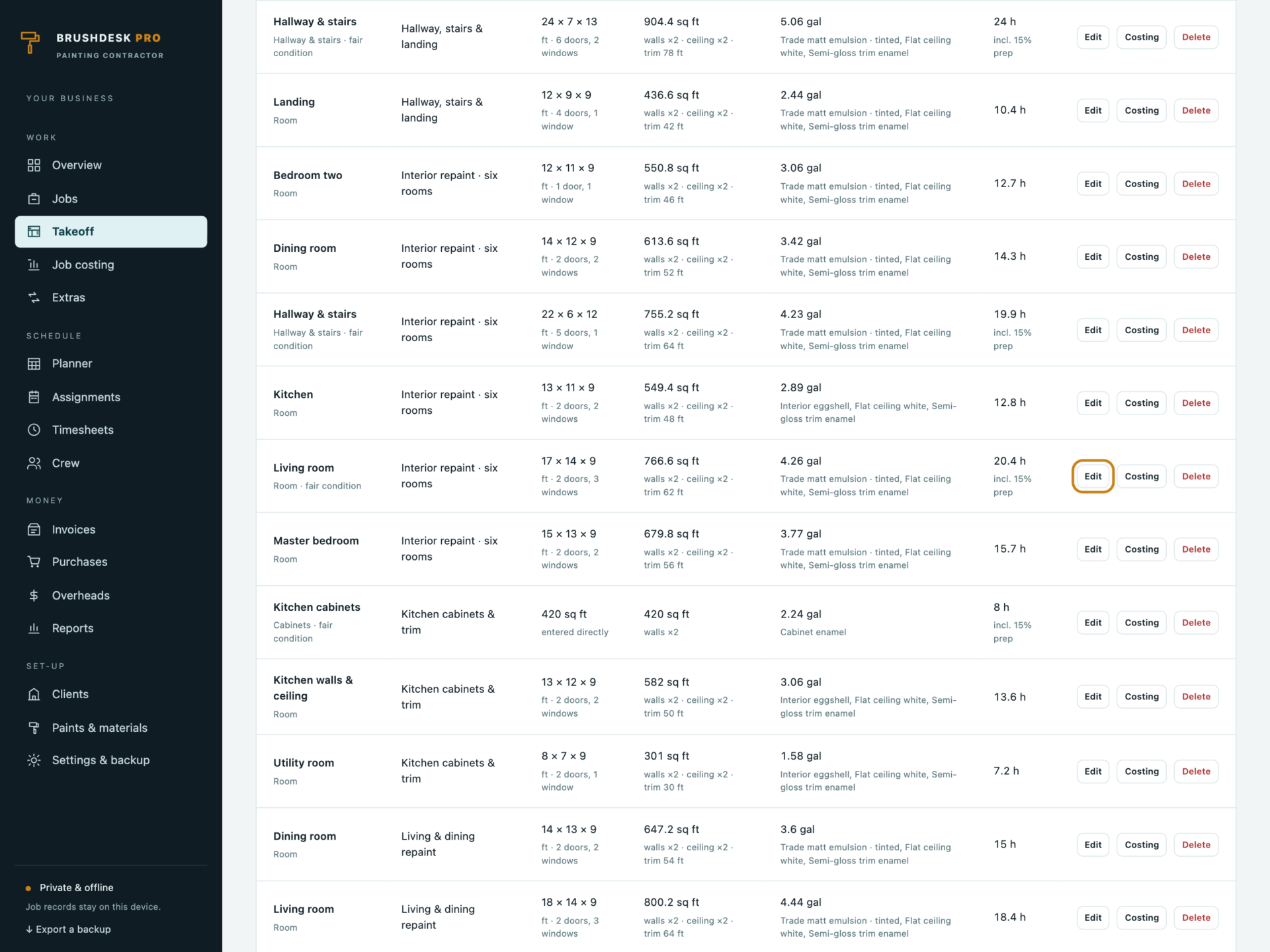
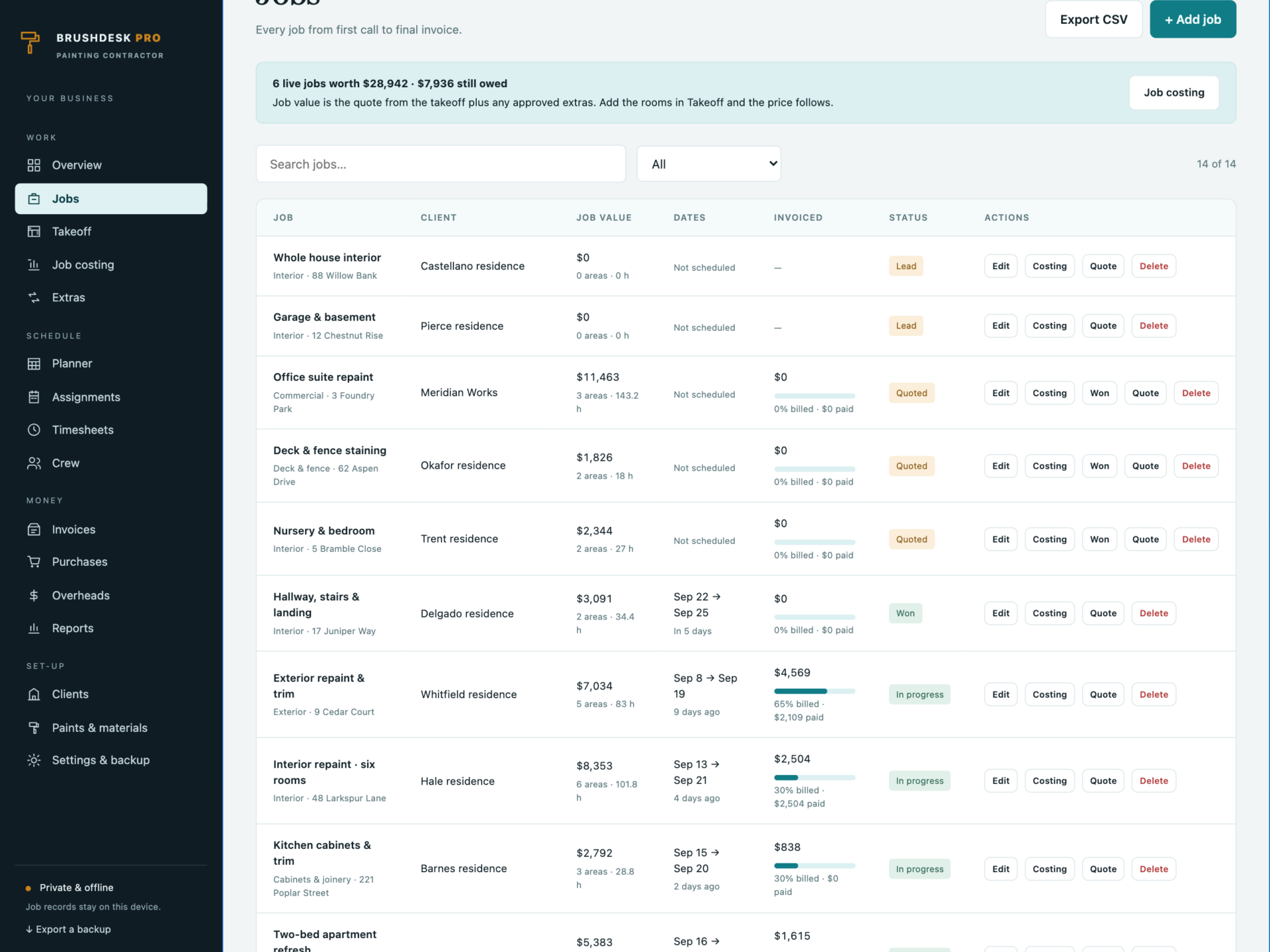
Download the HTML application, open it in your browser and start with your own jobs, or explore the sample business first: 14 jobs from lead to finished, 37 measured areas, a crew of six on the planner, timesheets, purchases and invoices.
The takeoff does the sums
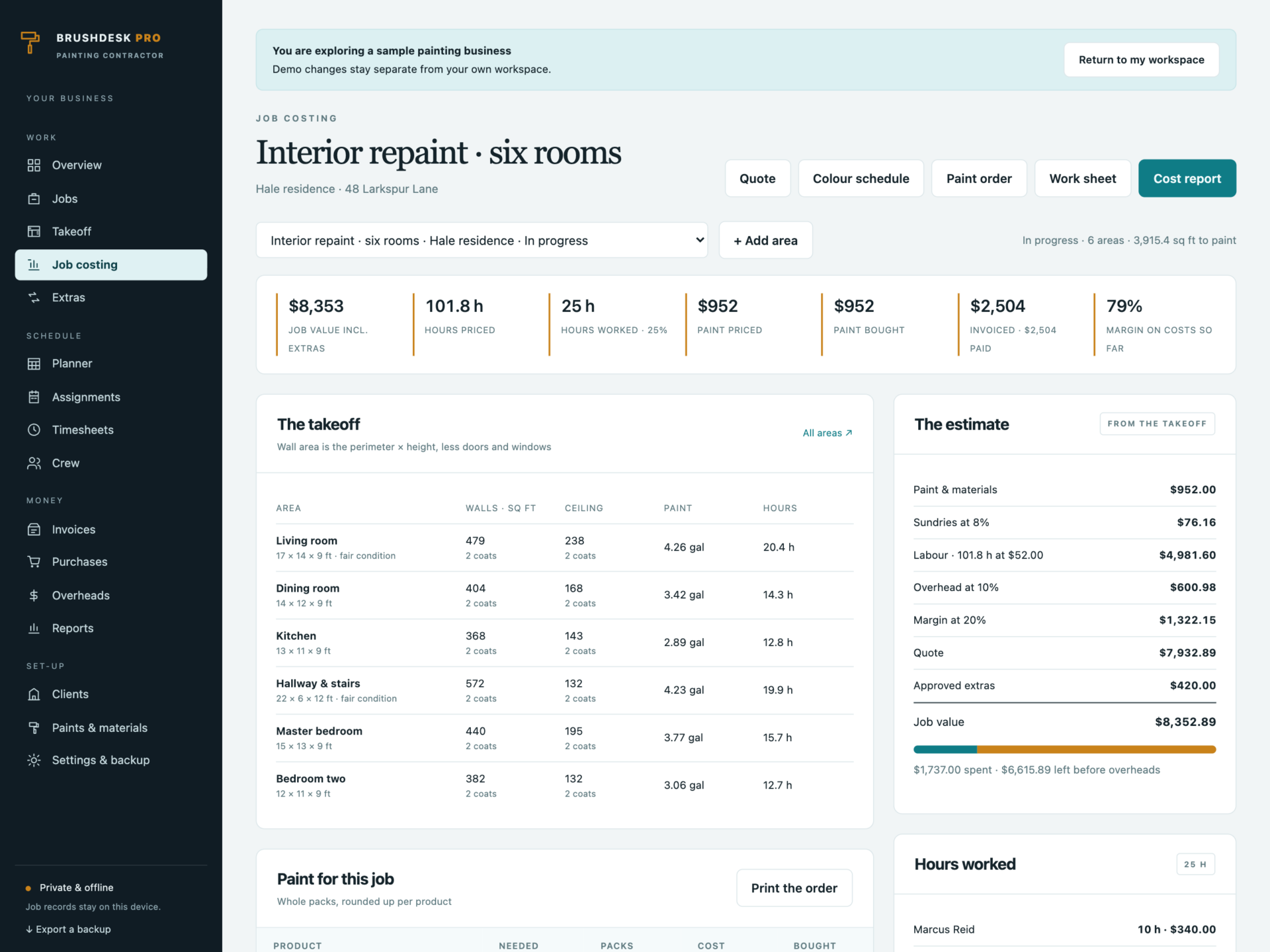
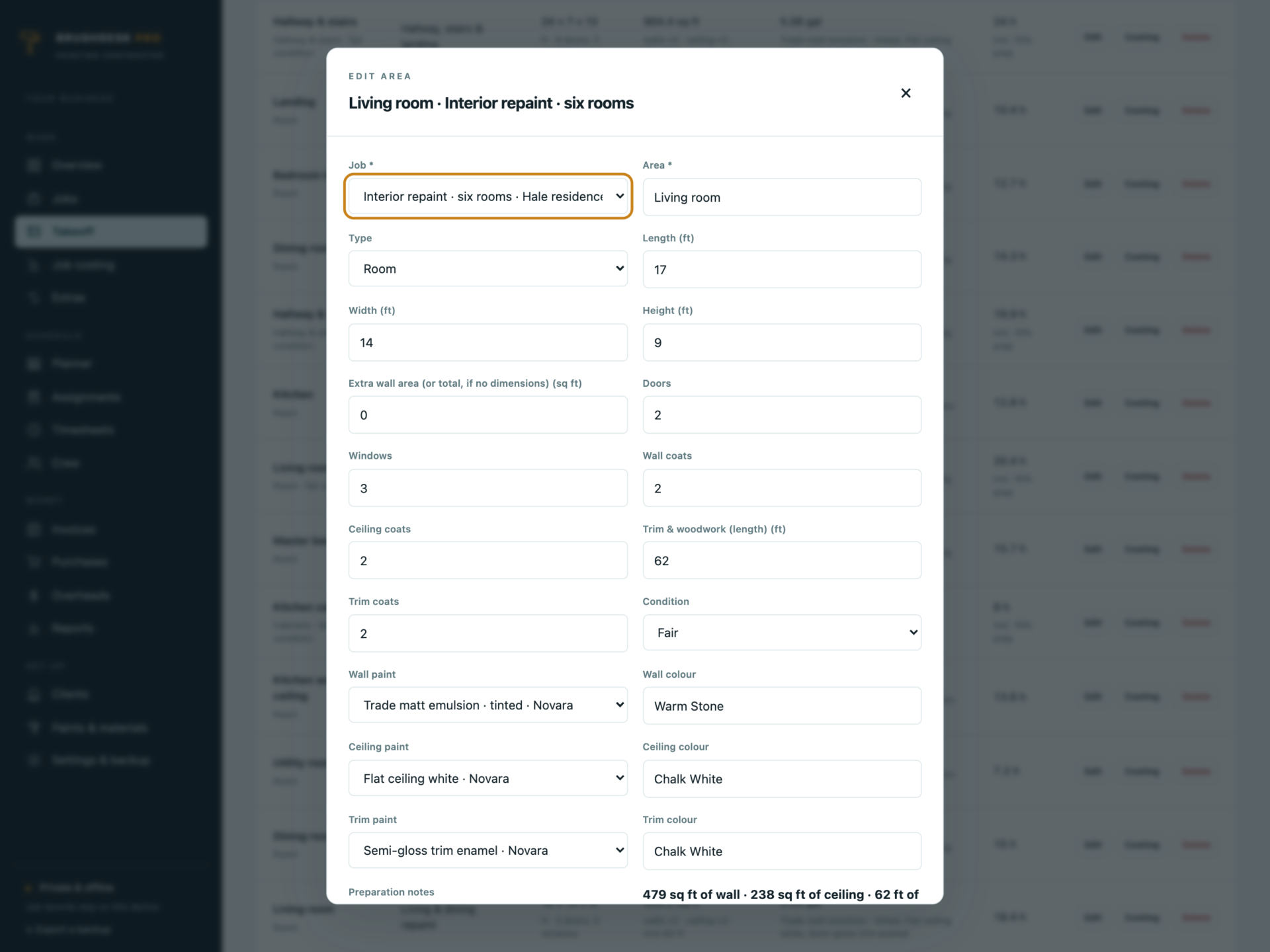
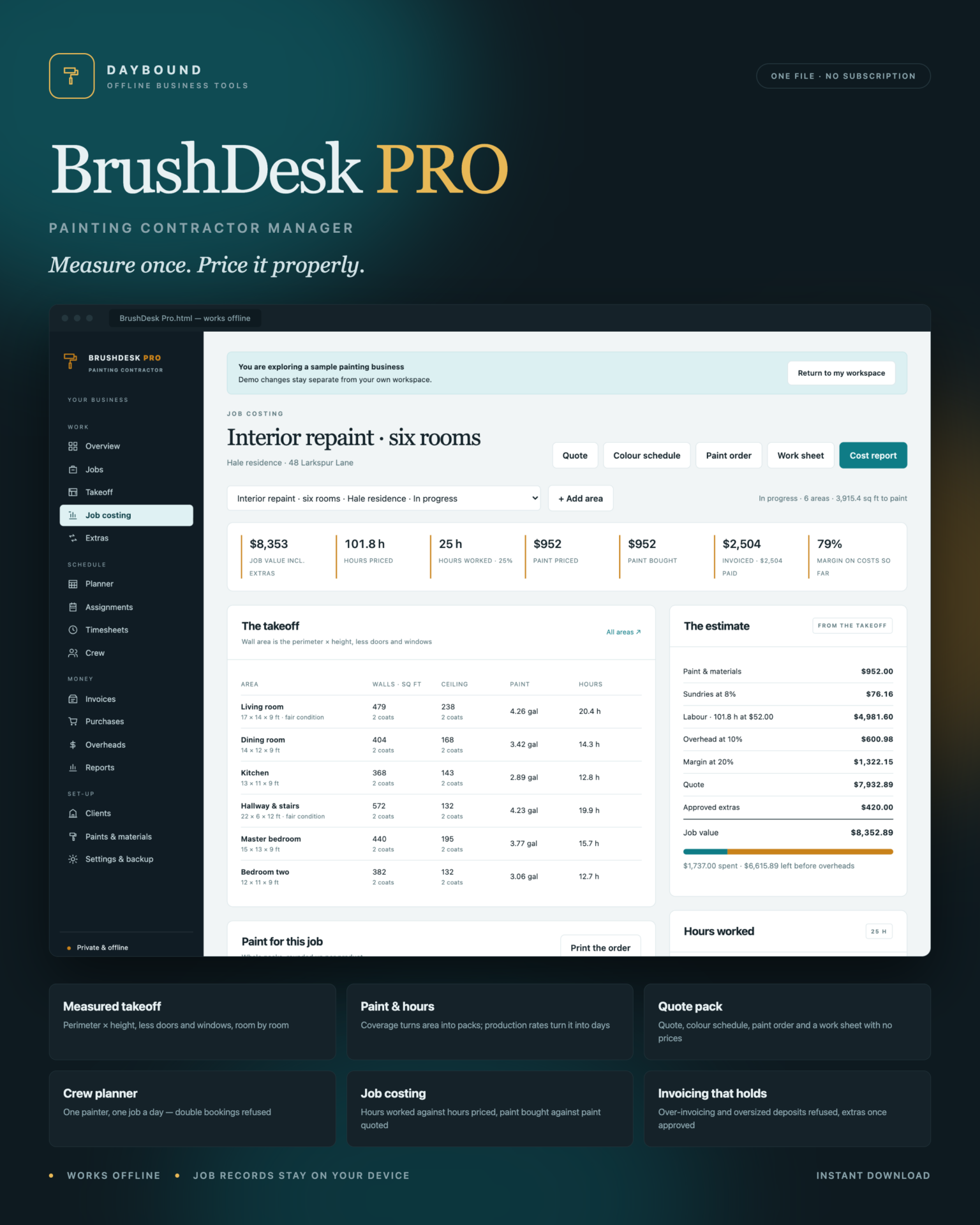
- Wall area is the perimeter × height, less the door and window areas you set - or enter the area directly for elevations, decks and cabinets.
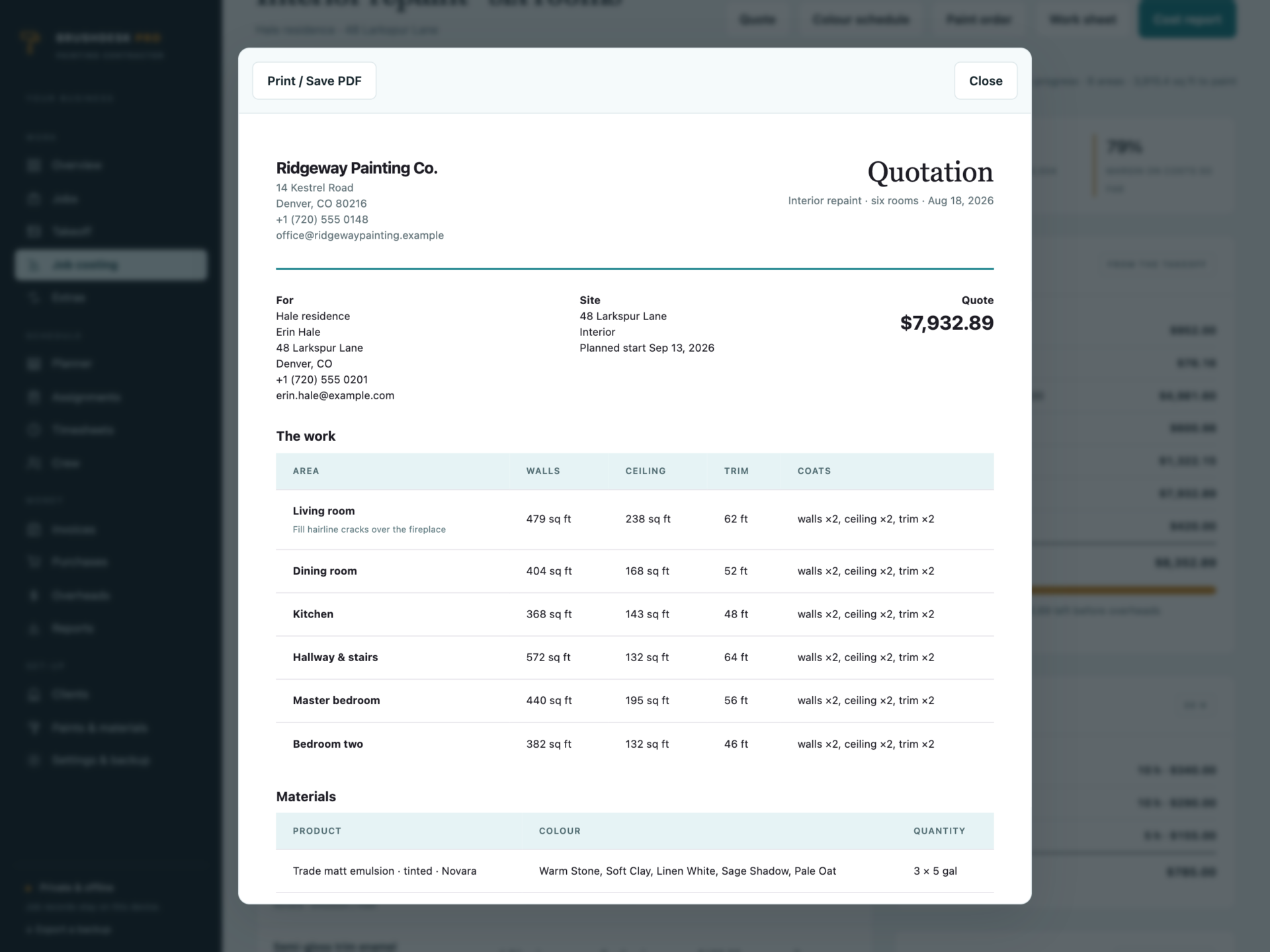
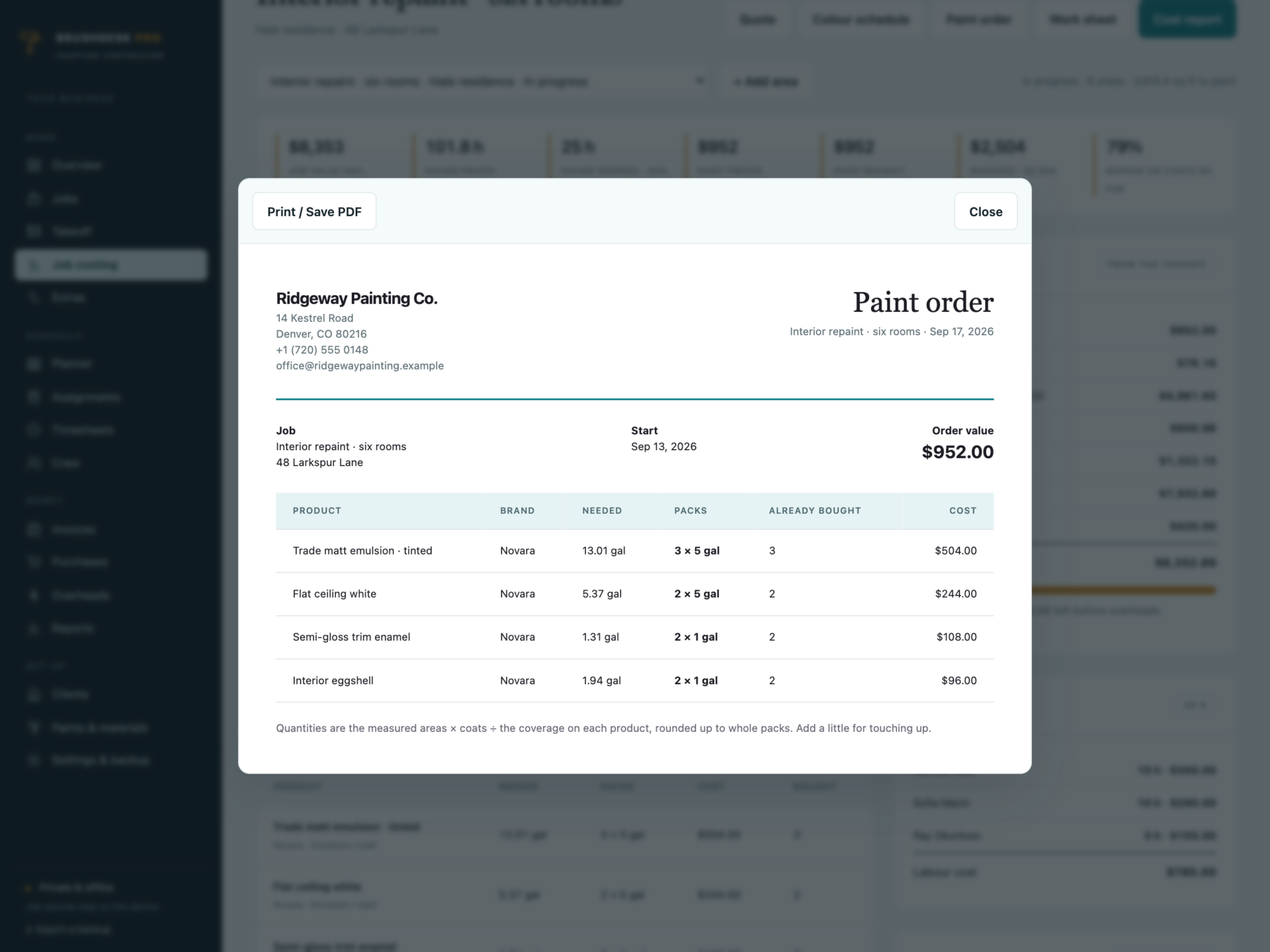
- Paint comes from the coverage on each product: area × coats ÷ coverage, added up per product and rounded to whole packs.
- Hours come from your own production rates, with extra preparation time for fair and poor condition.
- Price is materials + sundries + labour, then overhead and margin. Change a paint price or a rate and every quote is re-costed.
The quote pack, printed
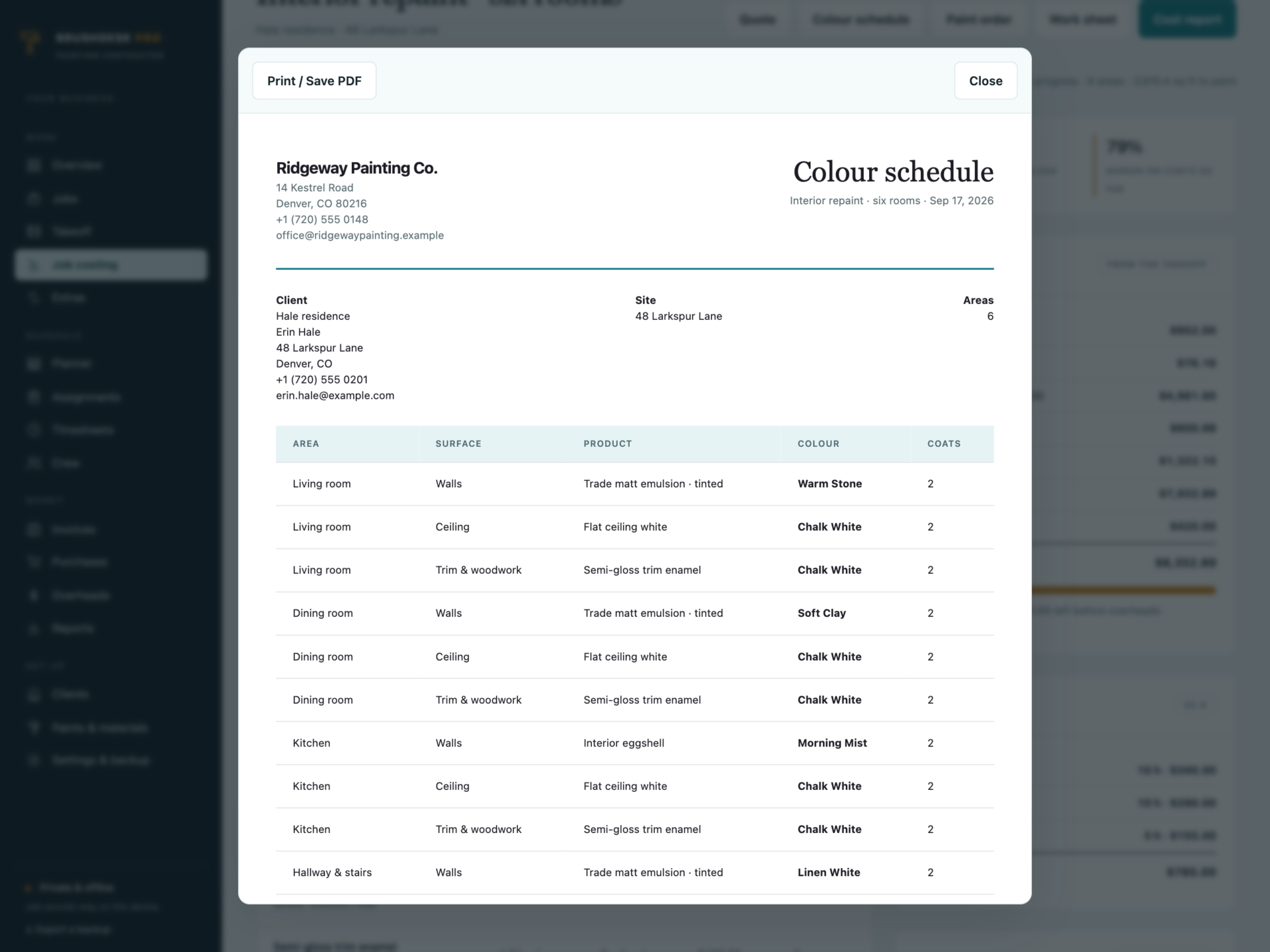
A quotation with the work area by area and your terms, a colour schedule for the client to sign off, a paint order in whole packs showing what has already been bought, and a work sheet for the crew with no prices on it.
The week on site
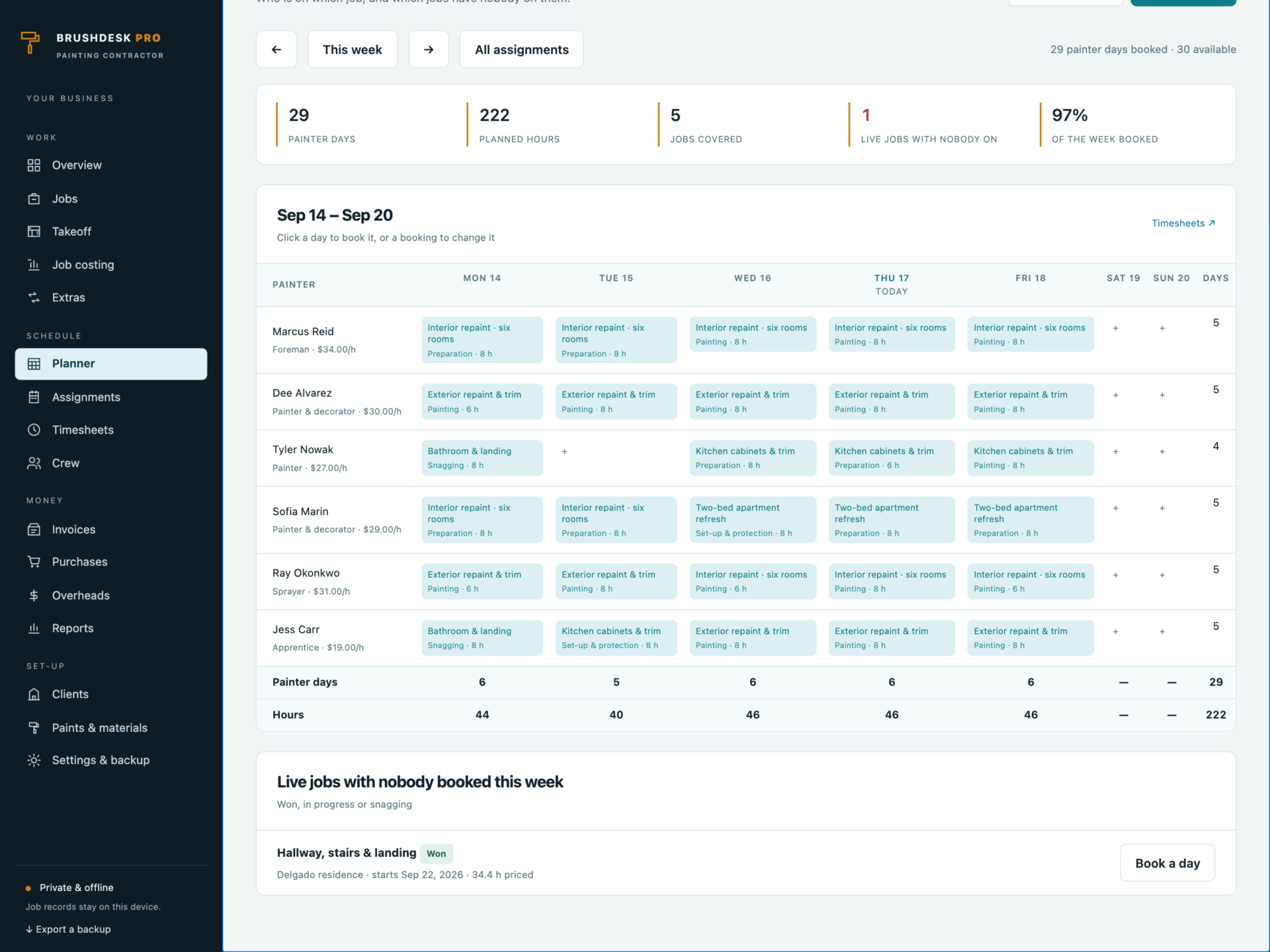
- A planner with every painter against every day - click a gap to book it.
- One painter, one job a day: double bookings are refused.
- Live jobs with nobody booked on them are listed underneath.
- Timesheets record what really happened, costed at each painter’s rate.
Job costing that tells the truth
Hours worked against hours priced, paint bought against paint quoted, invoiced and paid against the job value, and what is left after costs. The overview flags live jobs that have reached 90% of the hours they were priced at, quotes that need chasing, invoices overdue and paint still to buy for jobs starting this week.
Invoicing that holds
Deposits, progress payments, finals and extras. Invoicing more than a job is worth is refused - the message says how much is left to bill. A deposit above your cap is refused. Extras count towards the job value only once they are approved, and a payment larger than the invoice is refused.
Private by design
Job records, client addresses and crew pay rates are stored by your browser on your own device, separately from the HTML file, and are never uploaded. Export a full JSON backup at any time, restore one after a validation check, or export any list to CSV. A backup with two jobs for one painter on a day, duplicate invoice numbers or an invoice paid more than it is worth is refused rather than loaded.
What you receive
- BrushDesk Pro.html: the complete offline application.
- Getting Started.html: takeoff, rates, quoting, planning, costing and invoicing guide.
- License.html: the included licence for use within one business.
Delivered together in one ZIP download. Screenshots and the walkthrough show sample records from the app’s demo workspace.
Before you buy
Use a current browser with JavaScript and local storage enabled. A laptop or tablet is recommended for measuring on site. This is a digital download; no physical item is shipped.
BrushDesk Pro is the office side of a painting business: it does not email quotes or invoices, take card payments, run payroll, order paint from your merchant, or sync between devices. Estimates are calculations from the measurements, rates and mark-ups you enter - not a site survey. Check every quote before it goes out.
Frequently asked questions
How does it work out how much paint a job needs?
Area × coats ÷ the coverage on that product, added up for every area on the job and rounded up to whole packs. Change the coverage or the pack price and every quote using it is re-costed.
Where do the hours come from?
Your own production rates - square feet an hour for walls and ceilings, feet an hour for trim - with extra time for fair and poor condition. Time a few rooms and set them once.
Feet and gallons, or metres and litres?
Either. Choose the units in Settings and every label, rate and quantity follows. Set it before you start measuring.
Can it stop me under-billing or over-billing?
Yes. Invoicing more than the job is worth is refused, and the message tells you exactly how much is left to bill. Extras are added to the job value only once they are approved, and a deposit above your cap is refused.
Does it schedule the crew?
The planner shows every painter against the week. One painter can only be booked on one job a day, and live jobs with nobody on them are listed underneath.
Does it tell me if a job is losing money?
Job costing compares hours worked with hours priced and paint bought with paint quoted, and shows what is left after costs. The overview flags live jobs that have reached 90% of their priced hours.
Is it an accounting package?
No. It estimates, schedules, costs and invoices. There is no tax return, no payroll and no bank feed - export CSV or hand the figures to your bookkeeper.
Where are the records stored?
In your browser’s local storage on your own device. Nothing is uploaded. Export a backup after every quote and keep it somewhere private.
Do I need an internet connection or an account?
Only to download the file. After that it works completely offline, with no account.
Is it a subscription?
No. You pay once and the file is yours.
One-time purchase: $39, tax included. No recurring software subscription - the price you see is the price you pay.
At a glance
How it runs
-
1
Download
You get the application as one HTML file, with its documentation guide and its licence.
-
2
Open
Double-click it. It opens in the browser you already have - Chrome, Edge, Safari or Firefox. There is nothing to install and no account to create.
-
3
Keep
Your records save to that browser on that device. Export a backup from the app whenever you want a copy of your own.


