

MediDesk Pro
For anyone managing their own medicines or a family member's.
Doses, refills, readings, side effects and appointments, in one private offline organizer.
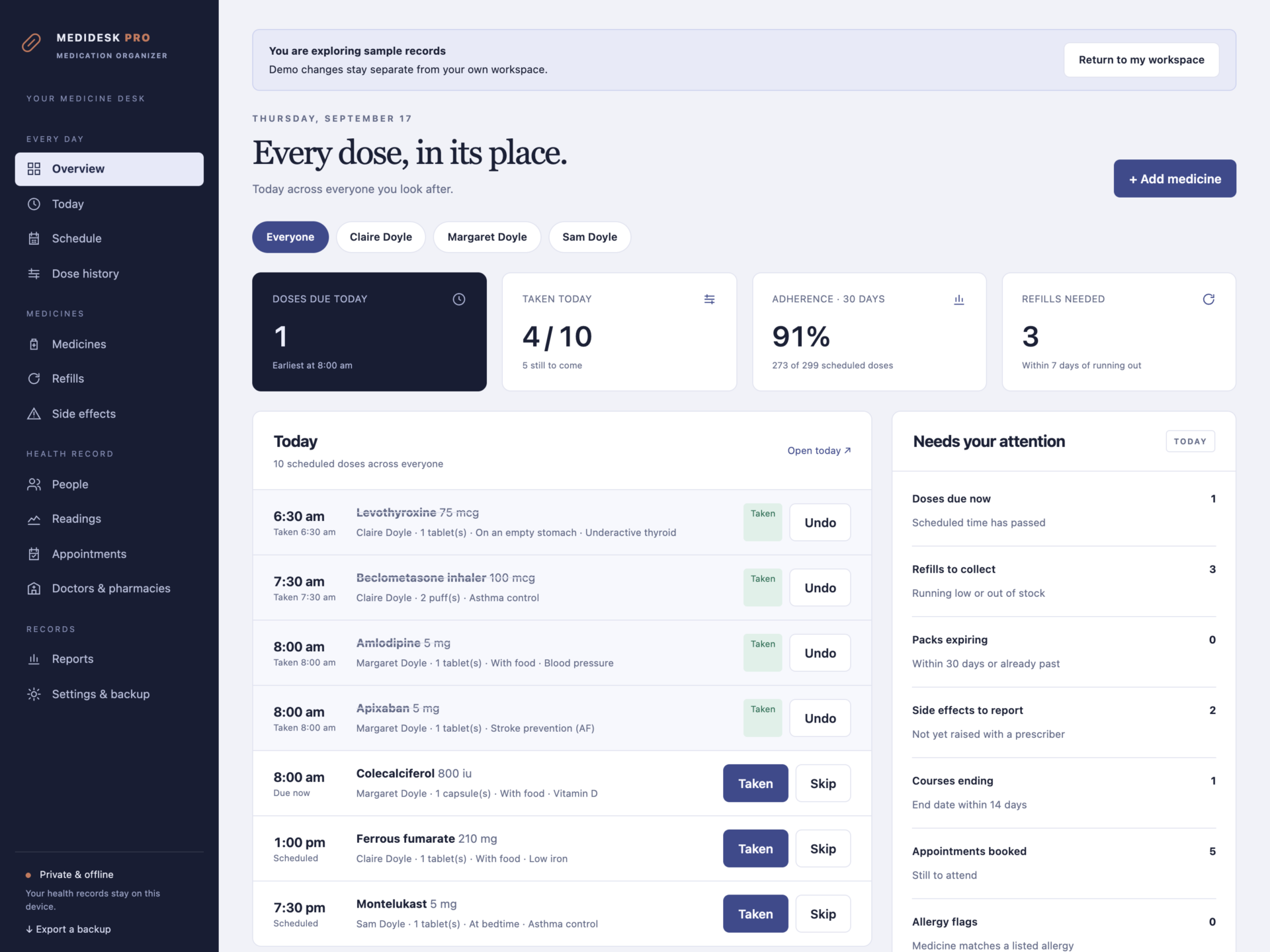
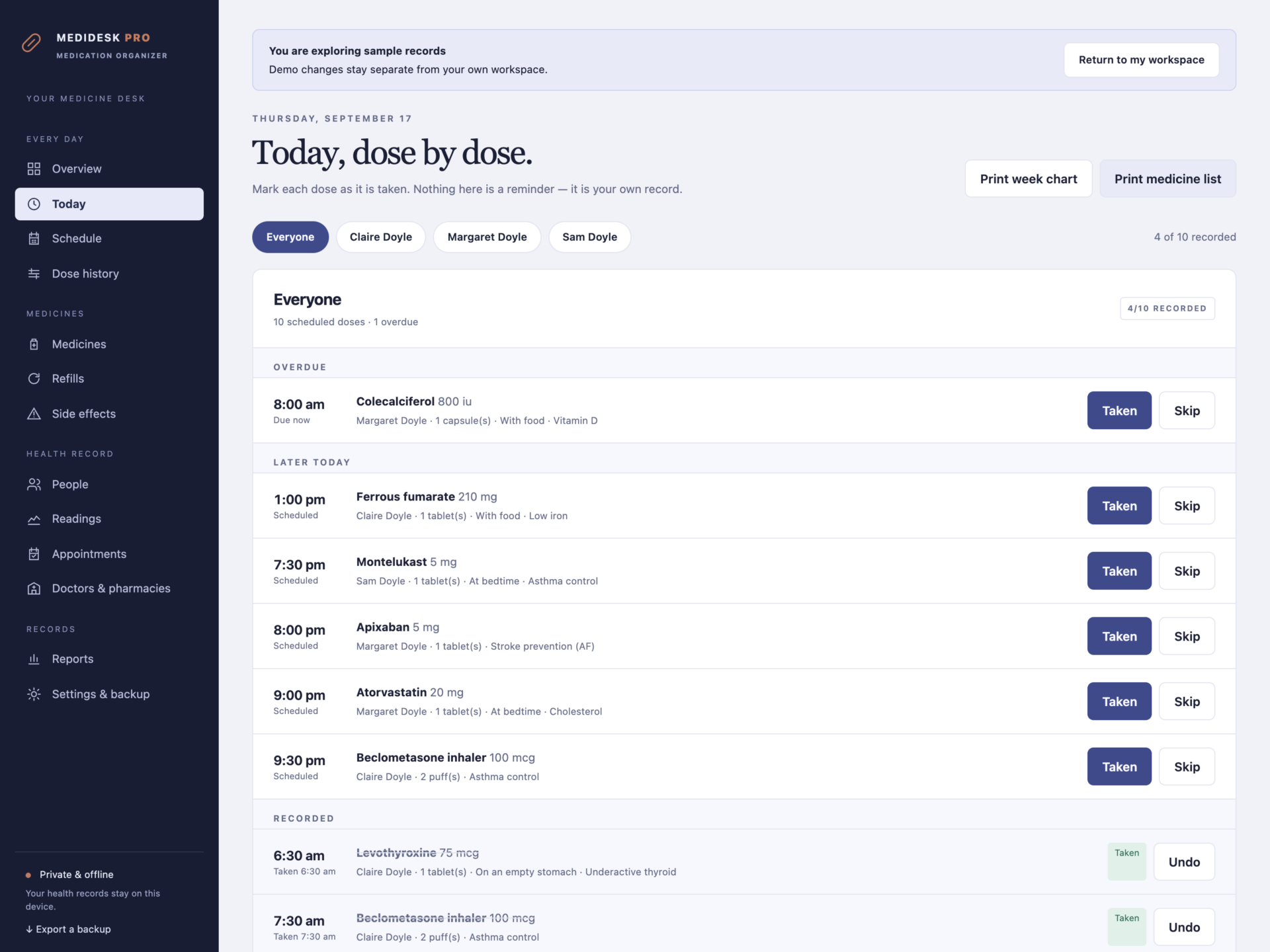
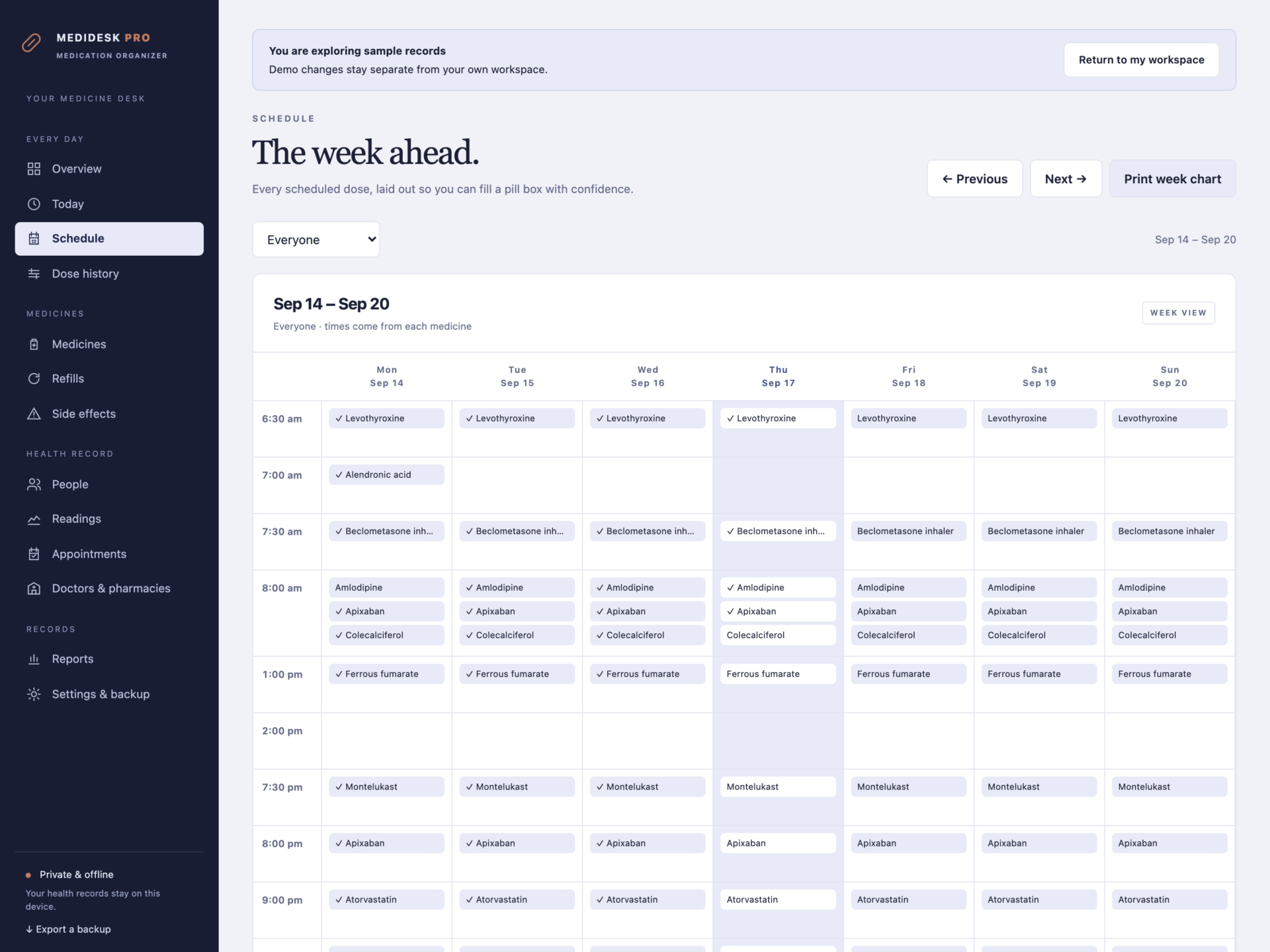


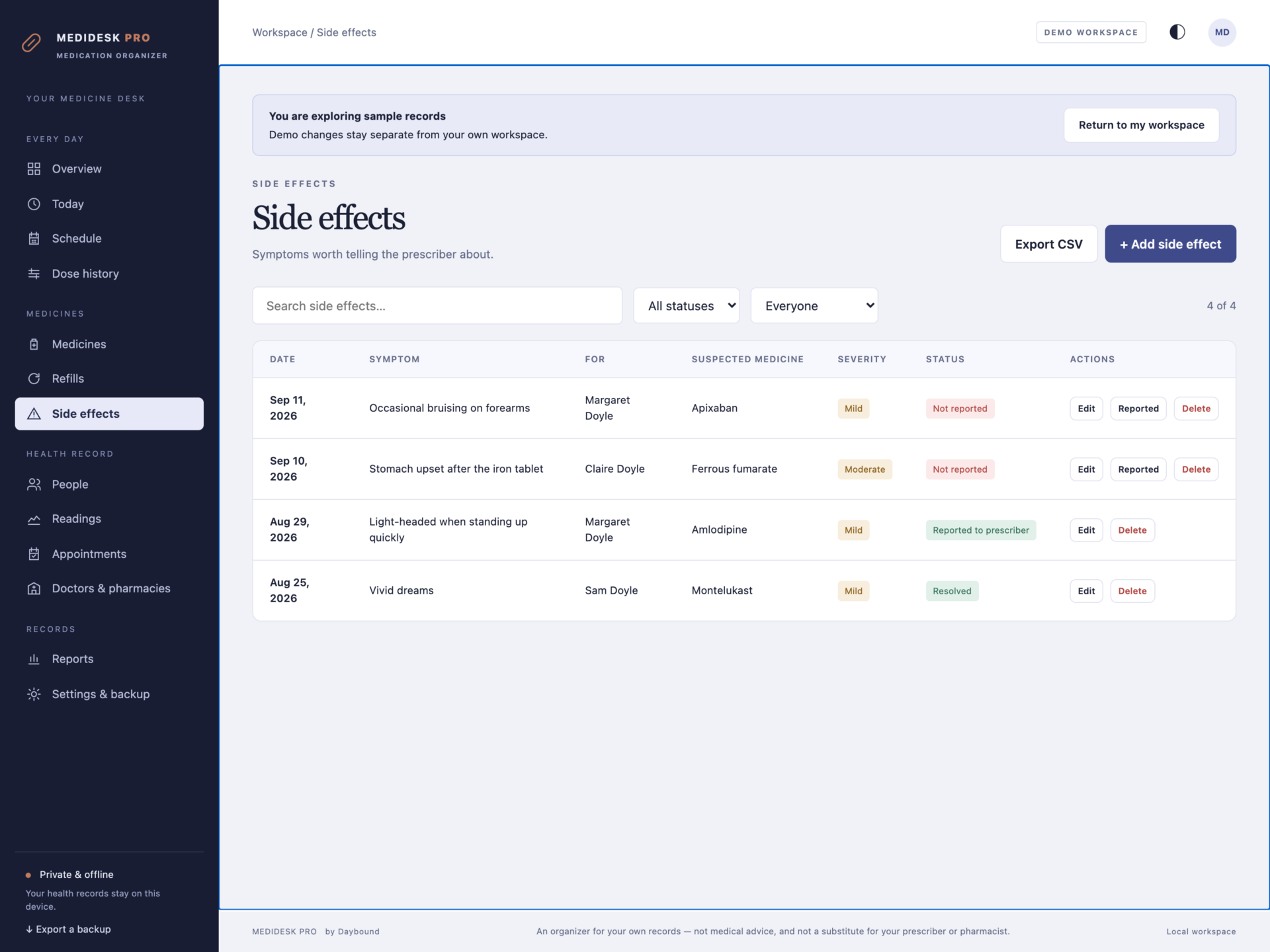
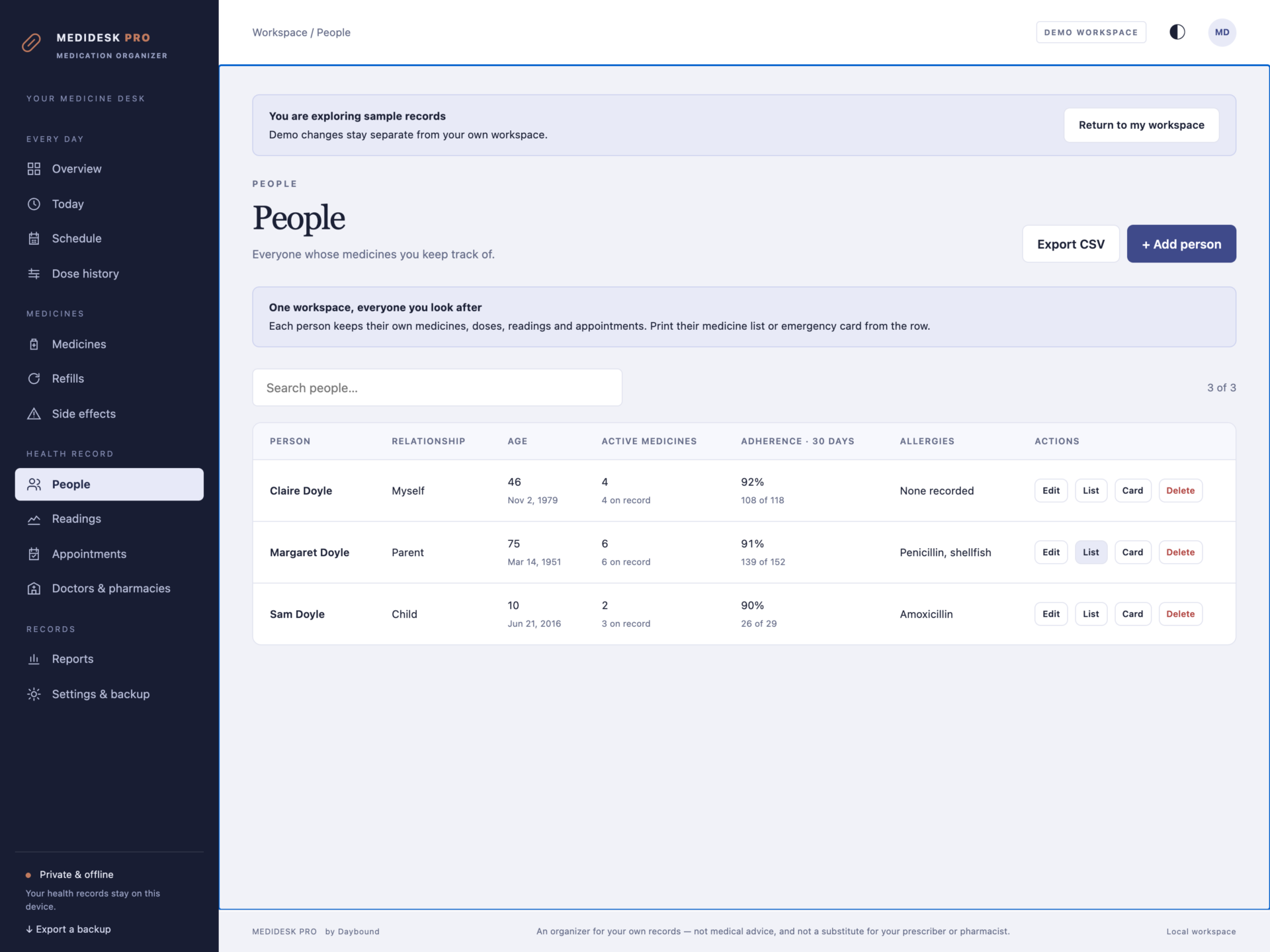
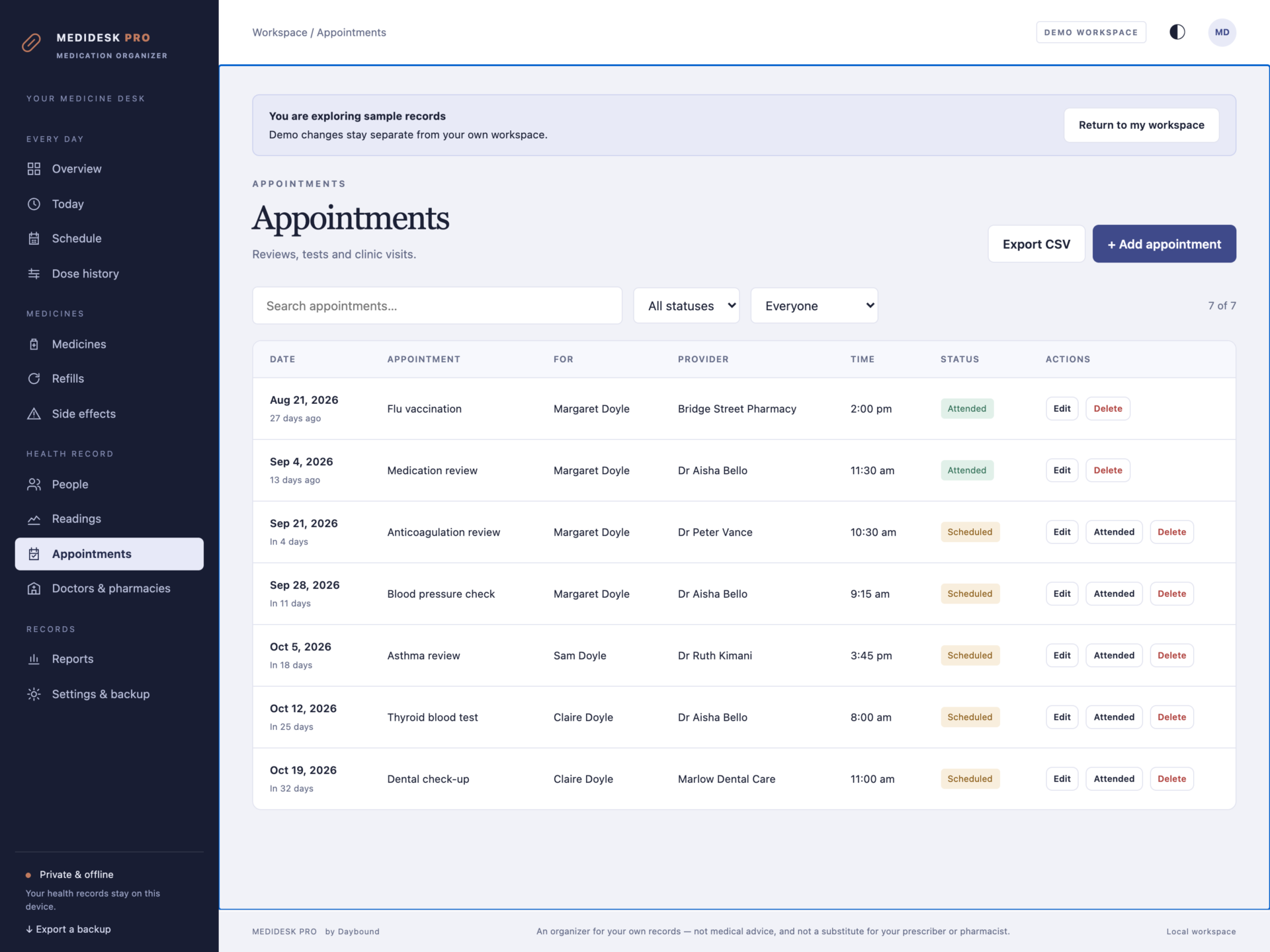
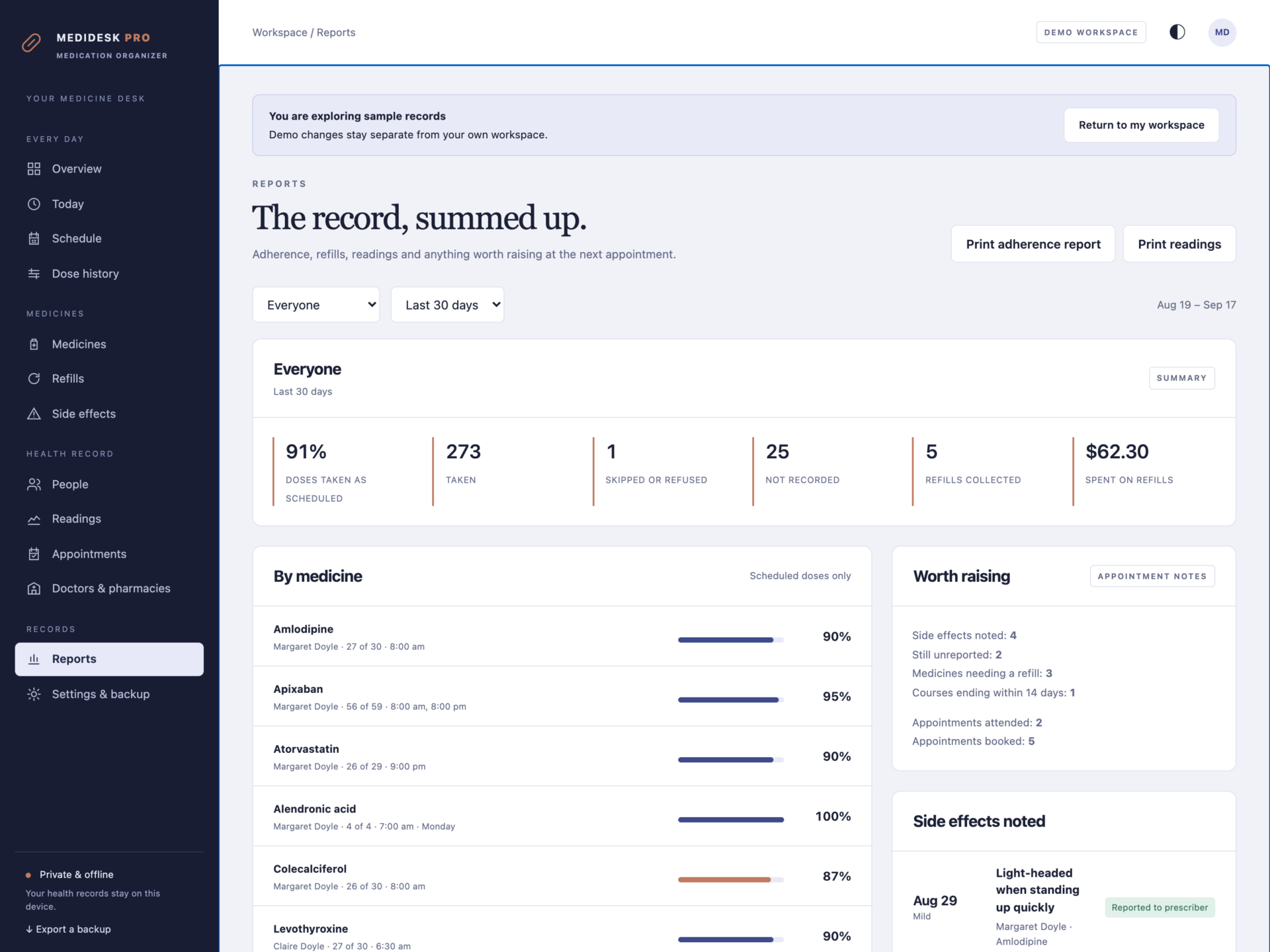
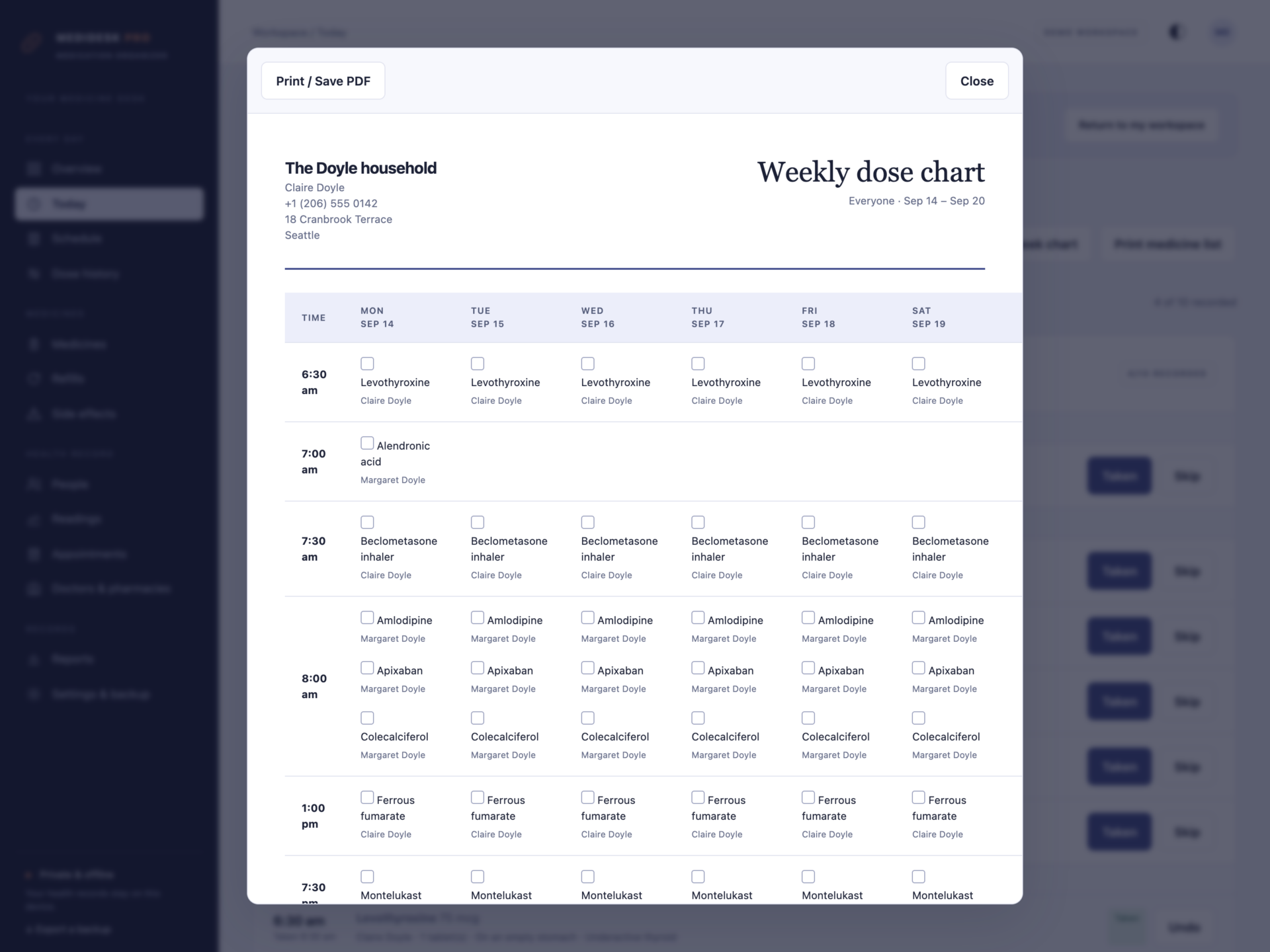
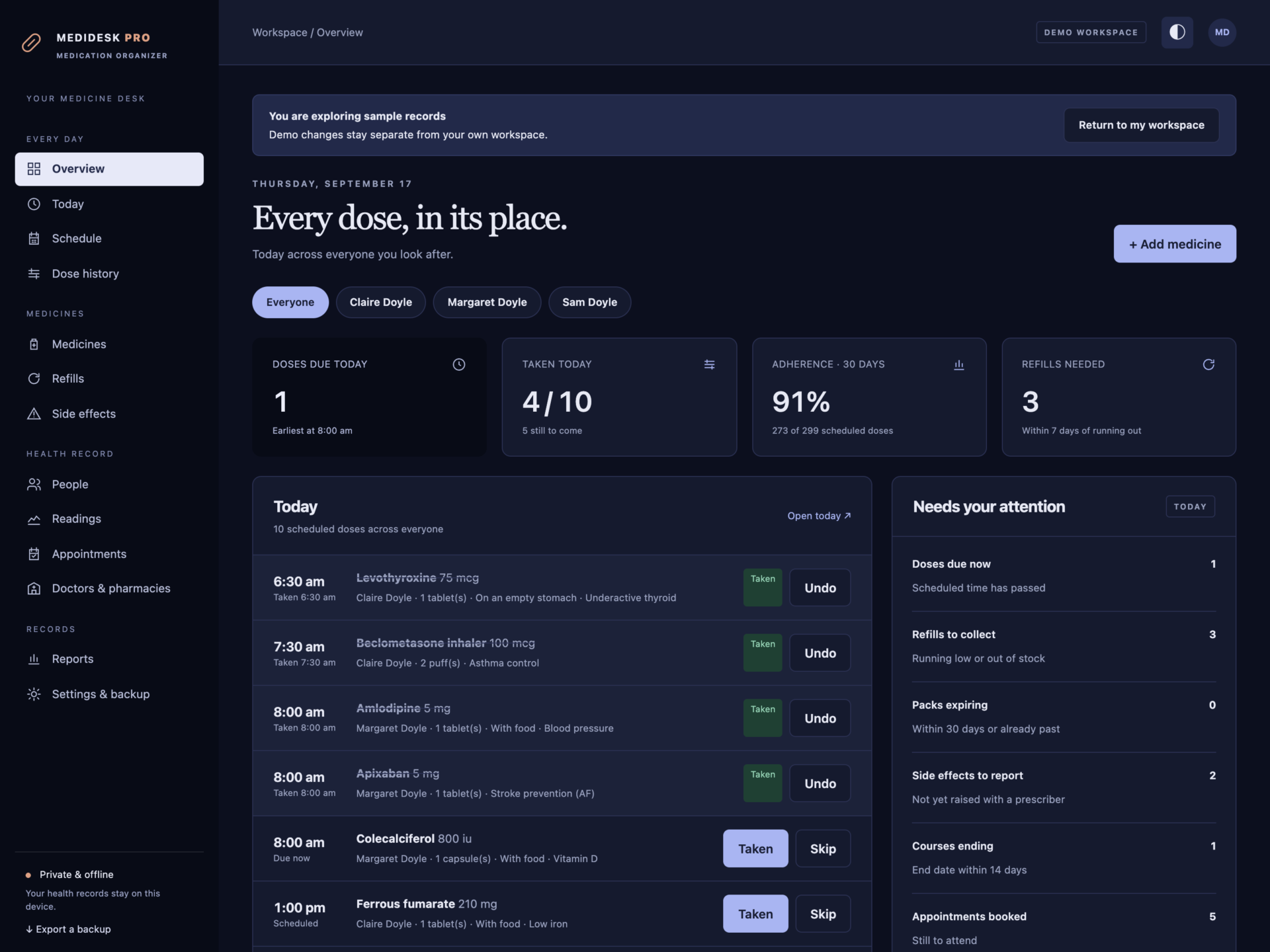
A short recording of the app, then the screens themselves.
$35
One-time purchase · yours to keep
Buy now- One payment - the file is yours to keep
- Works offline, no account, no subscription
- Your data stays on your own device
What's included
- 1 HTML file: the complete MediDesk Pro application
- 1 Getting Started guide (HTML)
- 1 License file (HTML)
Delivery
Instant Download
Your files will be available to download once payment is confirmed.
Please read first. MediDesk Pro is an organizer for records you keep yourself. It is not a medical device and does not give medical advice. It does not check whether medicines interact or suit a condition, and it does not send alarms, reminders or notifications. Always follow the dispensing label and the instructions of your prescriber or pharmacist, and never change a dose because of something shown here. In an emergency, call your local emergency number.
Every medicine, for everyone you look after
MediDesk Pro keeps medicines, doses, refills, readings, side effects and appointments for a whole household in one quiet, private file. It runs entirely in your browser - nothing is uploaded, no account is created, and it keeps working with no connection at all.
Built for anyone managing more than one prescription: people on long-term medication, parents, and family caregivers looking after a parent or partner. Open the file and start with your own records, or explore the sample household first.
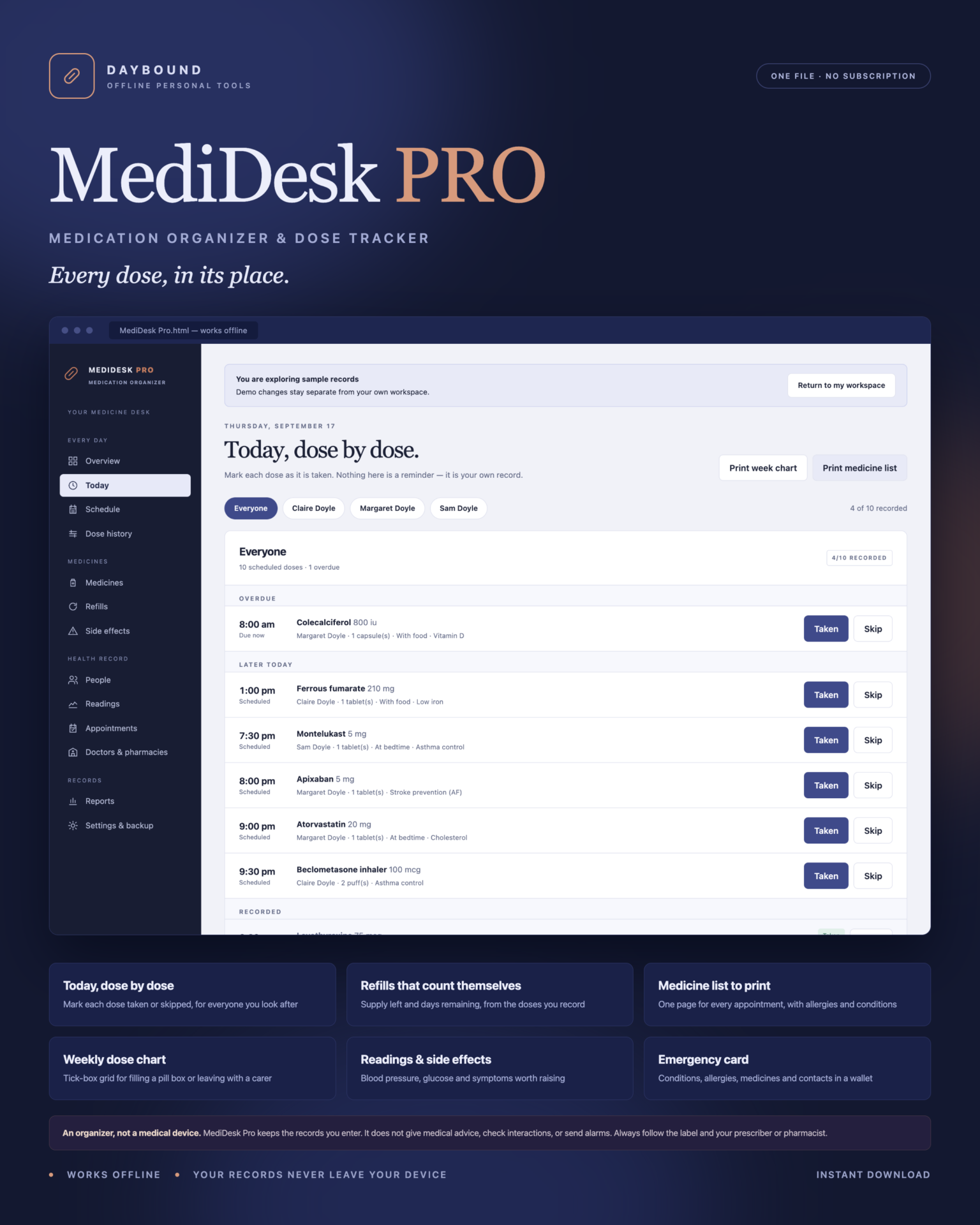
Today, dose by dose
- Every scheduled dose grouped into overdue, later today and recorded.
- One tap marks a dose Taken or Skipped, with the time it was recorded. Undo puts a mistake right.
- Medicines taken only when required are recorded separately, as they are used.
- Person tabs switch between a parent, a partner, a child or yourself.
Refills counted, not guessed
Supply left is the units you recorded at setup, plus every refill, minus every dose recorded as taken. Days remaining follow from how much is taken per day, so a medicine flags itself as Refill soon before it runs out - and appears on a printable refill list with its pharmacy and prescription number.
Paper that doctors actually want
- Medicine list - one page per person: every active medicine with strength, dose, schedule, purpose, prescriber and start date, plus allergies, conditions and unresolved side effects. Take it to every appointment.
- Weekly dose chart - a tick-box grid of the week, for filling a pill box or leaving with a carer.
- Emergency card - a wallet card with conditions, allergies, current medicines, doctor, pharmacy and emergency contact.
- Medicine record - how many scheduled doses were taken over 7, 30 or 90 days, per medicine.
- Readings log, dose history and refill list - all printable or saved as PDF.
The rest of the picture
- Readings: blood pressure, glucose, weight, temperature, heart rate, oxygen, peak flow and pain, with the context they were taken in.
- Side effects: what happened, how severe, which medicine is suspected, and whether it has been raised with a prescriber.
- Appointments: reviews, tests, vaccinations and dental visits, with provider and status.
- Doctors and pharmacies in one address book, linked to the medicines they prescribe or dispense.
Private by design
Health records are stored by your browser on your own device, separately from the HTML file, and are never uploaded. Export a full JSON backup at any time, restore one after a validation check, or export any list to CSV. A backup that would corrupt the dose record - the same dose recorded twice, or an unreadable time - is refused rather than loaded.
Anyone who can use this browser profile can read these records, so lock the device if others use it, and keep backups somewhere private.
What you receive
- MediDesk Pro.html: the complete offline application.
- Getting Started.html: setup, the daily routine, refills and backups.
- License.html: the included licence for use within one household.
Delivered together in one ZIP download. Screenshots and the walkthrough show sample records from the app’s demo household.
Before you buy
Use a current browser with JavaScript and local storage enabled. This is a digital download; no physical item is shipped.
MediDesk Pro does not send alarms, reminders, texts or emails; does not connect to a pharmacy, surgery or health record; does not order prescriptions; does not sync between devices; and does not store photographs or scanned documents. Allergy flags are a plain text match against the allergy list you type - never a safety check. Adherence figures describe your own record keeping, not a clinical measure.
Frequently asked questions
Does it remind me to take my medicine?
No. There are no alarms or notifications - an offline HTML file cannot send them. MediDesk Pro shows what is due while it is open and keeps the record of what was taken. Many people open it at the same time each day, or keep it open in a tab.
Can I track medicines for more than one person?
Yes. Each person keeps their own medicines, doses, readings, side effects and appointments, and the person tabs switch between them. This is what makes it useful for caregivers.
Does it check whether my medicines interact?
No, and it never claims to. It flags when a medicine’s name matches something in the allergy list you typed, as a prompt to ask the prescriber. Interaction and suitability checks belong with your pharmacist or doctor.
How does it know when I need a refill?
It counts. Supply left is the units you recorded at setup, plus every refill, minus every dose you recorded as taken. When the days remaining fall below your alert period, the medicine is flagged and appears on the printable refill list.
What can I print?
A medicine list for appointments, a weekly dose chart with tick boxes, an emergency wallet card, an adherence record, a readings log, a refill list and the dose history for any medicine.
Where are these health records stored?
In your browser’s local storage on your own device. Nothing is uploaded anywhere - which is the point.
Do I need an internet connection or an account?
Only to download the file. After that it works completely offline, with no account.
Is it a subscription?
No. You pay once and the file is yours.
One-time purchase: $35, tax included. No recurring software subscription - the price you see is the price you pay.
At a glance
How it runs
-
1
Download
You get the application as one HTML file, with its documentation guide and its licence.
-
2
Open
Double-click it. It opens in the browser you already have - Chrome, Edge, Safari or Firefox. There is nothing to install and no account to create.
-
3
Keep
Your records save to that browser on that device. Export a backup from the app whenever you want a copy of your own.


