

EmployeeDesk Pro
For owners and HR leads at small businesses.
Staff records, leave balances, absence, time, payroll records and reviews, in one offline workspace.
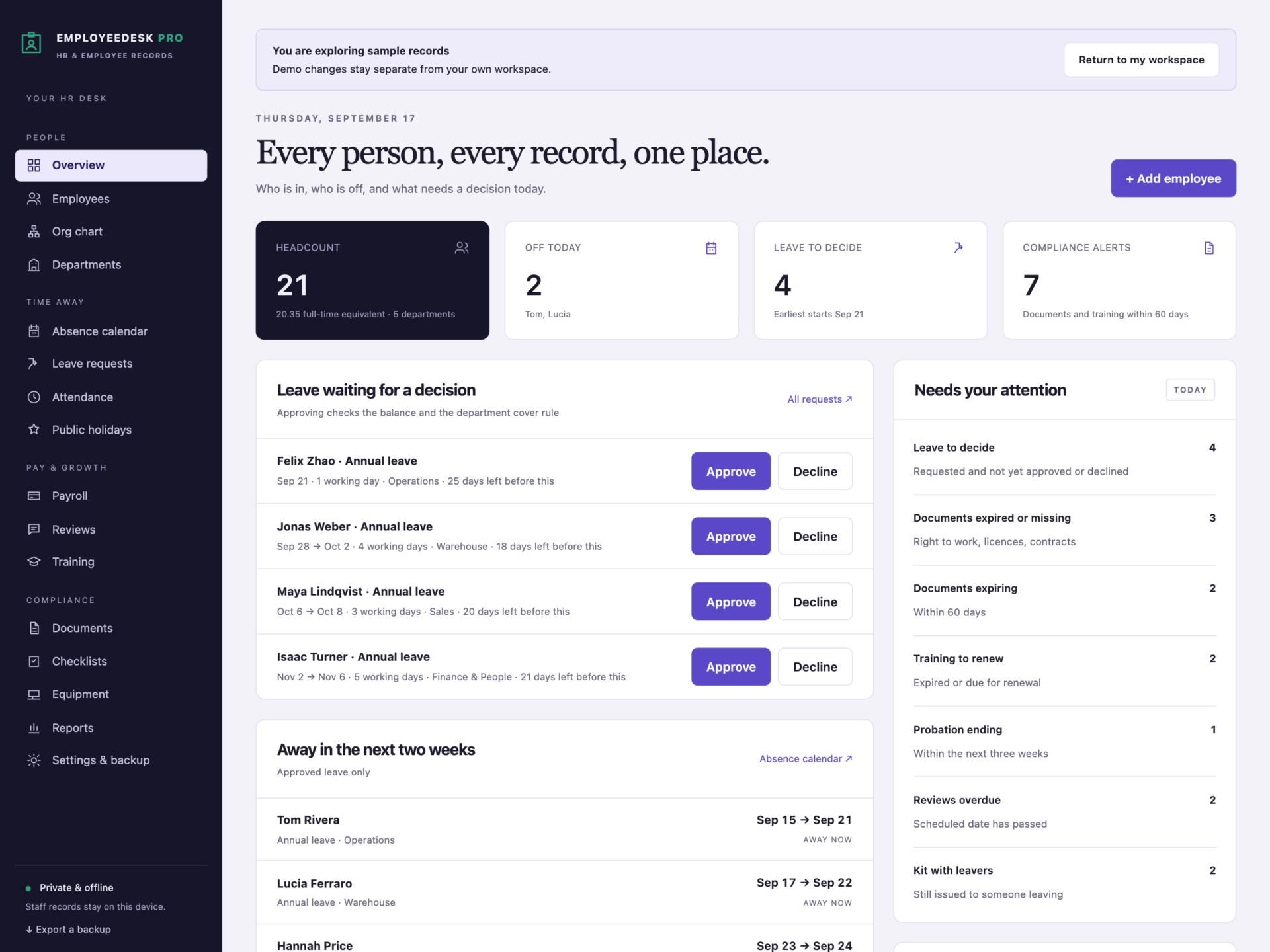

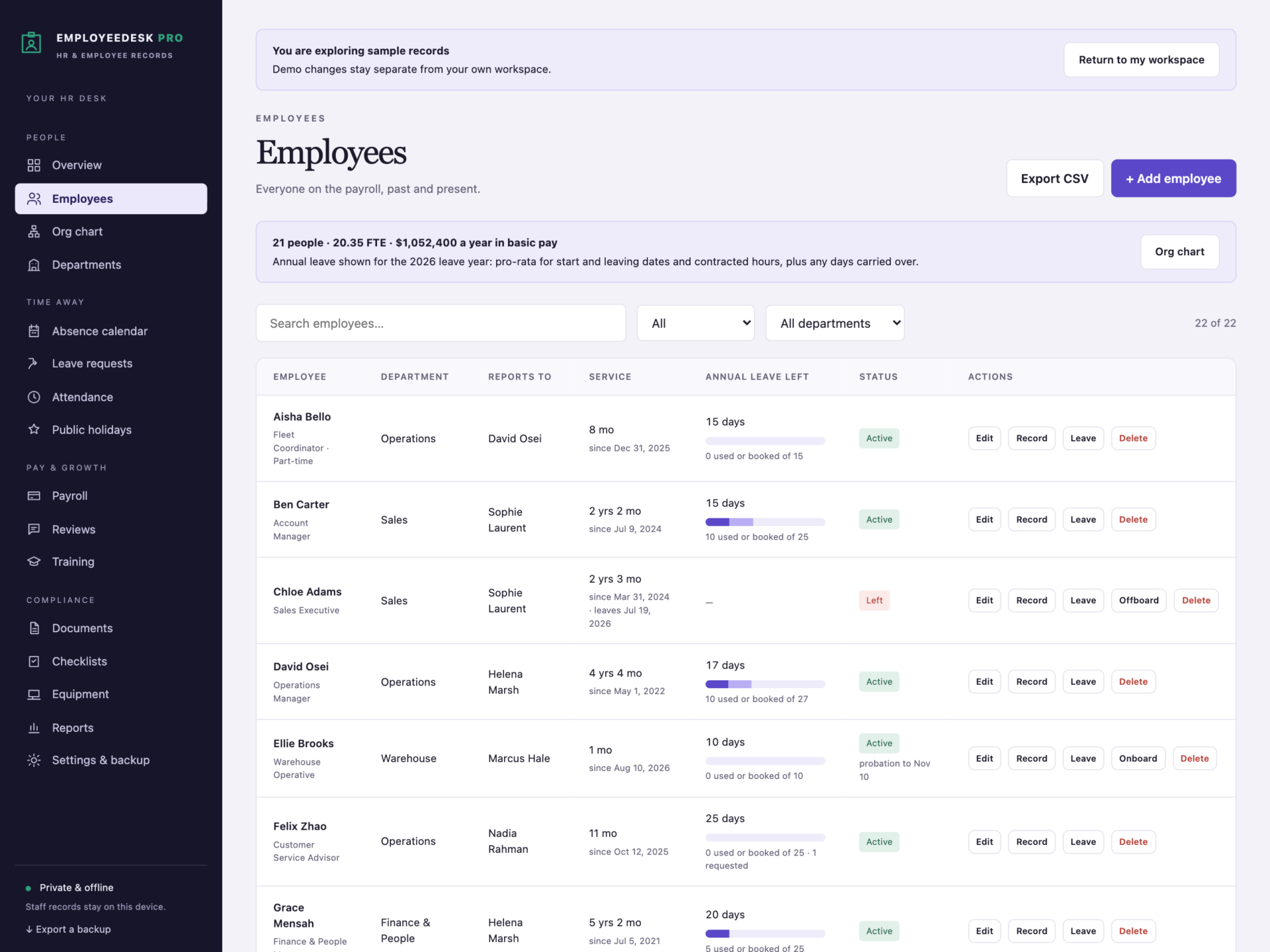
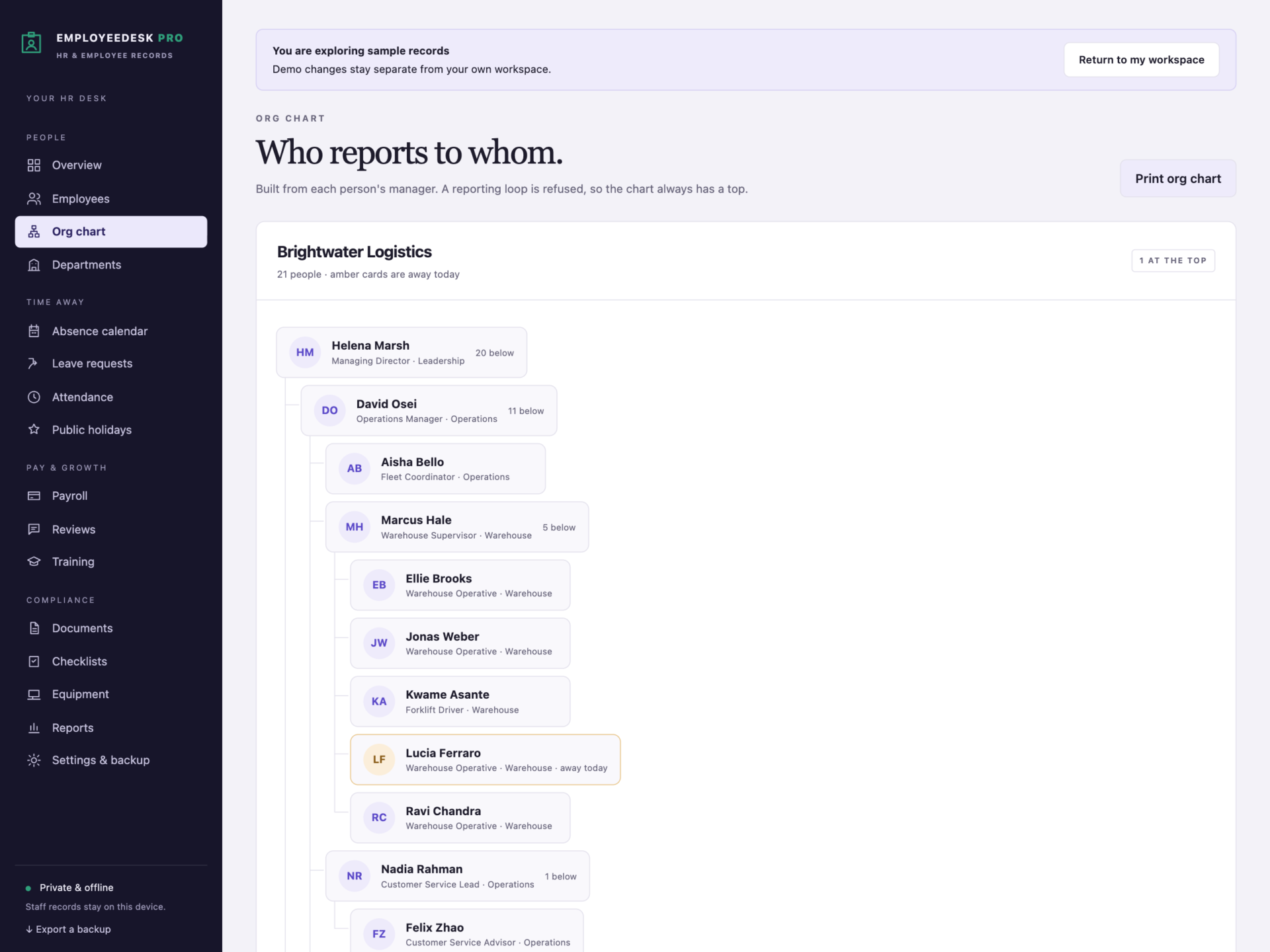


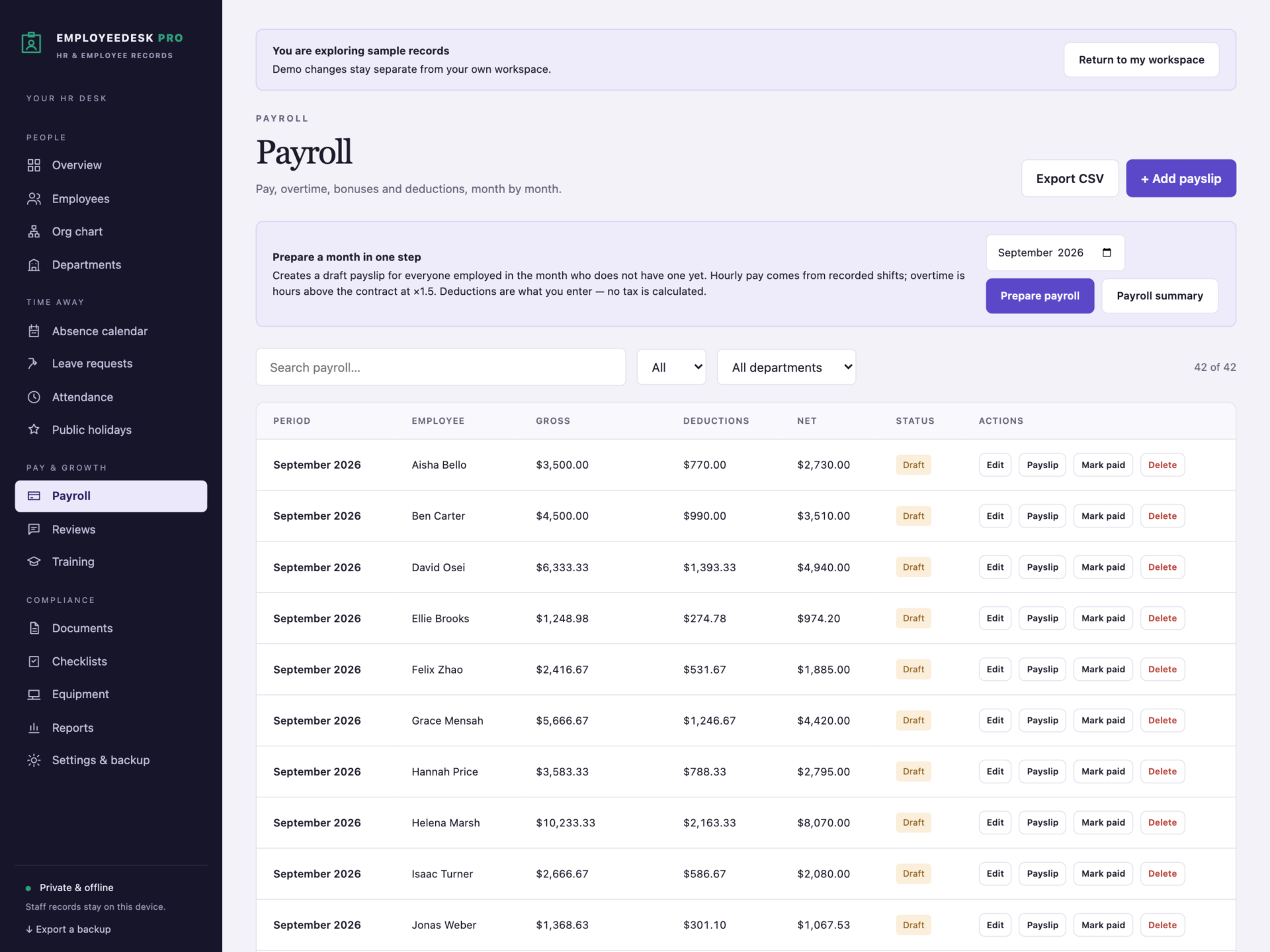
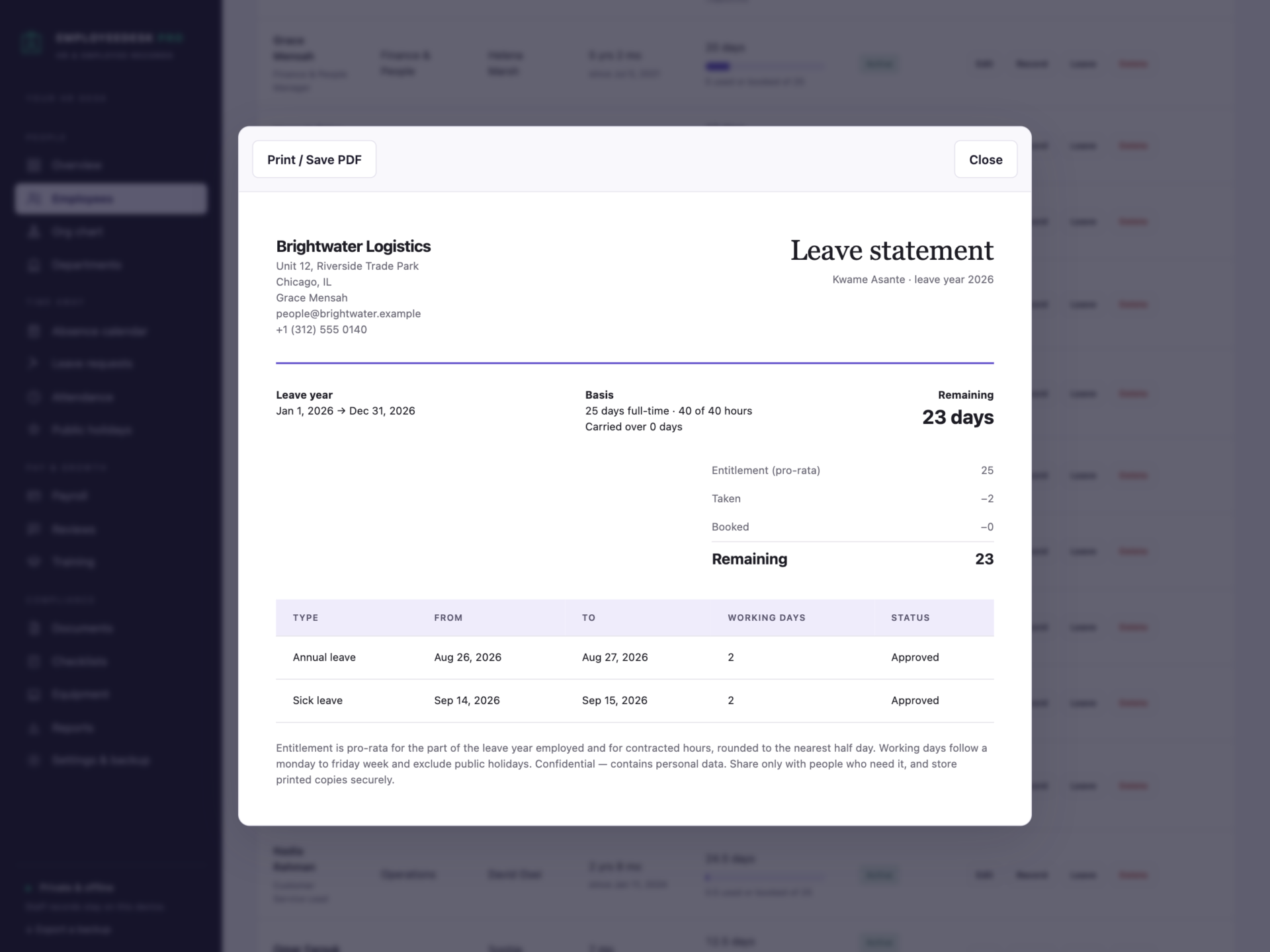
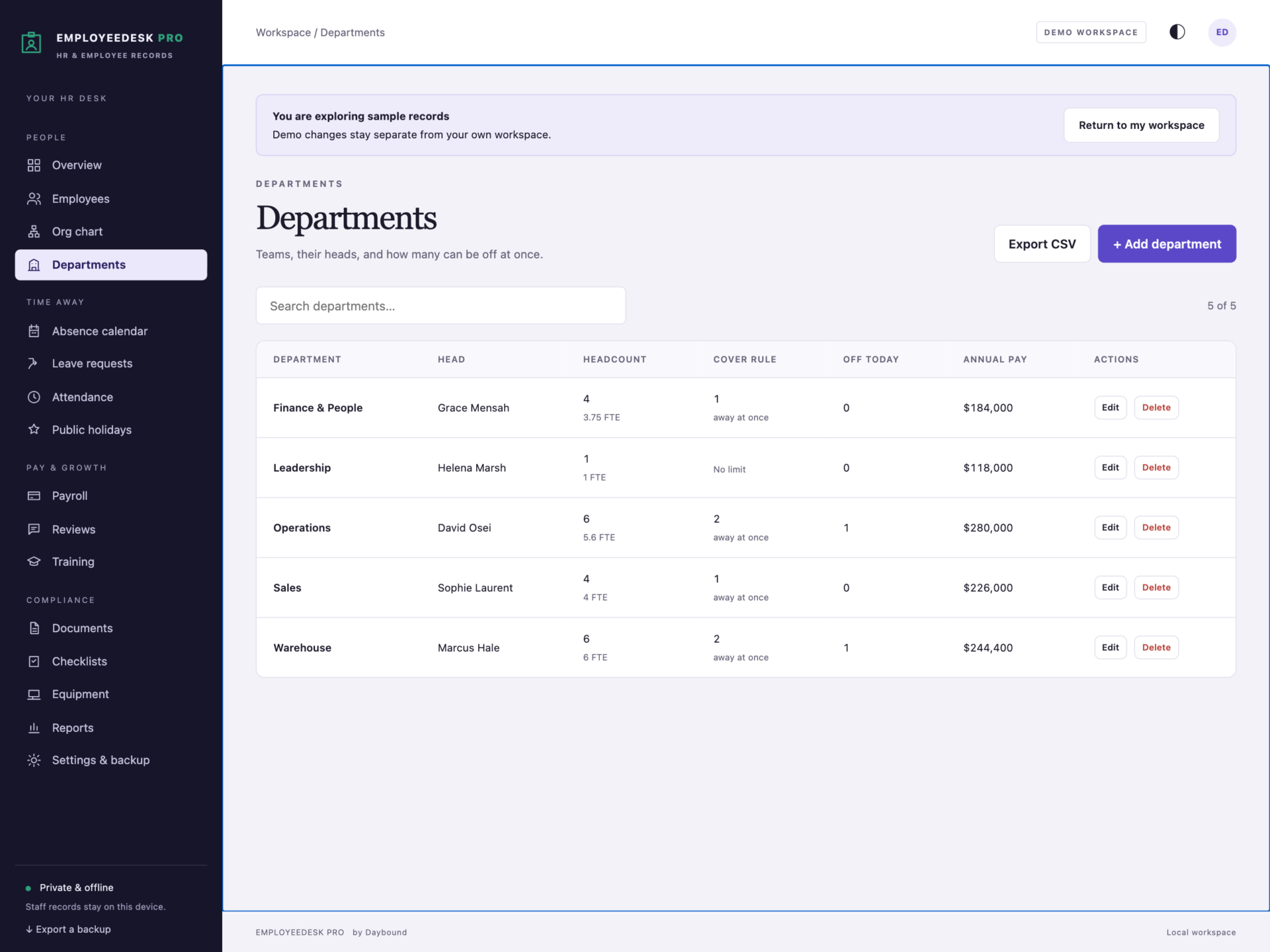
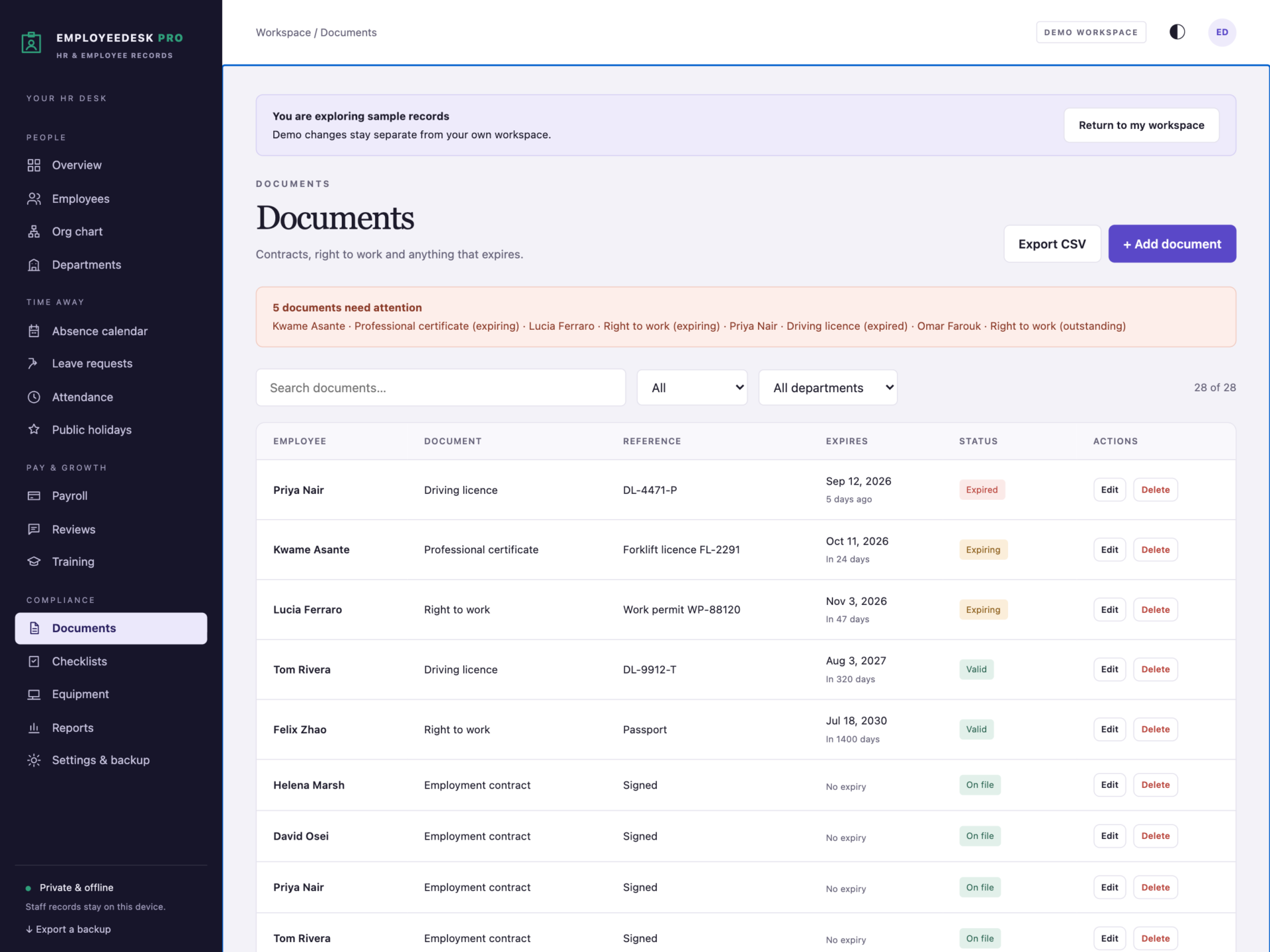
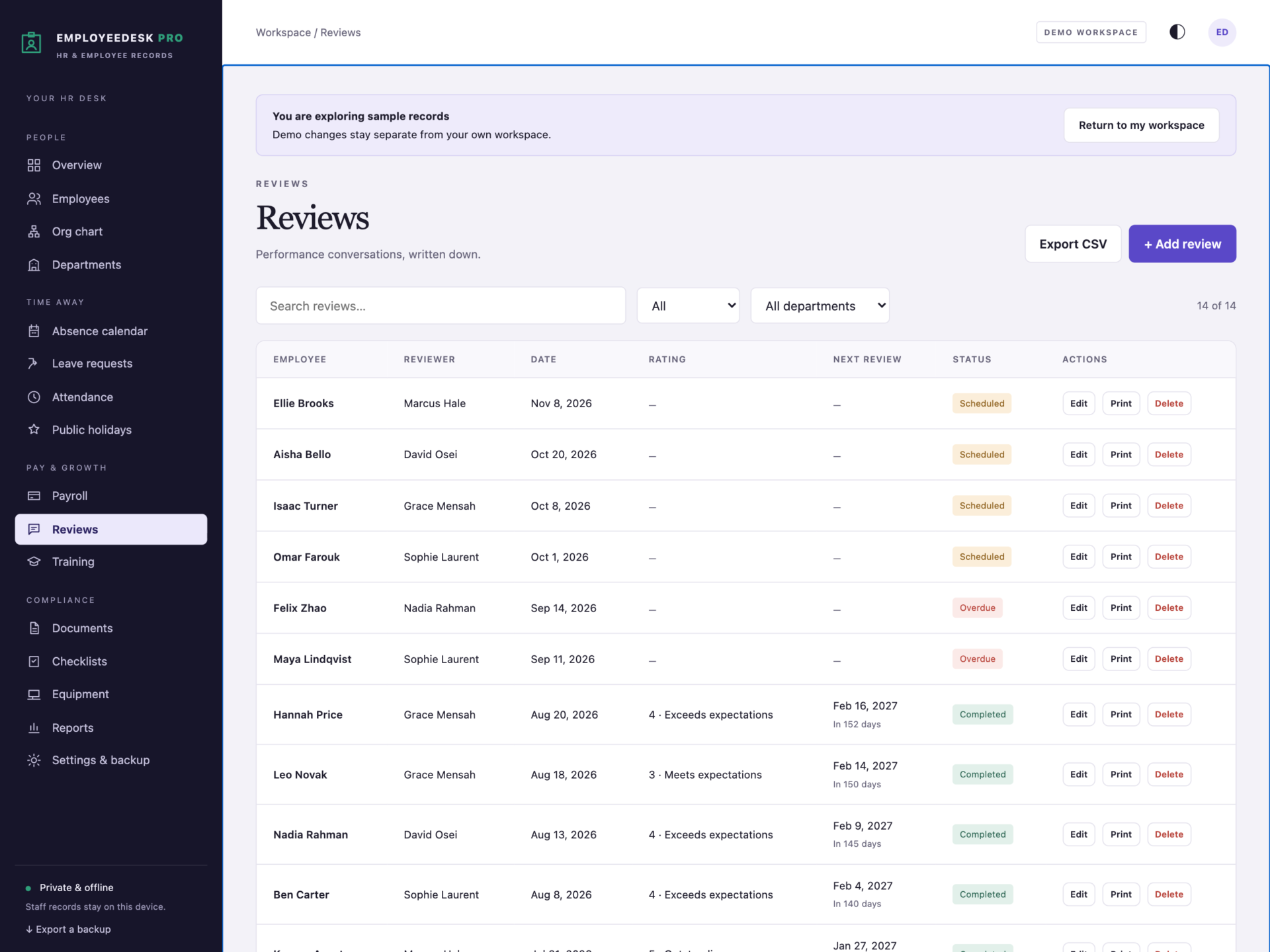
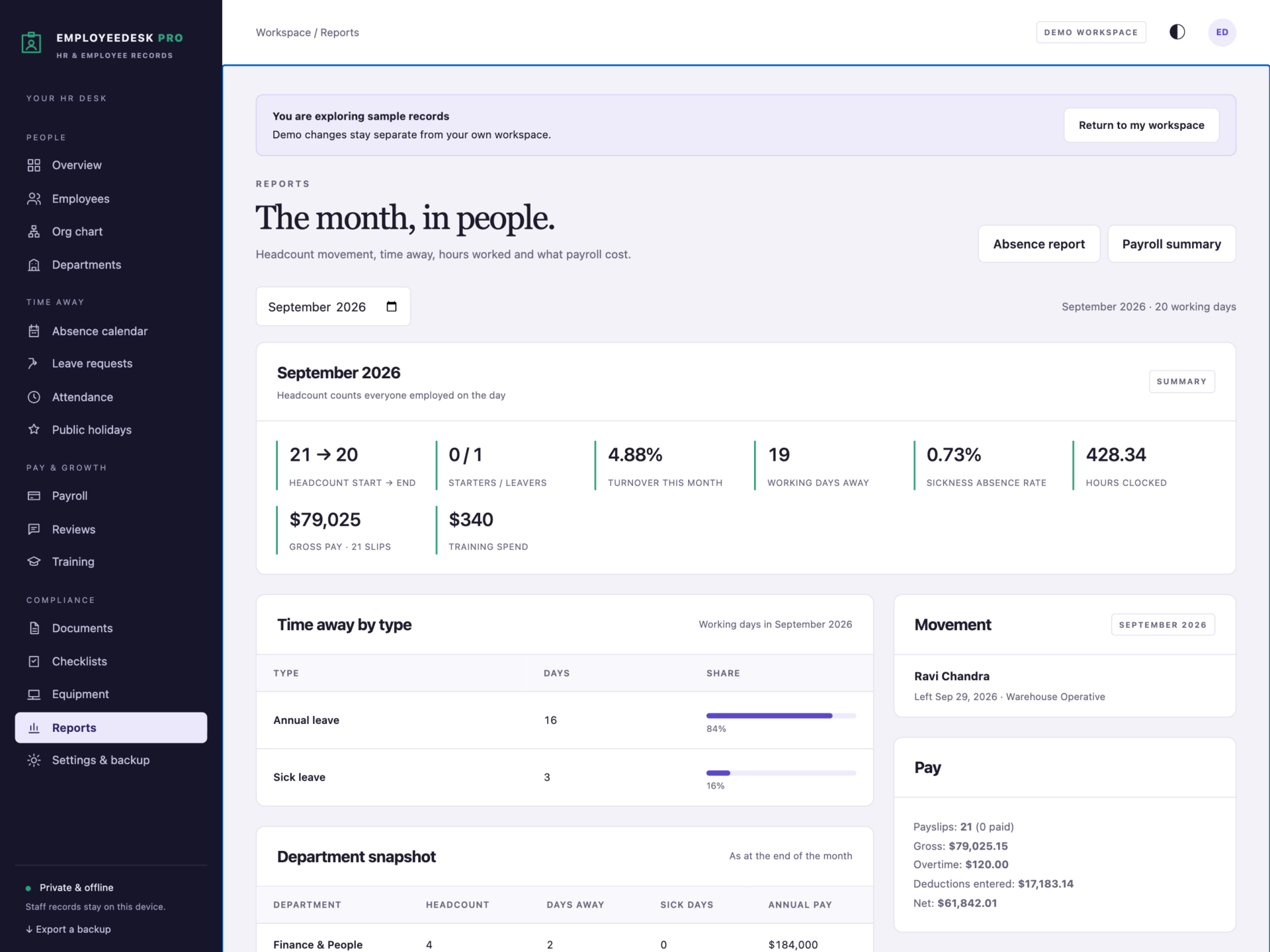
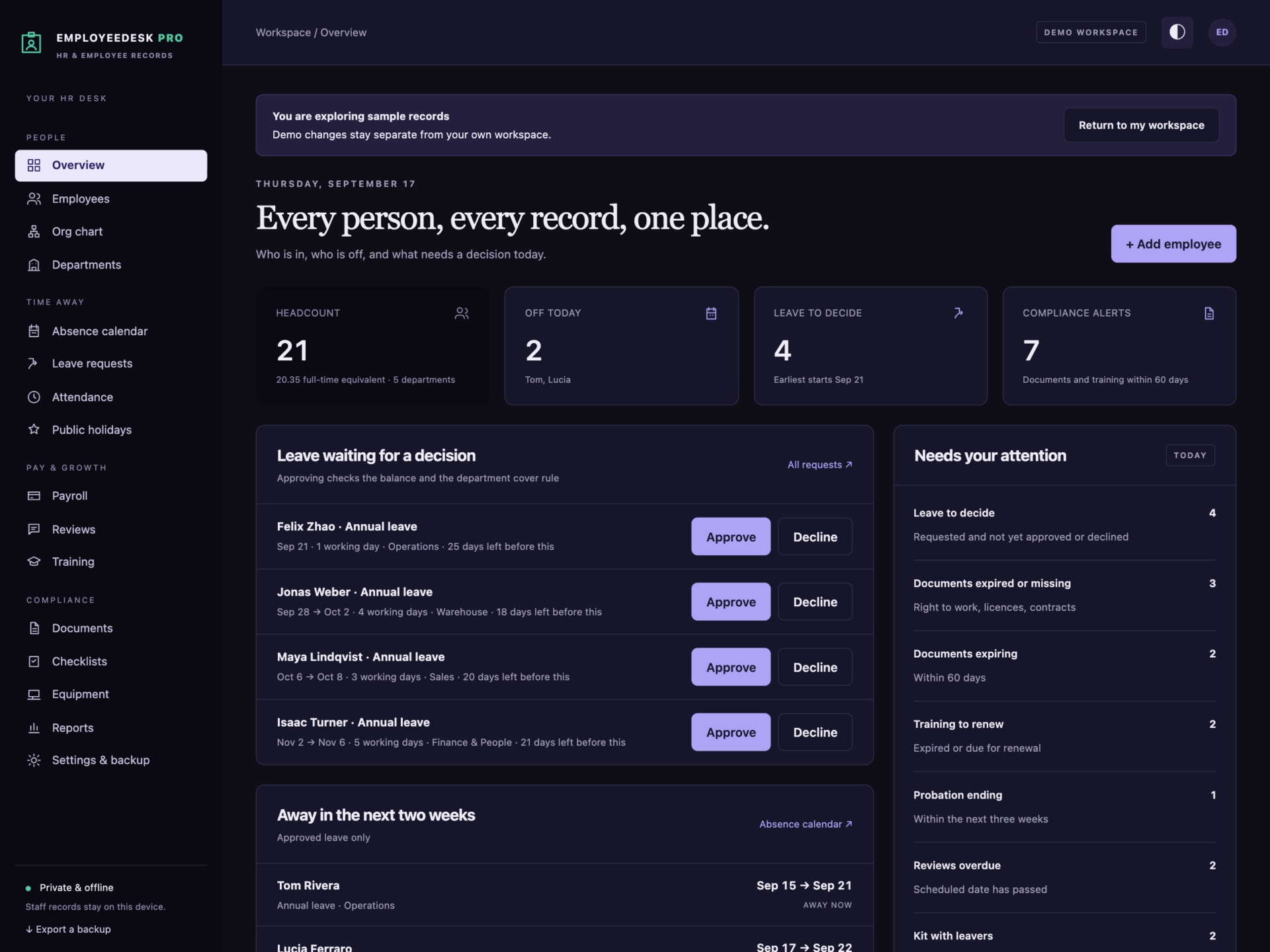
A short recording of the app, then the screens themselves.
$39
One-time purchase · yours to keep
Buy now- One payment - the file is yours to keep
- Works offline, no account, no subscription
- Your data stays on your own device
What's included
- 1 HTML file: the complete EmployeeDesk Pro application
- 1 Getting Started guide (HTML)
- 1 License file (HTML)
Delivery
Instant Download
Your files will be available to download once payment is confirmed.
HR for a small business, without the subscription
EmployeeDesk Pro is an employee management system for shops, clinics, agencies, warehouses, restaurants and offices. Employee records, leave, attendance, payroll records, reviews and compliance live in one offline file - and the numbers that usually live in a fragile spreadsheet calculate themselves.
Download the HTML application, open it in your browser and start with your own team, or explore the sample company first: 22 people across five departments, a full leave year, clock-in records, payroll, reviews, documents and training.
Leave that calculates itself
- Pro-rata entitlement for start and leaving dates and for part-time hours, plus days carried over up to your limit.
- Working days follow your working week and skip public holidays; half days are supported.
- Remaining balance for every person, with taken, booked and requested shown separately.
- Refused, not fudged: requests beyond the balance, overlapping requests and leave outside employment dates cannot be saved - and the message says exactly why.
Cover that holds
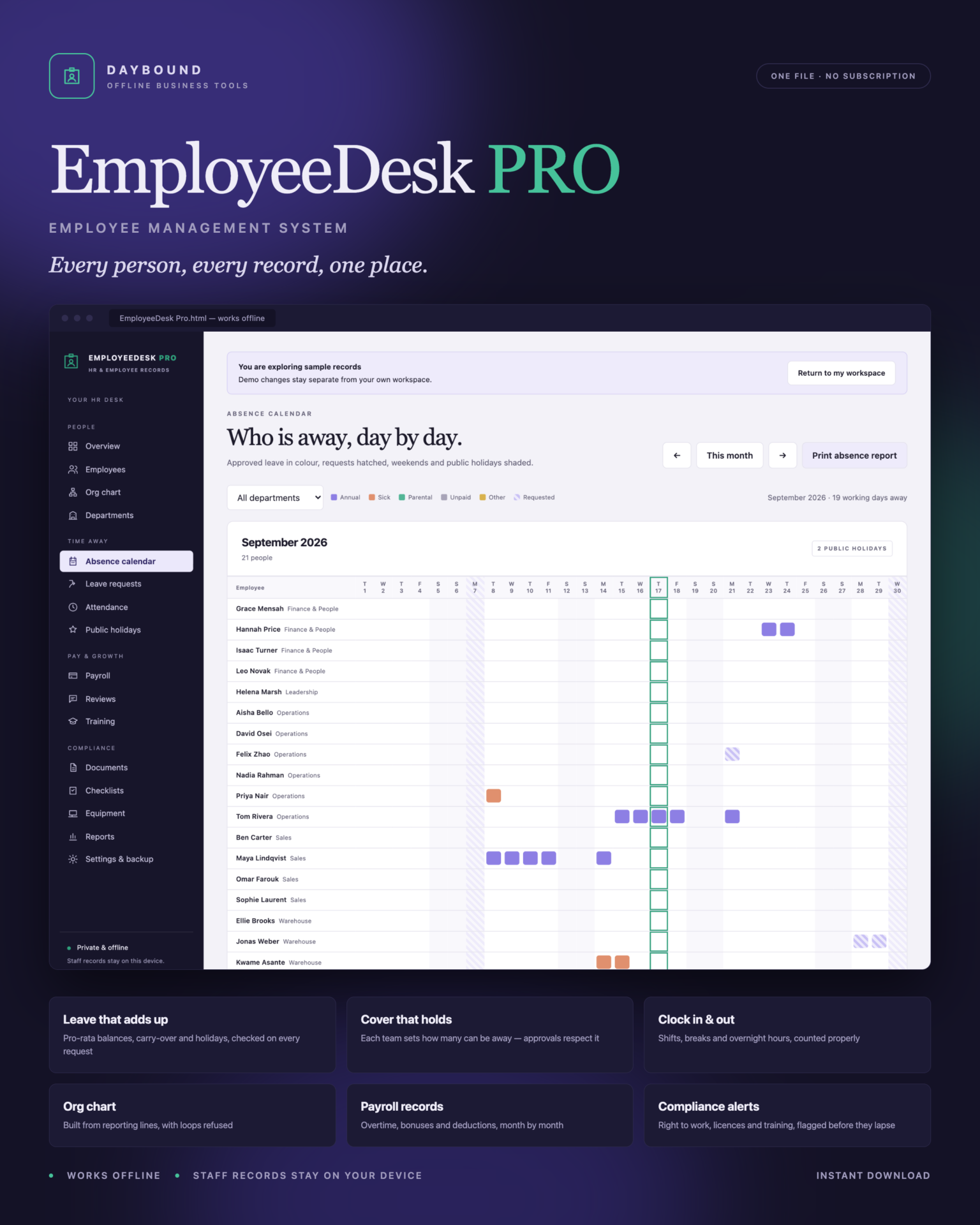
Each department sets the most people who may be away at once. Approving leave that would break that rule is refused, naming the day and who is already off. The absence calendar shows the whole company - or one team - day by day, with annual, sick, parental, unpaid and pending leave in their own colours.
Clock in and out
Every employee has a Clock in or Clock out button. Shifts past midnight are counted correctly, and two open shifts for one person, shifts over 16 hours and breaks as long as the shift are refused. The dashboard shows who is on shift right now.
Payroll records
- Prepare a month in one step: a draft payslip for everyone employed, never duplicated.
- Salaried pay from annual salary; hourly pay from recorded shifts; overtime at your multiplier.
- Bonuses, allowances and the deductions you enter. Mark a payslip paid and it locks.
- Printable payslips and a monthly payroll summary.
People, structure and compliance
- Org chart built from reporting lines - reporting loops are refused.
- Starter and leaver checklists dated from the start or leaving date, never duplicated. A leaver cannot be marked as left while still holding company kit.
- Reviews with ratings, goals and next review dates, overdue ones flagged.
- Documents and training - right to work, licences, certificates and courses flagged when expired, expiring or missing.
- Equipment register for laptops, phones, keys, access cards and vehicles.
Print what you need
Employee record, leave statement, absence report, org chart, payslip, payroll summary and performance review - all print or save as PDF, and all marked confidential. Monthly reports cover headcount movement, turnover, sickness absence rate, hours clocked and gross pay.
Private by design
Staff records are stored by your browser on your own device, separately from the HTML file, and are never uploaded. Export a full JSON backup at any time, restore one after a validation check, or export any list to CSV. A backup with a reporting loop, two payslips for one month or two open shifts for one person is refused rather than loaded. Keep the device restricted to the people who run HR, and store backups privately.
What you receive
- EmployeeDesk Pro.html: the complete offline application.
- Getting Started.html: setup, leave rules, payroll and data protection.
- License.html: the included licence for use within one business.
Delivered together in one ZIP download. Screenshots and the walkthrough show sample records from the app’s demo workspace.
Before you buy
Use a current browser with JavaScript and local storage enabled. A laptop or desktop is recommended. This is a digital download; no physical item is shipped.
EmployeeDesk Pro is not payroll software: it does not calculate income tax, social security, pension or any statutory deduction - deductions are the amounts you enter. Employees do not log in or request leave themselves. It does not send emails or reminders, connect to payroll, accounting, time clocks or calendars, store scanned documents, or sync between devices. Leave rules are the ones you set; check them against the law and contracts that apply to you.
Frequently asked questions
How does it calculate annual leave?
Full-time annual leave days × the part of the leave year the person is employed × their contracted hours ÷ full-time hours, plus any days carried over up to your limit - rounded to the nearest half day. Working days follow your working week and skip public holidays.
Can it stop too many people from the same team being off?
Yes. Each department sets the most people who may be away at once. Approving leave that would break that is refused, and the message tells you the day and who is already off.
Can employees clock in and out?
Yes, from the Attendance page - each person has a Clock in or Clock out button. Shifts past midnight are handled, and two open shifts for one person are refused. Employees don’t have their own log-in; it’s used on a shared or manager’s device.
Does it do payroll?
It keeps payroll records: basic pay, overtime, bonuses, allowances, deductions and net pay, with printable payslips. It does not calculate income tax, social security or pensions - deductions are the figures you enter from your accountant or payroll provider.
Can I see who reports to whom?
The org chart is built from each person’s manager, and a reporting loop is refused so the chart always has a top.
Where are the staff records stored?
In your browser’s local storage on your own device. Nothing is uploaded. Restrict access to the device and keep backups private.
Do I need an internet connection or an account?
Only to download the file. After that it works completely offline, with no account.
Is it a subscription?
No. You pay once and the file is yours.
One-time purchase: $39, tax included. No recurring software subscription - the price you see is the price you pay.
At a glance
How it runs
-
1
Download
You get the application as one HTML file, with its documentation guide and its licence.
-
2
Open
Double-click it. It opens in the browser you already have - Chrome, Edge, Safari or Firefox. There is nothing to install and no account to create.
-
3
Keep
Your records save to that browser on that device. Export a backup from the app whenever you want a copy of your own.


