

DogDesk Pro
For dog groomers, mobile groomers and small grooming studios.
Clients, pets, appointments and takings for a grooming business.
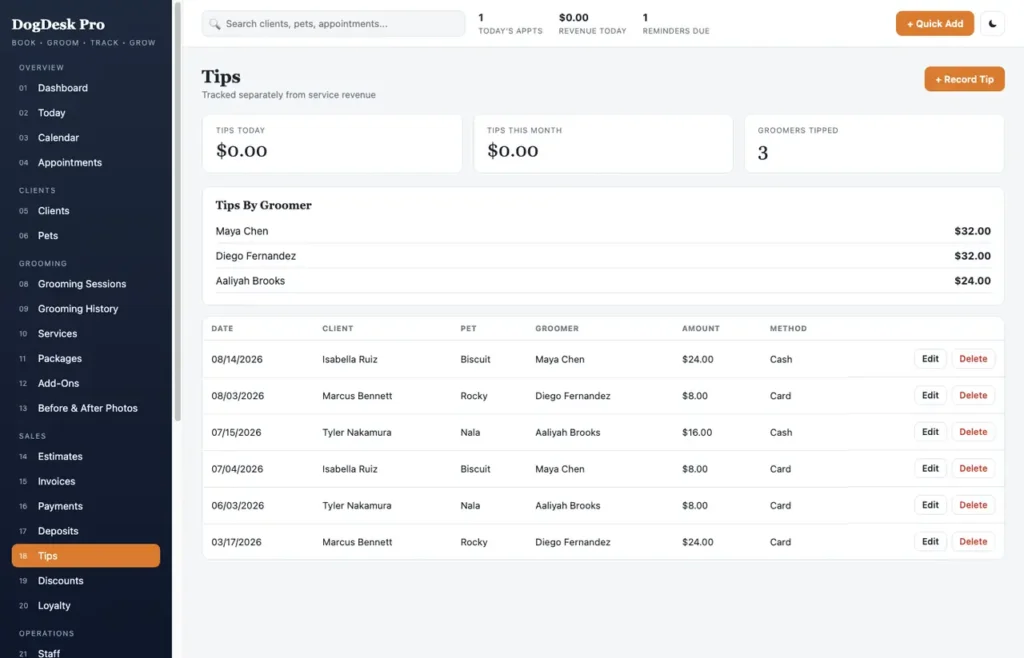
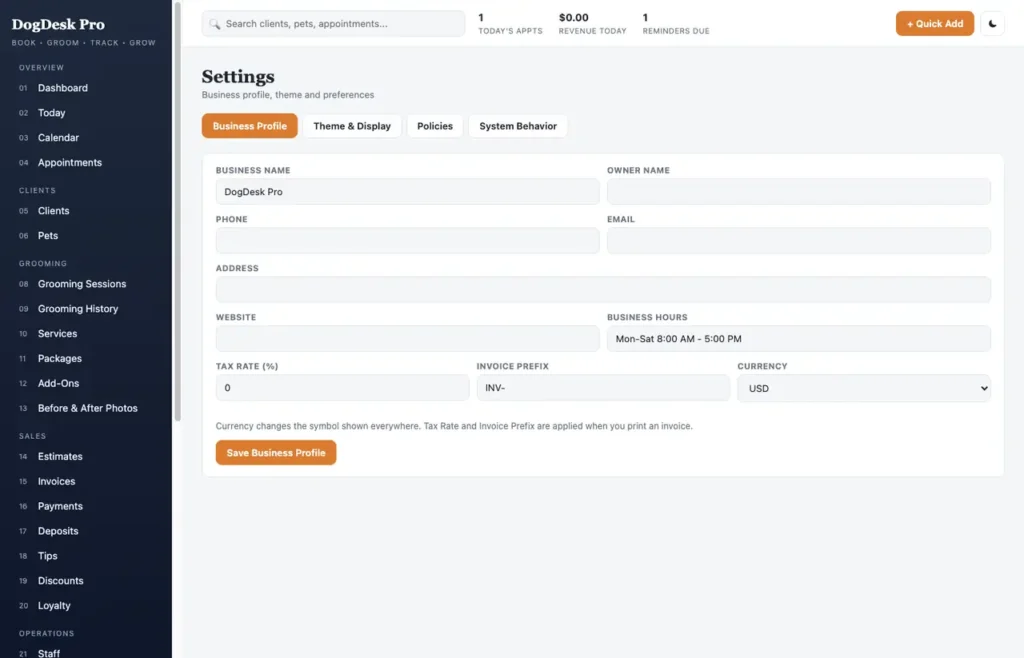
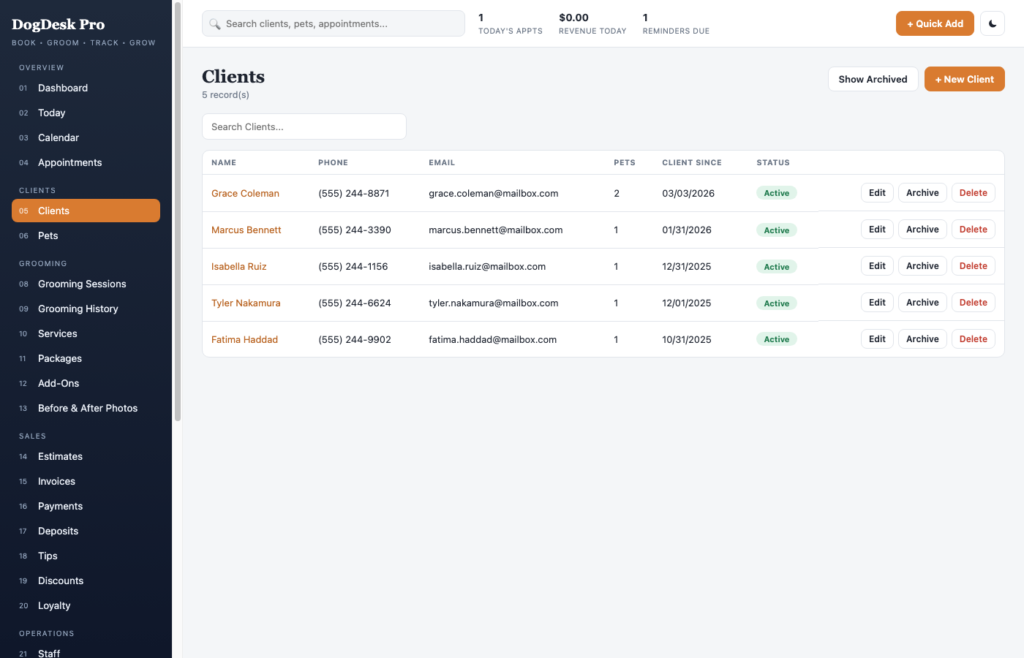
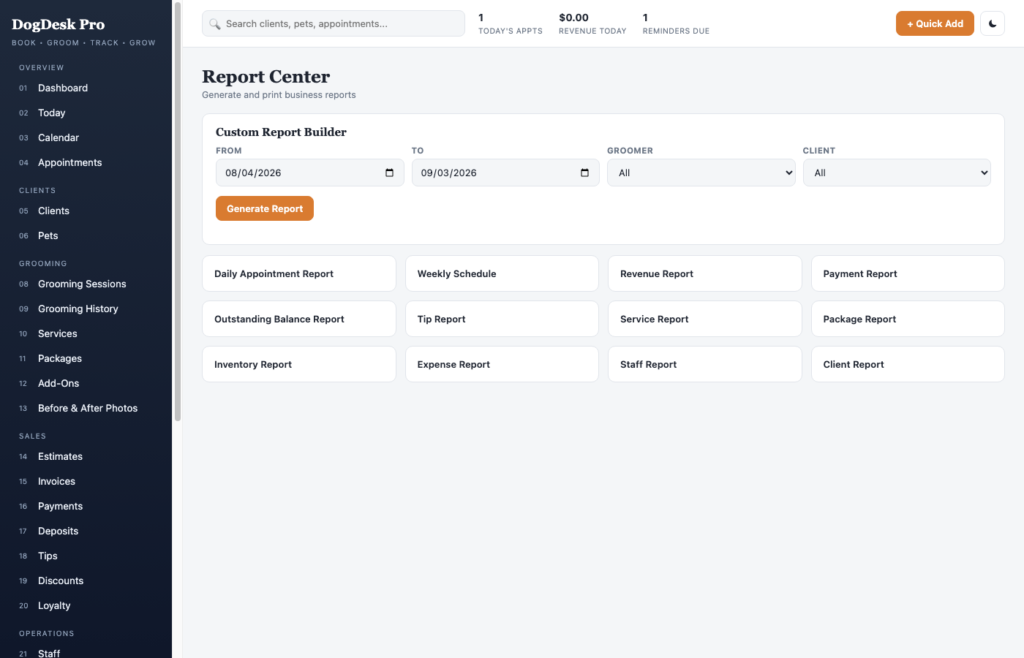
A short recording of the app, then the screens themselves.
$29
One-time purchase · yours to keep
Buy now- One payment - the file is yours to keep
- Works offline, no account, no subscription
- Your data stays on your own device
What's included
- 1 HTML file - the complete application
- 1 Getting Started guide (HTML)
- 1 License file
Delivery
Instant Download
Your files will be available to download once payment is confirmed.
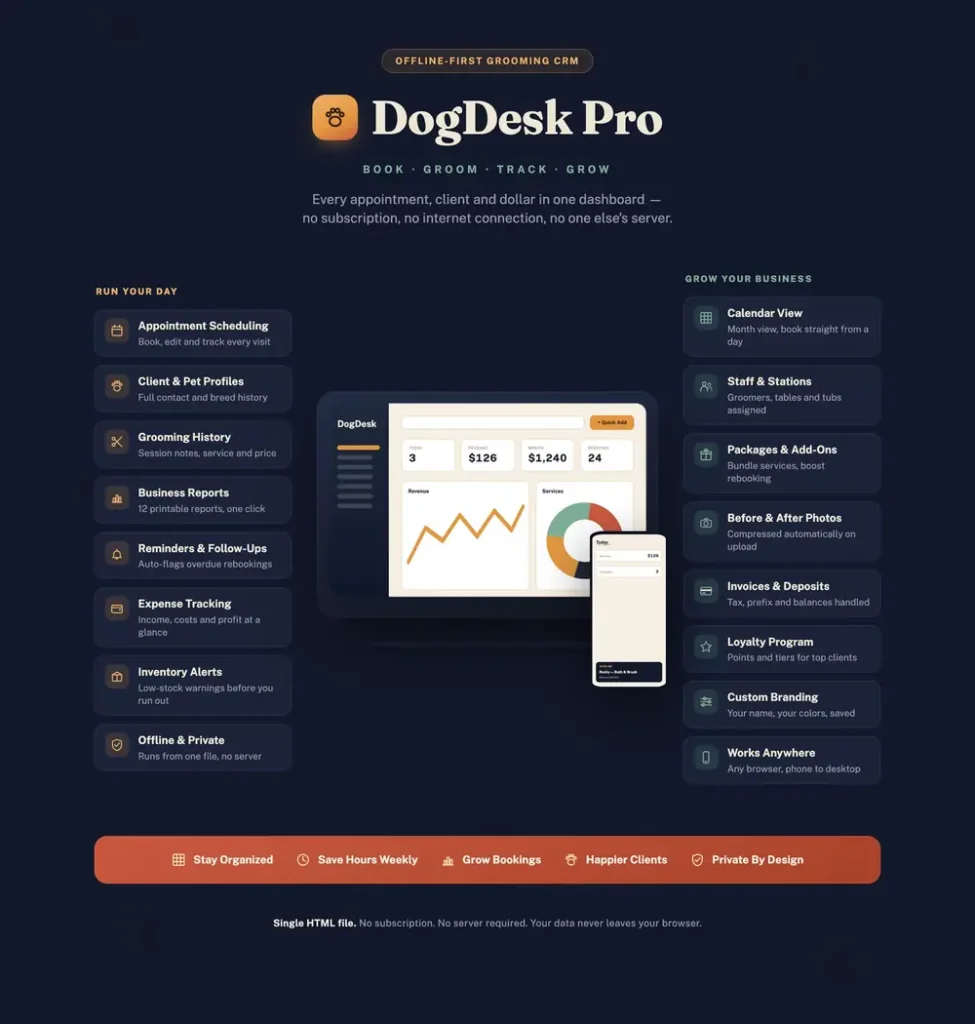
DogDesk Pro is an offline, all-in-one business manager built for dog groomers, mobile groomers, and small grooming studios. It runs as a single HTML file - no installation, no login, no monthly subscription, and no internet connection required after downloading.
Everything your grooming business needs to stay organized lives on one private dashboard:
Dashboard & analytics
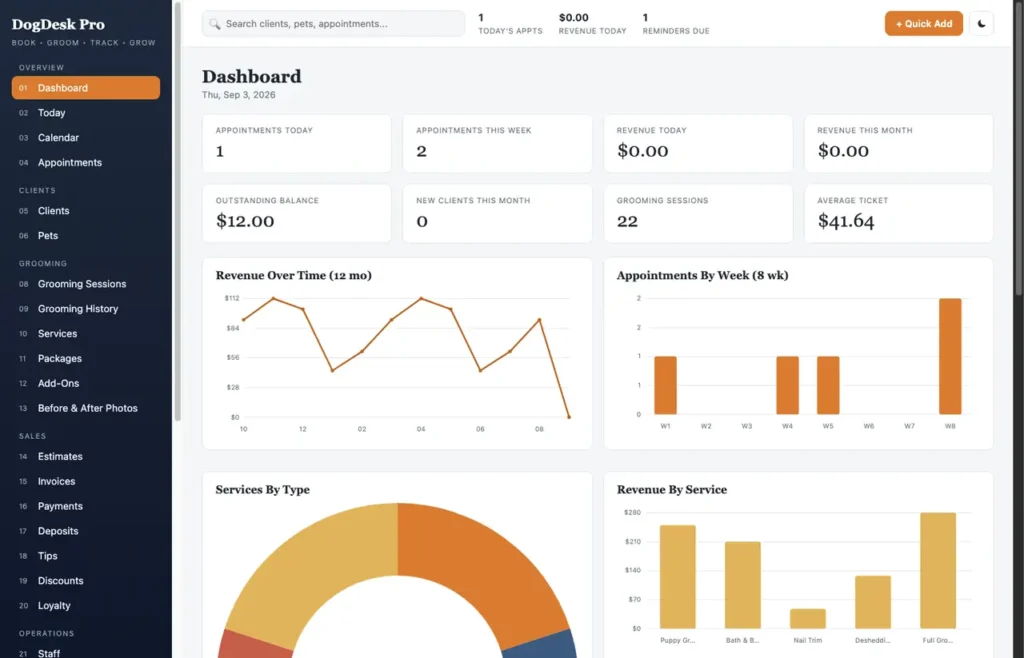
- Real-time stats: today's appointments, revenue, outstanding balance, new clients this month
- Interactive charts: revenue over time, appointments by week, services by type, revenue by groomer
- A dedicated Analytics page: client retention rate, busiest day, top spenders, staff utilization
- Report Center with 12 one-click printable reports (daily schedule, revenue, tips, inventory, staff, clients…) plus a custom date-range report builder
Clients & pets
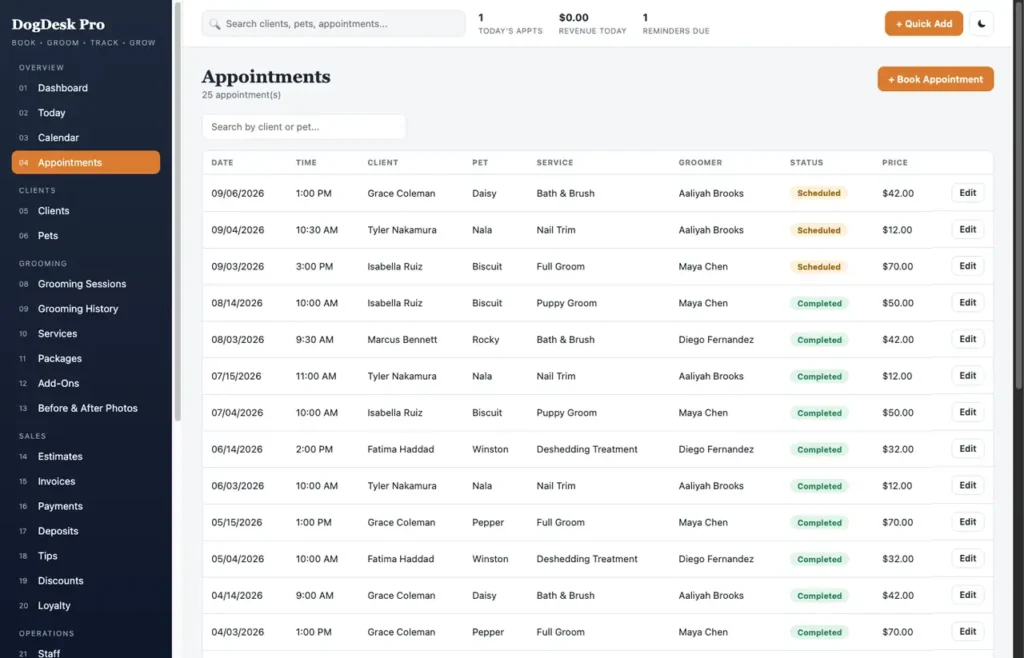
- Full client profiles with contact info, address, and visit history
- Multiple pets per client, each with breed, size, and coat notes
- Global search across clients, pets, and appointments at once
Scheduling
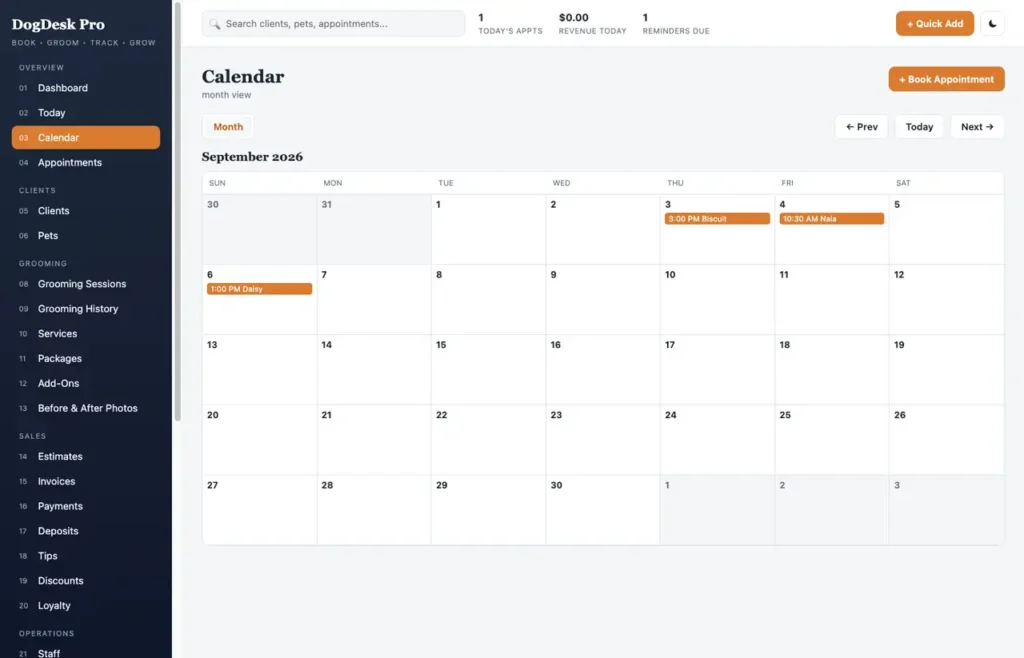
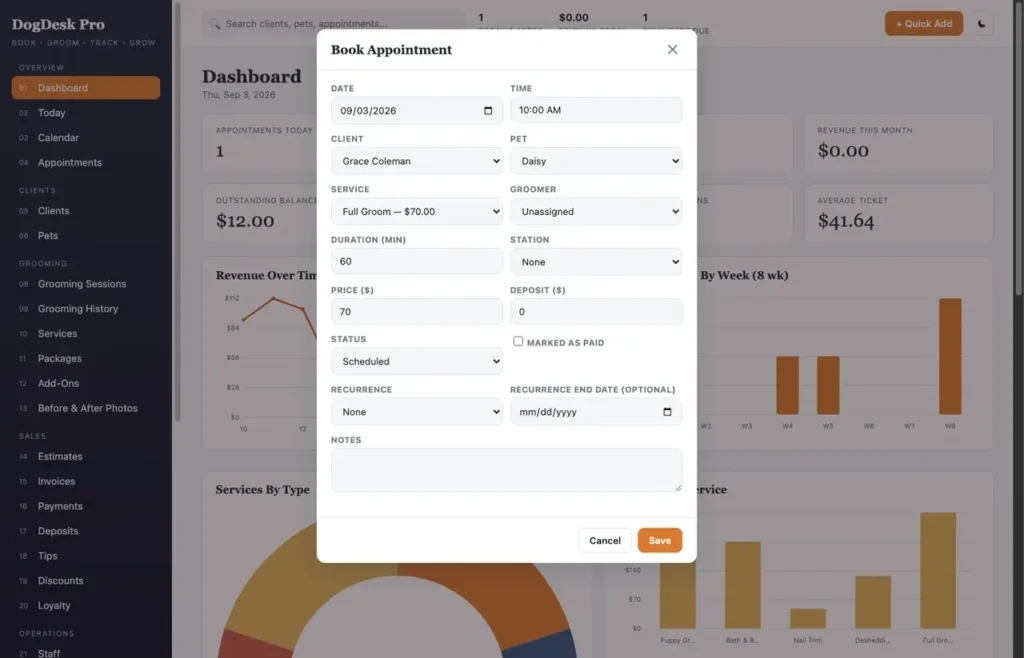
- Month calendar with click-to-book
- Recurring appointments (weekly, biweekly, monthly) - book a whole series in one go
- A Today view, plus a Follow-Ups page that automatically flags pets overdue for a rebooking
Services & grooming records
- Custom services, packages, and add-ons with your own pricing
- Full grooming session history per pet
- Before & After photo journal (photos are auto-compressed so they never bloat your storage)
Sales & payments
- Estimates, invoices (with tax rate and invoice numbering), payments, deposits, tips, and discount codes
- Loyalty point tracking per client
Business operations
- Staff/groomer records with performance stats
- Grooming station assignments
- Inventory with low-stock alerts, linked to vendors
- Expense tracking by category
Stay organized
- Reminders and notes, searchable from anywhere
- A Data & Backup page: export/import full JSON backups, export client/pet CSV, one-click demo data reset, factory reset
Make it yours
- Light and dark mode
- Pick your own accent and sidebar colors right from Settings - no coding needed
- Editable business profile (name, address, tax rate, currency, invoice prefix)
Private by design
Nothing is ever uploaded anywhere. Every record stays in your own browser unless you choose to export it yourself.
Compatibility
Works in any modern desktop browser: Chrome, Edge, Safari, or Firefox. Best experienced on a laptop or desktop; a mobile menu is included for on-the-go glances.
This is a digital download - no physical item will be shipped. Change-of-mind purchases are final once the file has been delivered; faulty or misdescribed files are covered by the refund policy.
Frequently asked questions
Do I need an internet connection?
Only to download the file. After that it works completely offline, with no account and no server.
How do I clear the sample data?
Go to Data & Backup and use the one-click demo data reset, or factory reset to start completely empty. Export a backup first if you want to keep anything.
Can I track more than one groomer?
Yes. Add staff records with their own performance stats, and assign appointments and grooming stations to each groomer.
Does it store client photos?
Yes, in the Before & After journal per pet. Photos are auto-compressed so they do not bloat your browser’s storage.
Can it handle recurring appointments?
Yes. Book weekly, biweekly or monthly recurring series in one go, and the Follow-Ups page flags pets overdue for a rebooking.
Where are my client and pet records stored?
In your browser’s local storage on your own device. Nothing is uploaded anywhere unless you export it yourself.
Is it a subscription?
No. You pay once and the file is yours.
At a glance
How it runs
-
1
Download
You get the application as one HTML file, with its documentation guide and its licence.
-
2
Open
Double-click it. It opens in the browser you already have - Chrome, Edge, Safari or Firefox. There is nothing to install and no account to create.
-
3
Keep
Your records save to that browser on that device. Export a backup from the app whenever you want a copy of your own.


