

DentalDesk Pro
For small dental practices.
Chair scheduling, tooth charting, insurance estimates, claims and recalls, in one offline workspace.
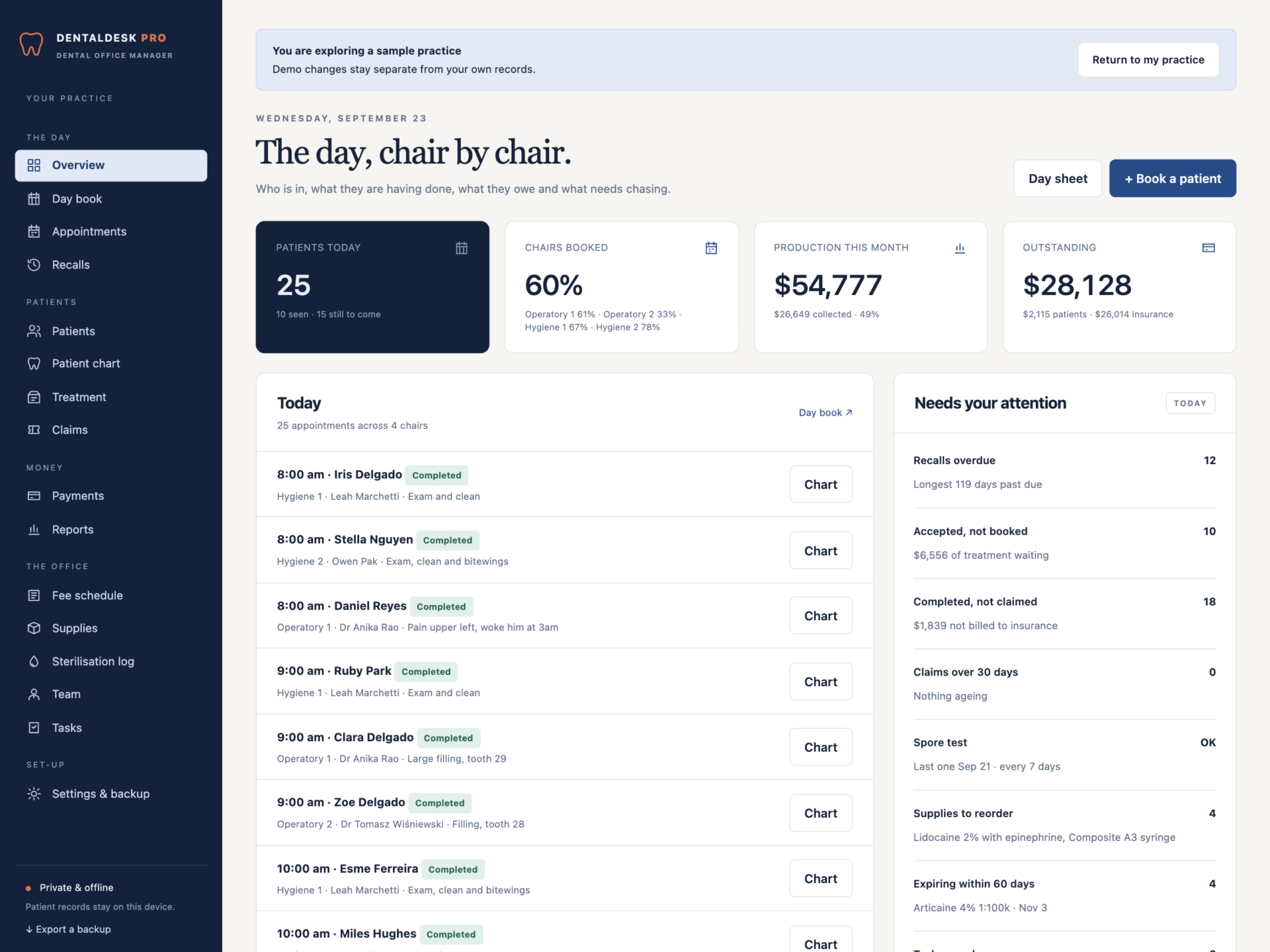
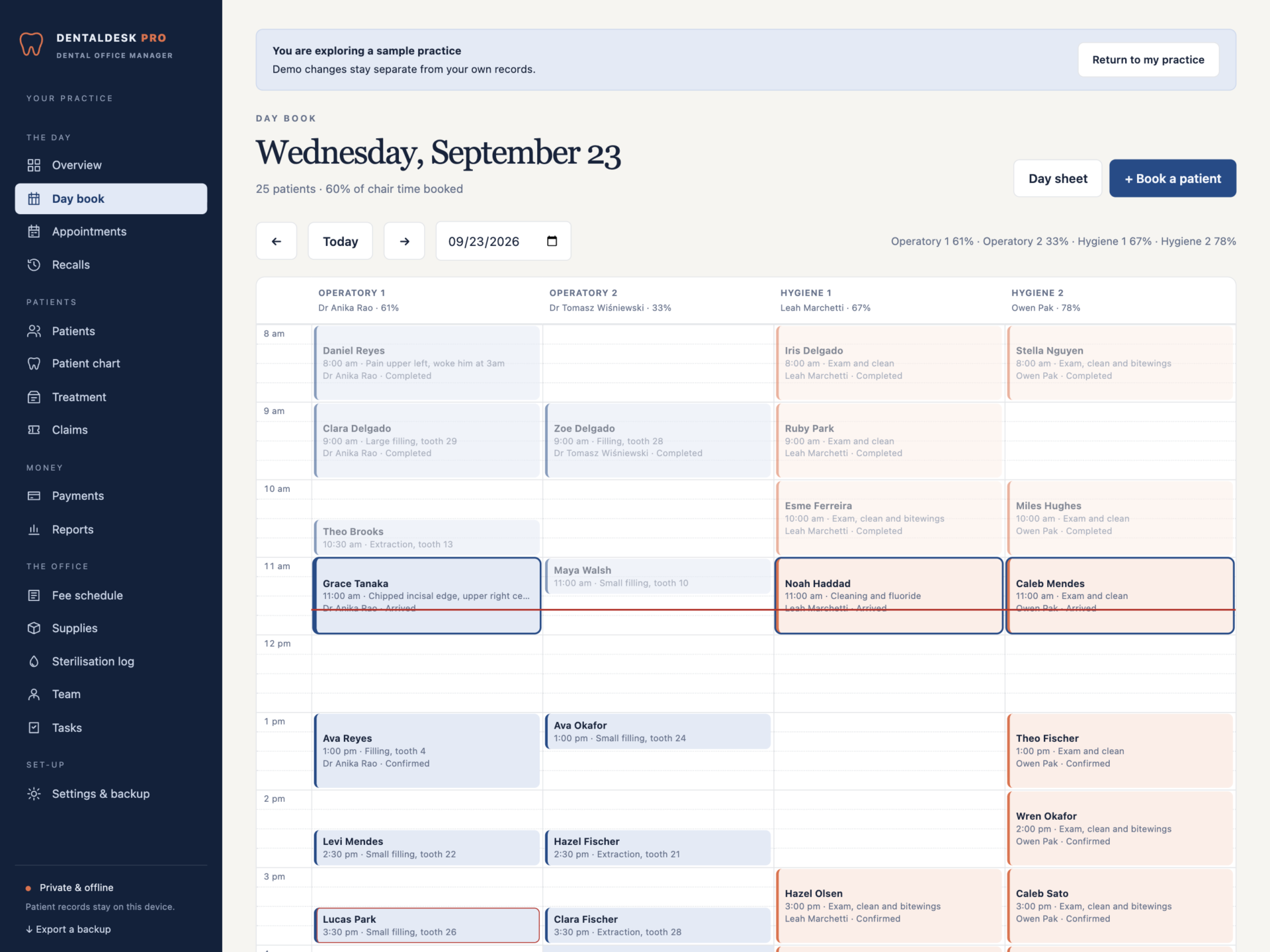
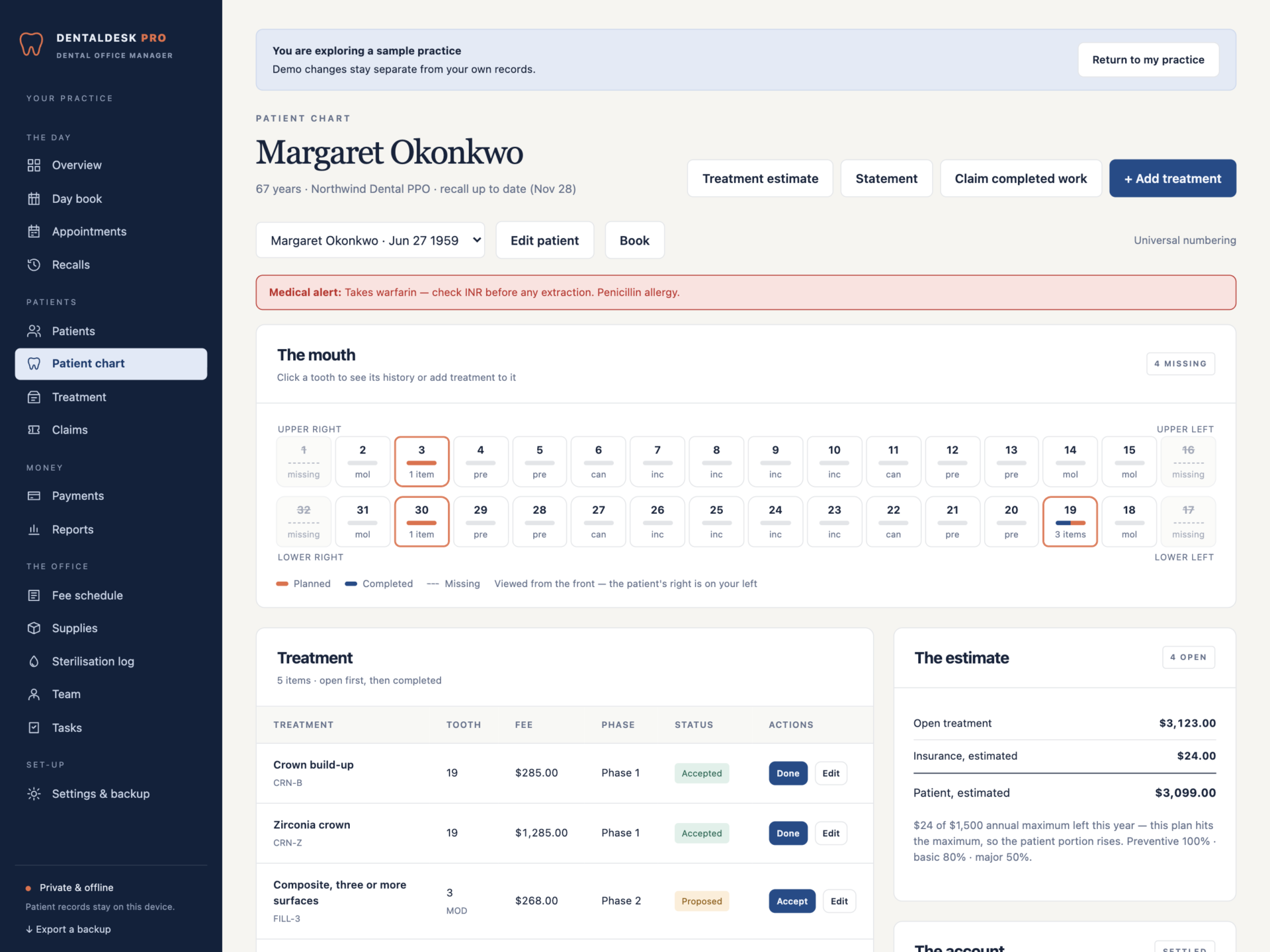
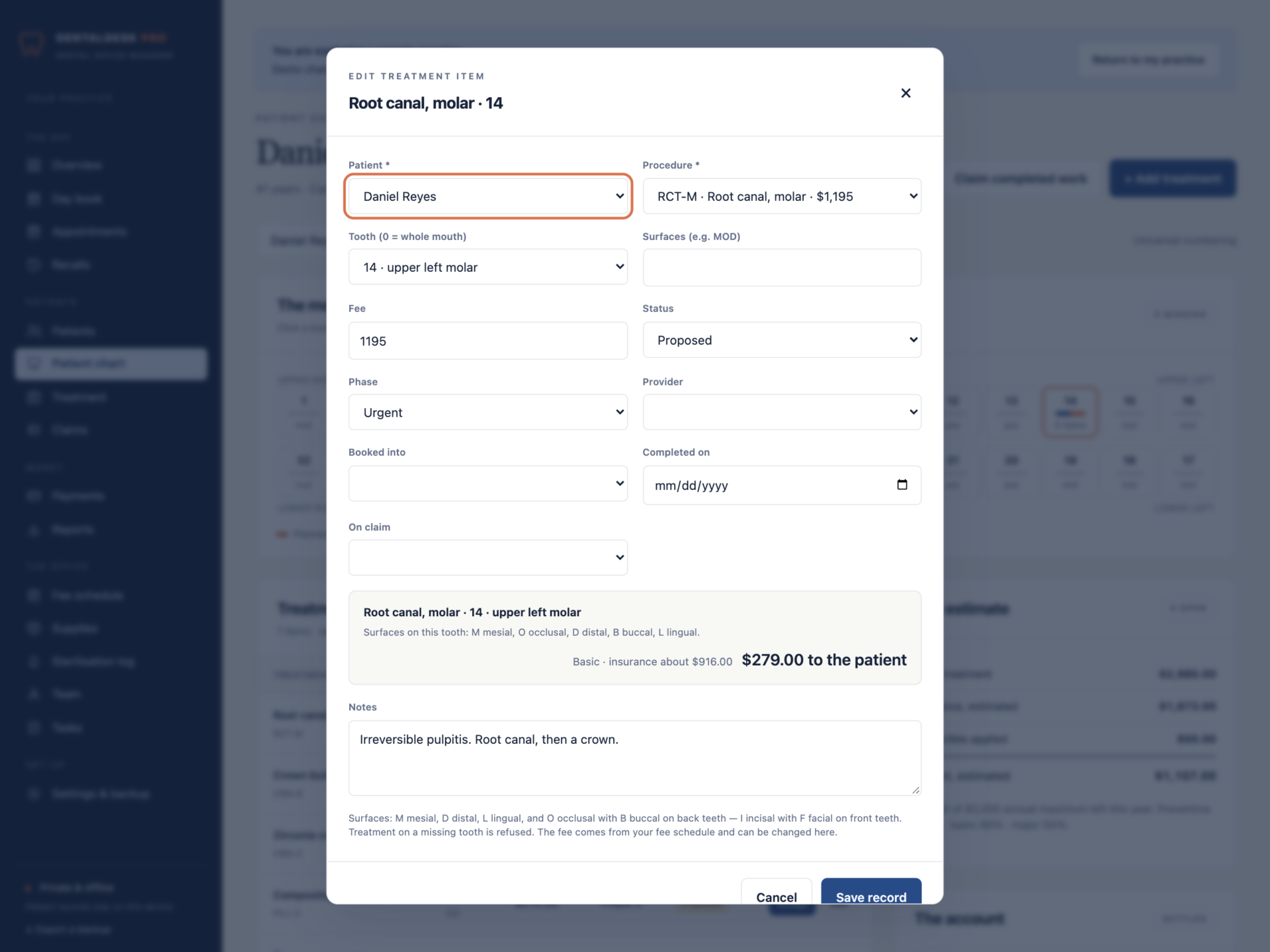
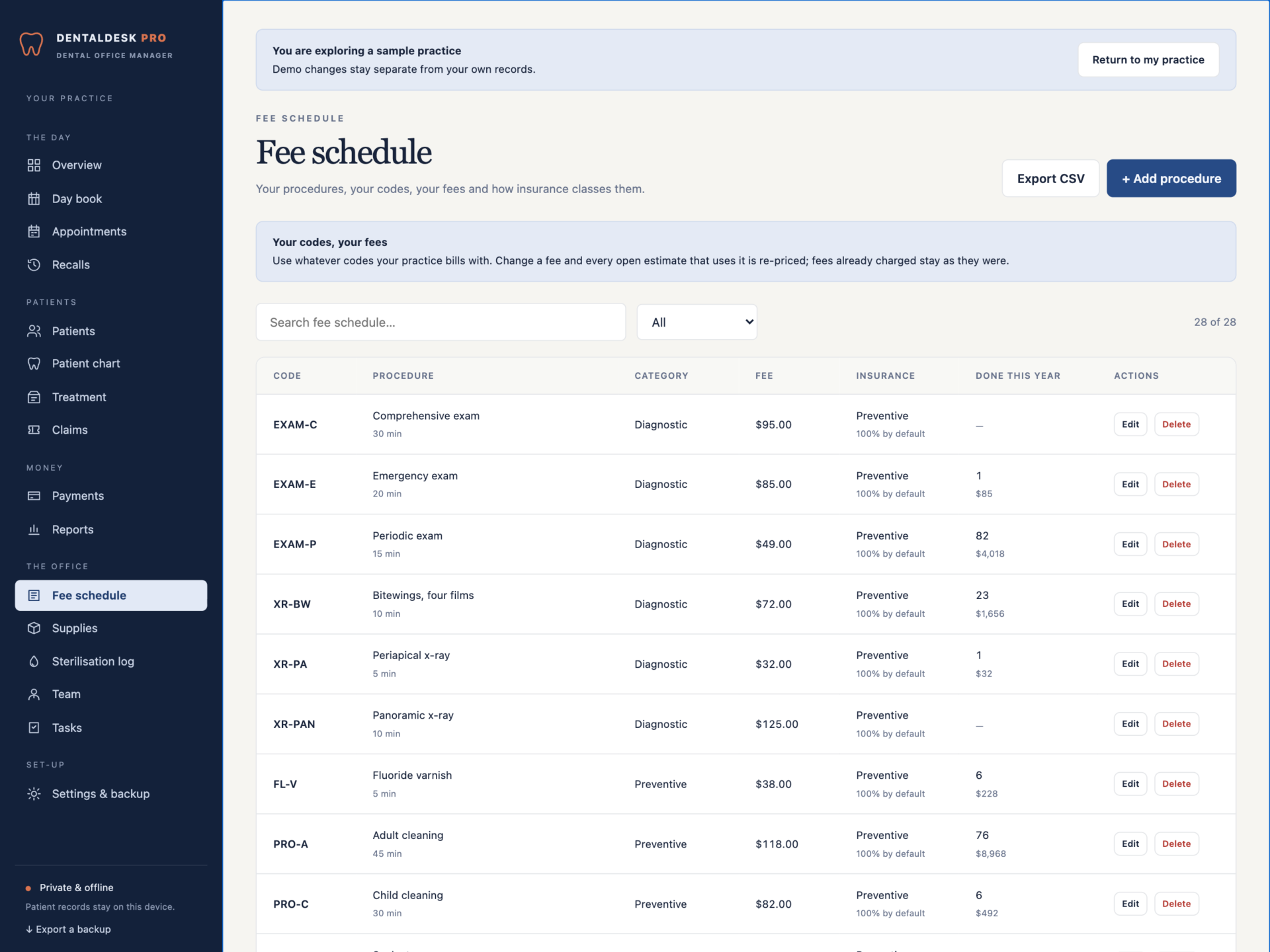
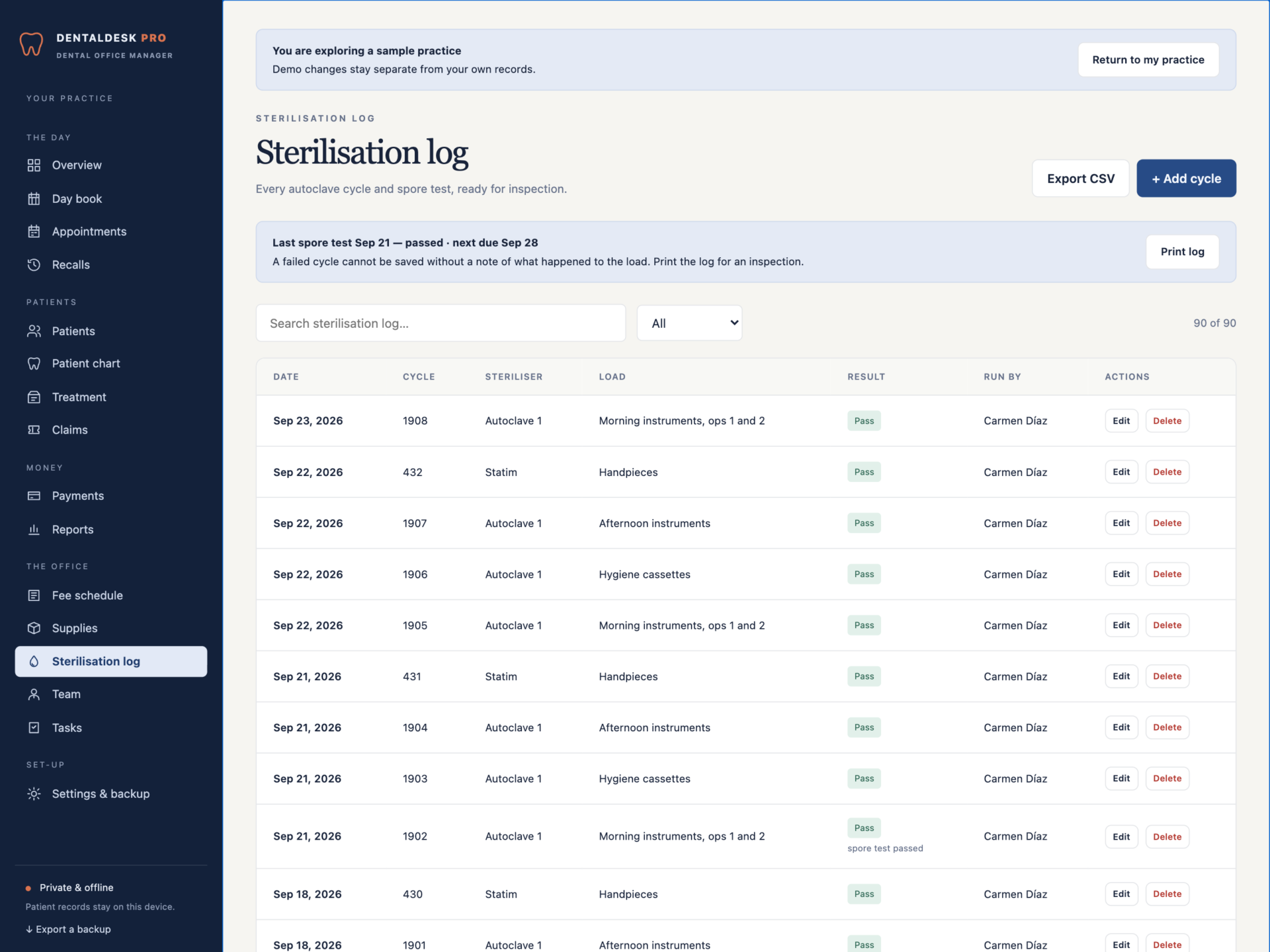
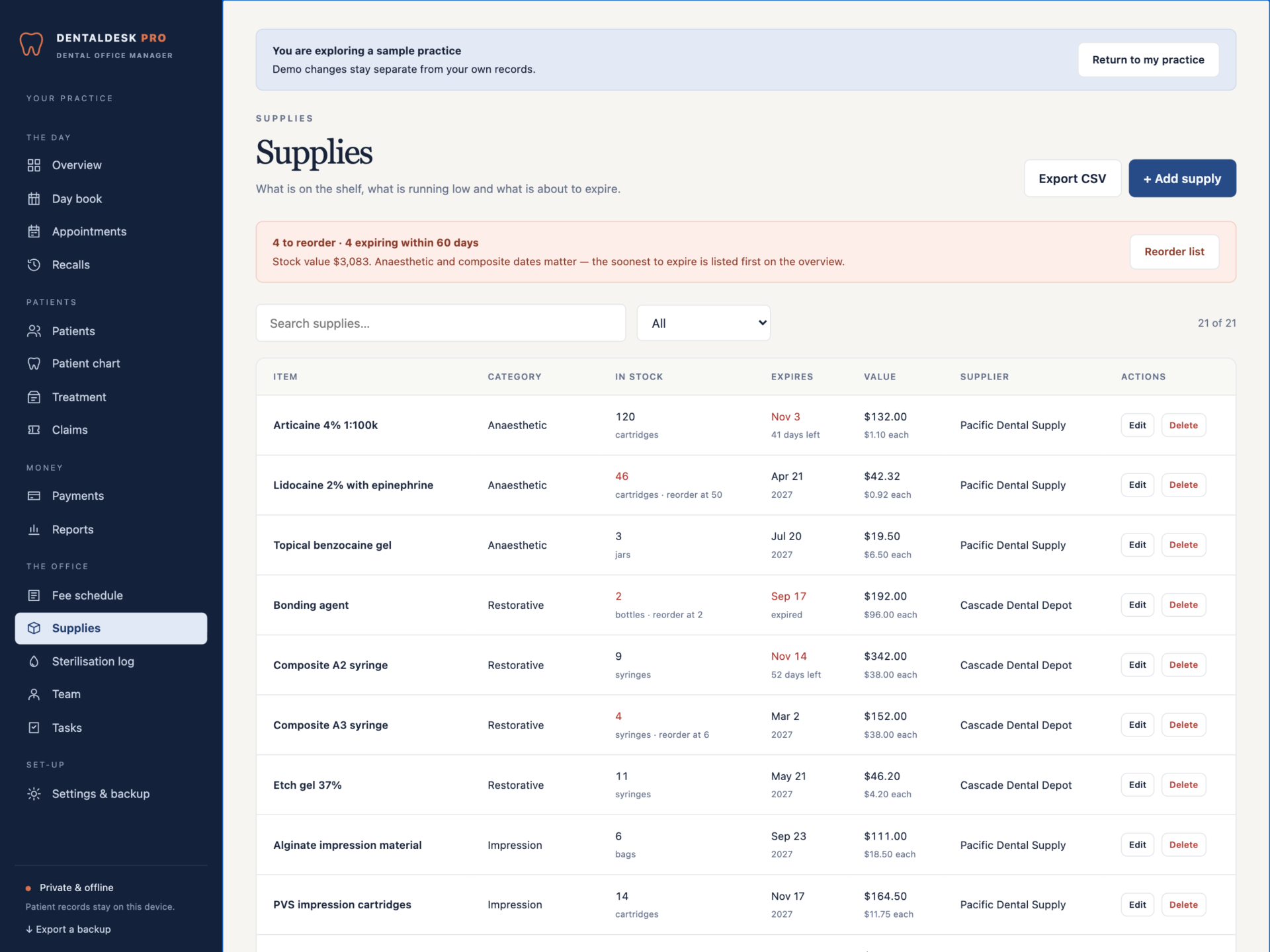
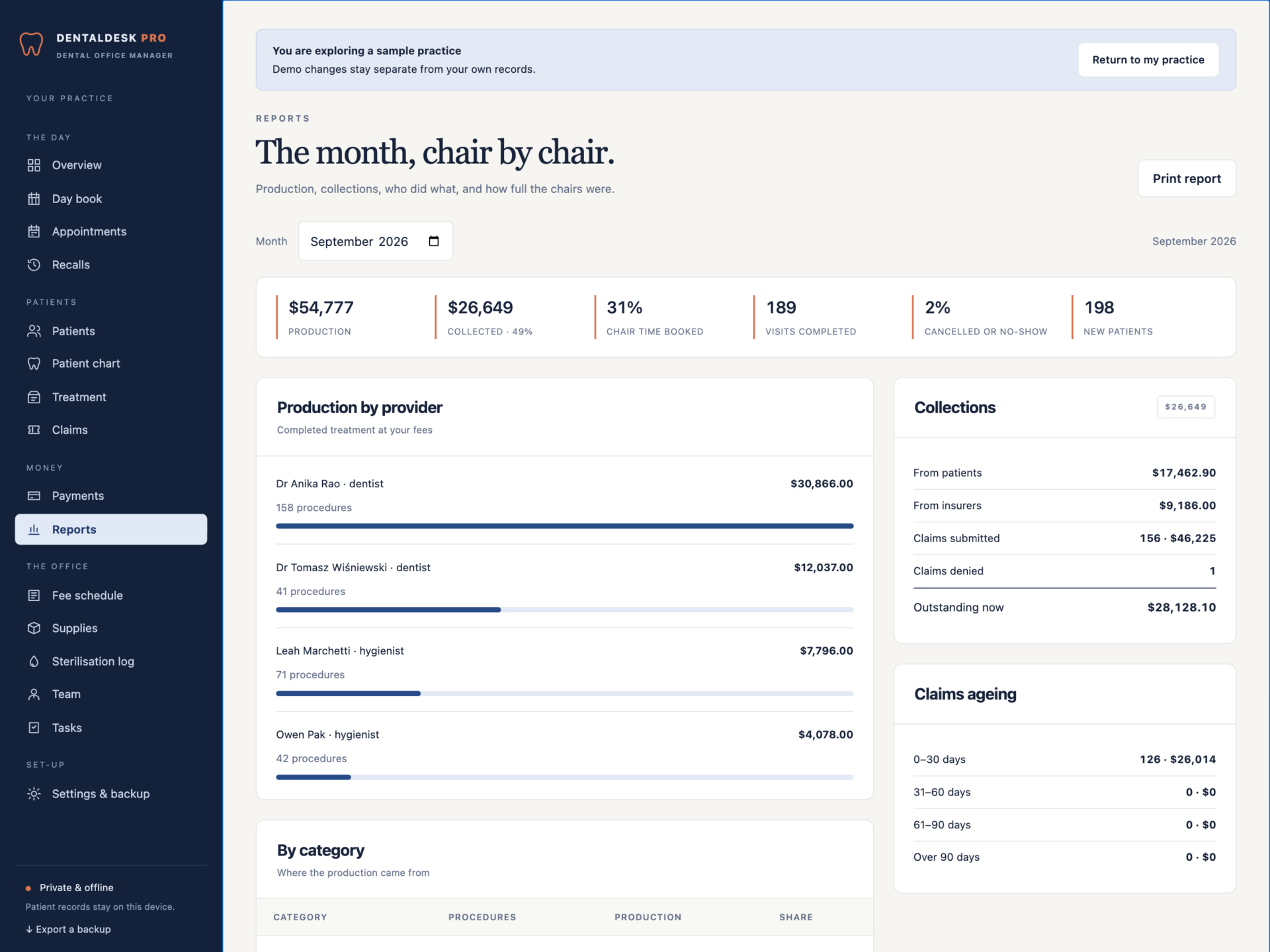
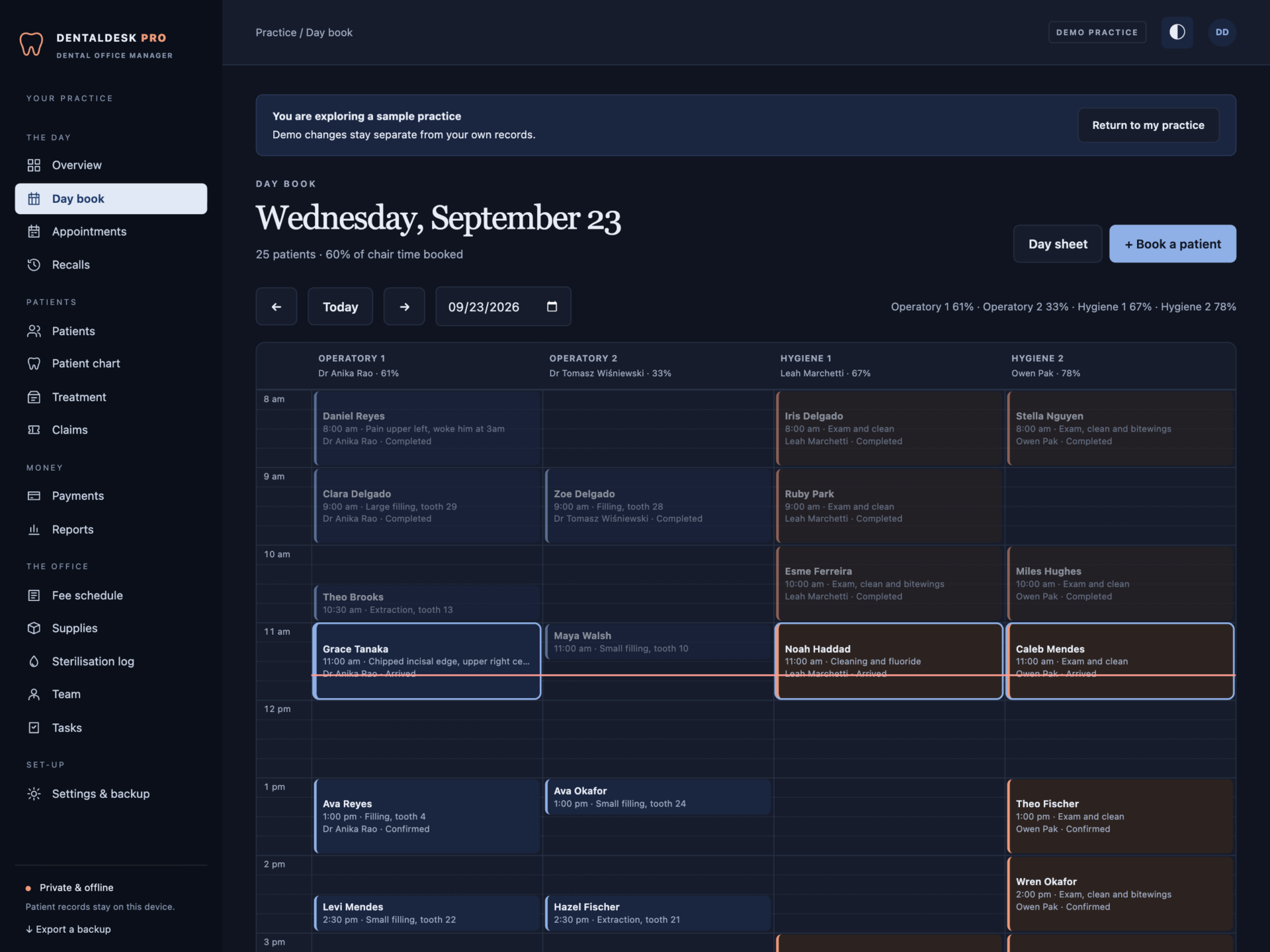
A short recording of the app, then the screens themselves.
$39
One-time purchase · yours to keep
Buy now- One payment - the file is yours to keep
- Works offline, no account, no subscription
- Your data stays on your own device
What's included
- 1 HTML file: the complete DentalDesk Pro application
- 1 Getting Started guide (HTML)
- 1 License file (HTML)
Delivery
Instant Download
Your files will be available to download once payment is confirmed.
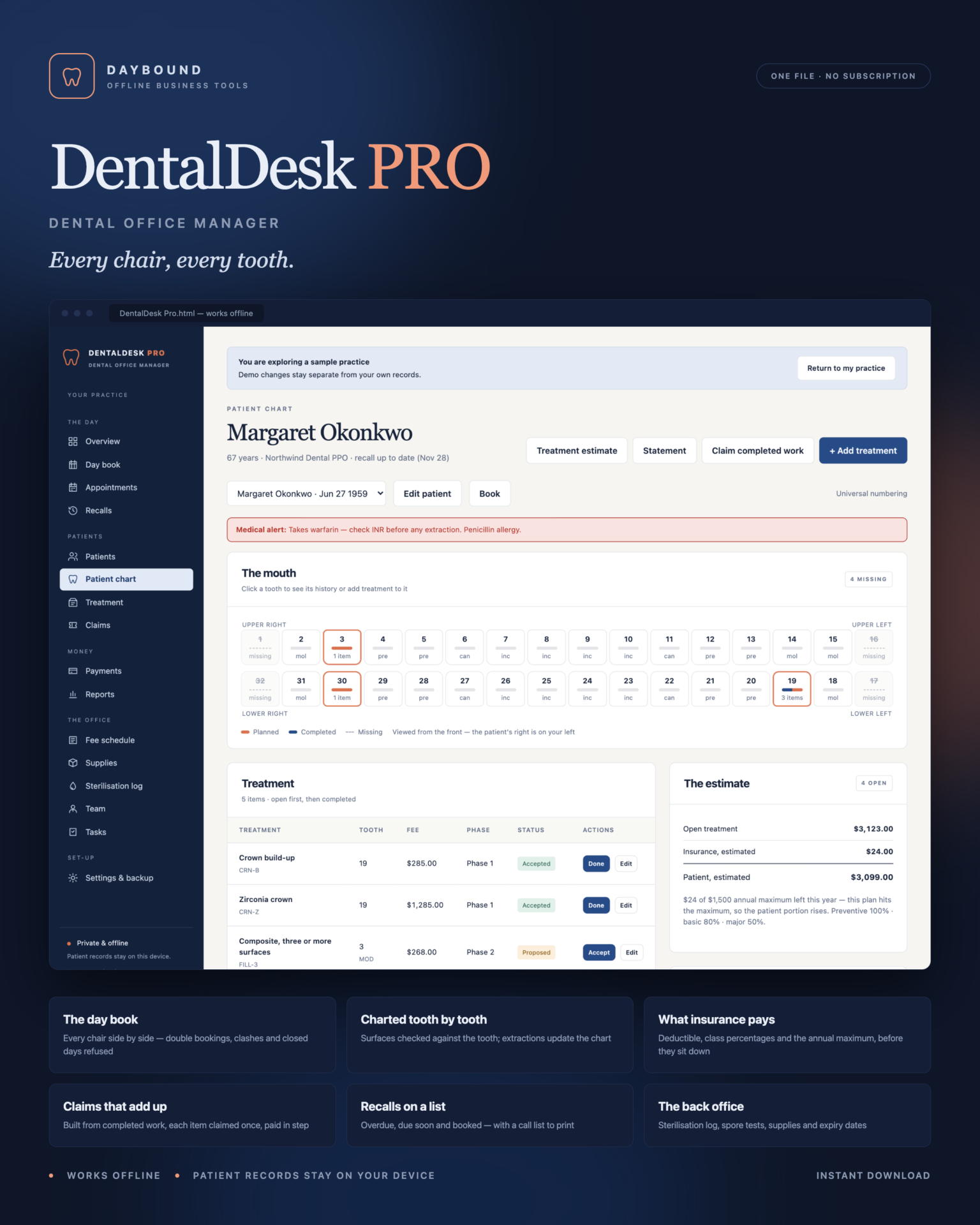
Every chair, every tooth.
DentalDesk Pro is a dental office manager for small practices - a dentist or two, a hygienist or two, and a front desk that is tired of juggling a paper book, a spreadsheet and the insurer’s portal. The day book, the chart, the treatment estimate, claims, payments, recalls, the sterilisation log and supplies live in one offline file that keeps your patient records on your own computer.
Download the HTML app, open it in your browser and set up your practice, or explore the sample practice first: about 200 patients, a full day book around today, treatment charted tooth by tooth, claims, payments, recalls, a sterilisation log and supplies.
The day book
- Every chair side by side, every slot a row - click a gap to book it.
- No double bookings: two patients in one chair, or one provider in two chairs, are refused, and the message names who is already there.
- Nothing booked outside opening hours, on a closed day or on a day the provider is not in.
- Patients with a medical alert are outlined in red, and the time now is marked across the book.
- Completing a visit completes the treatment booked into it; completing an exam and clean moves the recall on.
Charted tooth by tooth
- All 32 teeth as you face the patient - planned, completed and missing at a glance.
- Universal (1–32) or FDI (11–48) numbering, followed by the chart, the editor and every document.
- Surfaces checked against the tooth: an occlusal surface on an incisor, or an incisal edge on a molar, is refused with the reason.
- Treatment on a missing tooth is refused, and so is the same treatment twice on one tooth.
- Completing an extraction marks the tooth missing on the chart.
What insurance will pay - before they sit down
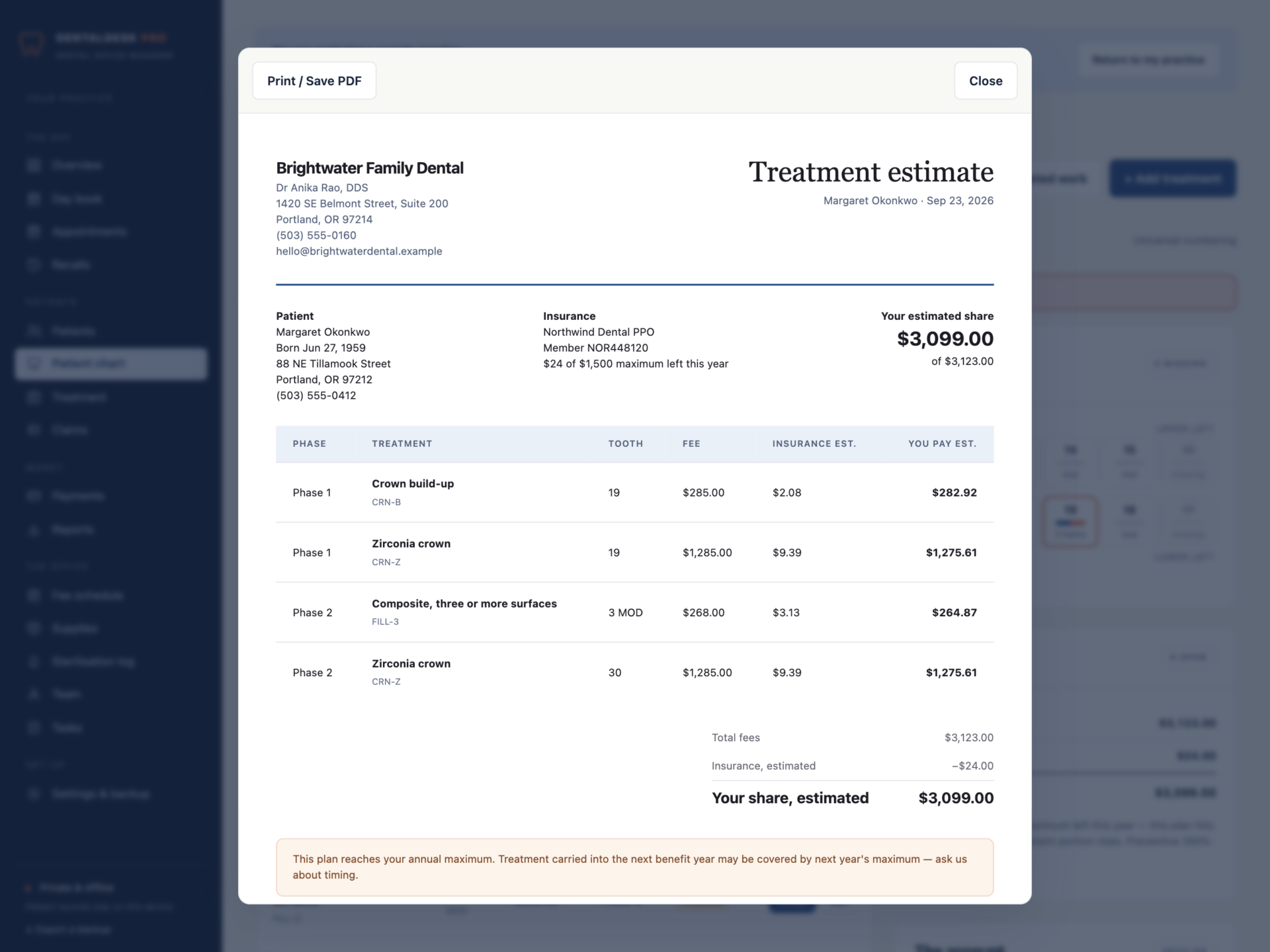
The deductible comes off the first basic or major item unless it is already met. Each item is covered at its class percentage - preventive, basic or major - from the practice defaults or the patient’s own plan. The total is capped at what is left of the annual maximum, counting benefits used elsewhere, insurance already paid and claims still pending. Print the treatment estimate with the patient’s share line by line and a signature line; when a plan reaches its maximum, the estimate says so and suggests talking about timing.
Claims and payments that add up
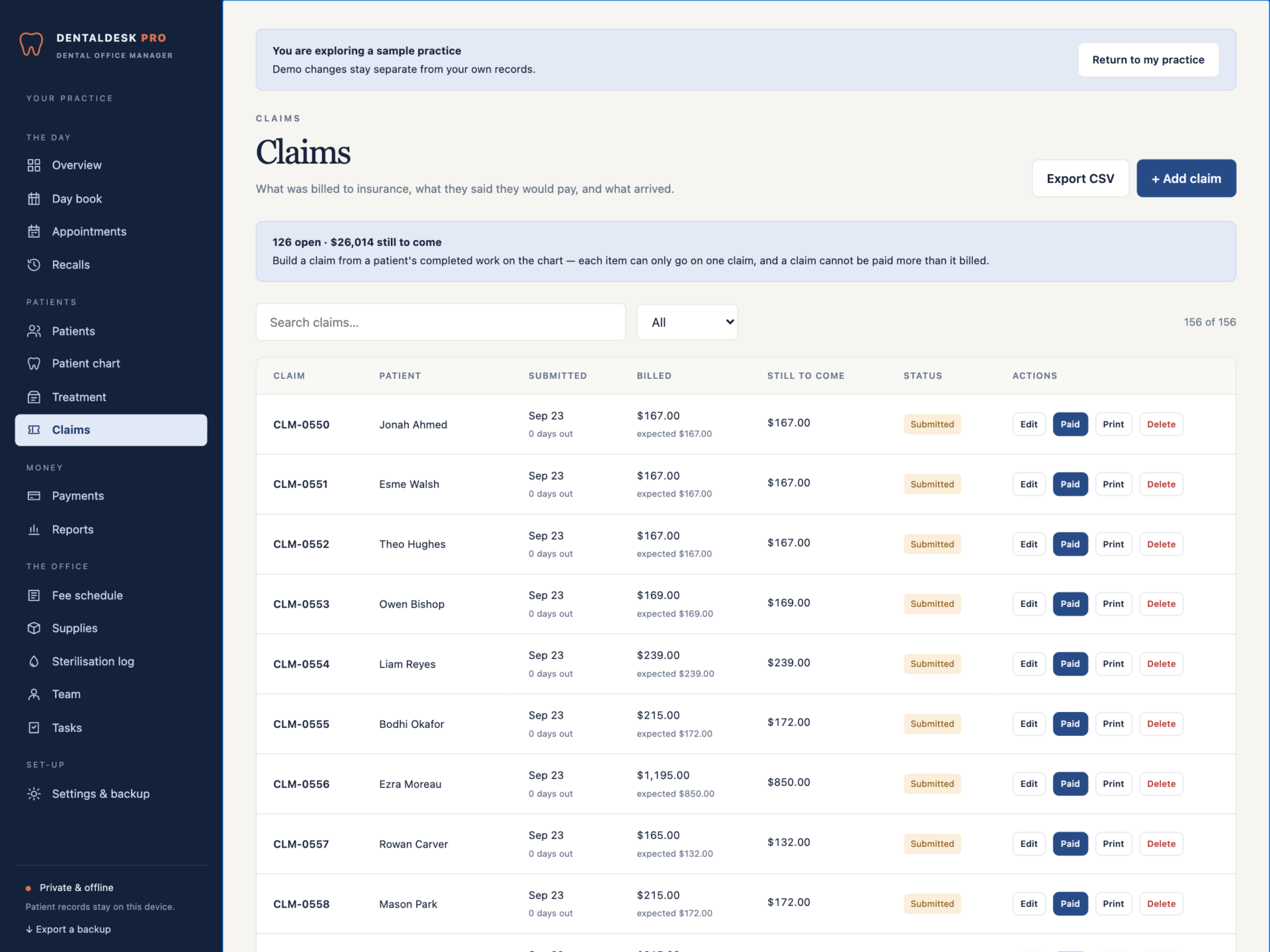
- Claim completed work bundles a patient’s completed, unclaimed treatment into one claim - each item can only ever be claimed once.
- Insurance payments are tied to their claim, and a payment larger than the claim is refused.
- Every open claim shows how many days it has been out, with ageing at 30, 60 and 90 days; denied claims stay on file for appeal.
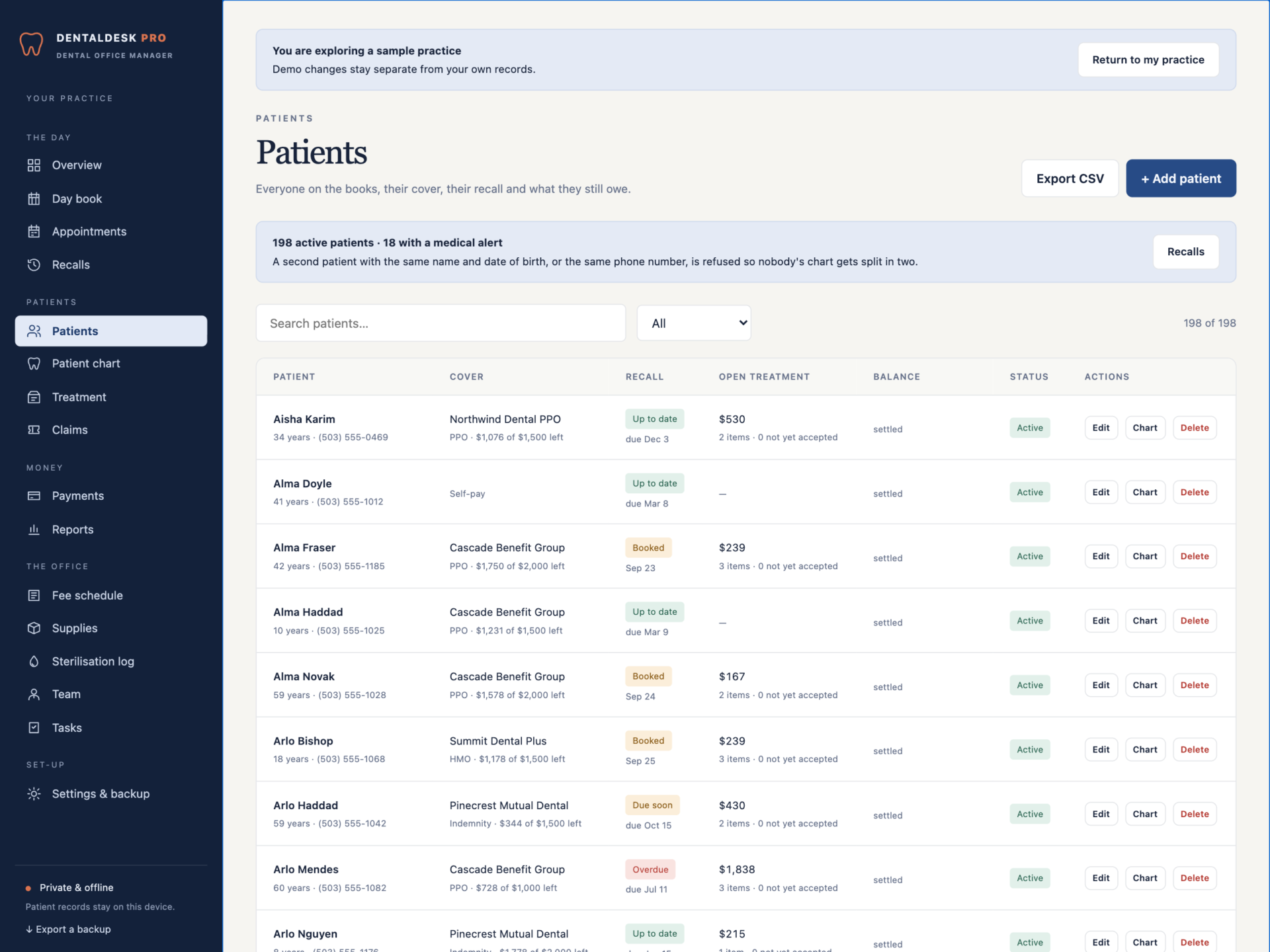
- Patient balances after insurance paid and insurance still expected, with a printable statement and a running balance.
Recalls on a list
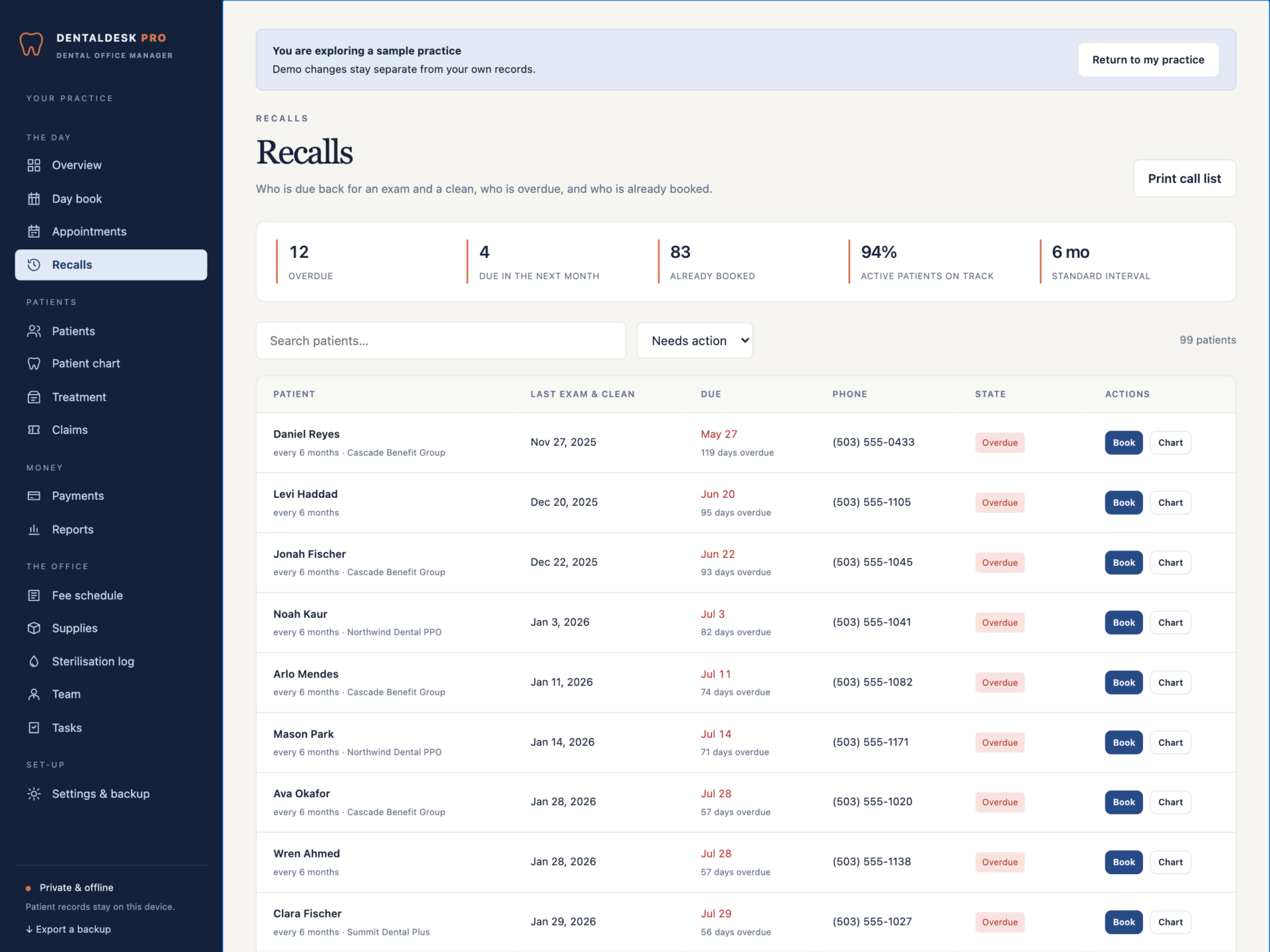
Overdue, due in the next month and already booked - worked out from each patient’s last exam and clean and their own recall interval. One click books the hygiene visit, and the call list prints for the front desk.
The back office
- A sterilisation log for every cycle and spore test. A failed cycle cannot be saved without a note of what happened to the load, and entries cannot be deleted. The overview says when a spore test is due.
- Supplies with reorder levels and expiry dates, and a reorder list to print.
- Tasks for lab cases, pre-authorisations and call-backs.
Reports
Production by provider and by category, collections from patients and insurers, chair occupancy, cancellations and no-shows, new patients and claims ageing - for any month, on screen or printed. A day sheet lists each chair’s patients with their alerts and balances.
Private by design
Patient records are stored by your browser on your own computer, separately from the HTML file, and are never uploaded. Export a full backup at any time and restore it after a validation check: a backup with a double-booked chair, an impossible tooth number or a claim paid more than it billed is refused rather than loaded.
What you receive
- DentalDesk Pro.html: the complete offline application.
- Getting Started.html: day book, charting, estimates, claims, recalls and back-office guide.
- License.html: the included licence for one practice at one location.
Delivered together in one ZIP download. Screenshots and the walkthrough show a fictional sample practice from the app’s demo.
Before you buy
Use a current desktop browser with JavaScript and local storage enabled; the chart also works on a tablet. It runs on one computer - there are no user accounts and no syncing between machines. This is a digital download; no physical item is shipped.
DentalDesk Pro organises a practice; it does not replace clinical judgement or your compliance obligations. It does not submit claims electronically, check eligibility, take card payments, send reminders or store x-rays. Estimates are calculations from the coverage you enter, not a verification of benefits. Procedure codes are your own entries - licensed code sets such as CDT are not included. Patient records are protected health information: you are responsible for keeping the computer and backups secure under the rules that apply to you, for example HIPAA.
Frequently asked questions
How does the insurance estimate work?
The deductible comes off the first basic or major item unless it has been met this year, each item is covered at its class percentage (preventive, basic or major), and the total is capped at what is left of the patient’s annual maximum - counting benefits used elsewhere, insurance already paid and claims still pending. It is an estimate, and the printed version says so.
Does it check the tooth surfaces?
Yes. Back teeth have occlusal and buccal surfaces, front teeth have an incisal edge and a facial surface. An occlusal filling on an incisor is refused and the message explains why. Treatment on a missing tooth is refused too.
Universal or FDI numbering?
Either. Choose in Settings and the chart, the editor and every document follow.
Does it stop double bookings?
A chair can hold one patient at a time, a provider can be in one chair at a time, and nobody can be booked outside opening hours, on a closed day or on a day the provider is not in.
Can it send claims to insurers?
No. It builds the claim from completed work, tracks what was billed and what is still to come, and prints a claim summary. You submit through the form or portal your insurers use.
Is it HIPAA compliant?
No software is compliant on its own - compliance is how a practice handles its data. DentalDesk Pro stores records only on your computer and never sends them anywhere, which keeps things simple, but it has no user accounts, encryption or audit trail. Keep the computer and backups secured the way your practice’s policies require.
Can several computers share it?
It runs on one computer at a time. A practice with more than one front-desk machine keeps one as the master and moves records with the backup.
Does it include CDT codes?
No. Industry code sets are licensed separately. You enter your own codes and fees in the fee schedule once.
Where are the records stored?
In your browser’s storage on your own computer. Nothing is uploaded. Export a backup at the end of every day and keep it encrypted.
Do I need an internet connection or an account?
Only to download the file. After that it works completely offline, with no account.
Is it a subscription?
No. You pay once and the file is yours.
One-time purchase: $39, tax included. No recurring subscription - the price you see is the price you pay.
At a glance
How it runs
-
1
Download
You get the application as one HTML file, with its documentation guide and its licence.
-
2
Open
Double-click it. It opens in the browser you already have - Chrome, Edge, Safari or Firefox. There is nothing to install and no account to create.
-
3
Keep
Your records save to that browser on that device. Export a backup from the app whenever you want a copy of your own.


