

ShineDesk Pro
For detailing shops, mobile detailers and coating studios.
Bays, bookings, size-based pricing, invoices, coatings and rebooking, in one offline workspace.
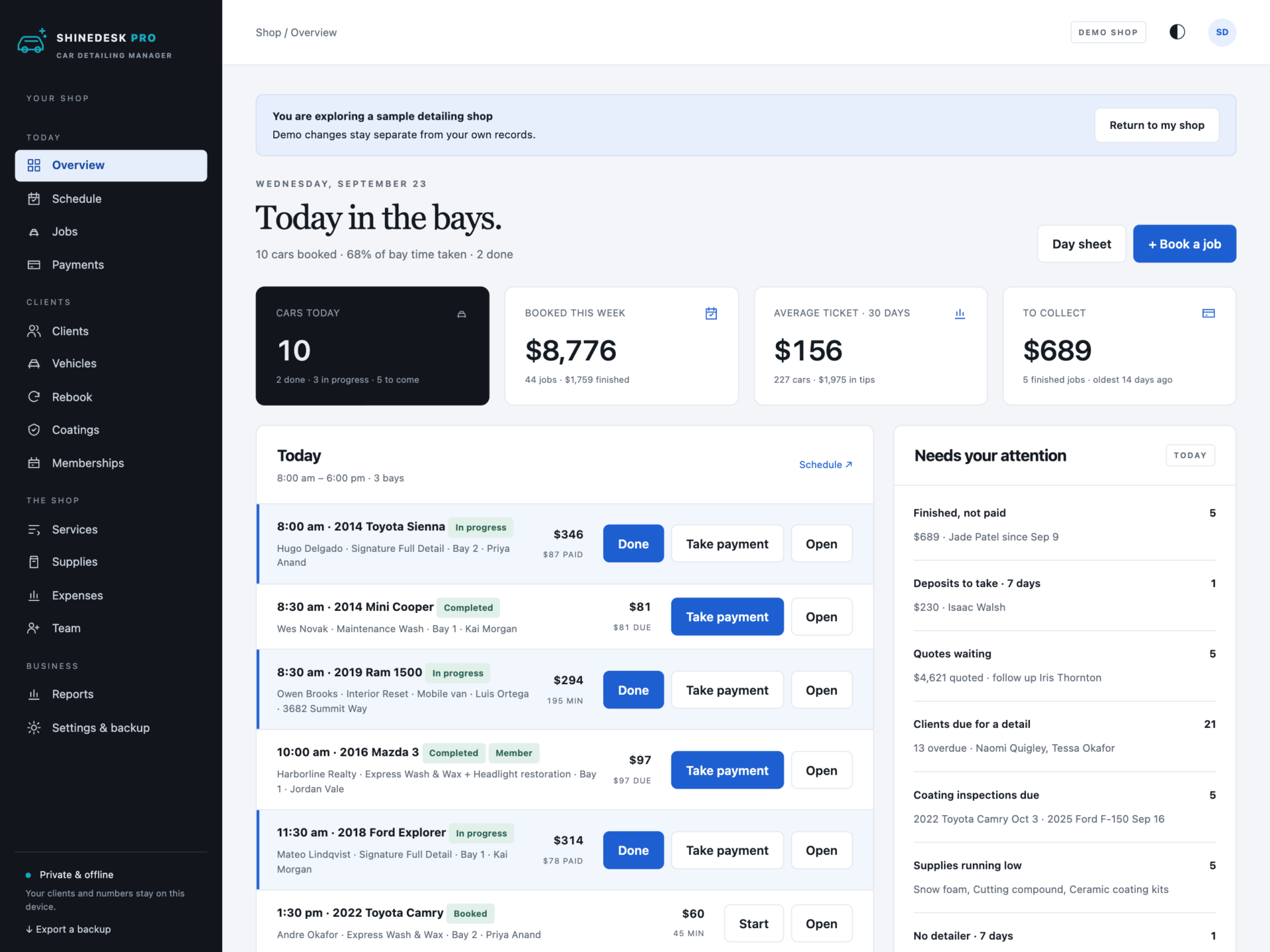
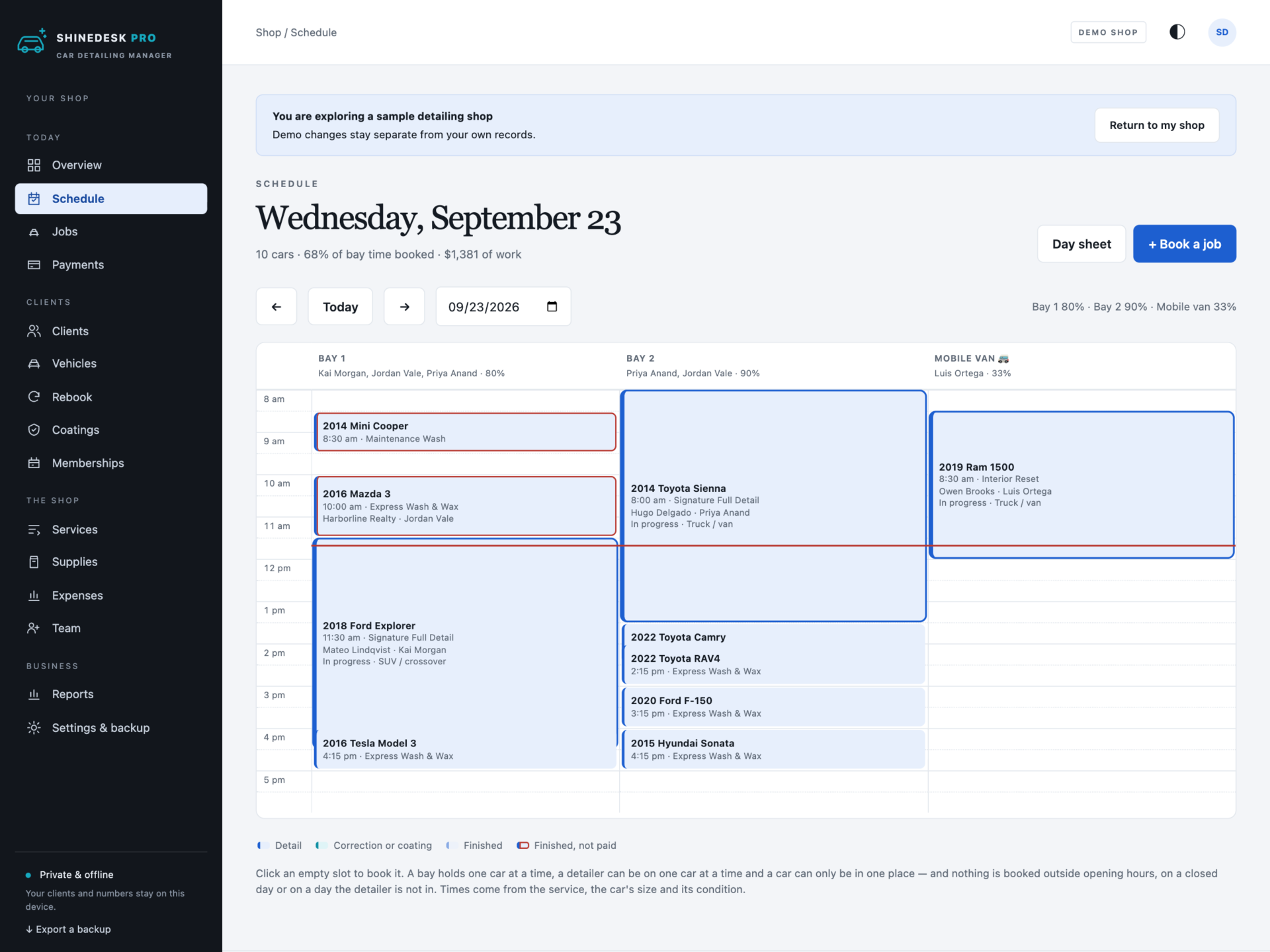

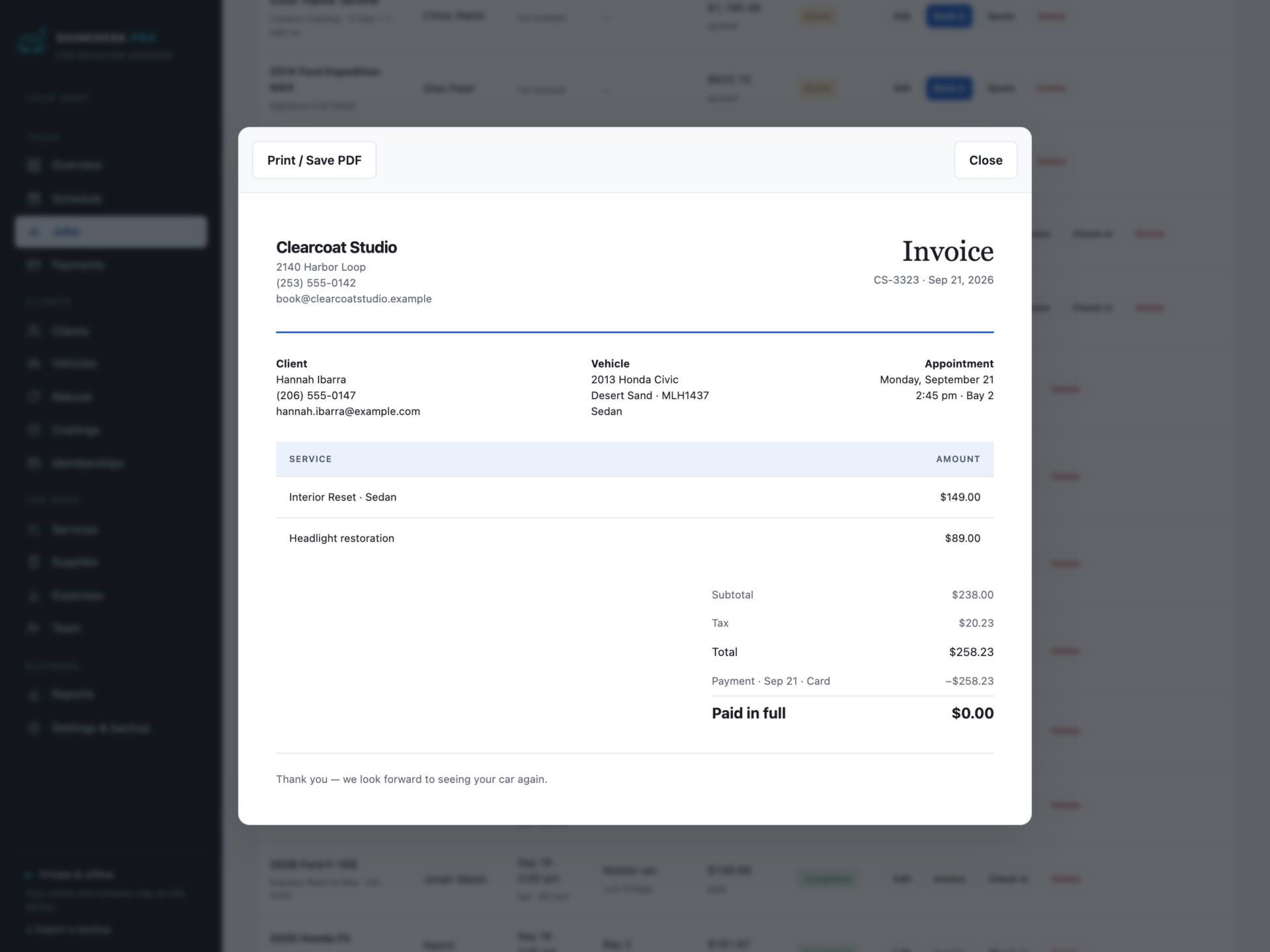
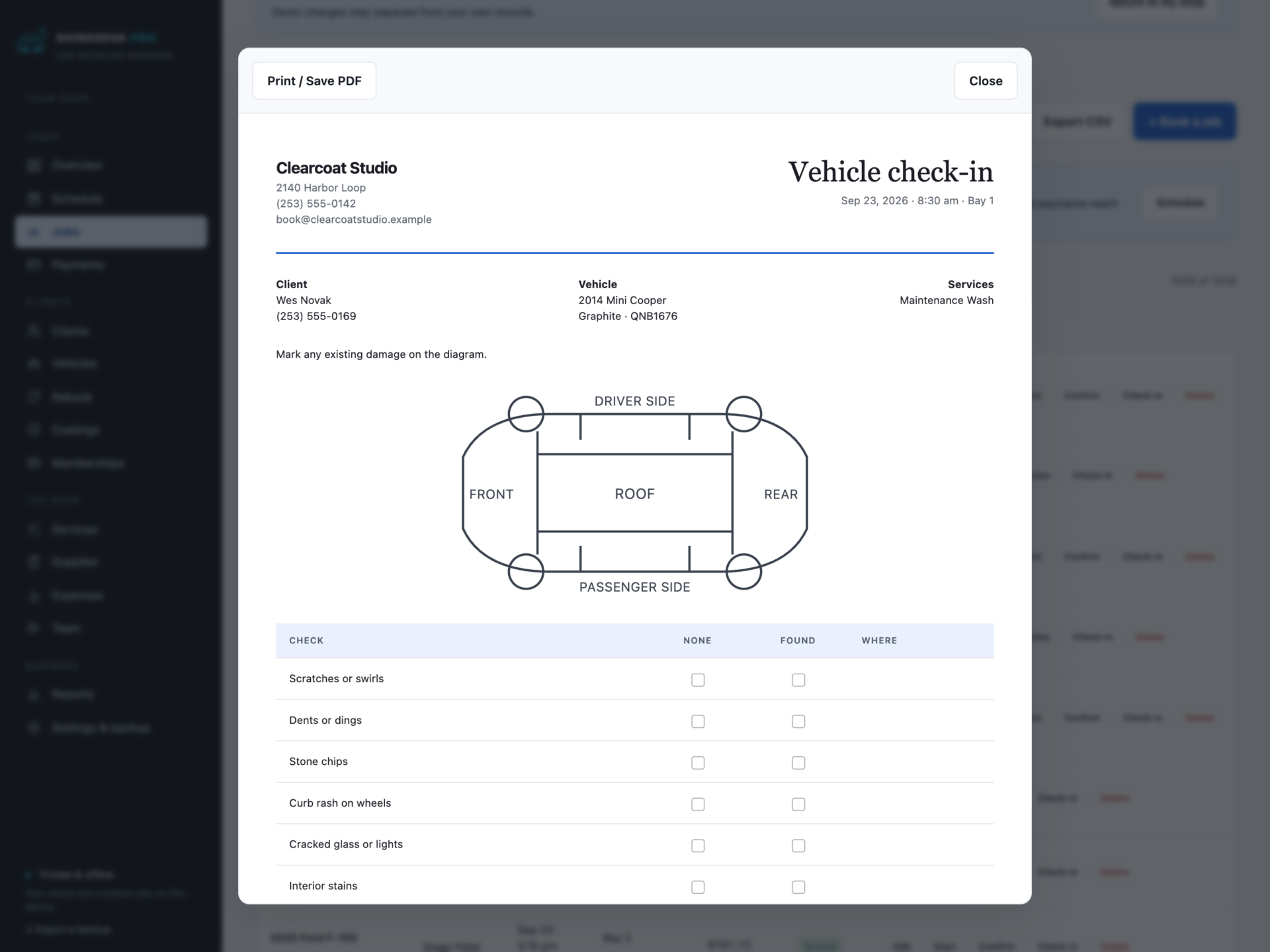
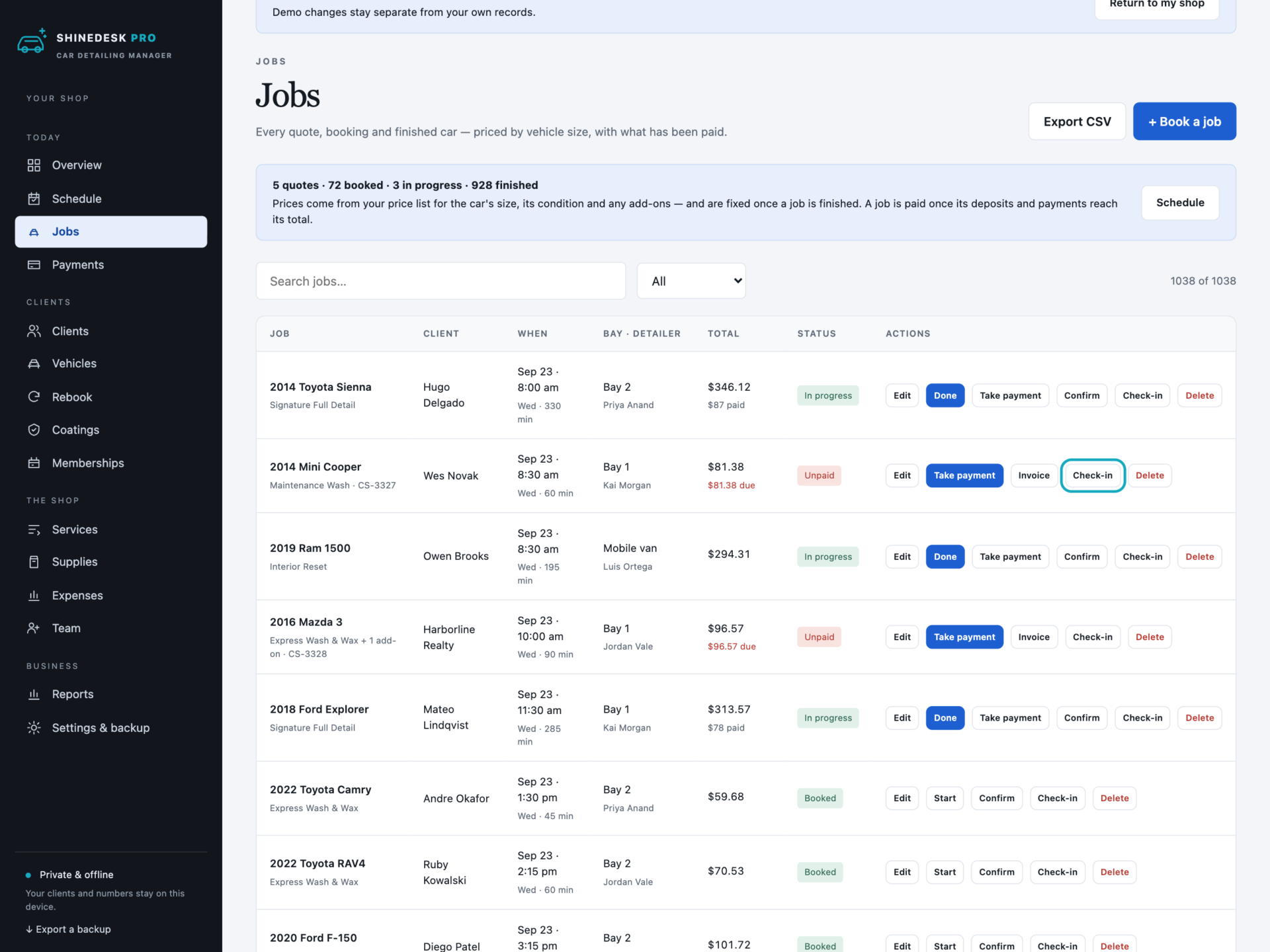
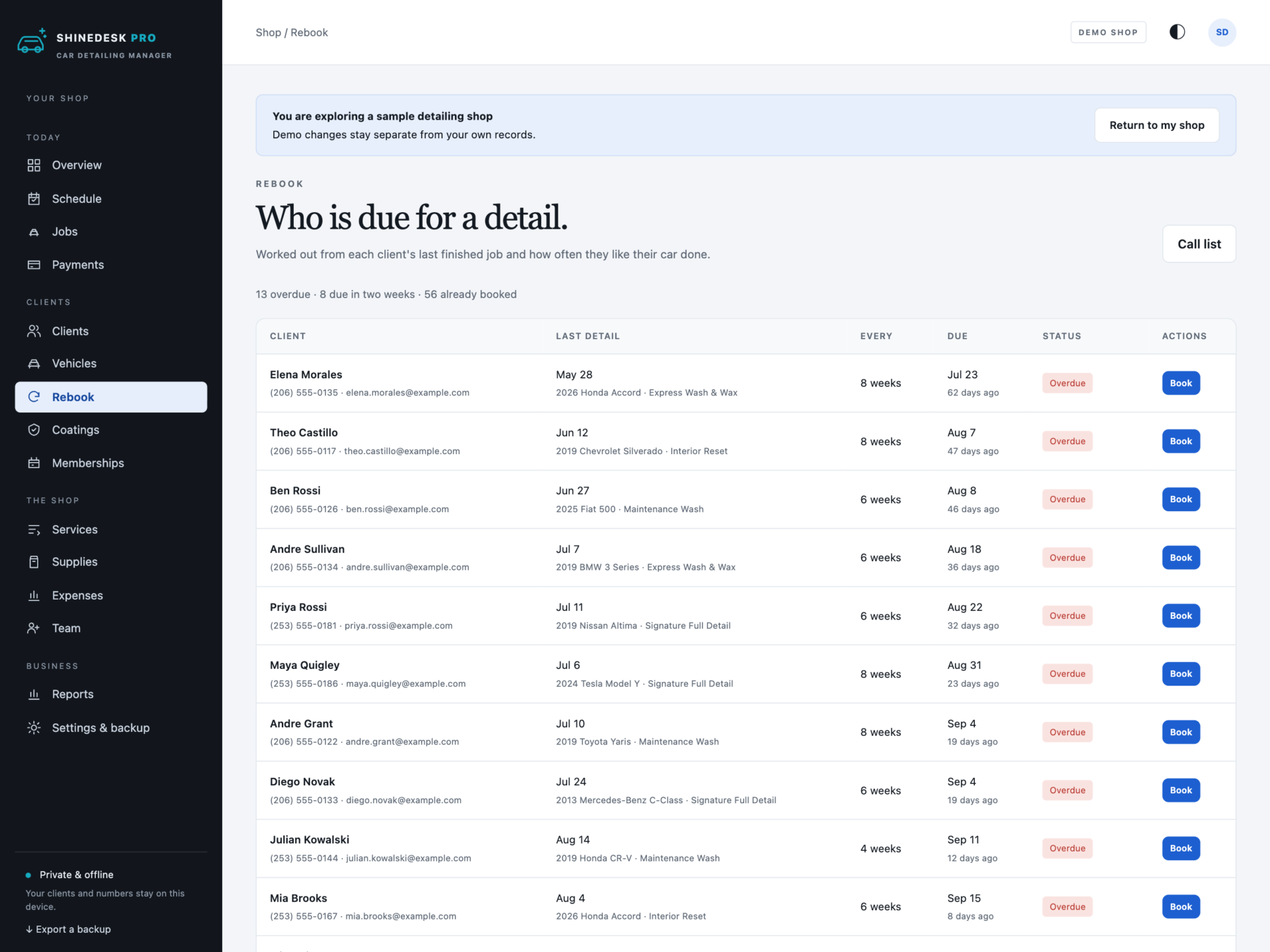
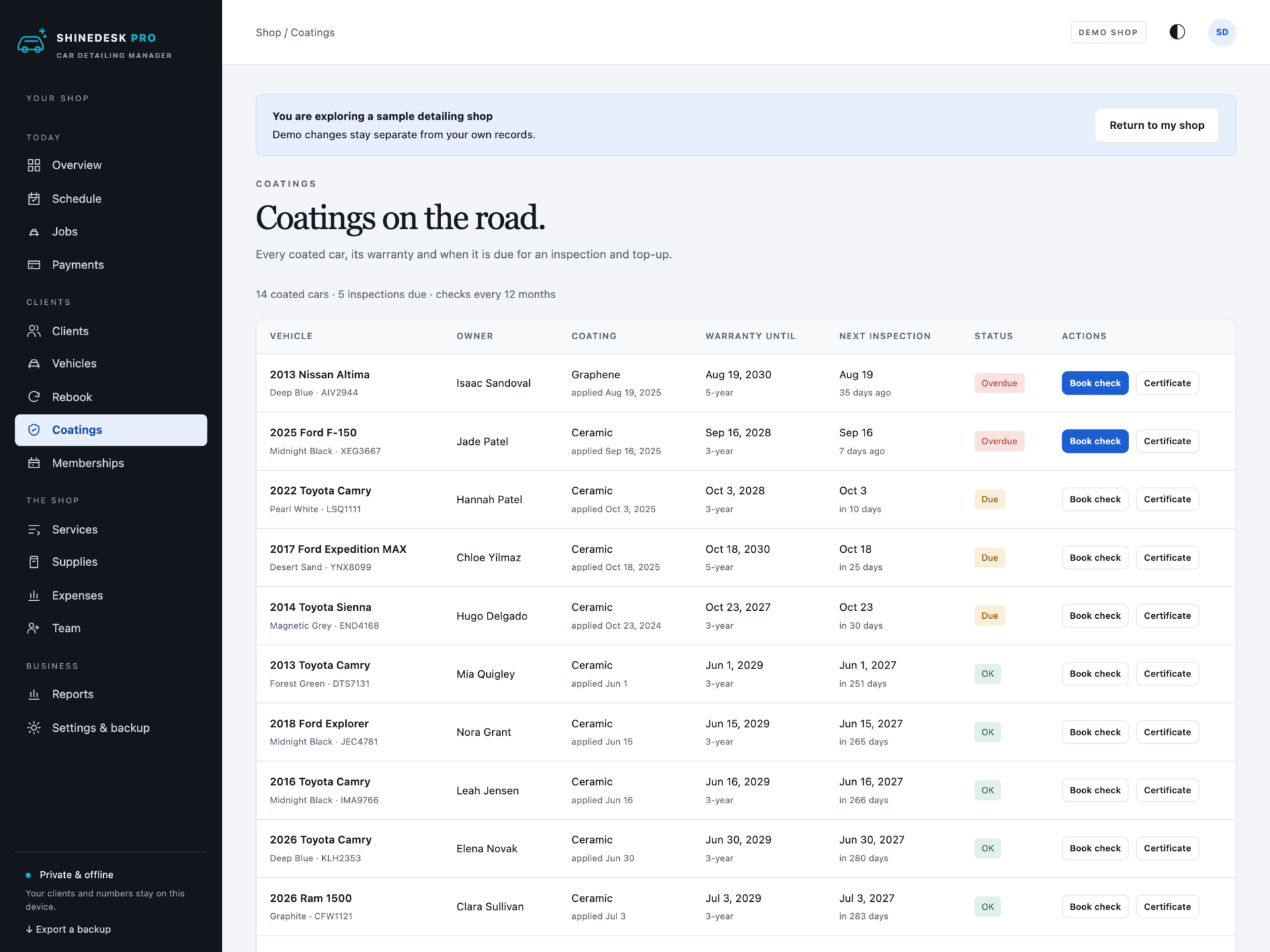
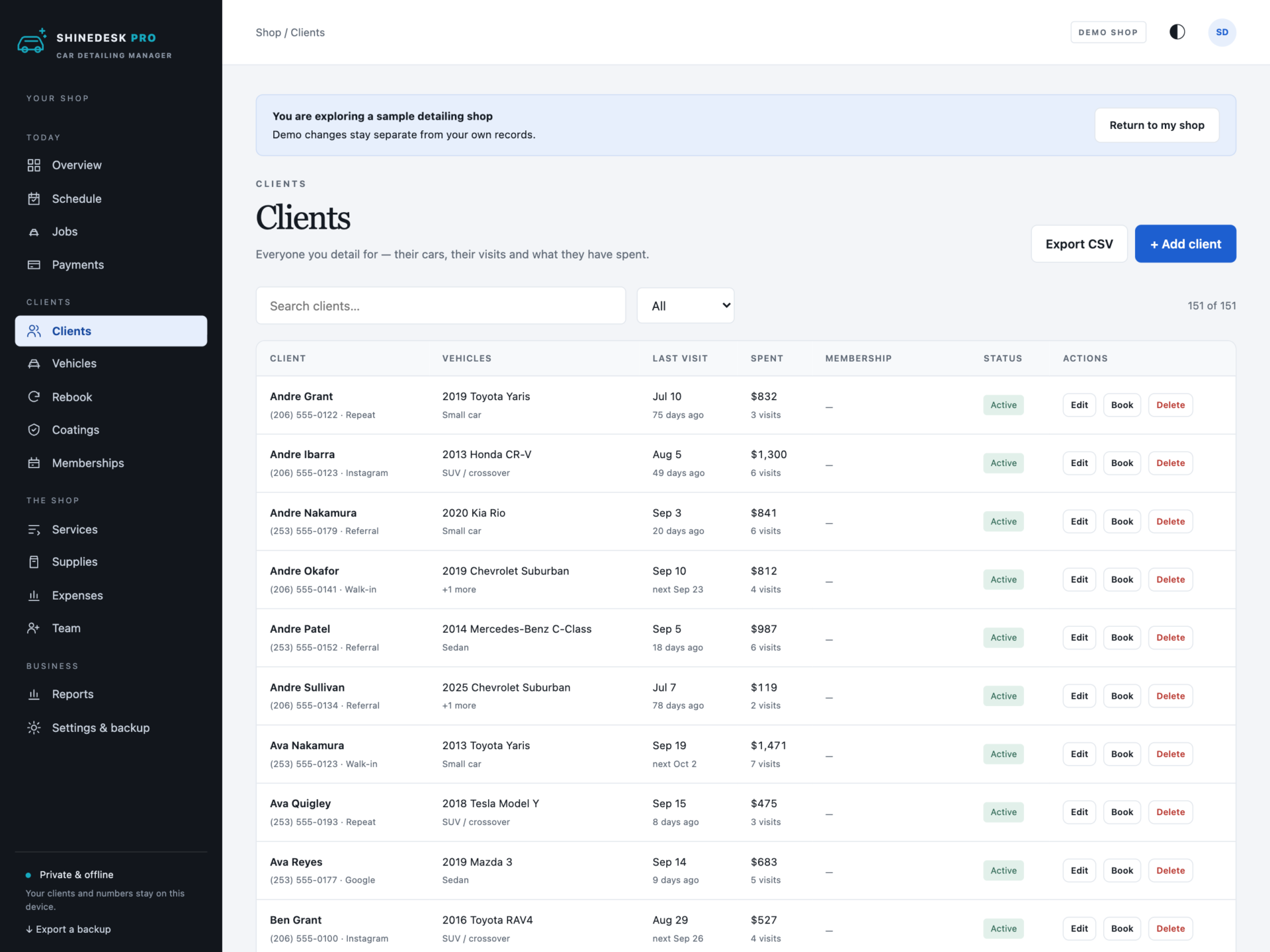

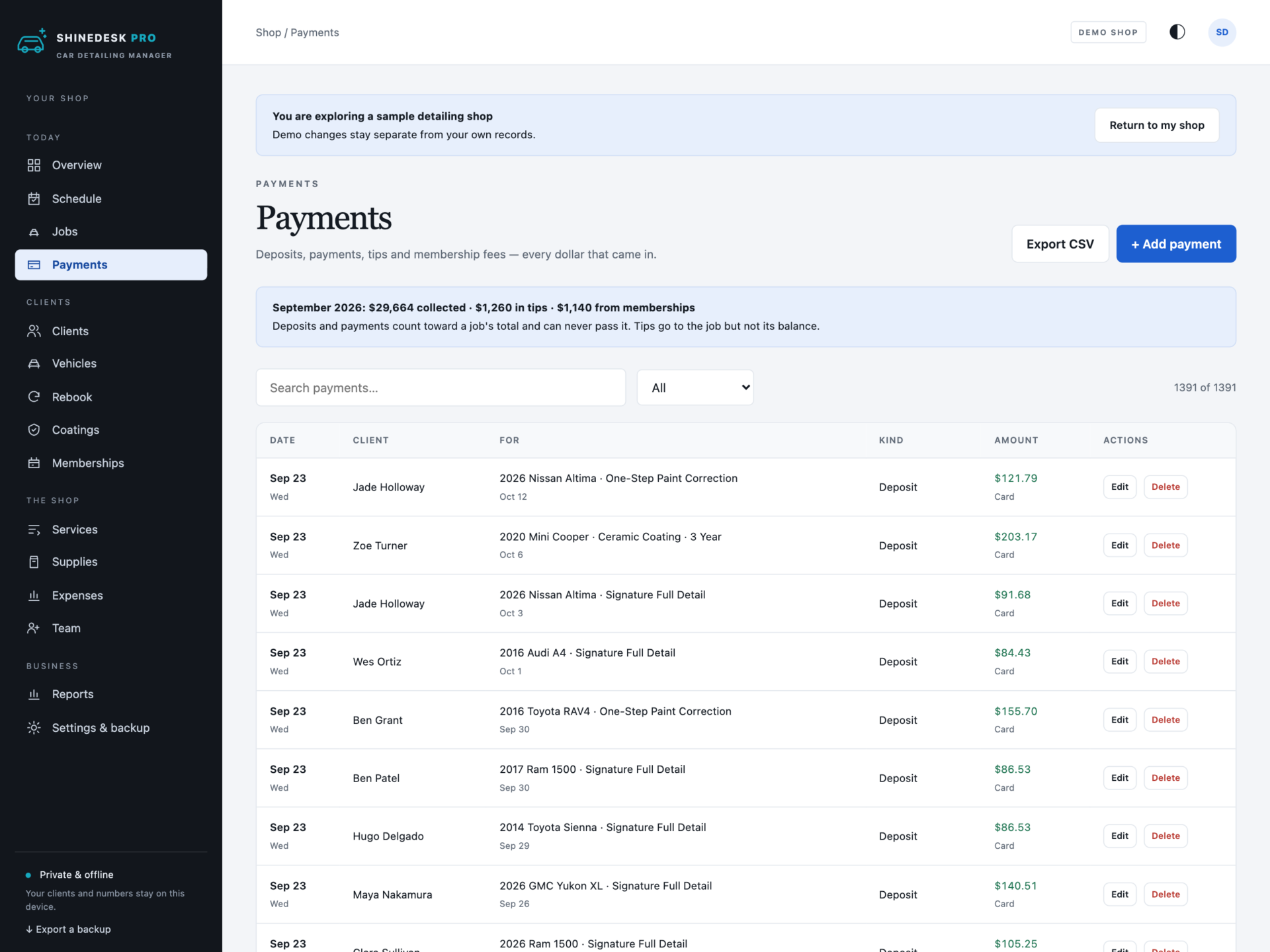
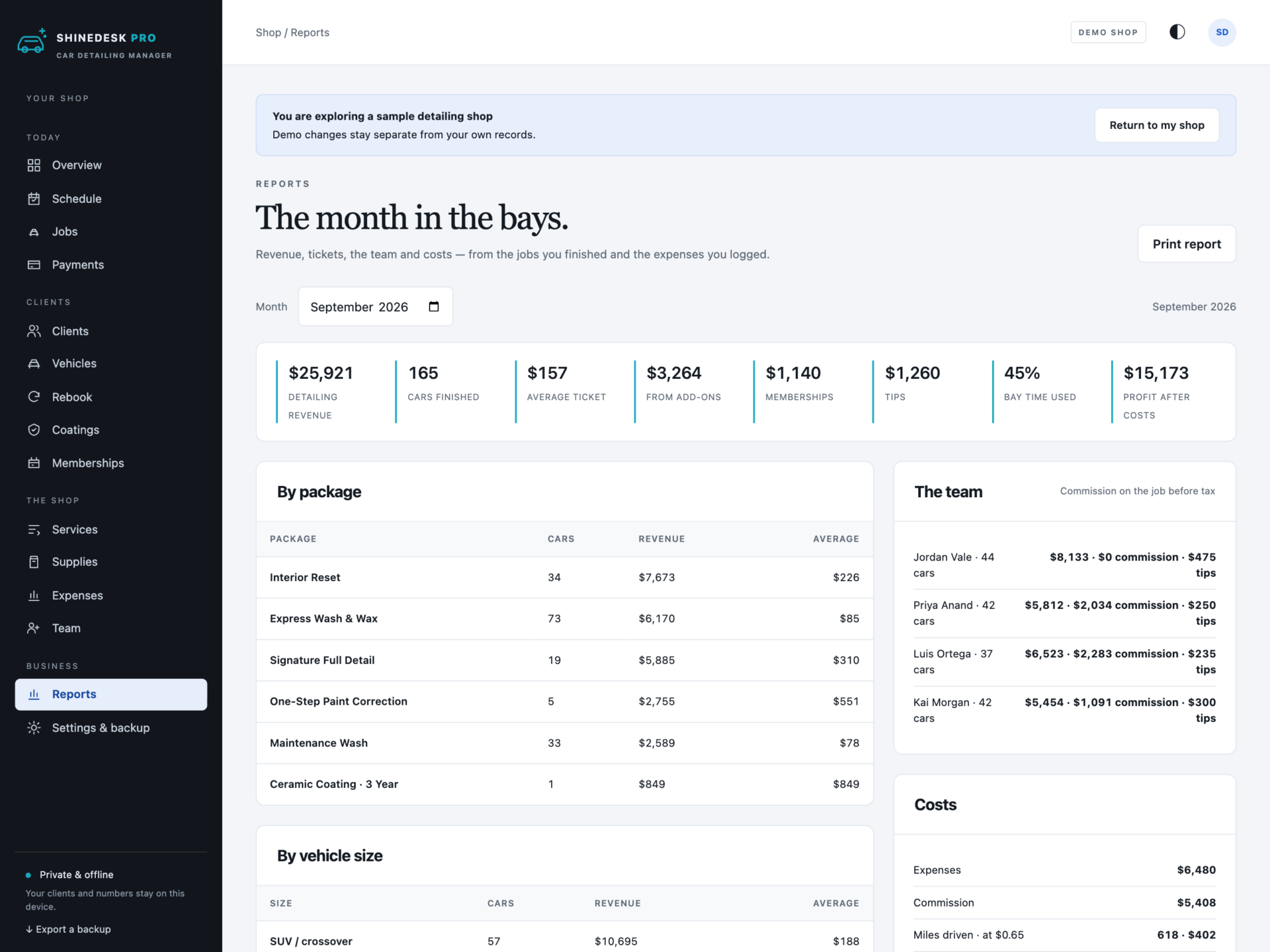

A short recording of the app, then the screens themselves.
$39
One-time purchase · yours to keep
Buy now- One payment - the file is yours to keep
- Works offline, no account, no subscription
- Your data stays on your own device
What's included
- 1 HTML file: the complete ShineDesk Pro application
- 1 Getting Started guide (HTML)
- 1 License file (HTML)
Delivery
Instant Download
Your files will be available to download once payment is confirmed.
Every car, booked, priced and spotless.
ShineDesk Pro is a car detailing business manager for shops with a bay or two, mobile detailers with a van, and anyone who does both. The schedule, your price list by vehicle size, quotes and invoices, deposits and payments, check-in sheets, rebook reminders, memberships and coating warranties live in one offline file that keeps your client records on your own computer.
Download the HTML app, open it in your browser and set up your shop, or explore the sample shop first: two bays and a mobile van, four detailers, a full price list, about 150 clients and their cars, four months of finished jobs, three weeks of bookings, memberships and coated cars.
Every bay, side by side
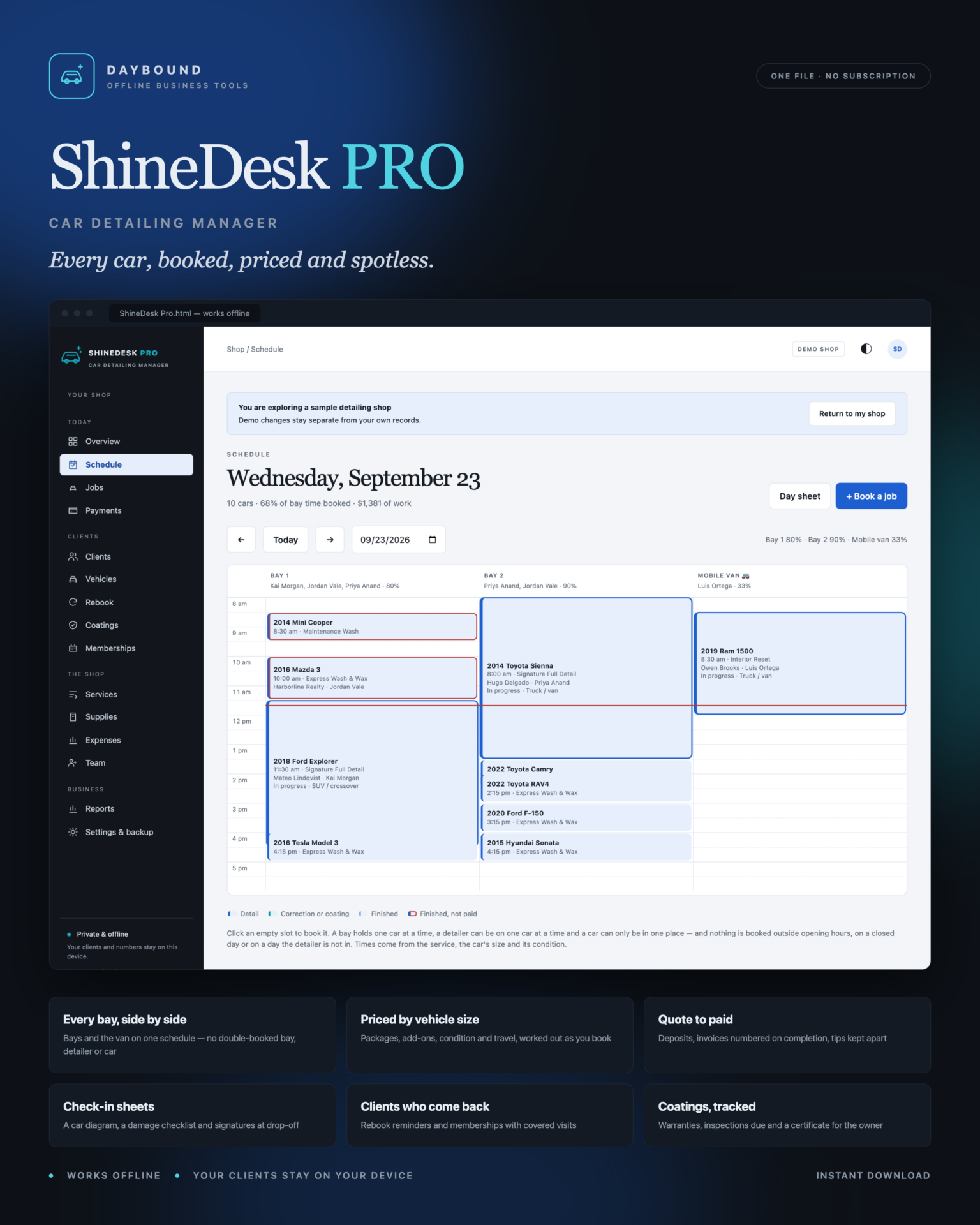
- Bays and vans as columns, the day in slots - click a gap to book it.
- No double bookings: two cars in one bay, a detailer on two cars, or one car in two places are refused, and the message names the car already there.
- Nothing booked outside opening hours, past closing, or on a day the detailer is not in.
- The time now marked across the day, and a printable day sheet for each bay.
Priced by vehicle size
- Every package and add-on has a price for small cars, sedans, SUVs, trucks and oversize vehicles.
- Heavy and extreme jobs add your surcharge; mobile jobs add your travel fee.
- Time scales with size and condition, so every booking fills the right slot.
- Once a job is finished its price is kept, even if your price list changes.
Quote to paid
- Quotes, booking confirmations and invoices, printed with your business details.
- Deposits on bigger jobs, with the ones still to take flagged a week ahead.
- Invoice numbers assigned the moment a car is finished.
- Payments can never pass the total; tips are recorded apart from the balance.
Check-in sheets
A printable sheet for every job: a car diagram to mark existing damage, a checklist from scratches to warning lights, odometer and fuel, and signature lines at drop-off and pick-up.
Clients who come back
- Rebook reminders from each client’s last finished job and how often they like their car done.
- Monthly memberships with a set number of visits - covered on each member’s jobs automatically; add-ons are still charged.
- A printable call list for slow mornings.
Coatings, tracked
Finishing a coating job records it on the car with its warranty. Every coated car is followed to the end of its warranty, with inspections flagged when due and a coating certificate to hand the owner.
The business
Revenue, cars finished, average ticket, add-on revenue, memberships, tips, bay time used, commission by detailer, expenses, mileage and profit - for any month, on screen or printed. Supplies with reorder points and a reorder list.
Private by design
Client records are stored by your browser on your own computer, separately from the HTML file, and are never uploaded. Export a full backup at any time and restore it after a validation check: a backup with a double-booked bay or a job paid past its total is refused rather than loaded.
What you receive
- ShineDesk Pro.html: the complete offline application.
- Getting Started.html: set-up, pricing by size, the schedule, payments, memberships and coatings.
- License.html: the included licence for one detailing business.
Delivered together in one ZIP download. Screenshots and the walkthrough show a fictional sample shop from the app’s demo.
Before you buy
Use a current browser with JavaScript and local storage enabled - a laptop or tablet in the shop works well, and every screen also fits a phone. It runs on one device; there are no user accounts and no syncing between machines. This is a digital download; no physical item is shipped.
ShineDesk Pro organises a detailing business. It does not take card payments, send texts or emails, take online bookings or store photos. Jobs longer than a day are booked as two jobs. Prices, tax and figures are calculated from the values you enter; check the sales tax rules for services where you work.
Frequently asked questions
Does it work for mobile detailing?
Yes. Add your van as a “bay” - any bay with “mobile” or “van” in its name adds your travel fee, and the day sheet prints each client’s address for mobile jobs. Log the miles with your fuel to see them in the report.
How does pricing by vehicle size work?
Every service has a price for five sizes: small car, sedan, SUV or crossover, truck or van, and oversize. The car’s size on its record picks the price; heavy and extreme condition add your surcharge.
Can clients book online?
No. ShineDesk is your desk, not a booking website. Take the booking by phone or message and put it straight on the schedule.
Does it take card payments?
No. Take payment the way you already do, then record it - deposits, payments and tips are tracked against each job.
How do memberships work?
Create a plan with a monthly fee, the number of visits and the included service. A member’s visits are covered on their jobs each month, and add-ons are still charged.
What happens when I finish a ceramic coating?
Mark the service as applying a coating with its warranty. When the job is finished, the coating is recorded on the car, the Coatings page tracks its warranty and inspections, and you can print a certificate.
Where are my records stored?
In your browser’s storage on your own computer. Nothing is uploaded. Export a backup at the end of each day.
Do I need an internet connection or an account?
Only to download the file. After that it works completely offline, with no account.
Is it a subscription?
No. You pay once and the file is yours.
One-time purchase: $39, tax included. No recurring subscription - the price you see is the price you pay.
At a glance
How it runs
-
1
Download
You get the application as one HTML file, with its documentation guide and its licence.
-
2
Open
Double-click it. It opens in the browser you already have - Chrome, Edge, Safari or Firefox. There is nothing to install and no account to create.
-
3
Keep
Your records save to that browser on that device. Export a backup from the app whenever you want a copy of your own.


