

FeedPilot Pro
For creators, small brands and social media managers.
Every channel on one content calendar, with captions checked against each platform's limits.
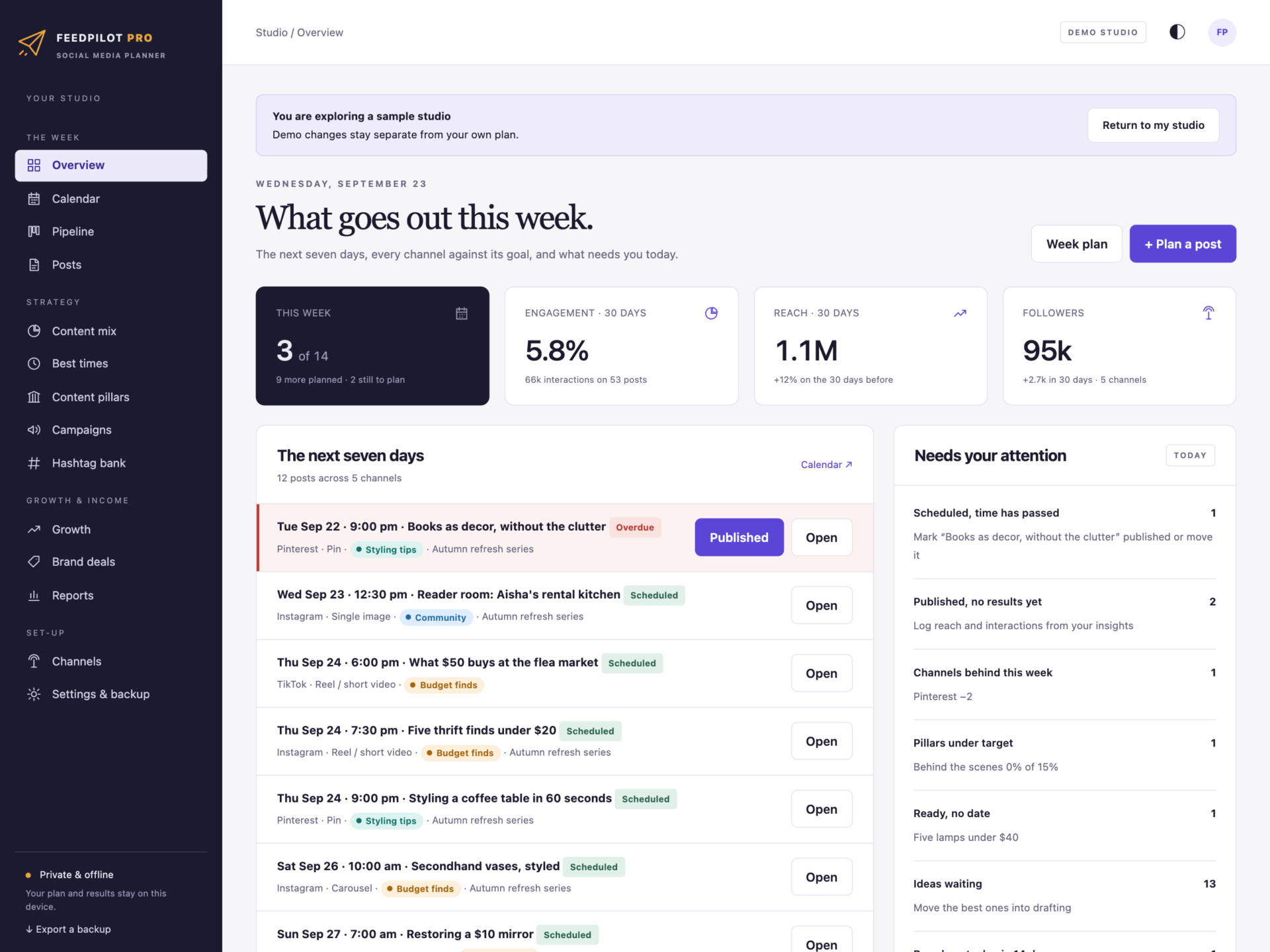
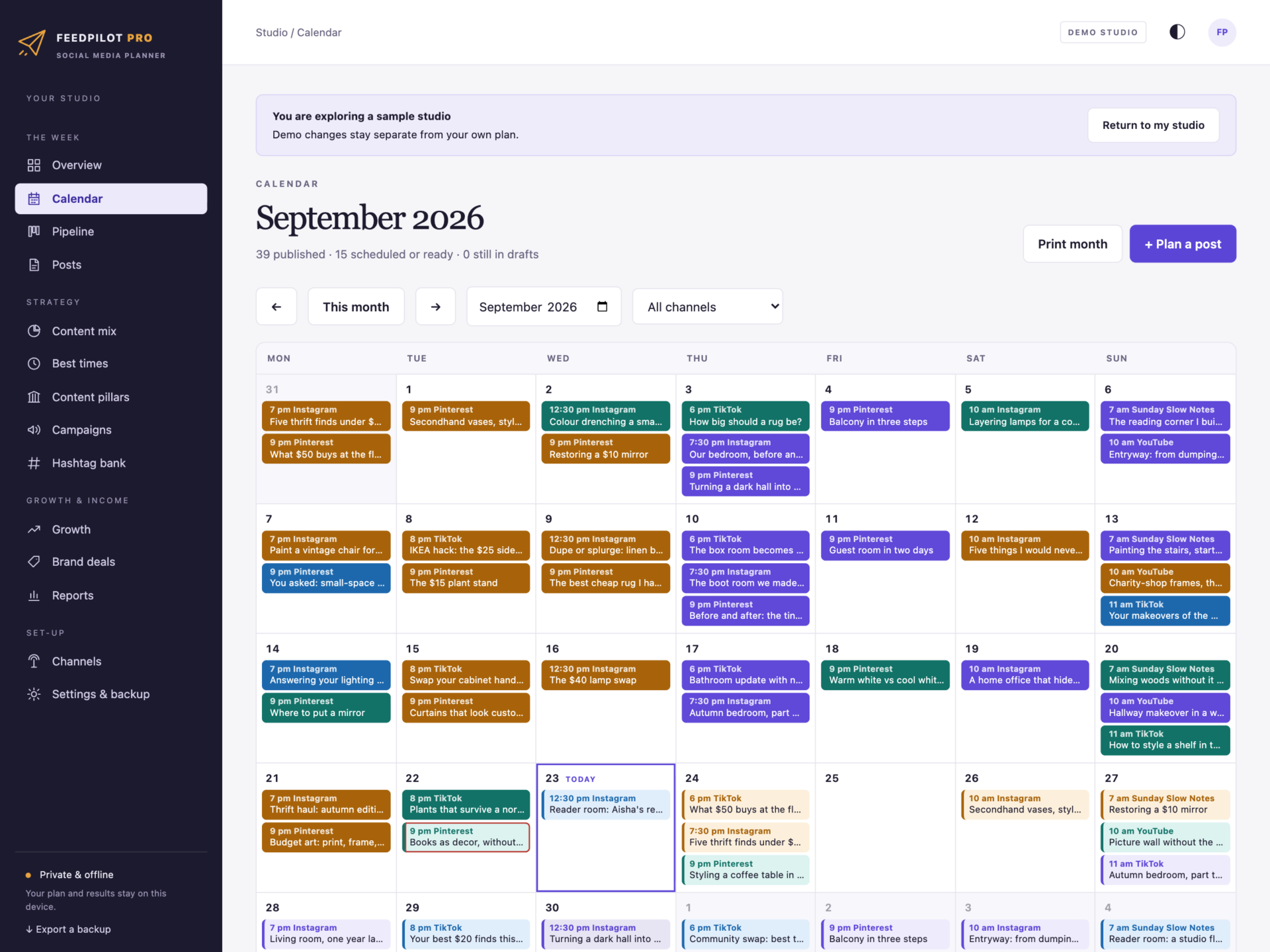
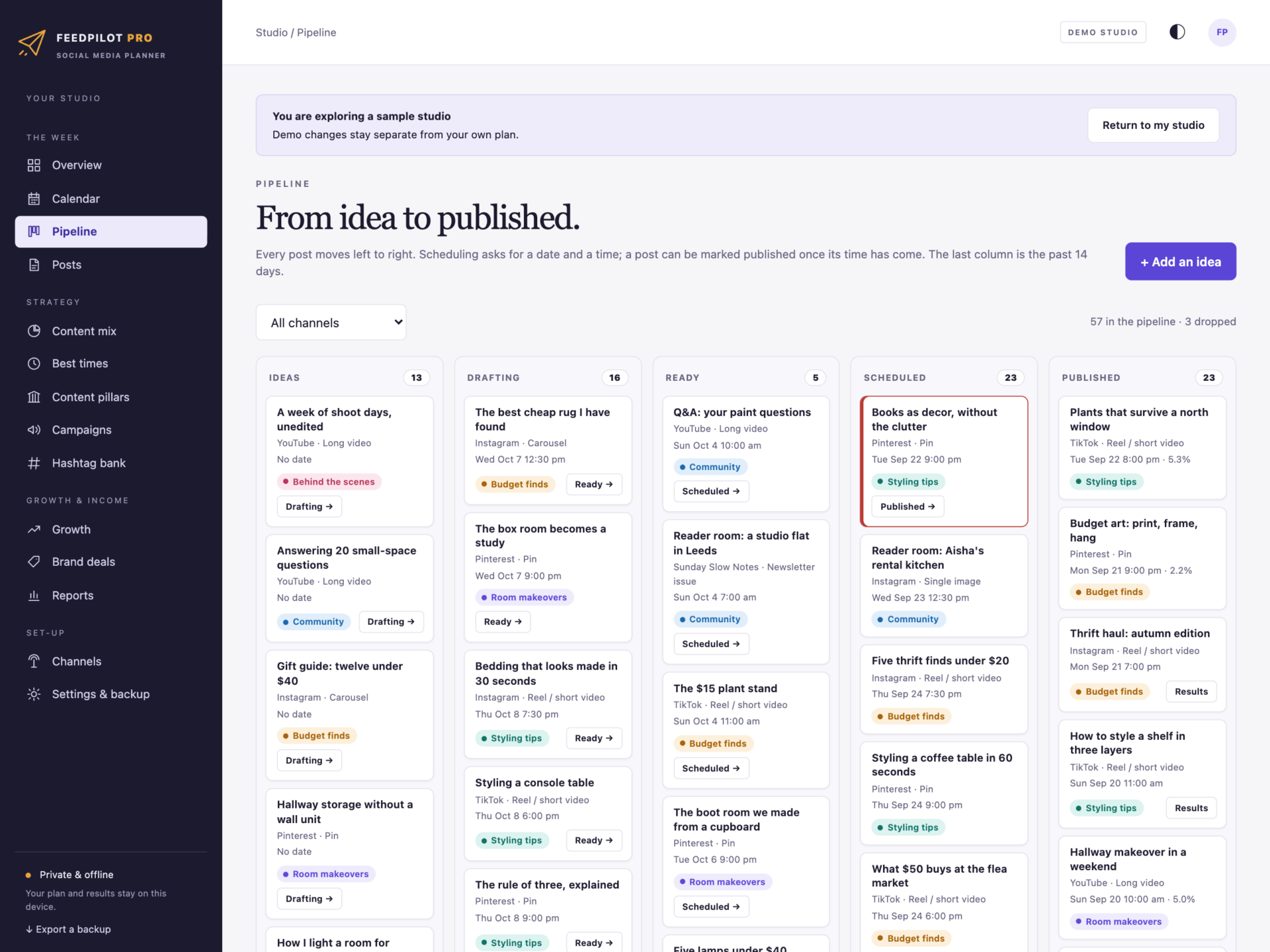
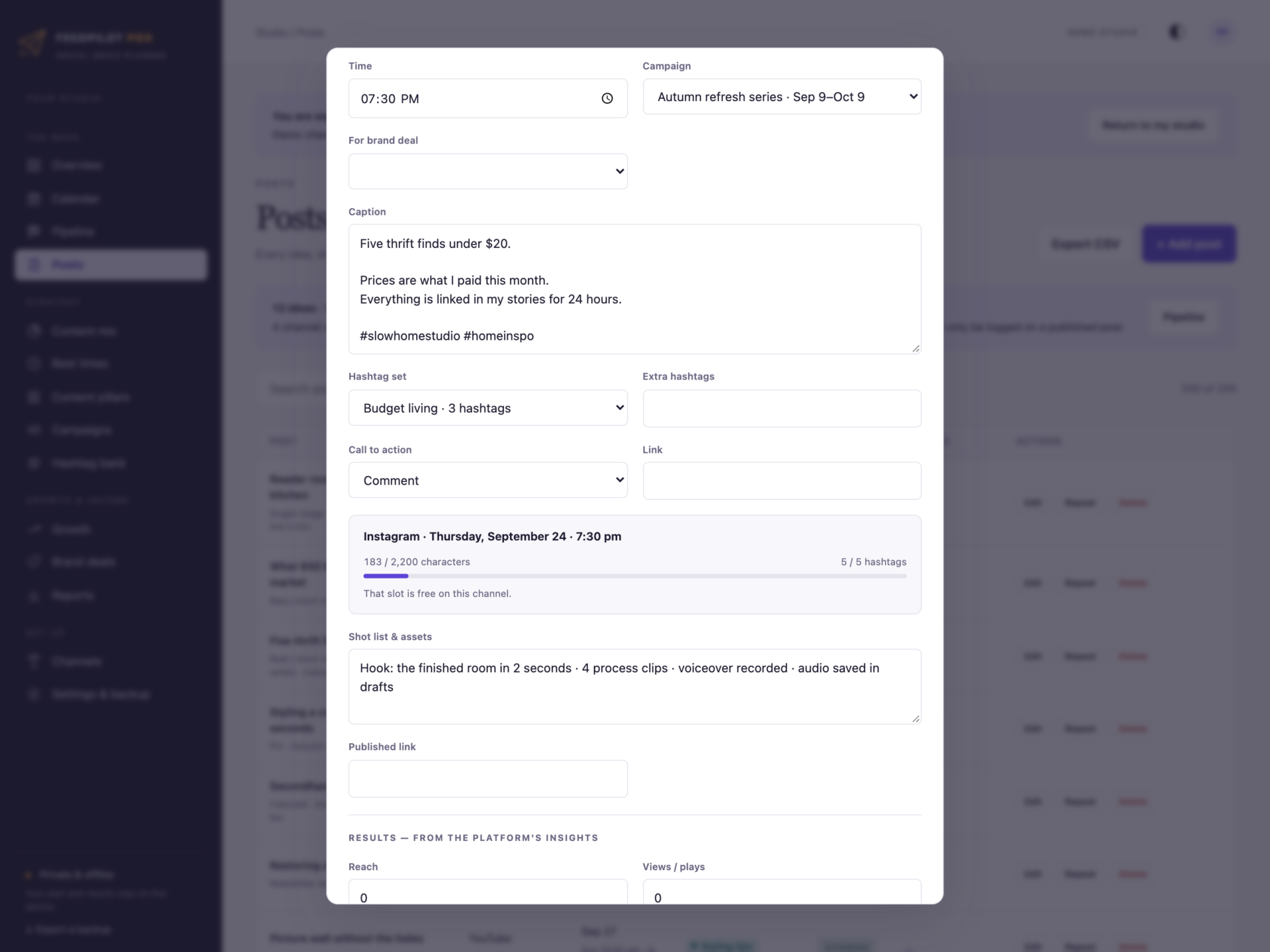
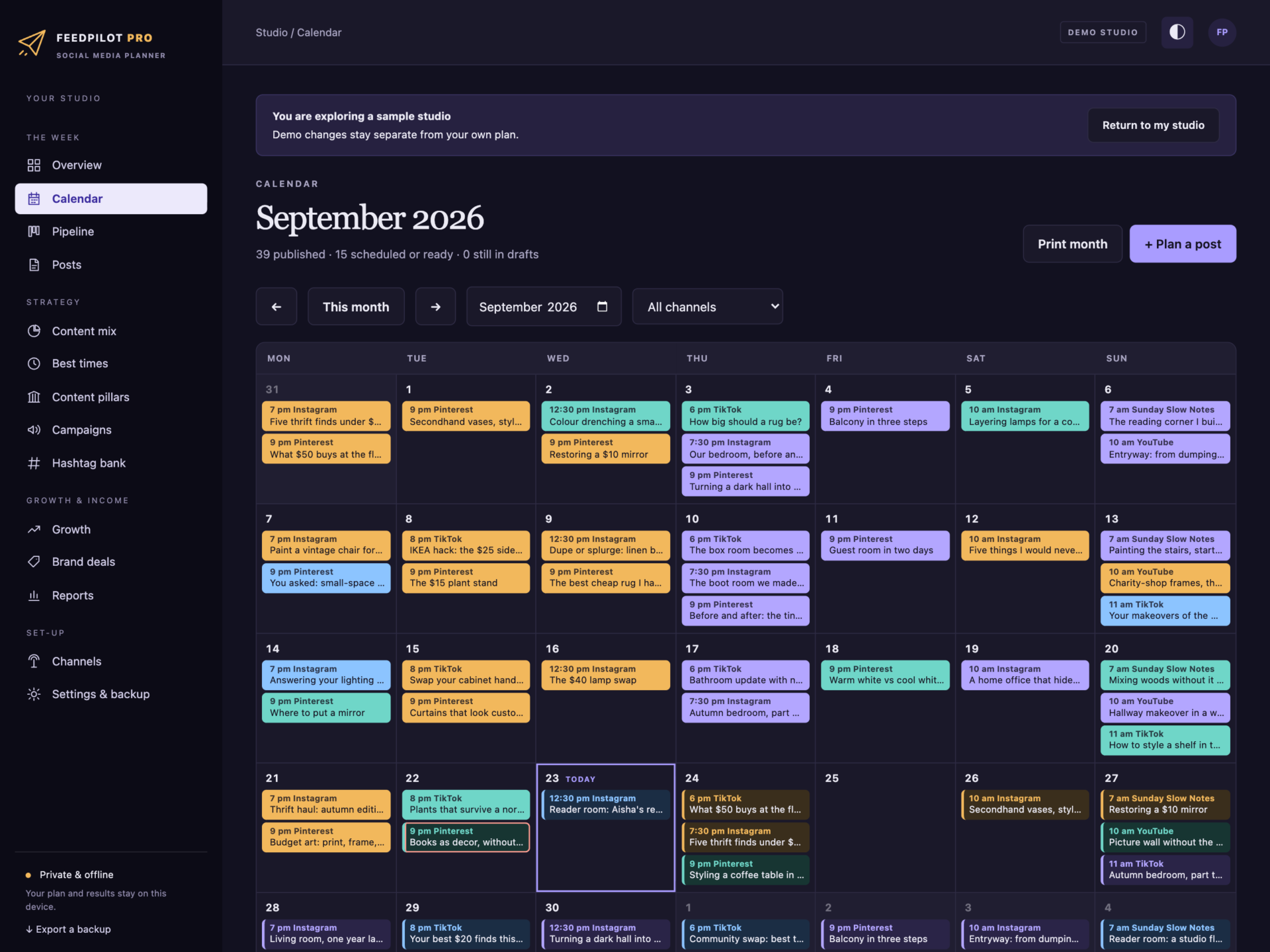
A short recording of the app, then the screens themselves.
$35
One-time purchase · yours to keep
Buy now- One payment - the file is yours to keep
- Works offline, no account, no subscription
- Your data stays on your own device
What's included
- 1 HTML file: the complete FeedPilot Pro application
- 1 Getting Started guide (HTML)
- 1 License file (HTML)
Delivery
Instant Download
Your files will be available to download once payment is confirmed.
Plan the feed. Post with a reason.
FeedPilot Pro is a social media planner for creators, small brands and social media managers who plan in one place and post in another. The content calendar, the pipeline from idea to published, caption and hashtag checks, best posting times, content pillars, brand deals and monthly reports live in one offline file that keeps your plan on your own computer.
Download the HTML app, open it in your browser and set up your channels, or explore the sample studio first: a home-styling creator with Instagram, TikTok, YouTube, Pinterest and a newsletter - fifteen weeks of published posts with their results, the next three weeks planned, content pillars, campaigns, brand deals and weekly follower counts.
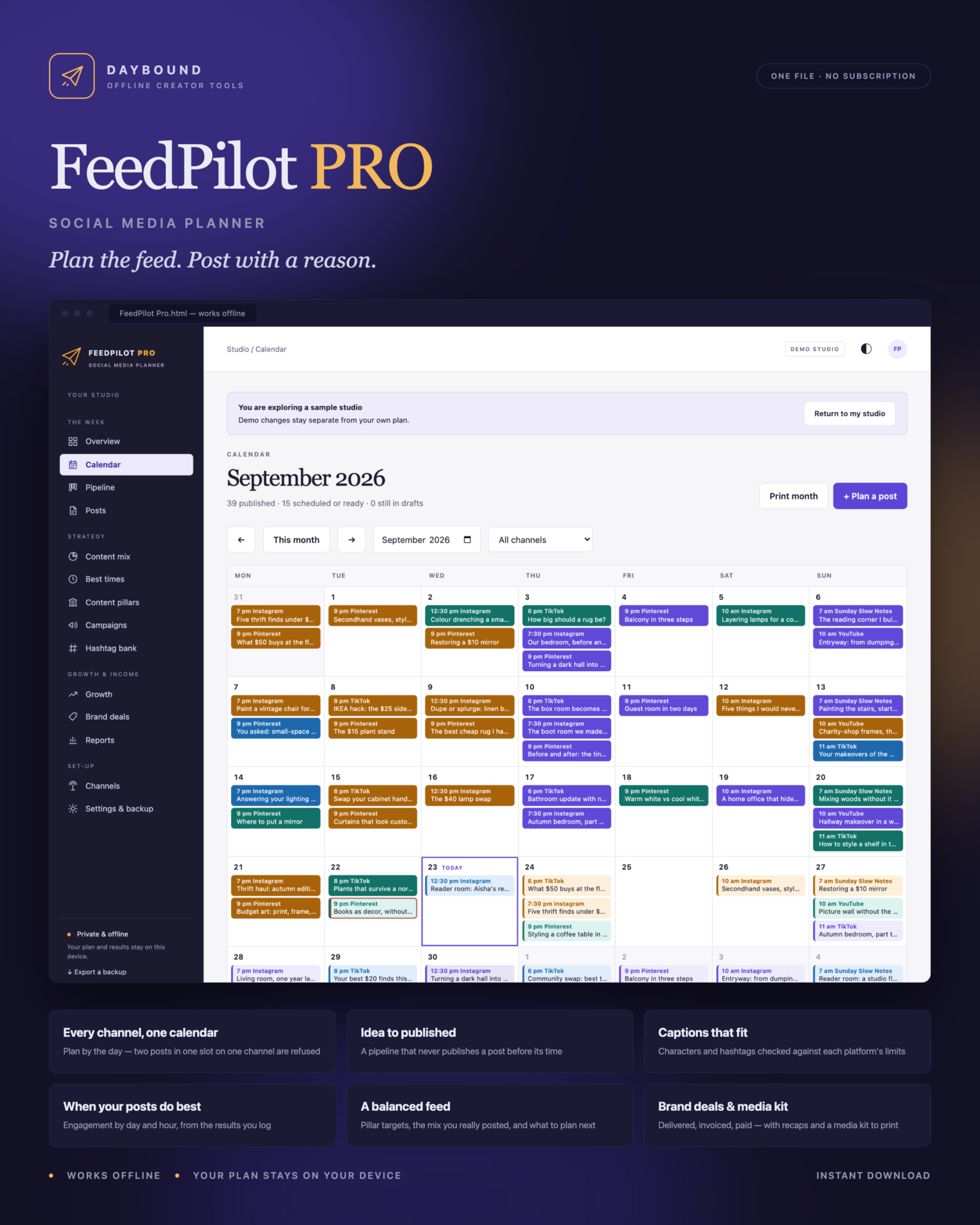
One calendar for every channel
- A month calendar with every post coloured by its content pillar - click a day to plan on it.
- No double slots: two posts on one channel at the same moment are refused, and the editor warns before you save.
- Filter by channel, print the month, and see the next seven days on the overview.
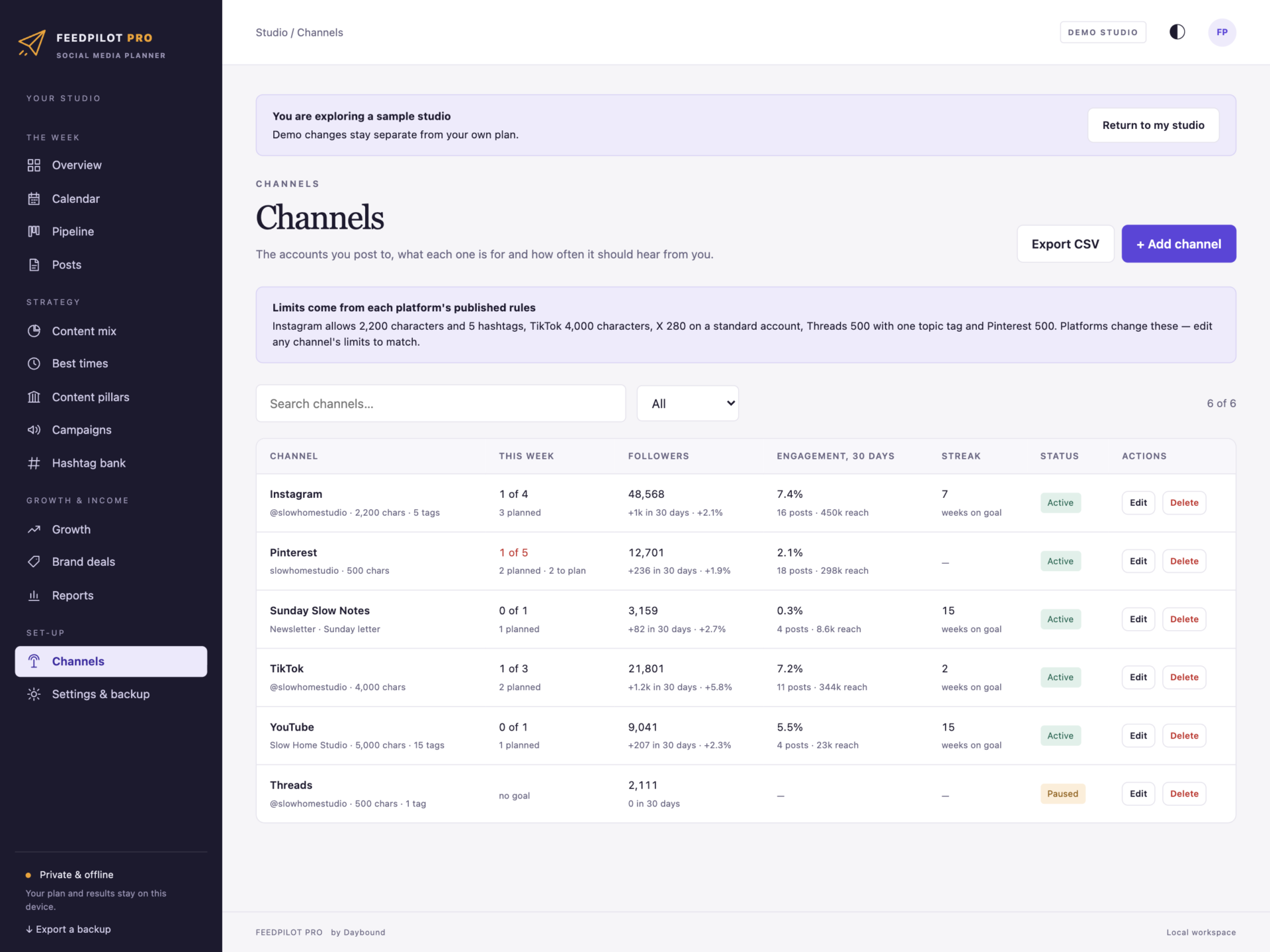
- Each channel has a weekly goal, so you see who is behind before the week is over.
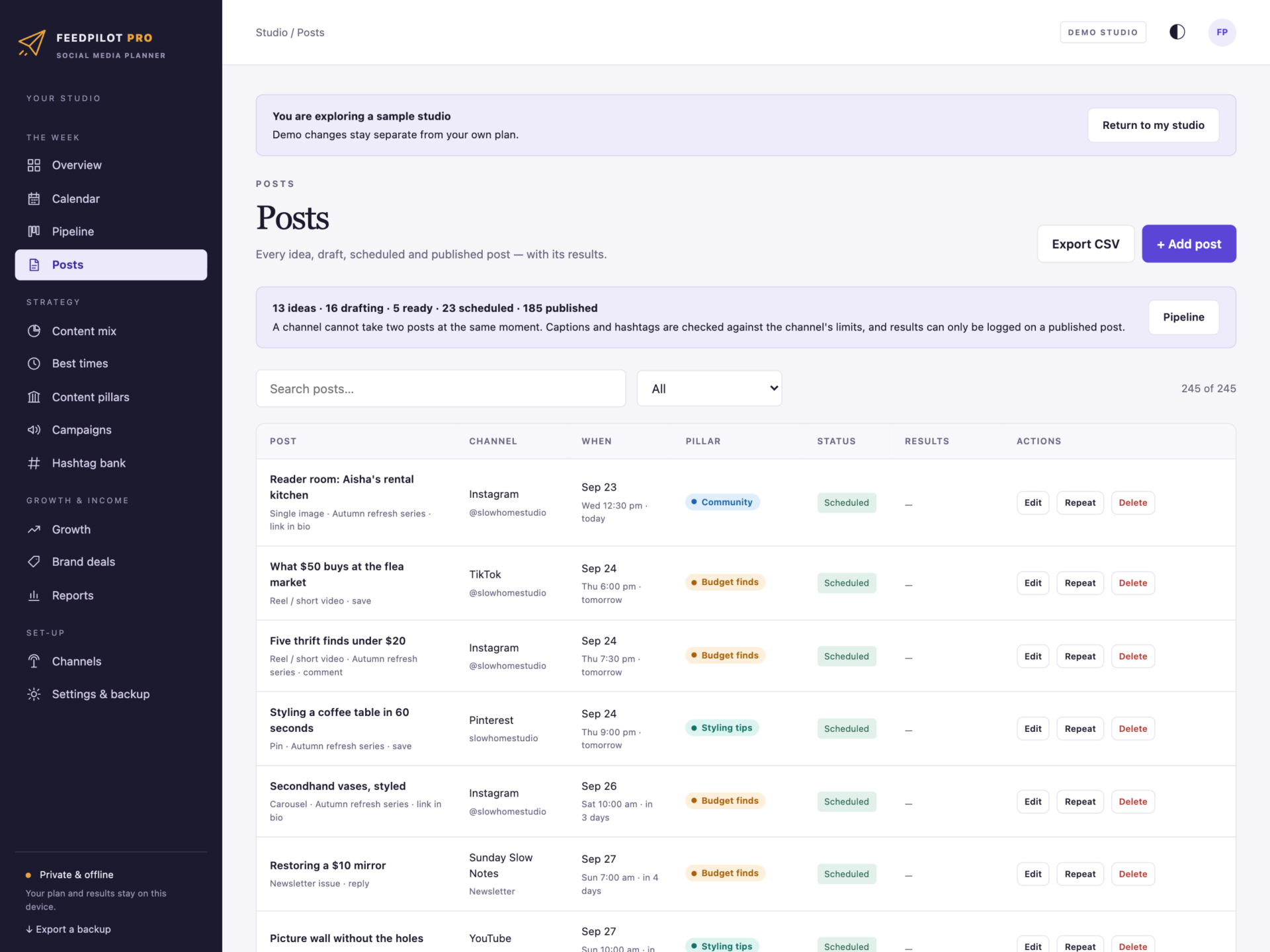
From idea to published
- Idea → Drafting → Ready → Scheduled → Published, as a board with one click to move a post on.
- Scheduling asks for a date and a time; a post cannot be marked published before its time has come.
- Results can only be logged on a published post - and never more likes than people reached.
- Repeat weekly copies a post into the same slot, skipping weeks already taken.
Captions that fit
- Characters and hashtags counted live against each channel’s limit - the caption and the hashtag set together, each tag once.
- Defaults from the platforms’ published rules: Instagram 2,200 characters and 5 hashtags, TikTok 4,000, X 280, Threads 500 with one topic tag, Pinterest 500, and YouTube’s 15-hashtag rule. Every limit can be edited.
- Ideas and drafts can run long; from Ready on, anything over the limit is refused.
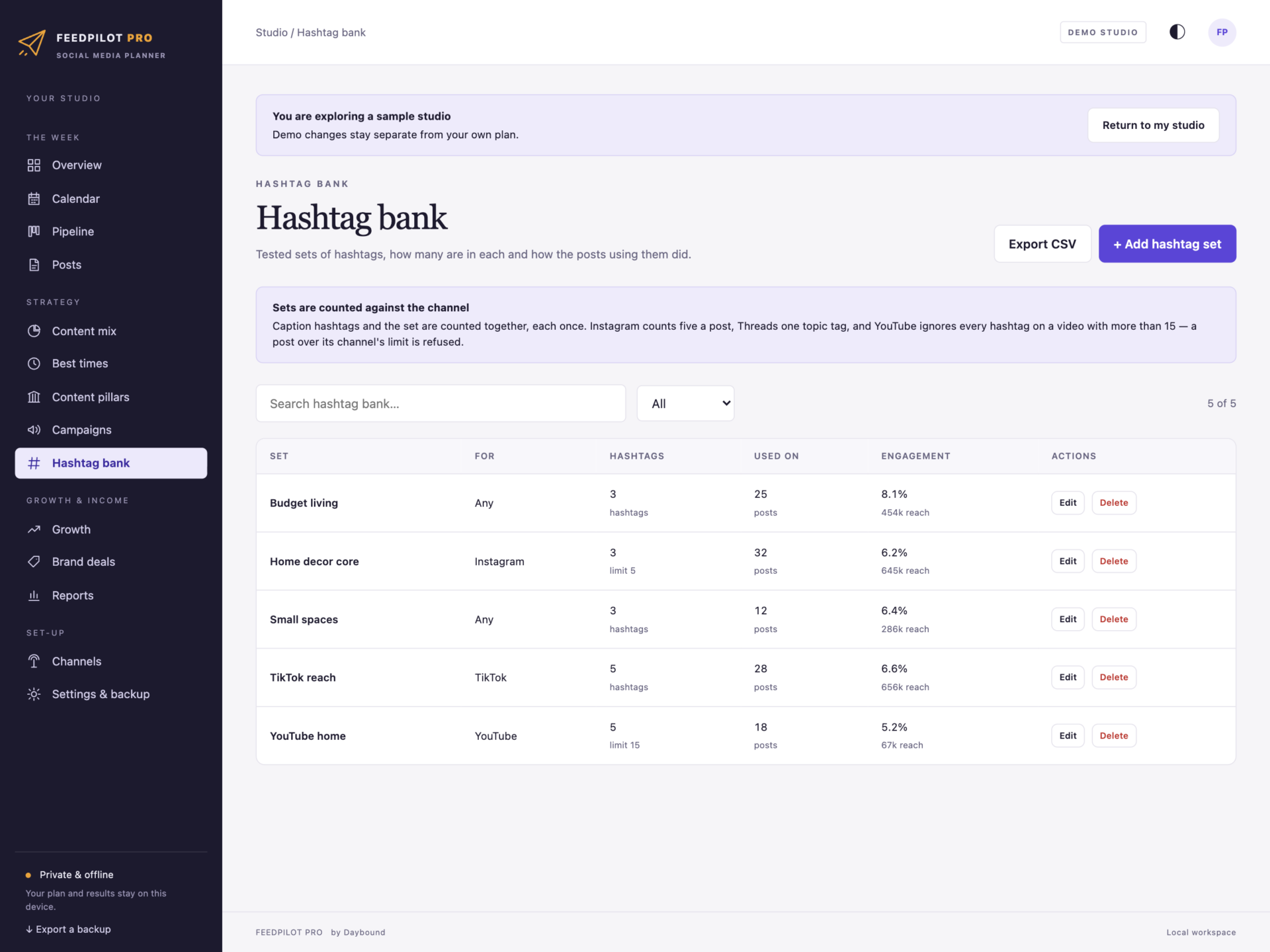
- A hashtag bank of tested sets, tidied and counted, with how the posts using each set did.
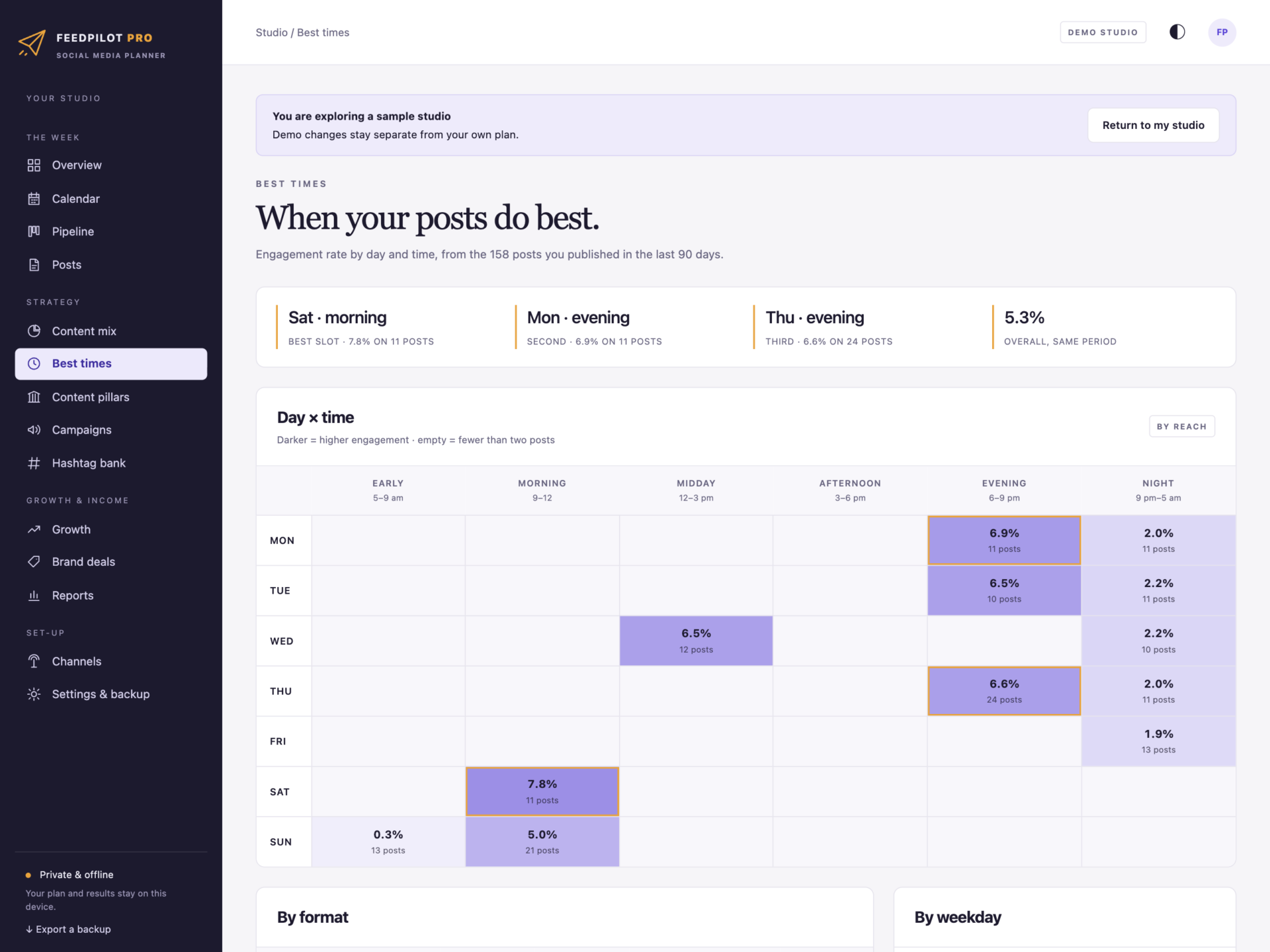
When your posts do best
Engagement rate by weekday and six times of day, from the posts you published over the last 90 days or your own look-back period. The three best slots are marked, with results broken down by format and weekday.
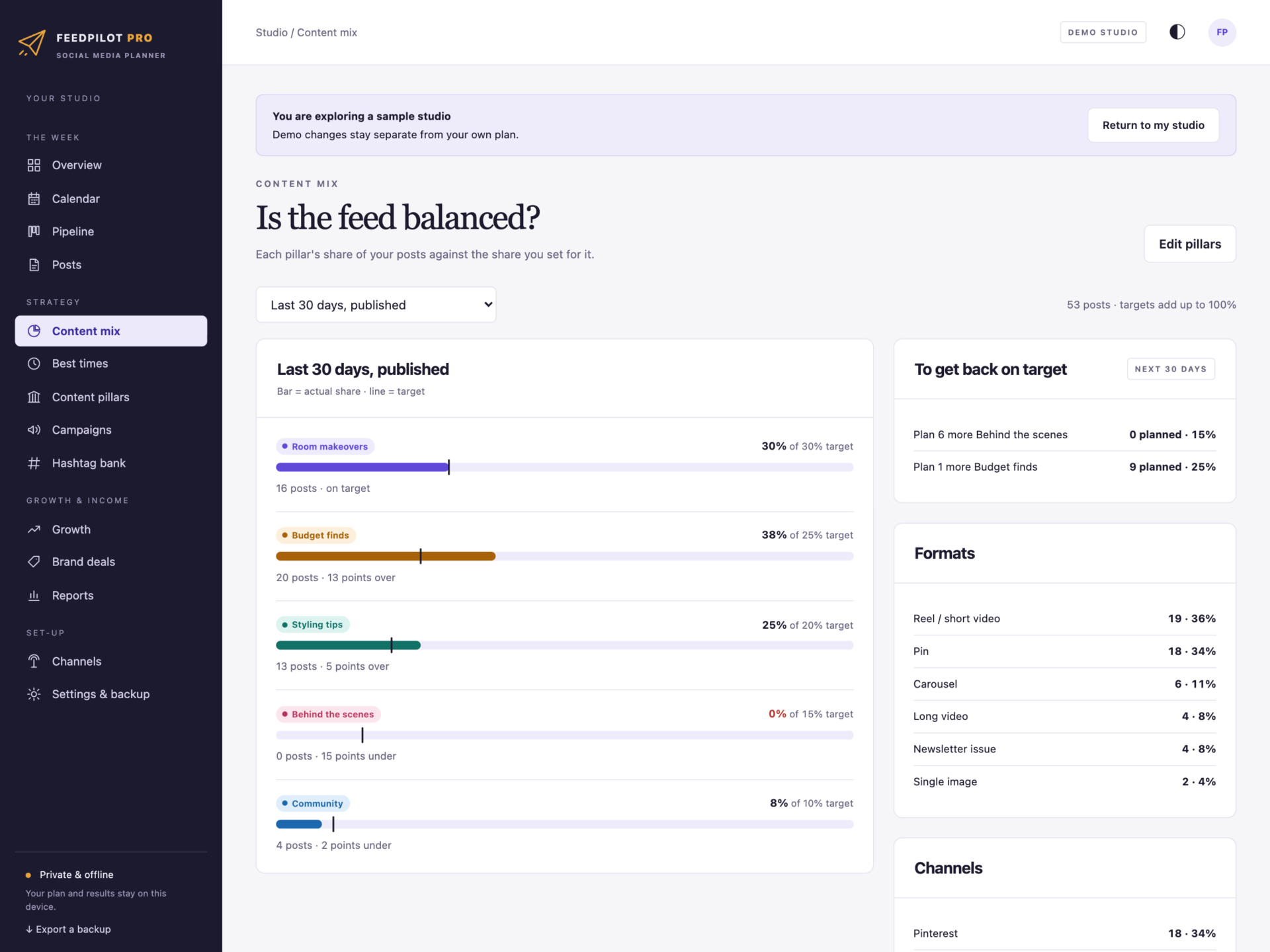
A balanced feed
- Three to five content pillars with the share of posts each should get - targets over 100% are refused.
- Your real mix over the last 30 days, this month or the next 30 days, with any pillar ten points under target flagged.
- “Plan 4 more Behind the scenes” - what to plan next to get back on target.
- Campaigns for launches and series, with every post kept inside the campaign’s dates.
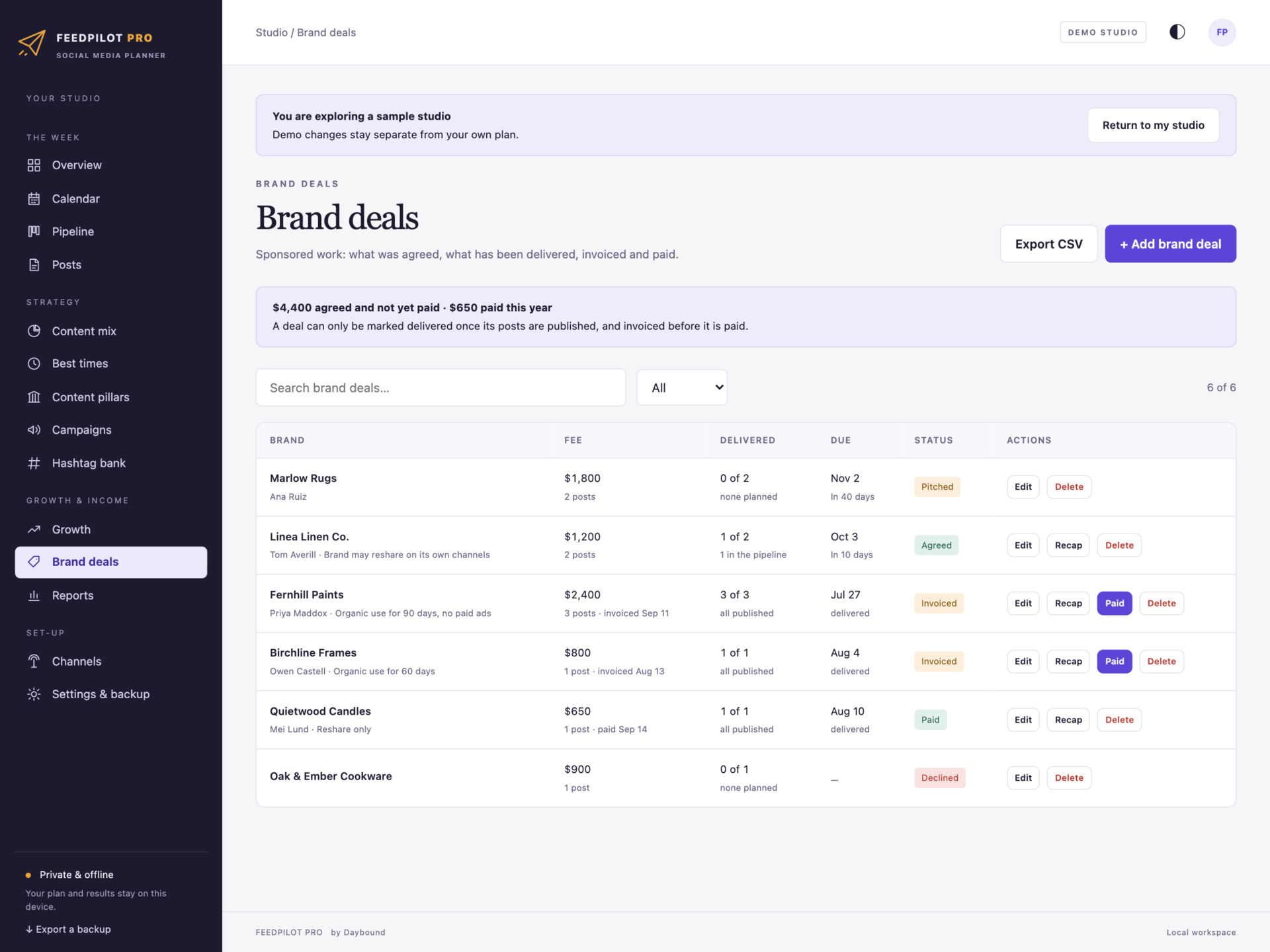
Brand deals, recaps and a media kit
- Fee, posts owed, due date, usage rights and stage: pitched, agreed, delivered, invoiced, paid.
- A deal is only delivered once its posts are published; invoices unpaid past your terms are flagged.
- A printable campaign recap for the brand with reach, interactions, clicks and engagement.
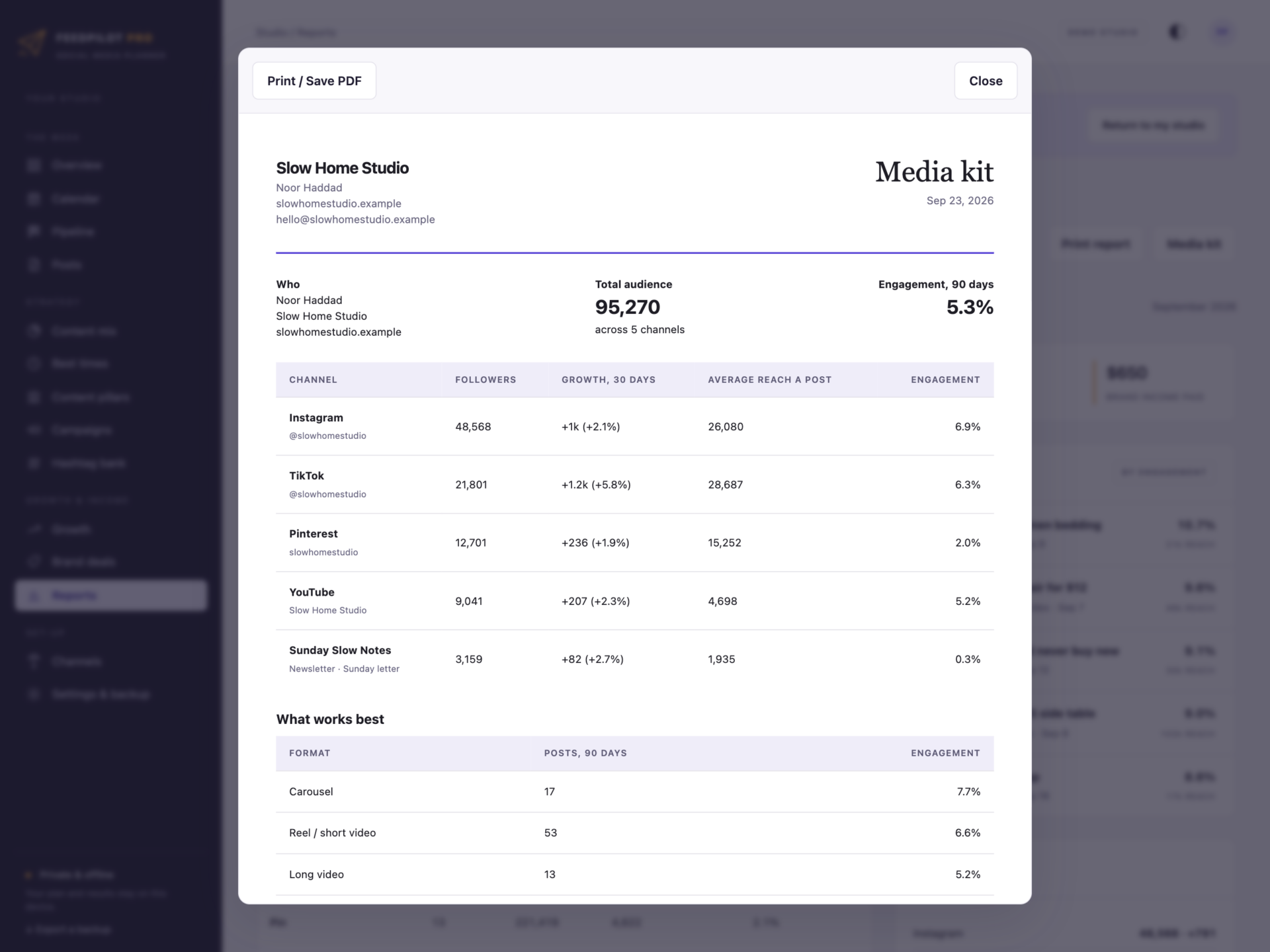
- A media kit with your audience by channel, growth, average reach, engagement, best formats and recent partners.
Reports and growth
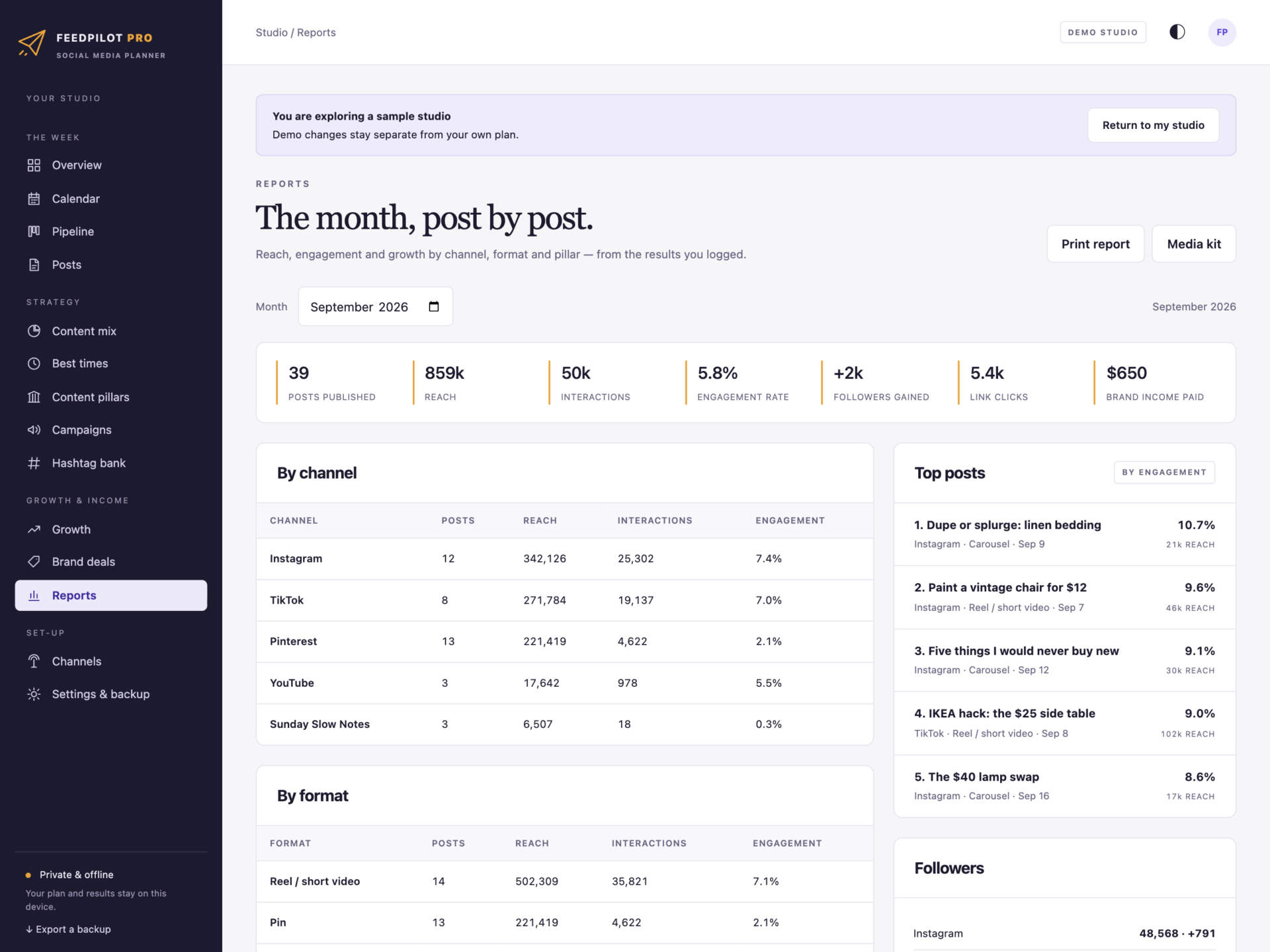
Posts, reach, interactions, engagement rate, followers gained, link clicks and brand income for any month - by channel, format and pillar, with your top posts. Follower counts logged weekly show real growth, not estimates. Print the monthly report or the week plan with a tick box for every post.
Private by design
Your plan is stored by your browser on your own computer, separately from the HTML file, and is never uploaded. FeedPilot never logs in to your accounts. Export a full backup at any time and restore it after a validation check: a backup with two posts in one slot, results on an unpublished post or pillar targets over 100% is refused rather than loaded.
What you receive
- FeedPilot Pro.html: the complete offline application.
- Getting Started.html: set-up, the pipeline, platform limits and how every number is worked out.
- License.html: the included licence for one person or one business, including clients you manage.
Delivered together in one ZIP download. Screenshots and the walkthrough show a fictional sample studio from the app’s demo.
Before you buy
Use a current browser with JavaScript and local storage enabled - best on a desktop or laptop, and every screen also fits a tablet or phone. It runs on one device; there are no user accounts and no syncing between machines. This is a digital download; no physical item is shipped.
FeedPilot Pro plans and records - it never posts for you. It does not connect to, log in to or read from any social platform, does not publish or schedule on them, and does not pull analytics automatically: you copy the numbers from each platform’s insights. It does not store images or videos. Engagement figures are worked out from the numbers you record and will differ from each platform’s own dashboard. Caption and hashtag limits are the platforms’ published defaults at the time of this version and can be edited when they change. Instagram, TikTok, YouTube, Pinterest, Threads, Facebook, LinkedIn and X are trademarks of their owners; FeedPilot Pro is independent and not affiliated with any of them.
Frequently asked questions
Does it post to Instagram or TikTok for me?
No. FeedPilot plans, checks and records. It never logs in to your accounts or posts anything - you post the way you already do, and mark the post published.
Where do the numbers come from?
From you. A day or two after a post goes out, copy its reach, views, likes, comments, shares, saves, clicks and new followers from the platform’s insights. Everything else - engagement, best times, reports, the media kit - is worked out from those numbers.
How is the engagement rate calculated?
Likes, comments, shares and saves divided by reach (the default), or by the channel’s followers at the time if you prefer that basis. You choose in Settings.
Why only five hashtags on Instagram?
Instagram has capped posts at five hashtags since December 2025. FeedPilot counts the hashtags in your caption and your hashtag set together, and every channel’s limit can be changed if a platform’s rules change.
Can I plan for clients?
Yes. The licence covers one person or one business, including the clients whose accounts you manage. Keep each client in their own browser profile, or use backups to switch between studios.
Does it work on my phone?
It works in a phone browser, and every screen fits a phone. Planning a month is easiest on a laptop or desktop.
Can several people share it?
It runs on one device at a time. A team keeps one copy as the master and moves the plan with the backup.
Where is my plan stored?
In your browser’s storage on your own computer. Nothing is uploaded. Export a backup at the end of each week.
Do I need an internet connection or an account?
Only to download the file. After that it works completely offline, with no account.
Is it a subscription?
No. You pay once and the file is yours.
One-time purchase: $35, tax included. No recurring subscription - the price you see is the price you pay.
At a glance
How it runs
-
1
Download
You get the application as one HTML file, with its documentation guide and its licence.
-
2
Open
Double-click it. It opens in the browser you already have - Chrome, Edge, Safari or Firefox. There is nothing to install and no account to create.
-
3
Keep
Your records save to that browser on that device. Export a backup from the app whenever you want a copy of your own.


