

PourDesk Pro
For concrete and flatwork contractors.
Takeoffs, truck orders, pour planning and job costing, in one offline workspace.
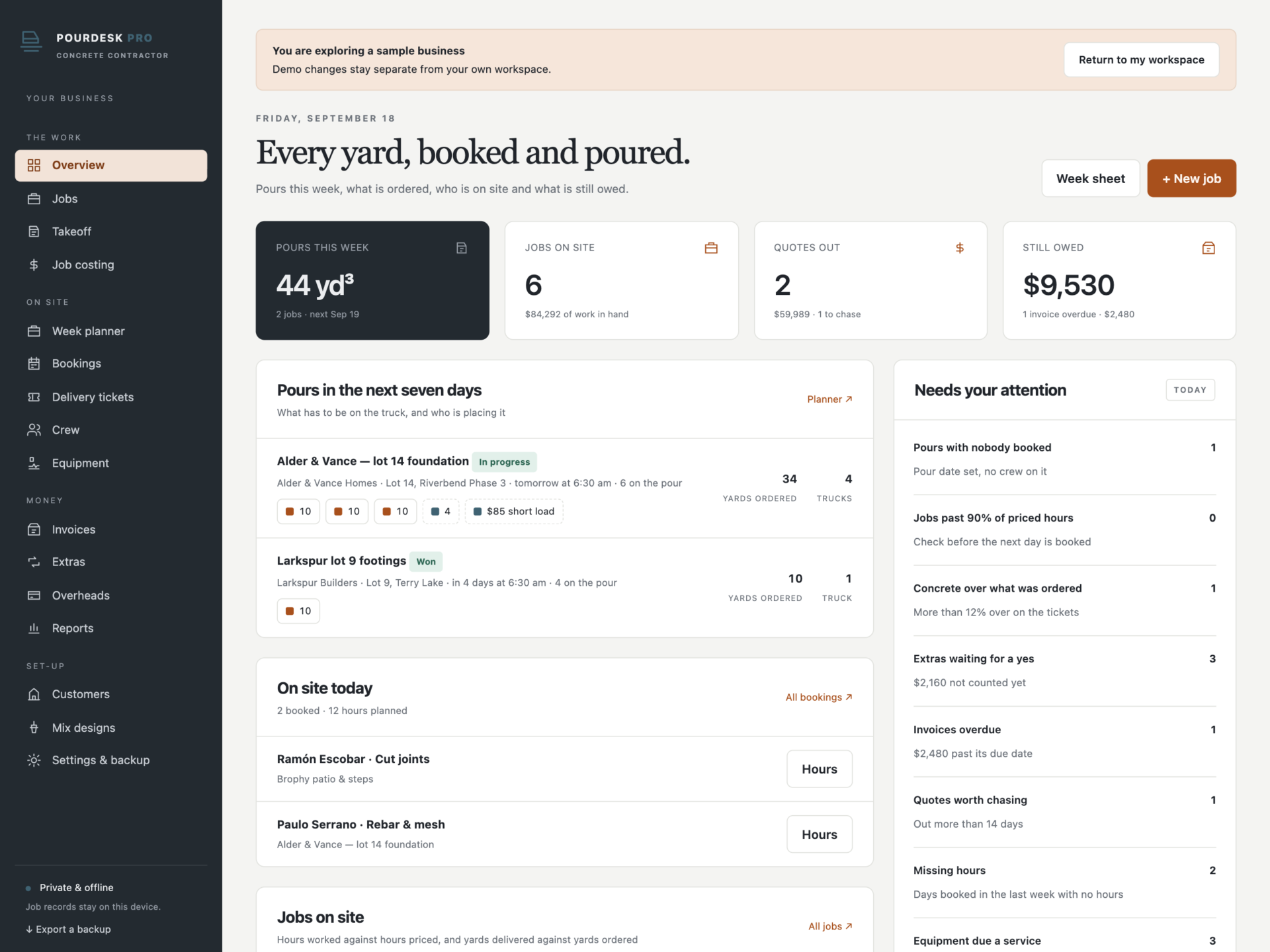
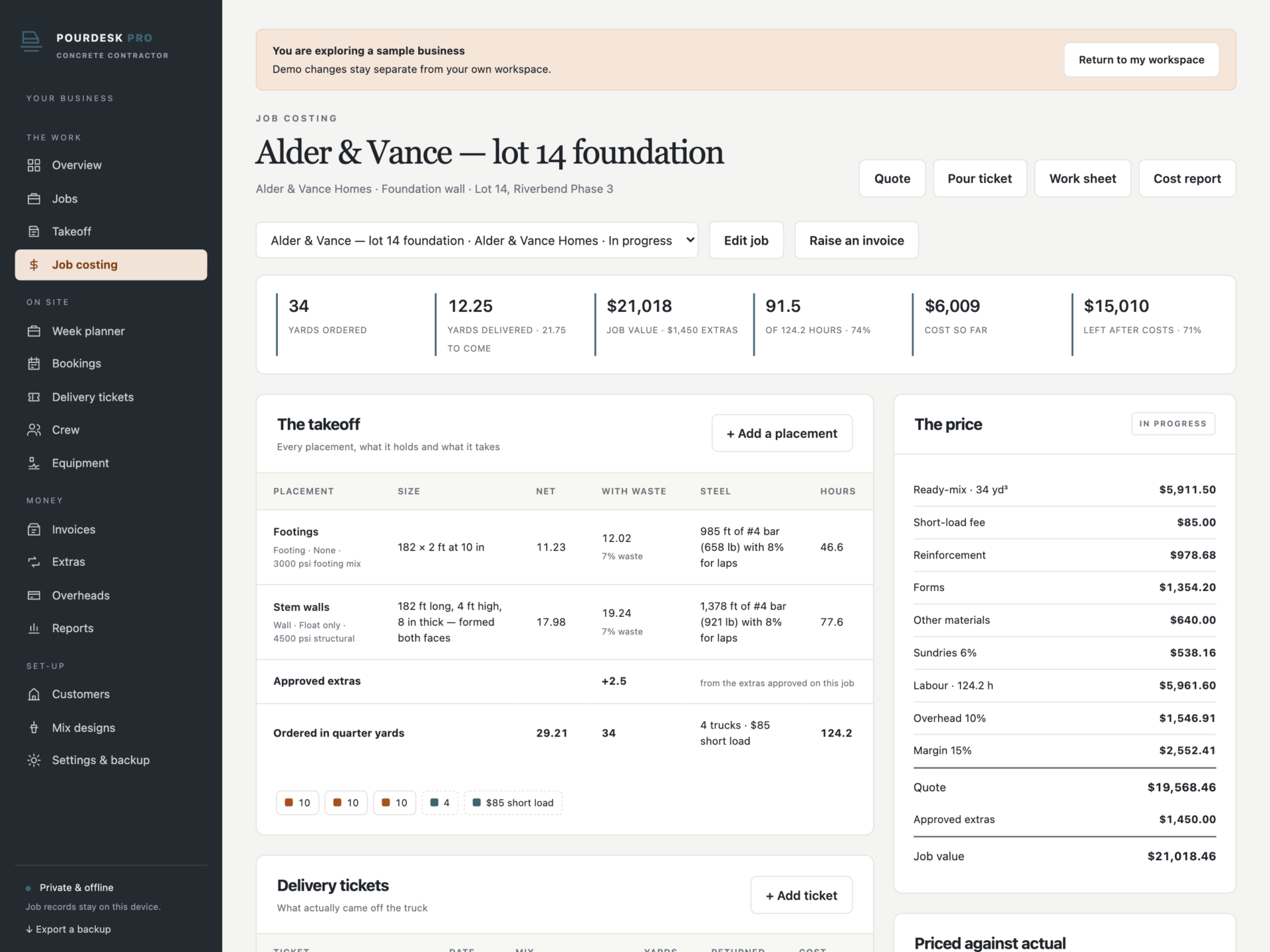
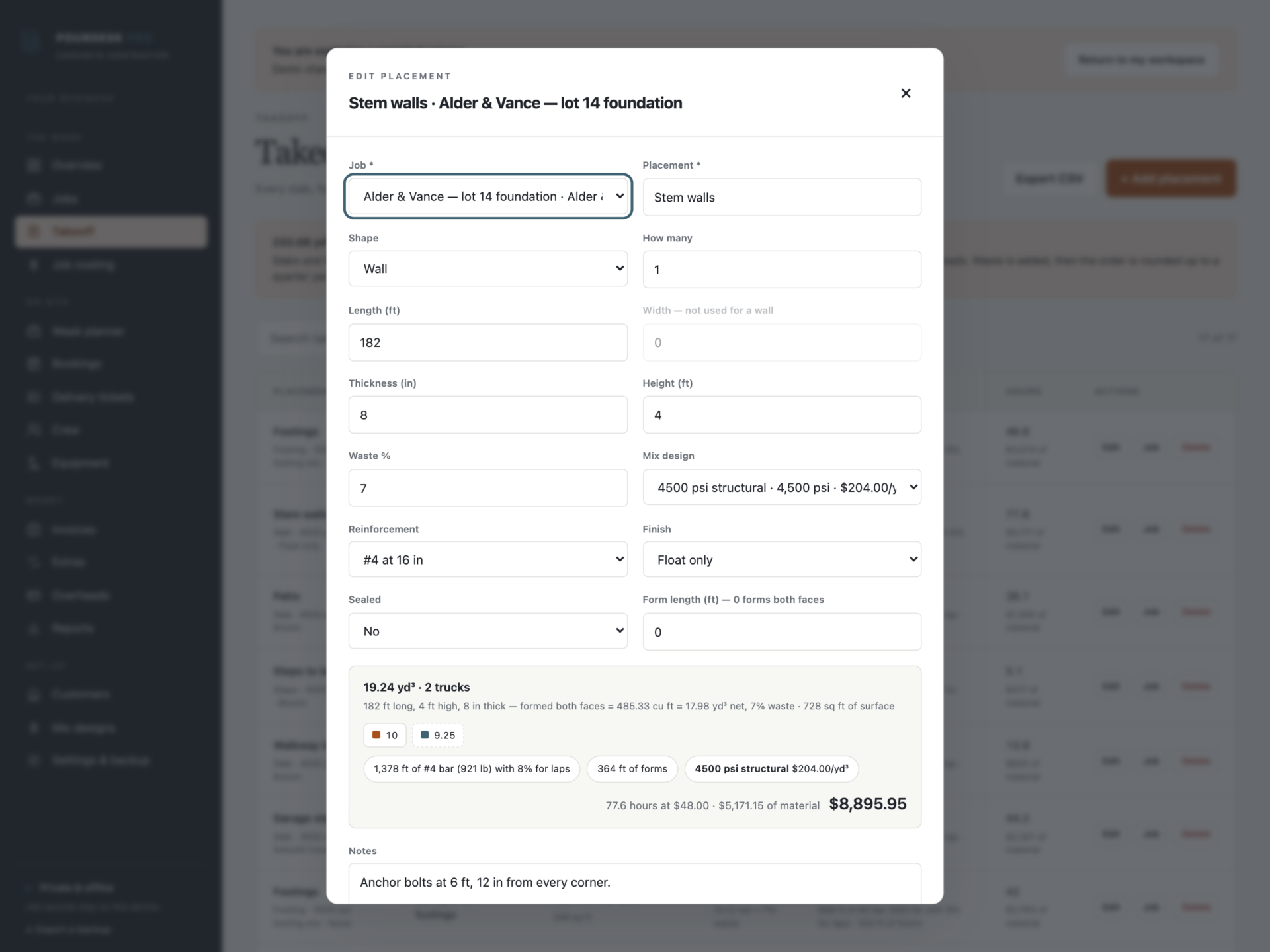
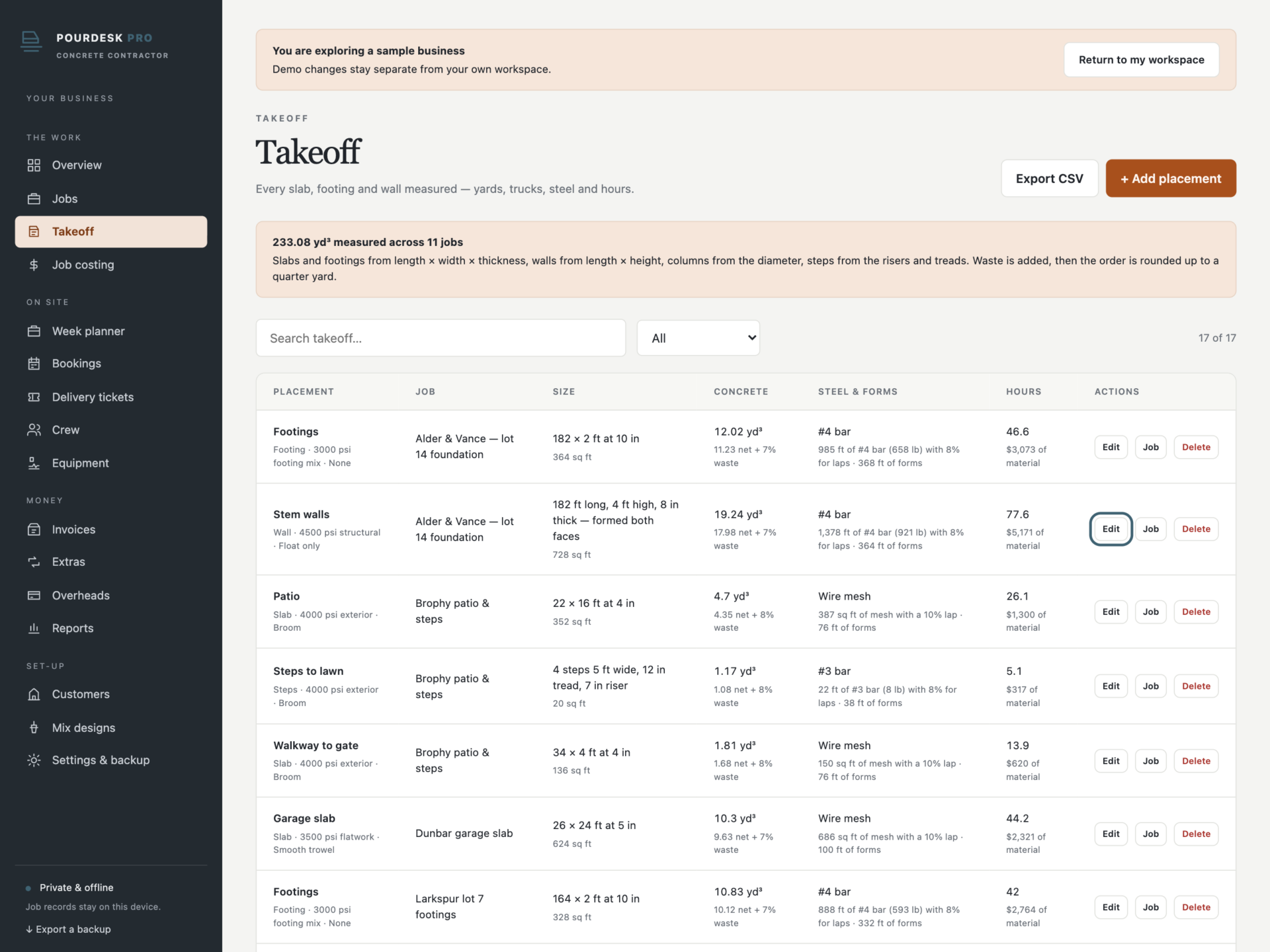
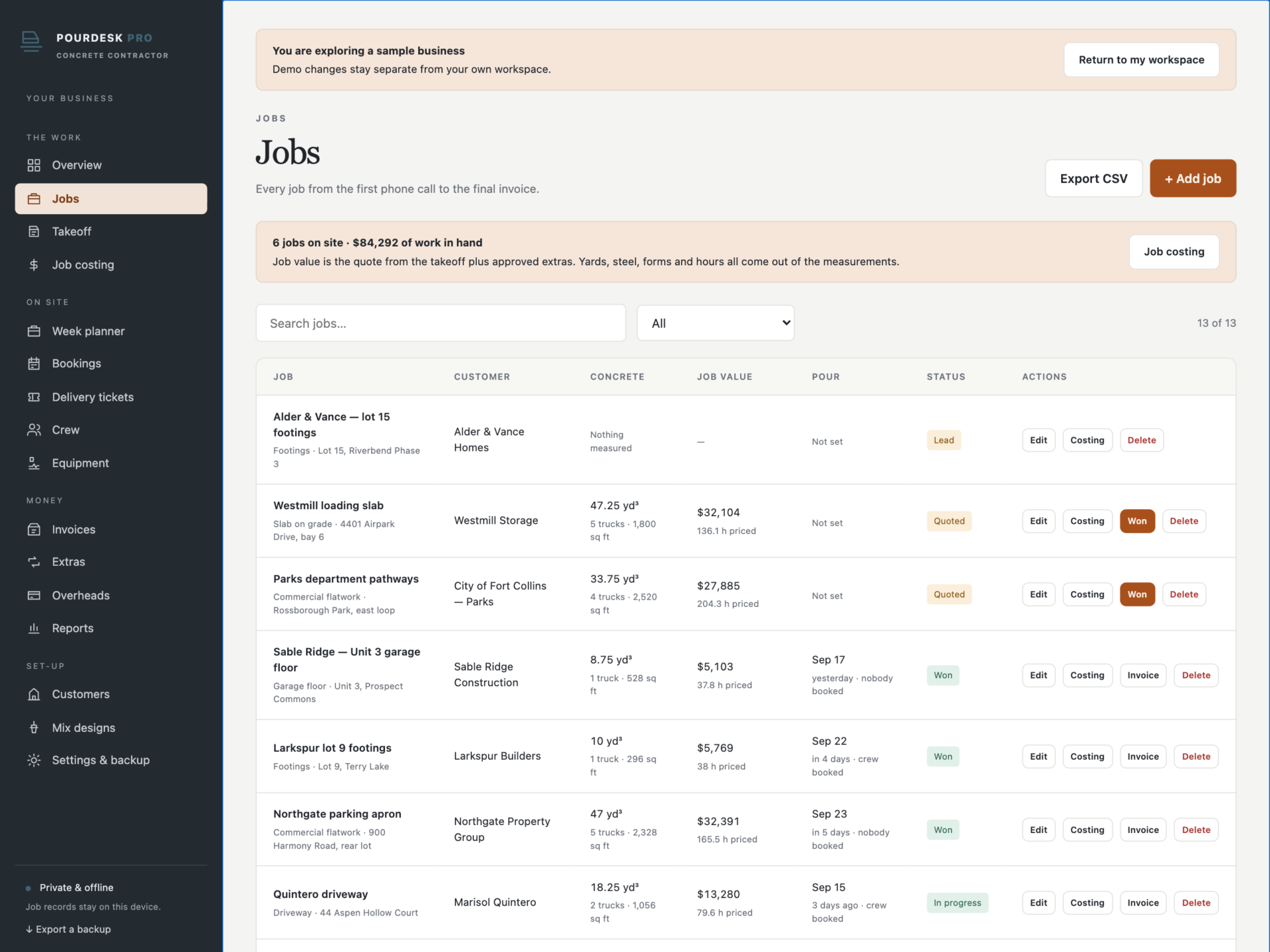
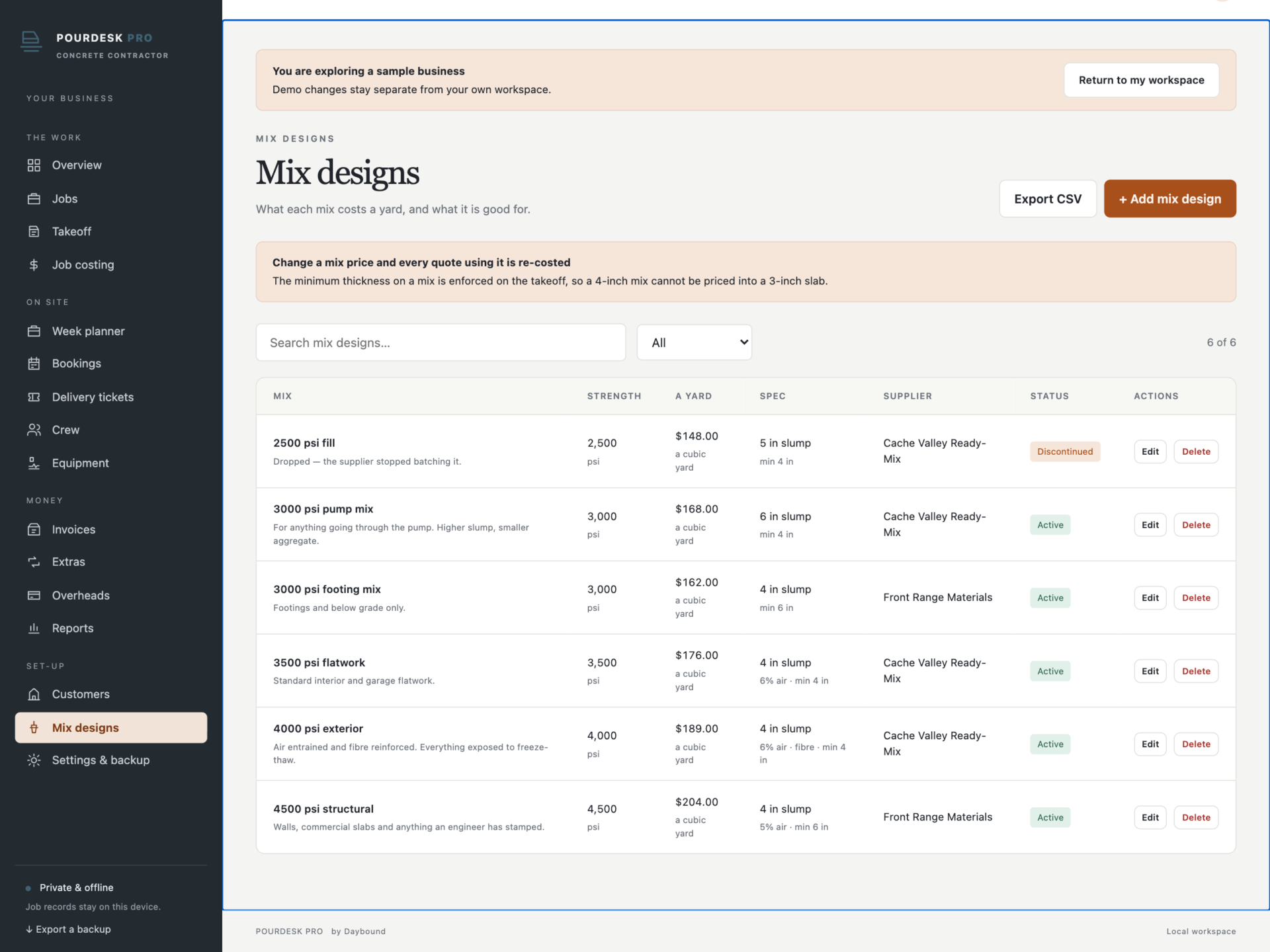
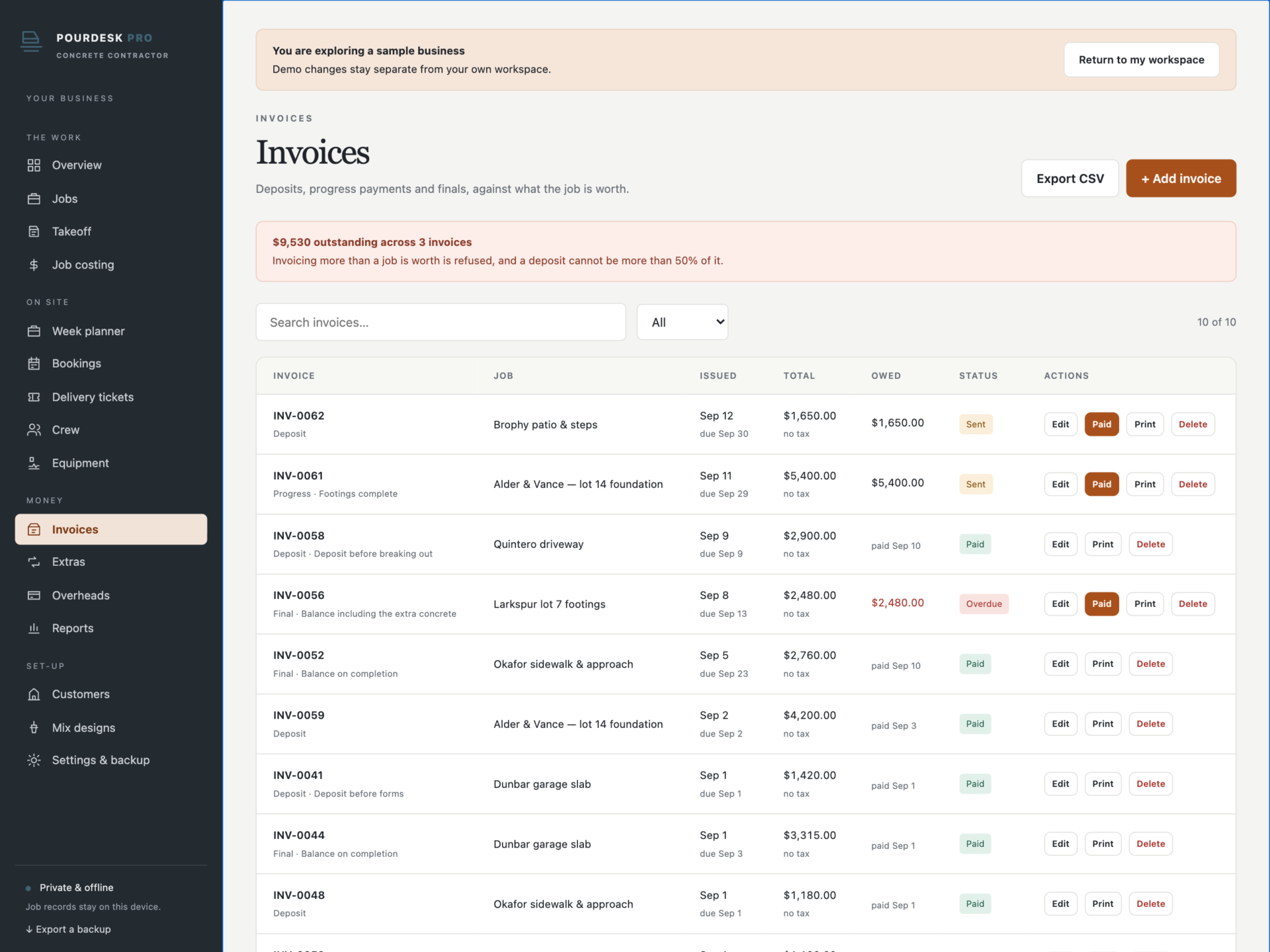
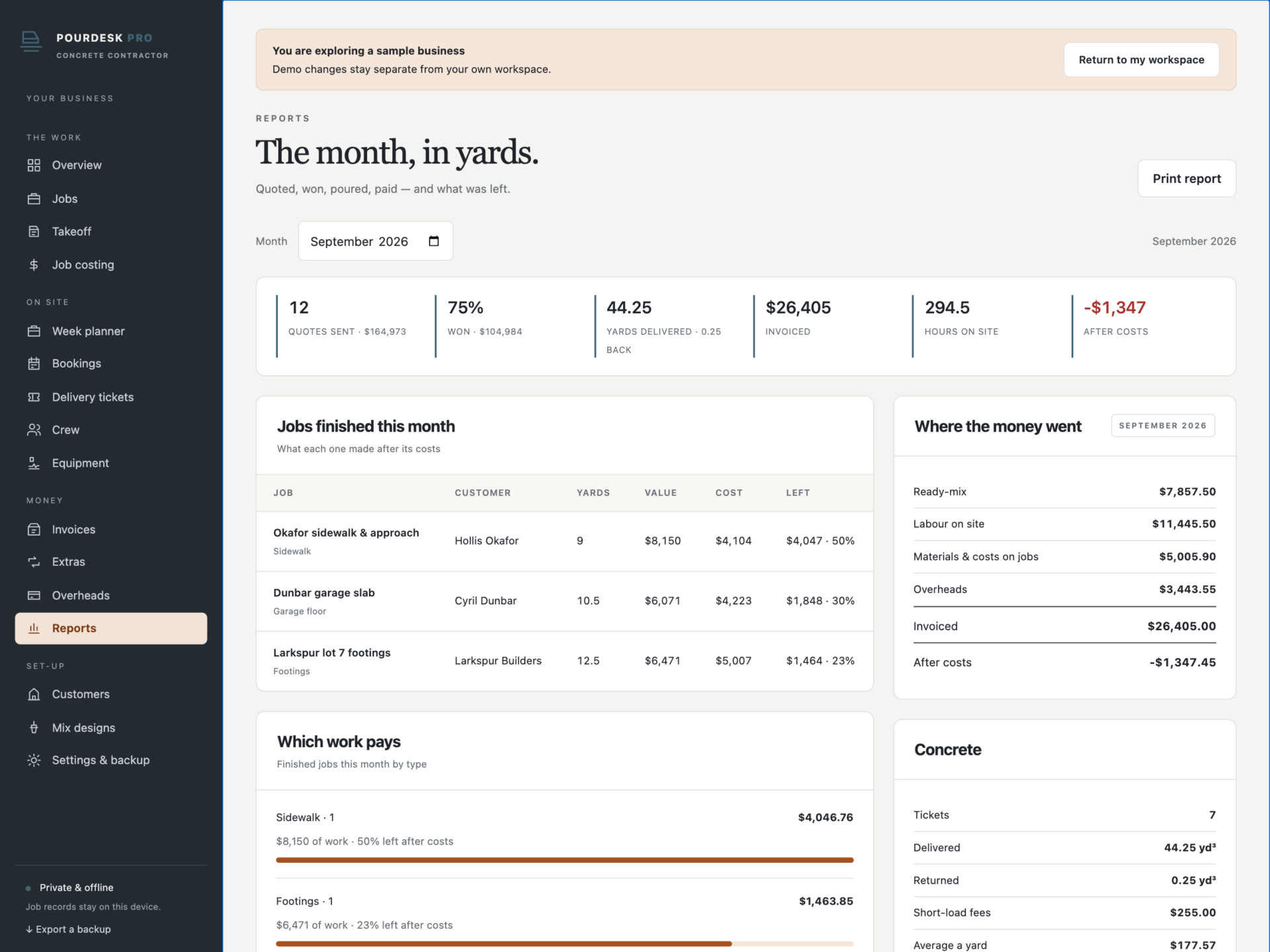
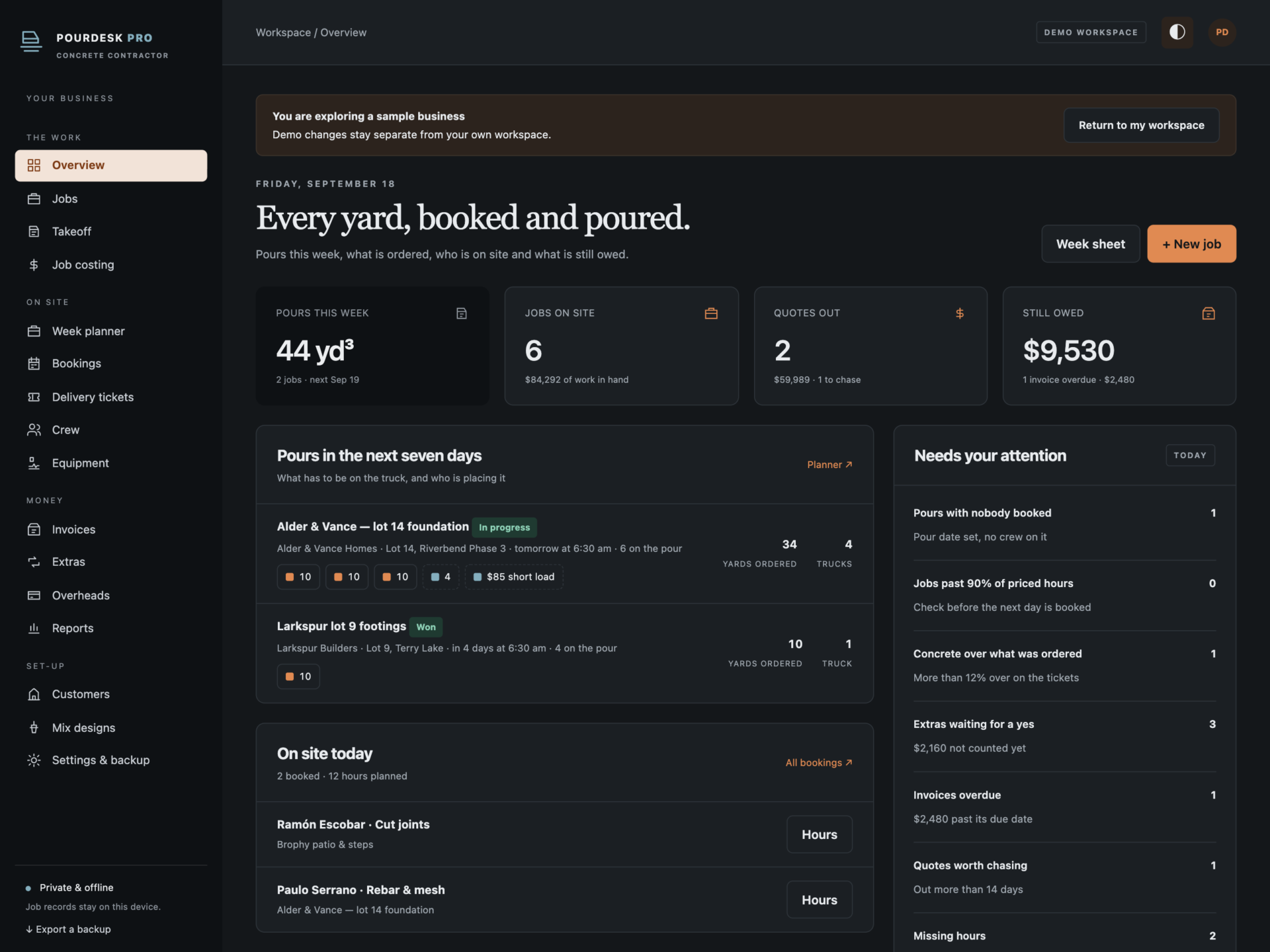
A short recording of the app, then the screens themselves.
$39
One-time purchase · yours to keep
Buy now- One payment - the file is yours to keep
- Works offline, no account, no subscription
- Your data stays on your own device
What's included
- 1 HTML file: the complete PourDesk Pro application
- 1 Getting Started guide (HTML)
- 1 License file (HTML)
Delivery
Instant Download
Your files will be available to download once payment is confirmed.
Measure it. Order it. Pour it.
PourDesk Pro is a concrete contractor manager for flatwork crews, foundation contractors and small commercial outfits. Takeoff, estimating, quotes, the week planner, delivery tickets, job costing and invoices live in one offline file - and the cubic yards, the trucks, the steel and the hours all come out of the measurements you take on site.
Download the HTML application, open it in your browser and start with your own jobs, or explore the sample business first: 13 jobs from lead to finished, 17 measured placements, six mix designs, a crew of seven on the planner, delivery tickets and invoices.
Every shape from its own geometry
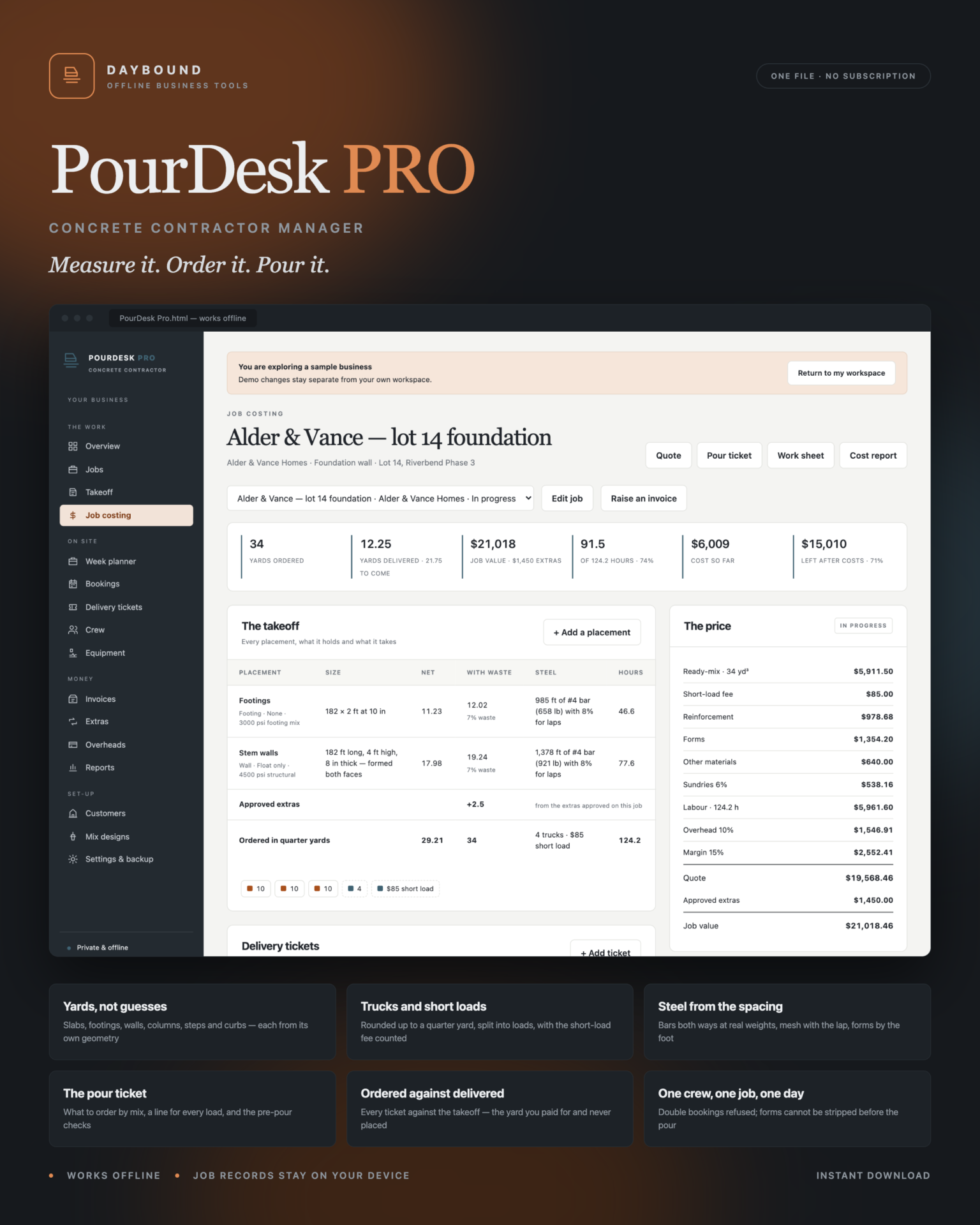
- Slabs and footings from length × width × thickness; walls from length × height, formed both faces; columns from the diameter and the height; curbs by the foot.
- Steps from the staircase cross-section, not a box - four steps hold two and a half times what one step holds, and this is where hand calculations usually go wrong.
- Waste is added on top, then the whole job is rounded up to the next quarter yard, because that is how ready-mix is sold.
- Trucks follow from your own capacity, and a final part load below your threshold carries the short-load fee you set - priced into the quote, not discovered on the supplier’s invoice.
Steel, forms and hours from your own numbers
Rebar both ways at the spacing you choose, plus 8% for laps, converted to pounds at real bar weights and costed at your price a pound. Mesh with the lap, forms by the foot, sealer by the square foot. Hours come from your own production rates for placing, finishing, forming, fixing steel and sealing - per person, per hour, so they line up with the days you book on the planner. Change a mix price and every quote using it is re-costed at once.
The paperwork that matters
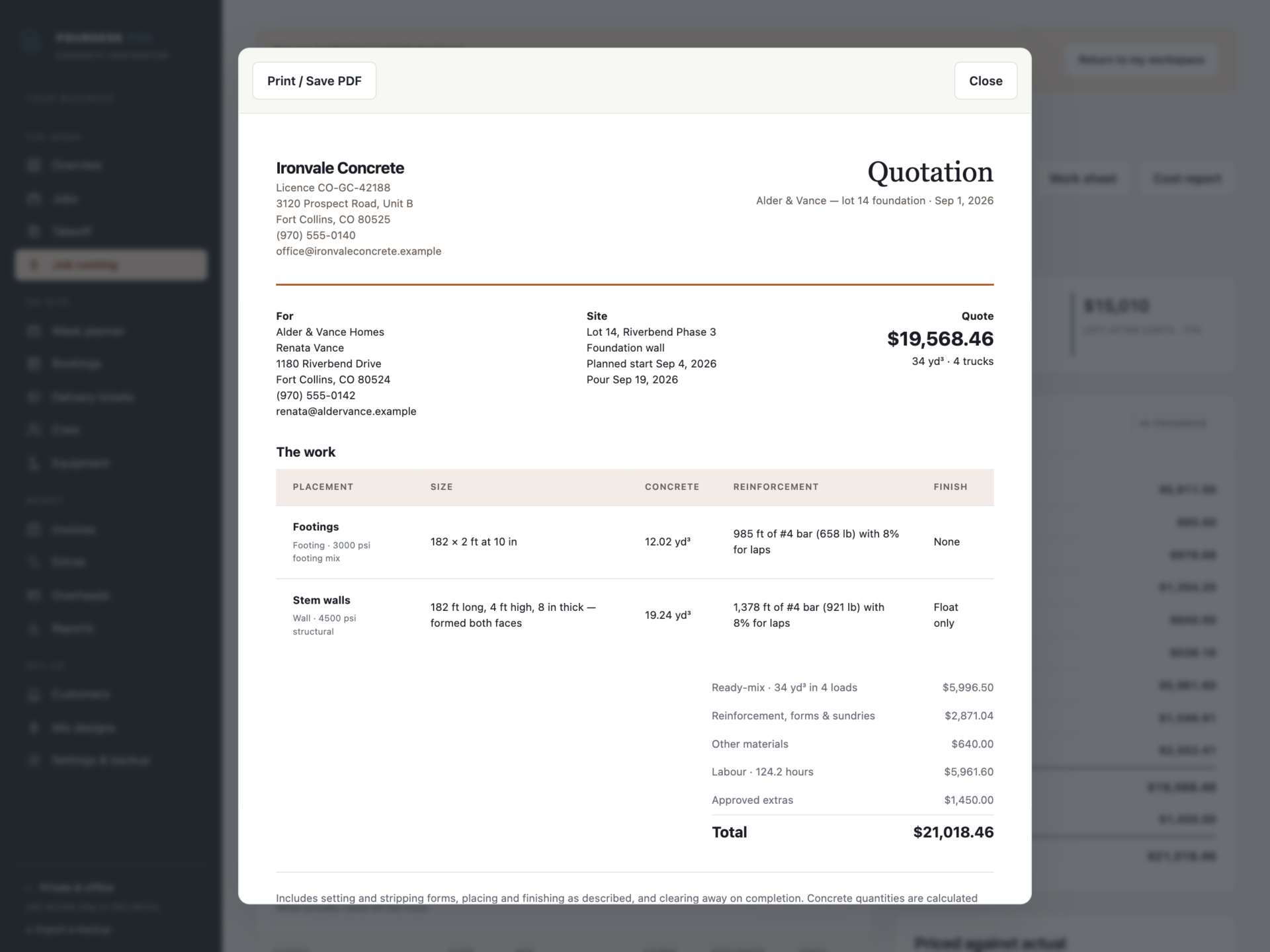
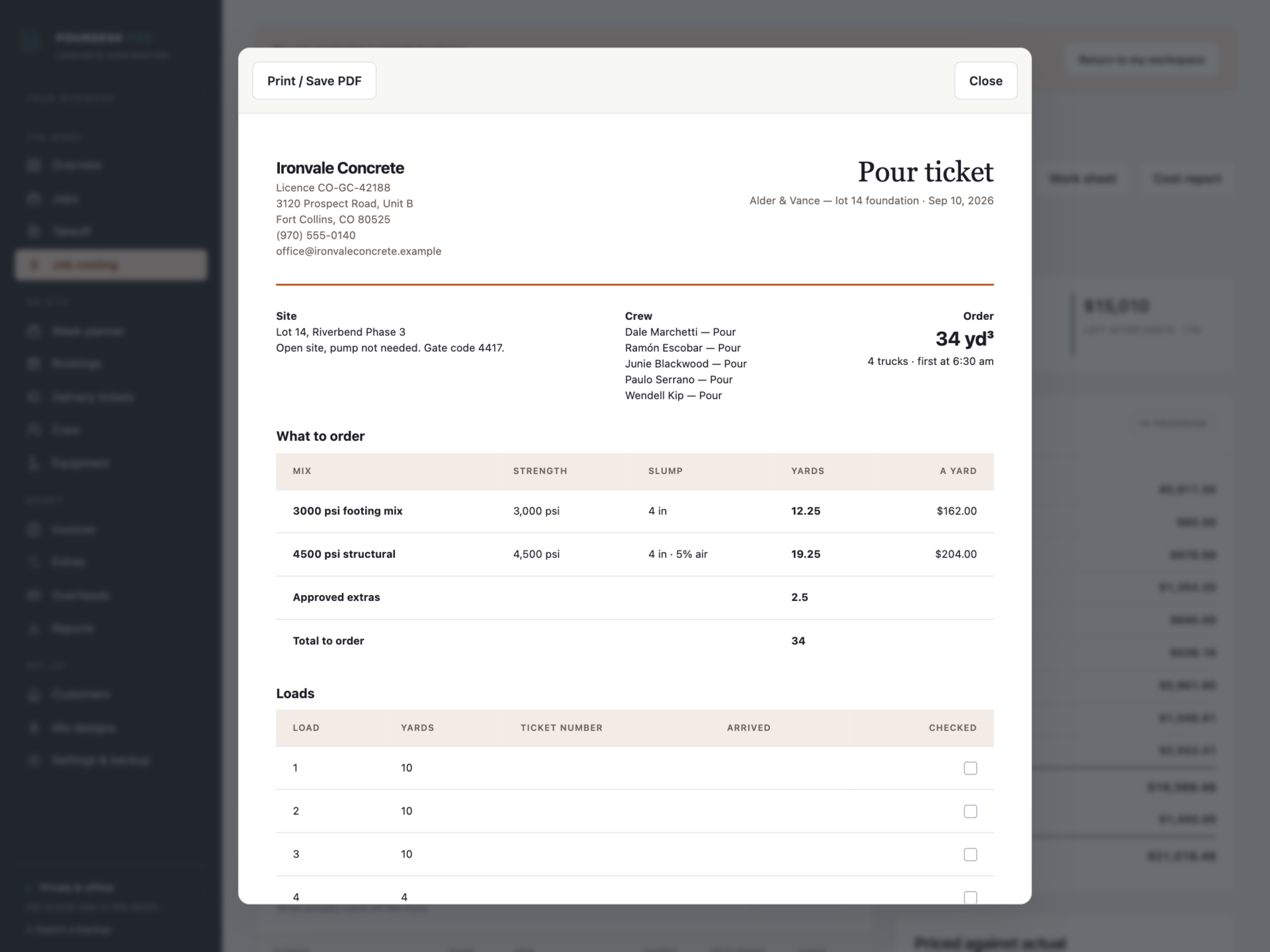
A quotation with every placement, the concrete, the reinforcement and the finish. A pour ticket with what to order by mix, a line for every load with room for the ticket number and arrival time, the crew on the pour and the pre-pour check list. A work sheet for the crew with no prices on it. Plus the job cost report, the invoice, the week planner, the customer history and the monthly report.
The week on site
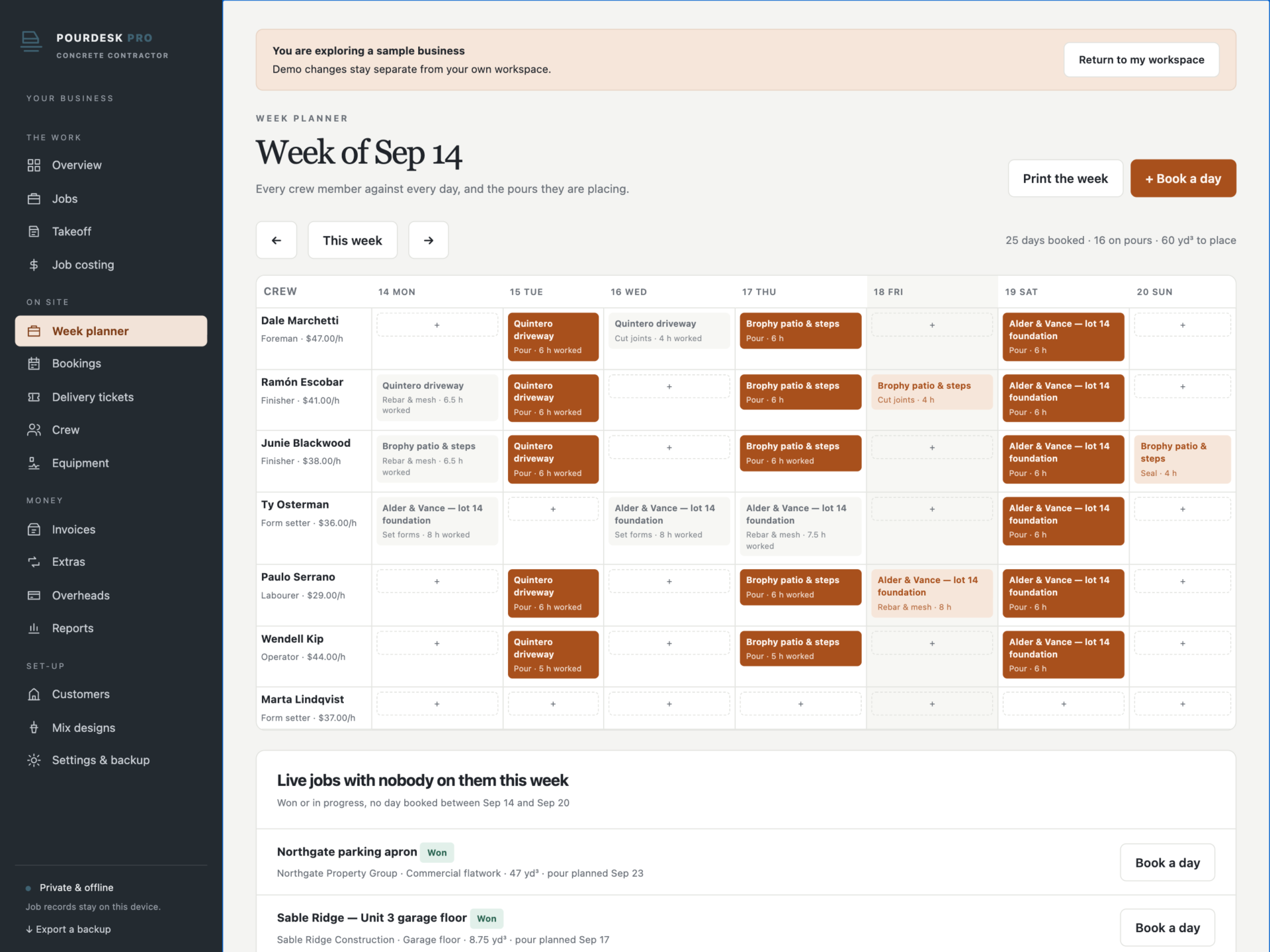
- Every crew member against every day, with pour days marked out.
- One crew member, one job a day: double bookings are refused.
- Forms cannot be stripped, joints cut or slabs sealed before the pour has happened.
- A pour cannot be booked on a job with nothing measured, and a machine cannot be on two jobs at once.
Ordered against delivered
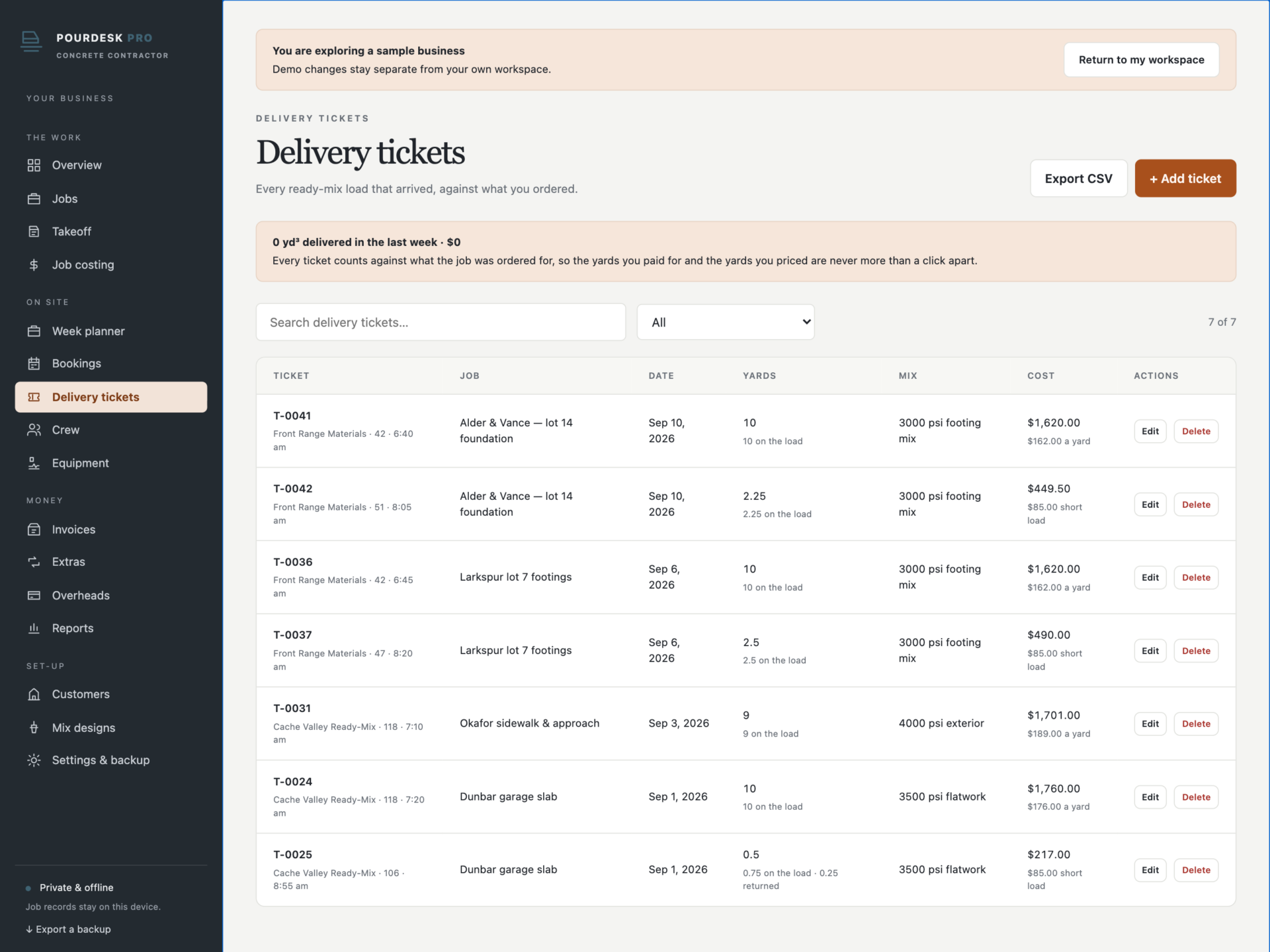
This is the number that decides whether a job made money. Every delivery ticket records the yards on the load and the yards that went back, and job costing puts the total against what the takeoff ordered. Over by more than your alert percentage and the job is flagged on the overview. Ready-mix priced sits beside ready-mix paid, and hours worked beside hours priced.
Invoicing that holds
Deposits, progress payments, finals and extras. Invoicing more than a job is worth is refused - the message says how much is left to bill. A deposit above your cap is refused. Extras count towards the job value, the yards and the hours only once they are approved.
Private by design
Job records, customer addresses and crew pay rates are stored by your browser on your own device, separately from the HTML file, and are never uploaded. Export a full JSON backup at any time, restore one after a validation check, or export any list to CSV. A backup with one crew member booked twice on a day, duplicate invoice or ticket numbers, or a ticket returning more concrete than it delivered is refused rather than loaded.
What you receive
- PourDesk Pro.html: the complete offline application.
- Getting Started.html: takeoff, mixes, rates, quoting, planning, tickets and costing guide.
- License.html: the included licence for use within one business.
Delivered together in one ZIP download. Screenshots and the walkthrough show sample records from the app’s demo workspace.
Before you buy
Use a current browser with JavaScript and local storage enabled. A laptop or tablet is recommended for measuring on site. This is a digital download; no physical item is shipped.
PourDesk Pro is the office side of a concrete business: it does not order concrete from your supplier, email quotes or invoices, take card payments, run payroll or certified payroll, or sync between devices. Quantities are calculations from the measurements and rates you enter - not a structural design, a mix specification or a site survey. Slab thickness, mix strength, reinforcement, joints, curing and inspection remain between you, your engineer and your building authority. Check every figure before you order concrete.
Frequently asked questions
How does it work out how much concrete a job needs?
Each placement uses its own geometry - slab, footing, wall, column, steps or curb - to get cubic feet, divided by 27 for cubic yards. Your waste percentage is added, then the whole job is rounded up to the next quarter yard because that is how ready-mix is sold.
Does it handle steps properly?
Yes, and this is the one most spreadsheets get wrong. A solid flight of steps is not a box: the cross-section is n(n+1)/2 × tread × riser, so four steps hold two and a half times what one step holds. Enter the width, the number of steps, the tread and the riser and it is worked out for you.
Where do the trucks and the short-load fee come from?
Your truck capacity and your own short-load threshold and fee, both set once in Settings. The order is split into loads and a final part load below the threshold carries the fee - so it is in the quote rather than a surprise on the supplier’s invoice.
Can it work out the rebar?
Yes. Choose the bar size and spacing and it counts bars both ways, adds 8% for laps, converts to pounds at real bar weights (#3, #4, #5) and costs it at your price a pound. Wire mesh is the area plus 10% for the lap.
Where do the hours come from?
Your own production rates for placing, finishing, forming, fixing steel and sealing. They are per person, per hour - man-hours - so they line up with the days you book on the planner.
Does it stop me under-billing or over-billing?
Yes. Invoicing more than the job is worth is refused and the message says how much is left to bill. Extras are added to the job value only once approved, and a deposit above your cap is refused.
Does it schedule the crew?
The week planner shows every crew member against every day with the pour days marked out. One crew member can only be on one job a day, forms cannot be stripped before the pour, and live jobs with nobody on them that week are listed underneath.
Does it tell me if a job is losing money?
Job costing compares yards delivered with yards ordered, hours worked with hours priced, and ready-mix paid with ready-mix priced, and shows what is left after costs. The overview flags jobs past 90% of their priced hours and jobs over on concrete.
Is it an accounting package?
No. It estimates, schedules, costs and invoices. There is no tax return, no payroll, no certified payroll and no bank feed - export CSV or hand the figures to your bookkeeper.
Where are the records stored?
In your browser’s local storage on your own device. Nothing is uploaded. Export a backup after every pour and keep it somewhere private.
Do I need an internet connection or an account?
Only to download the file. After that it works completely offline, with no account.
Is it a subscription?
No. You pay once and the file is yours.
One-time purchase: $39, tax included. No recurring software subscription - the price you see is the price you pay.
At a glance
How it runs
-
1
Download
You get the application as one HTML file, with its documentation guide and its licence.
-
2
Open
Double-click it. It opens in the browser you already have - Chrome, Edge, Safari or Firefox. There is nothing to install and no account to create.
-
3
Keep
Your records save to that browser on that device. Export a backup from the app whenever you want a copy of your own.


