

RestaurantDesk Pro
For independent restaurants, cafés and small kitchens.
Recipe costing, stock, bookings, takings, rota and food safety, in one offline workspace.
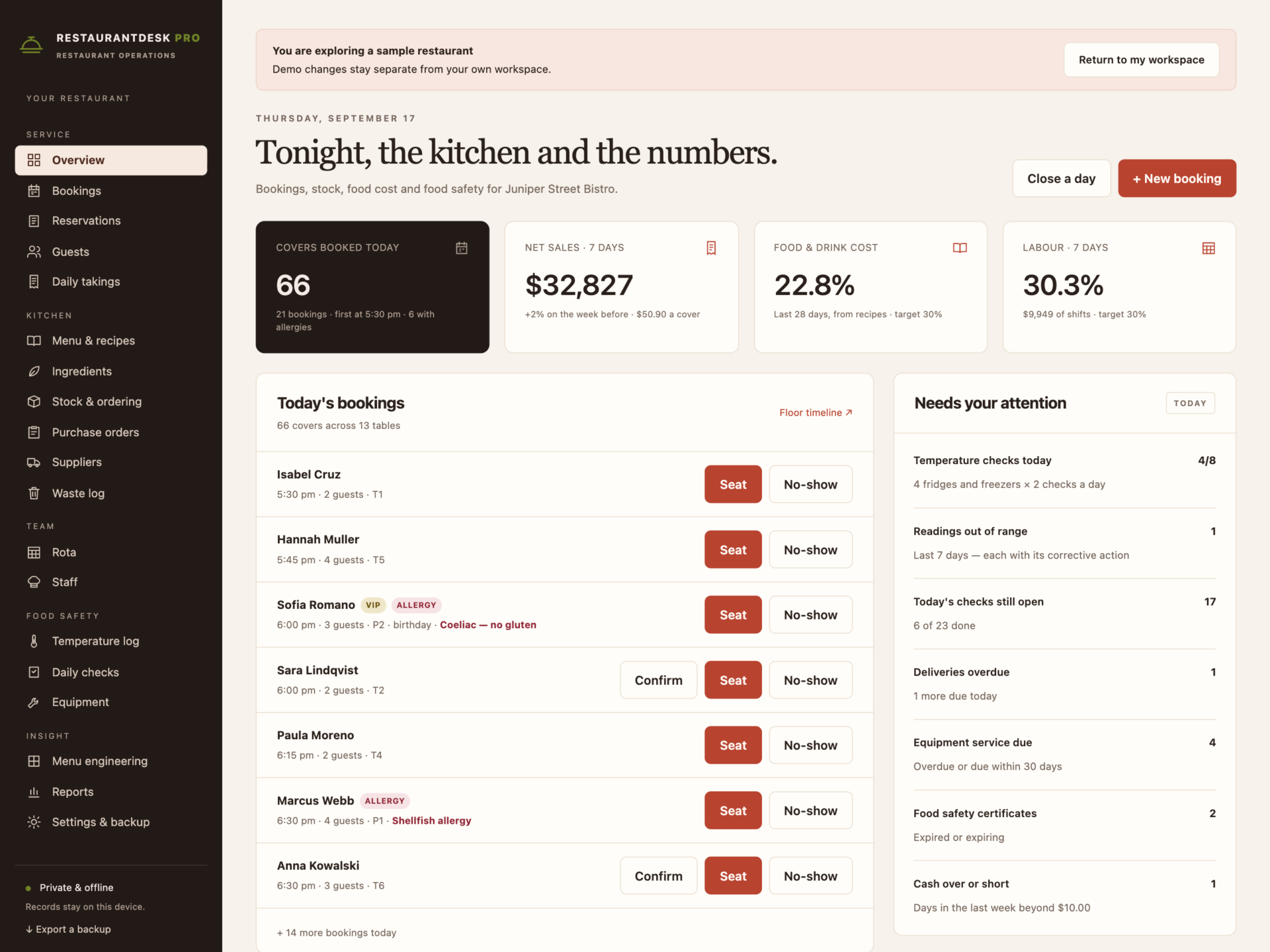
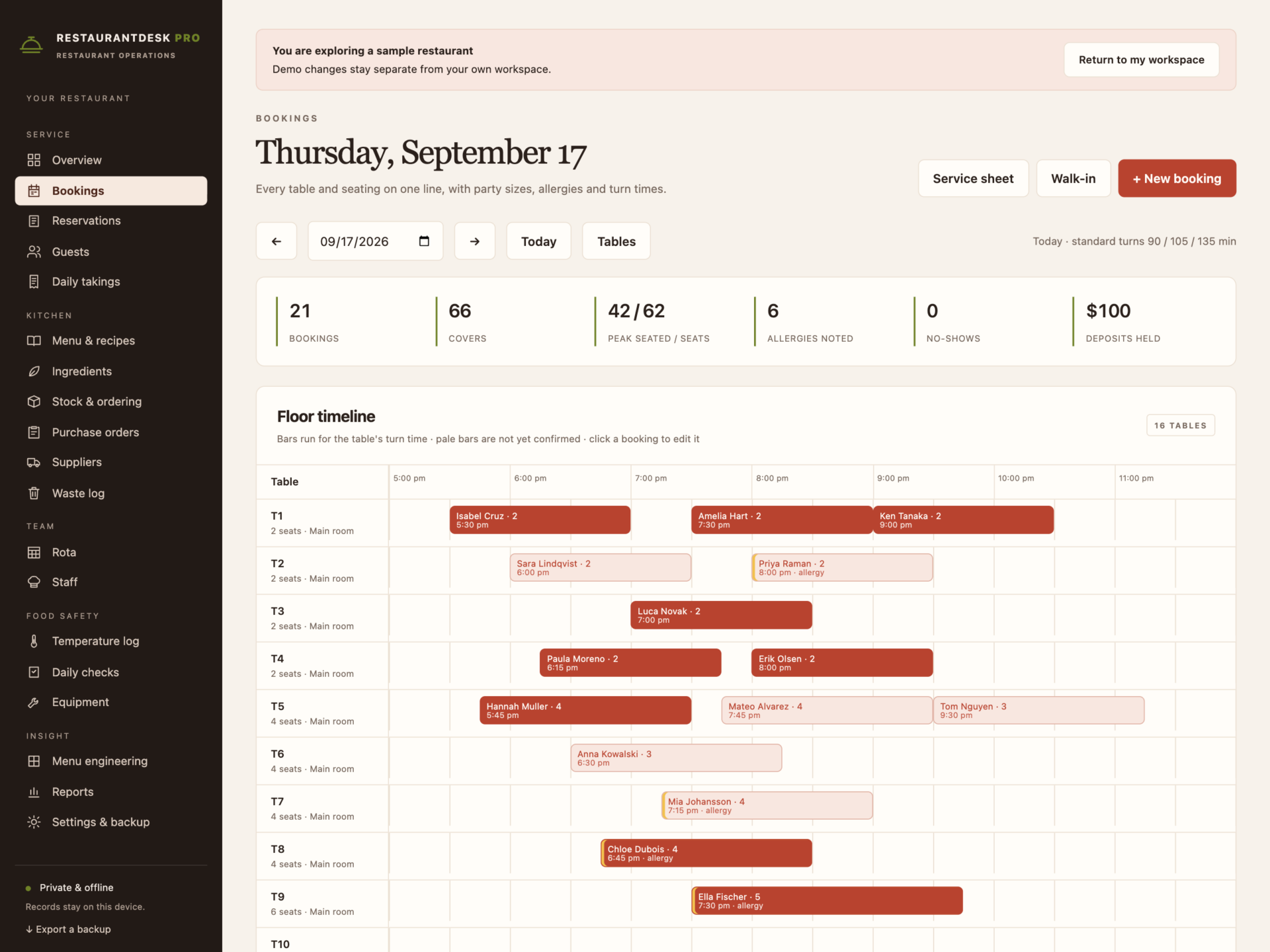
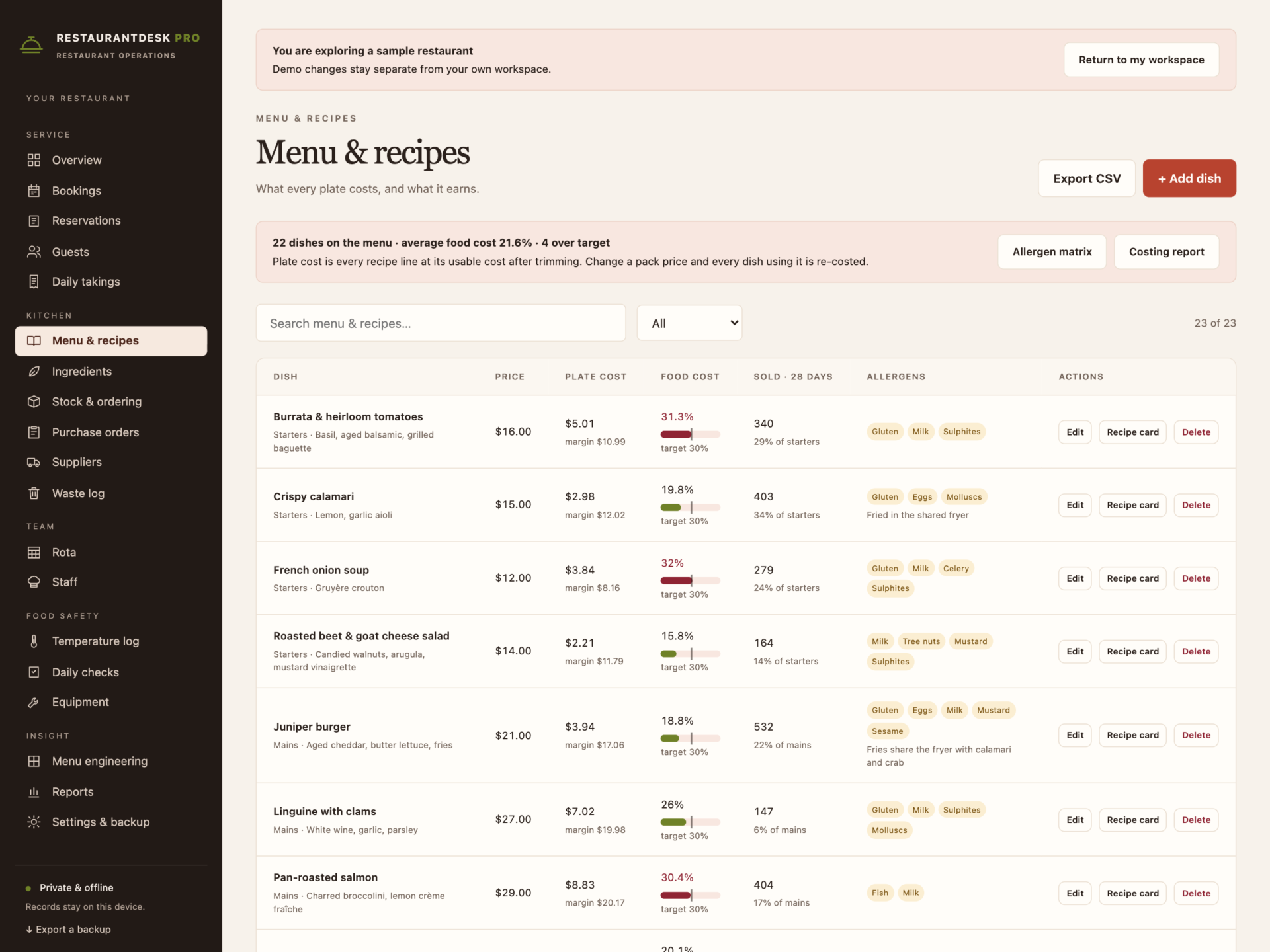
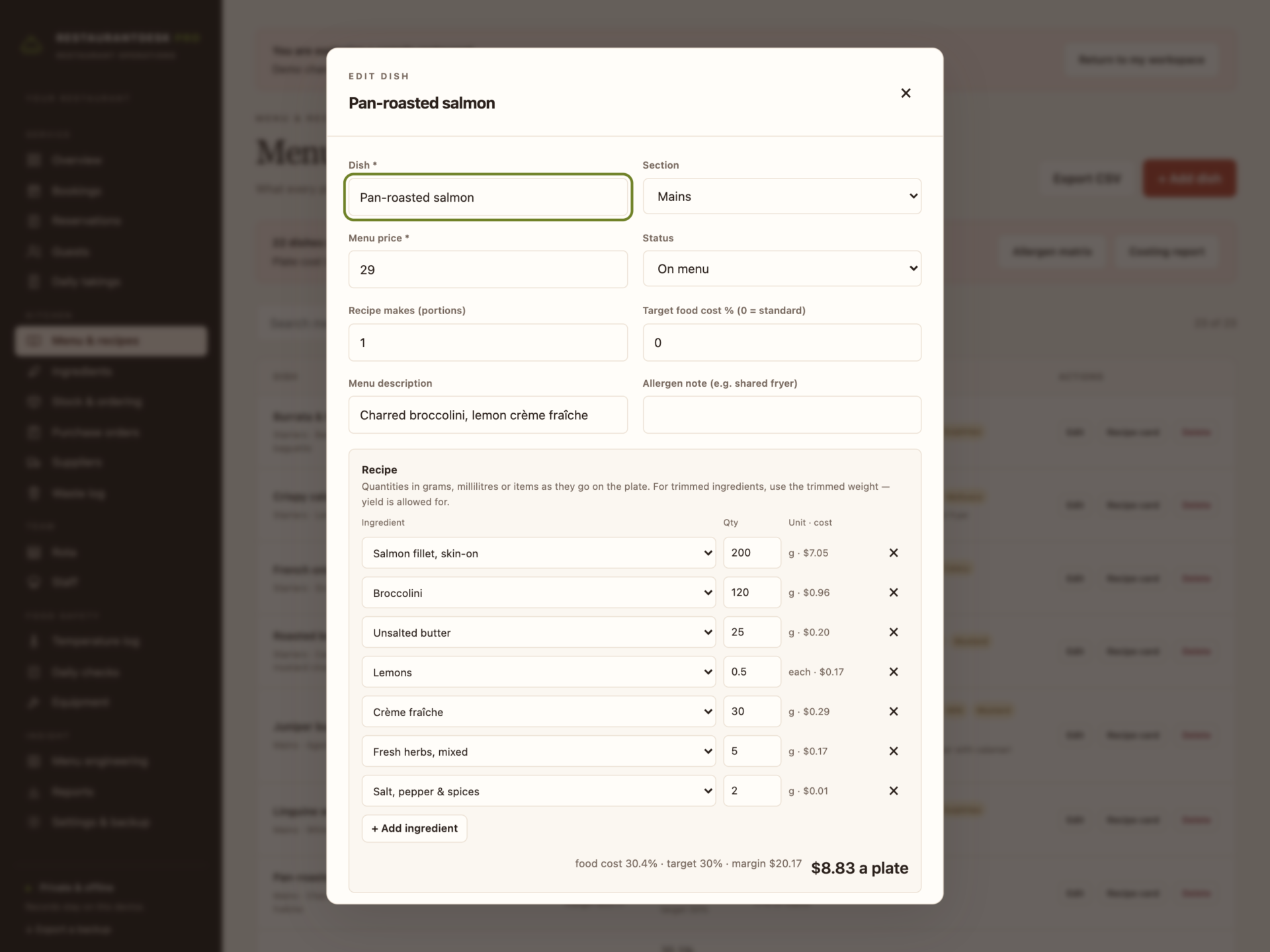
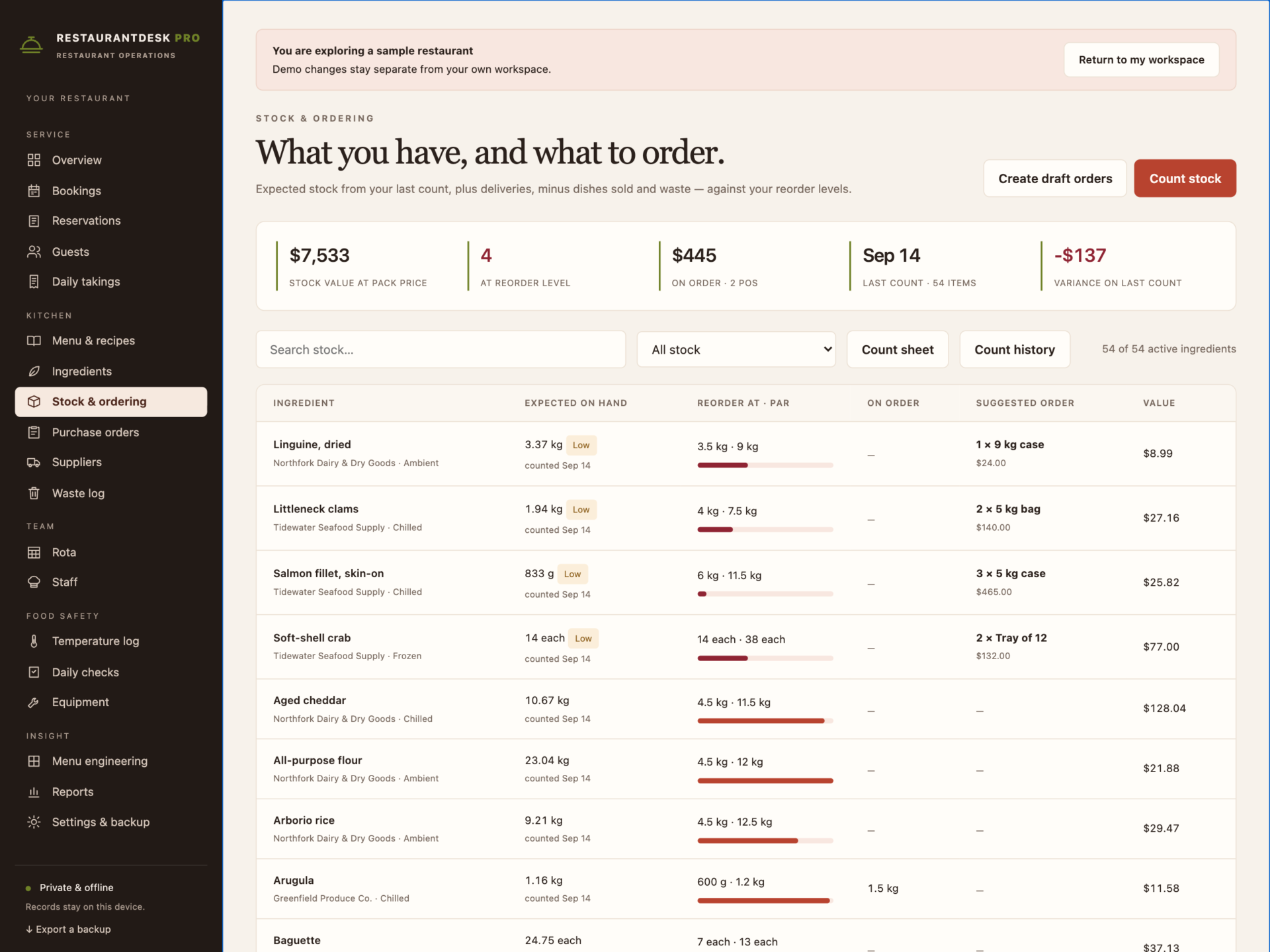
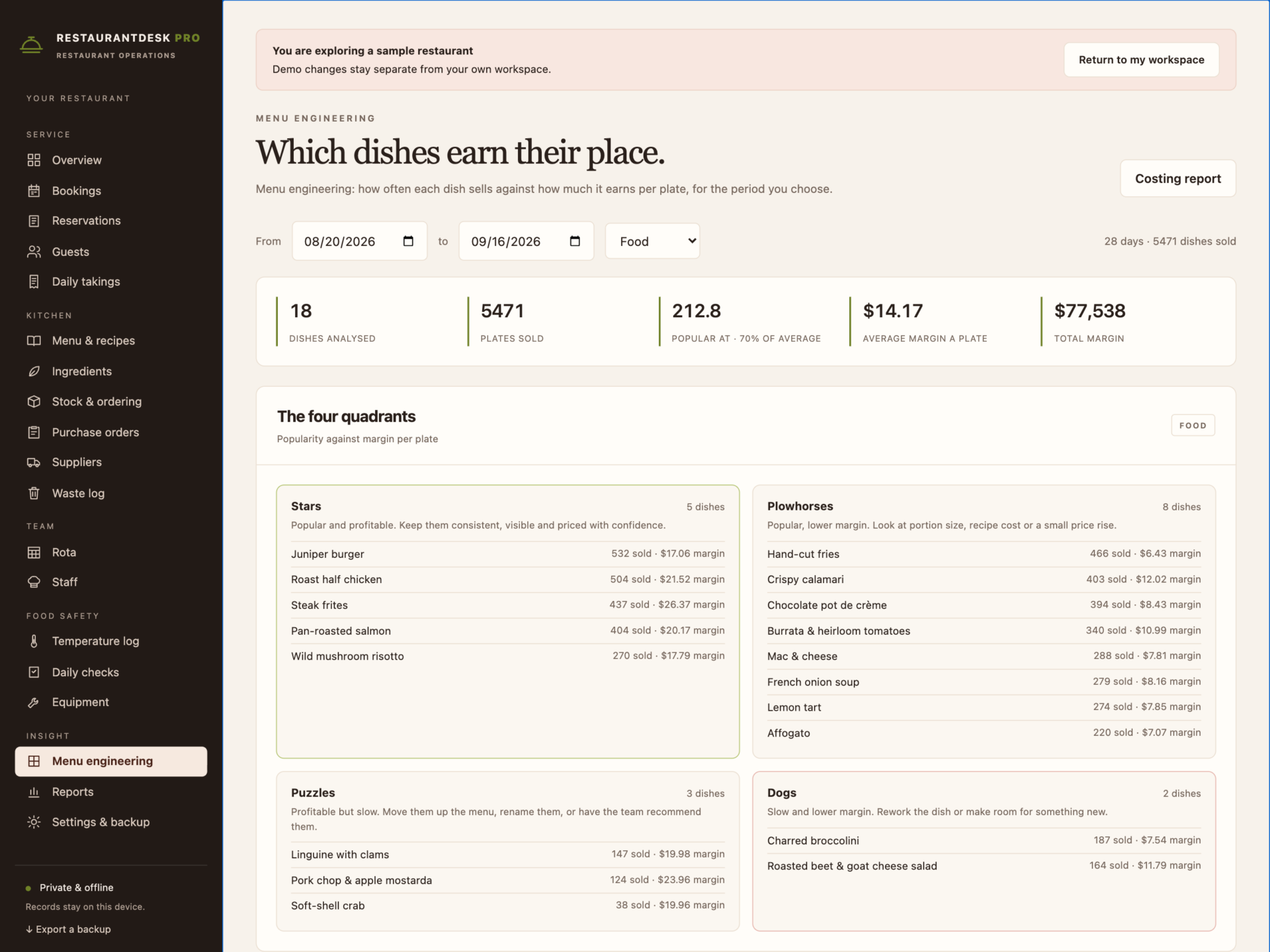
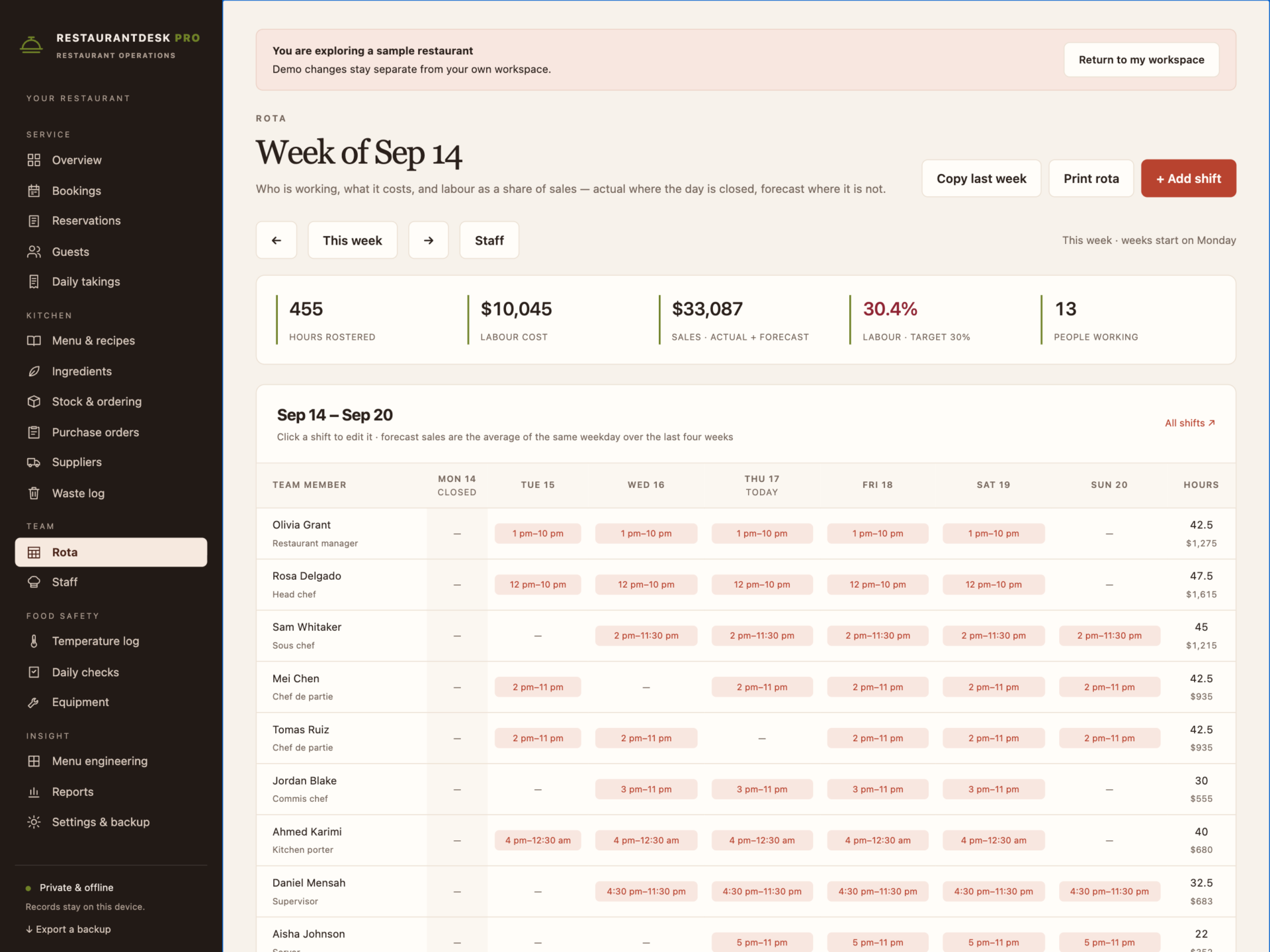
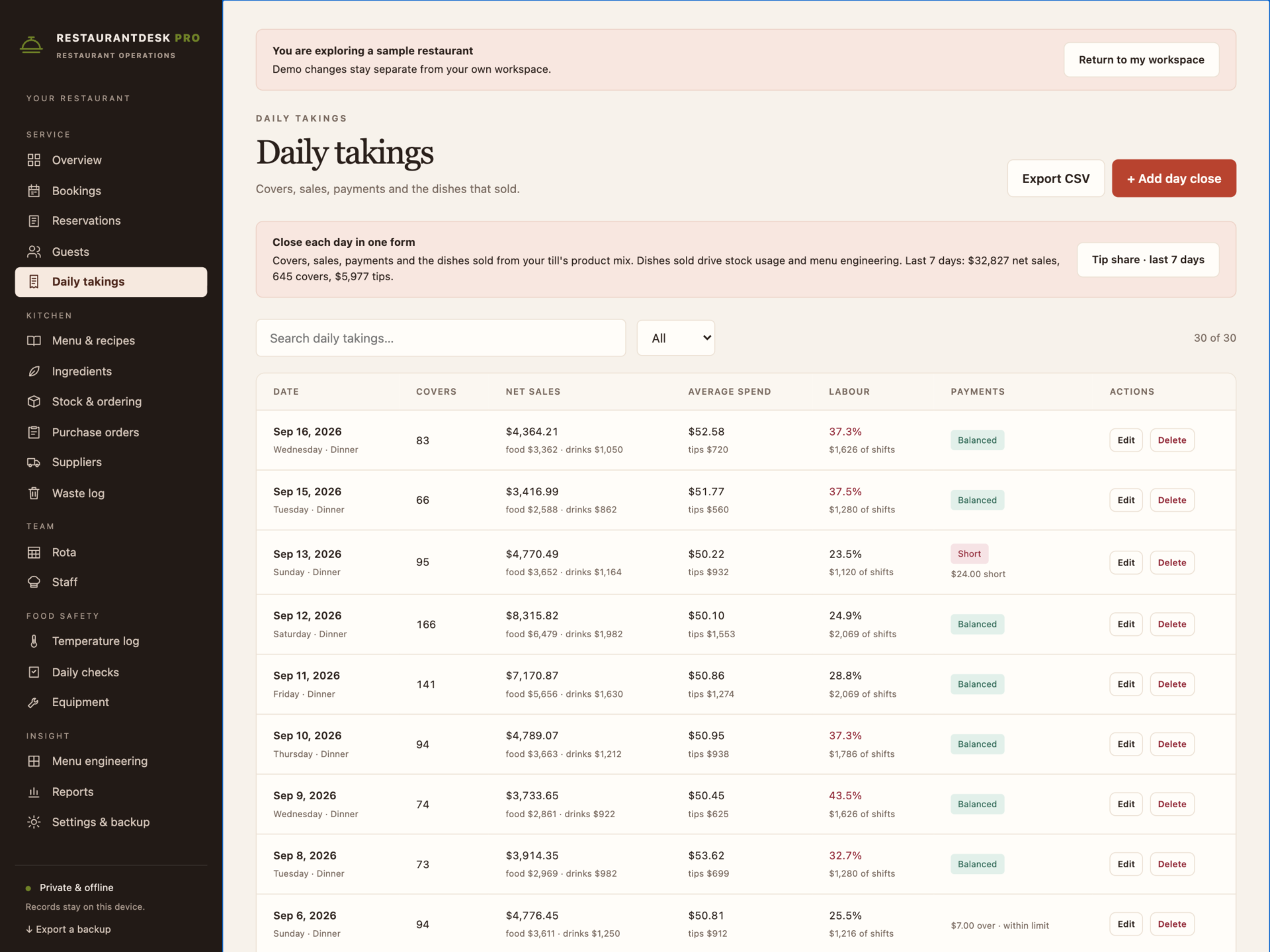
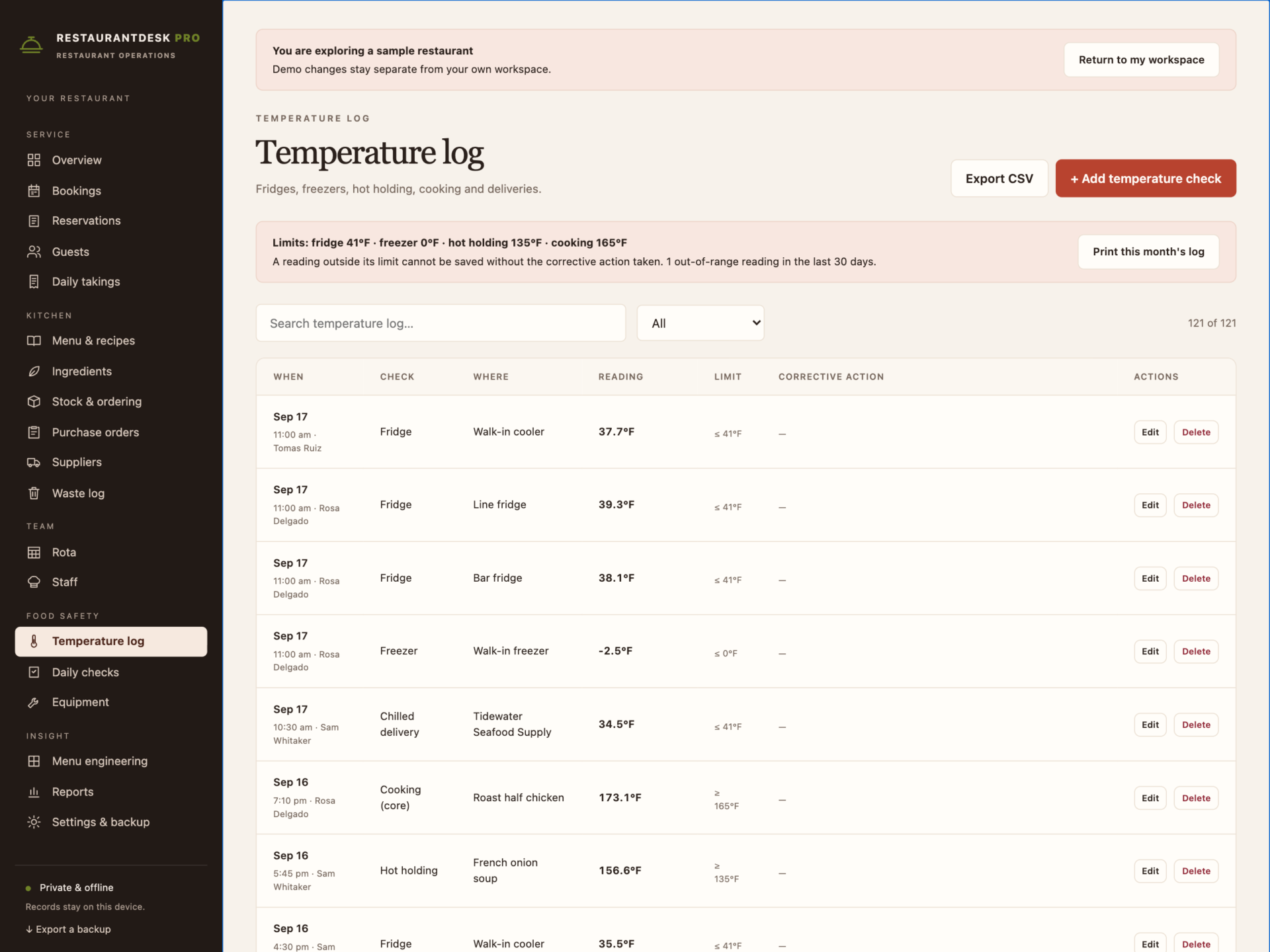
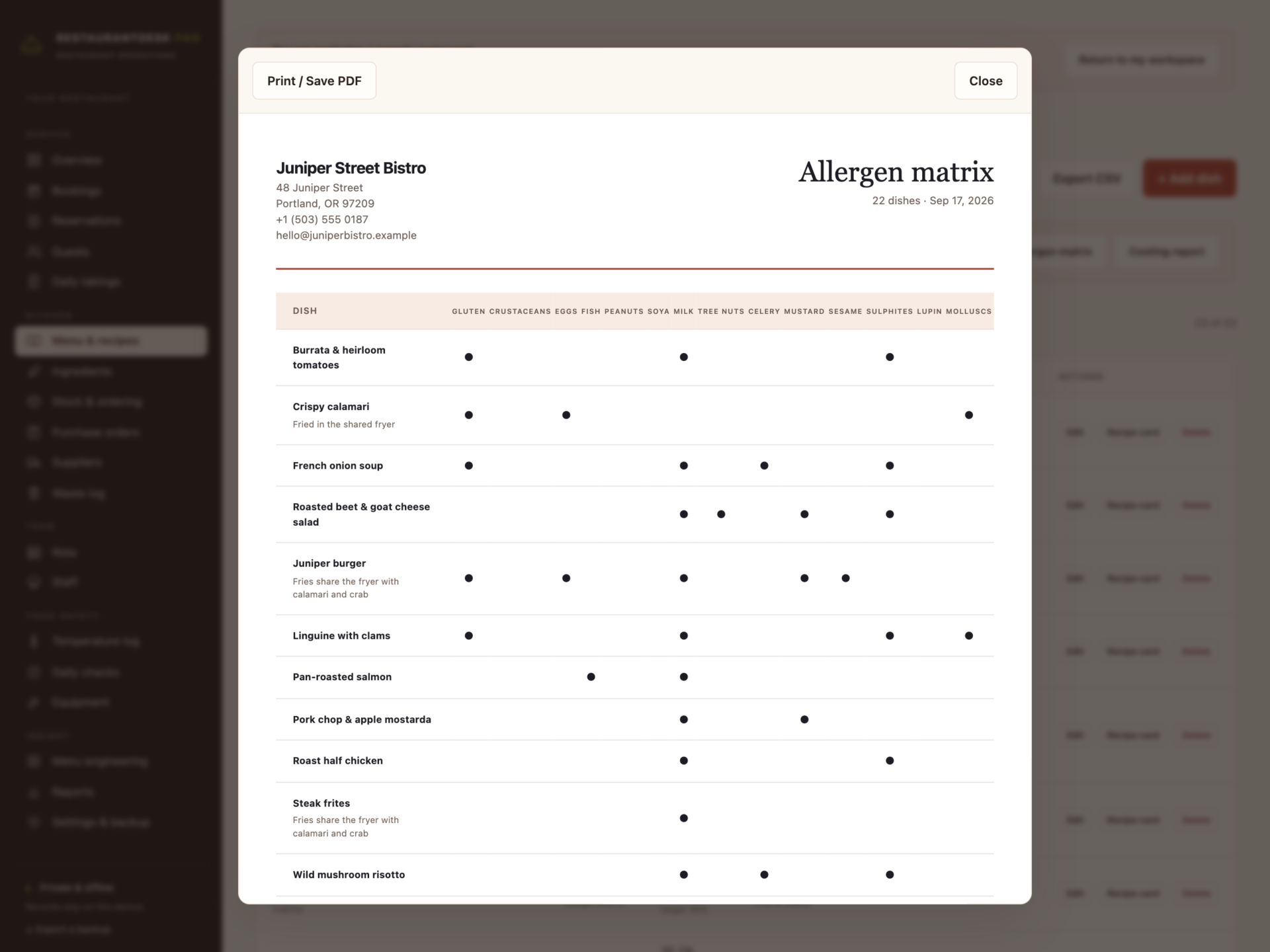
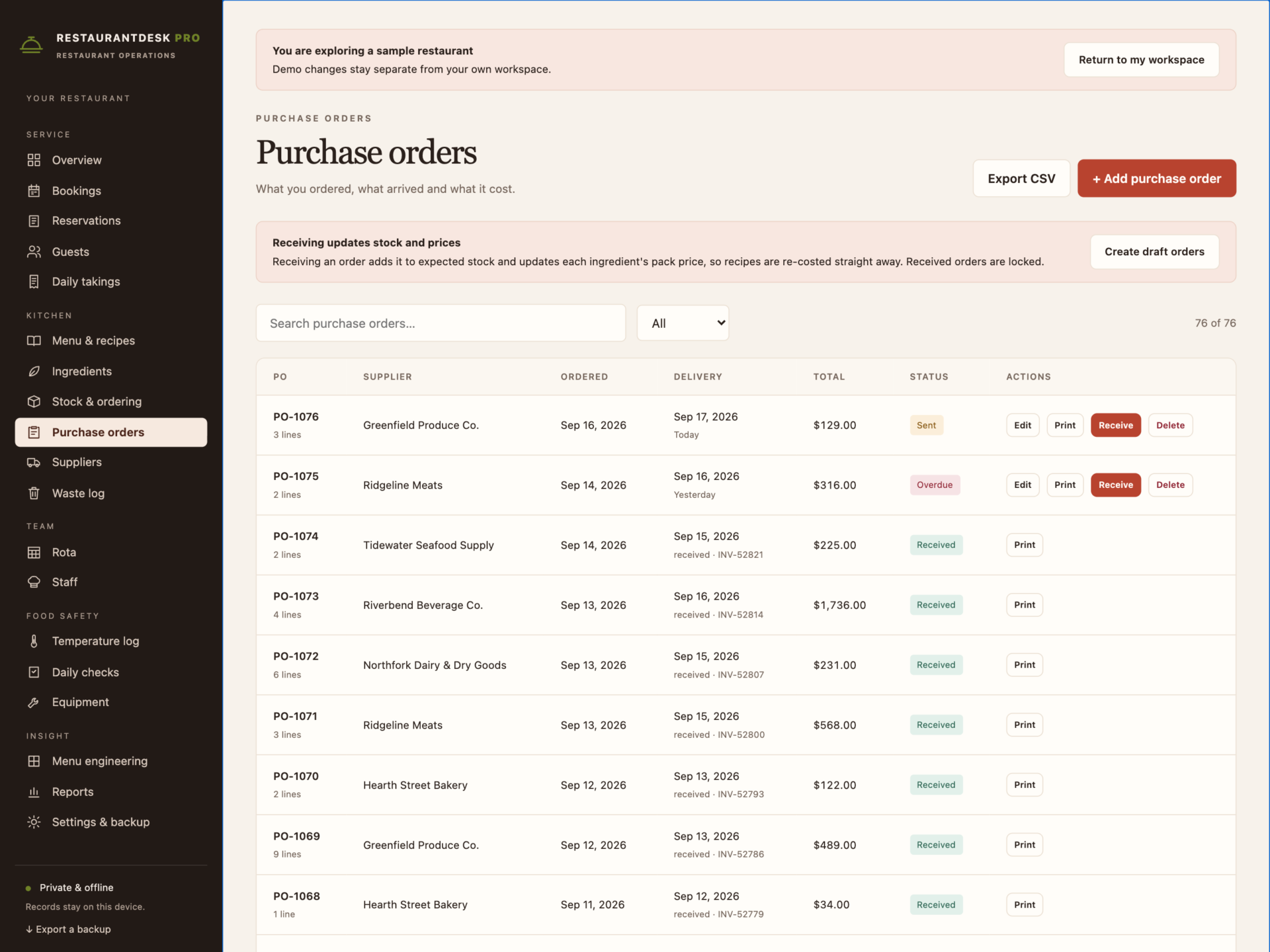
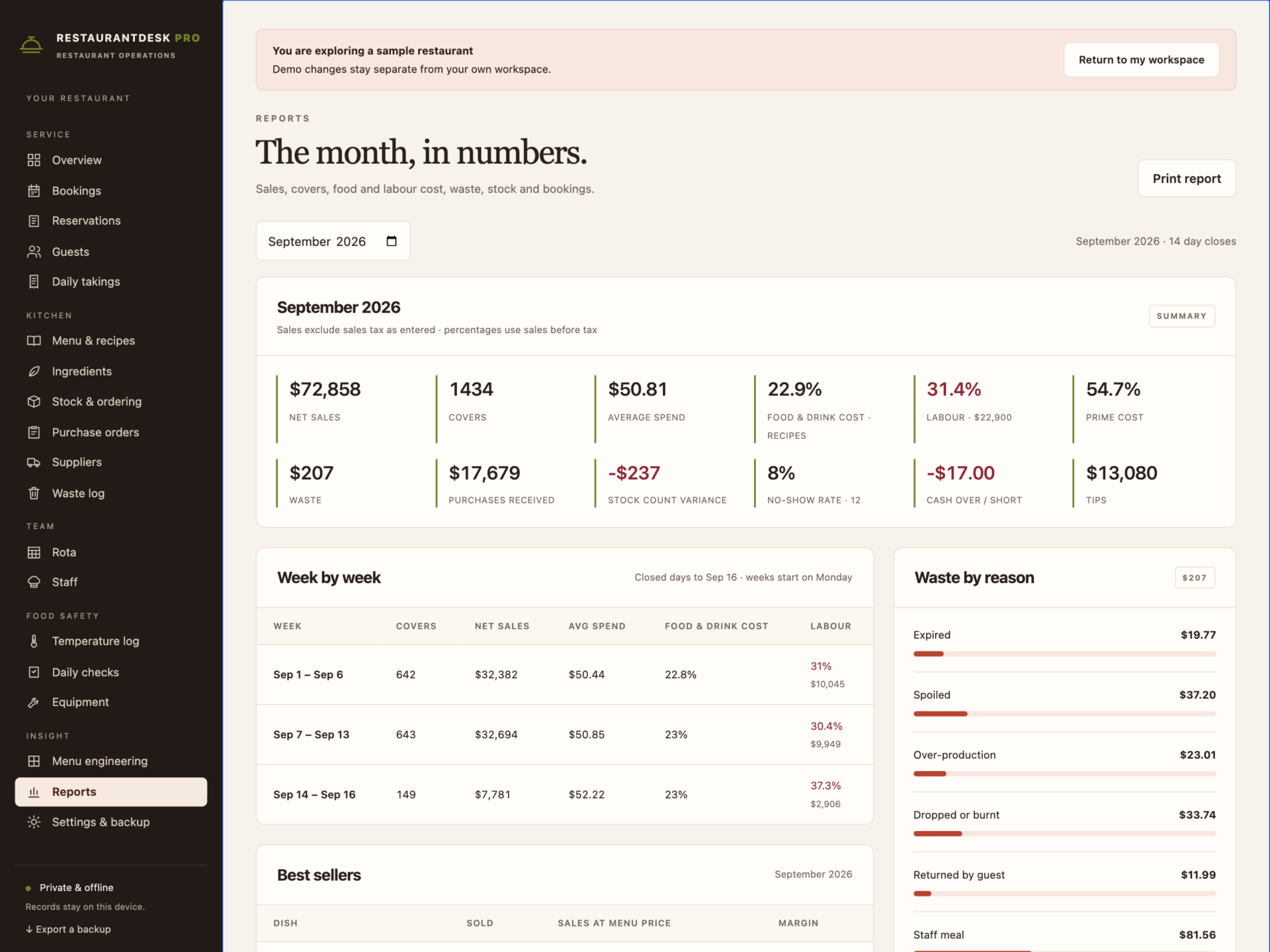
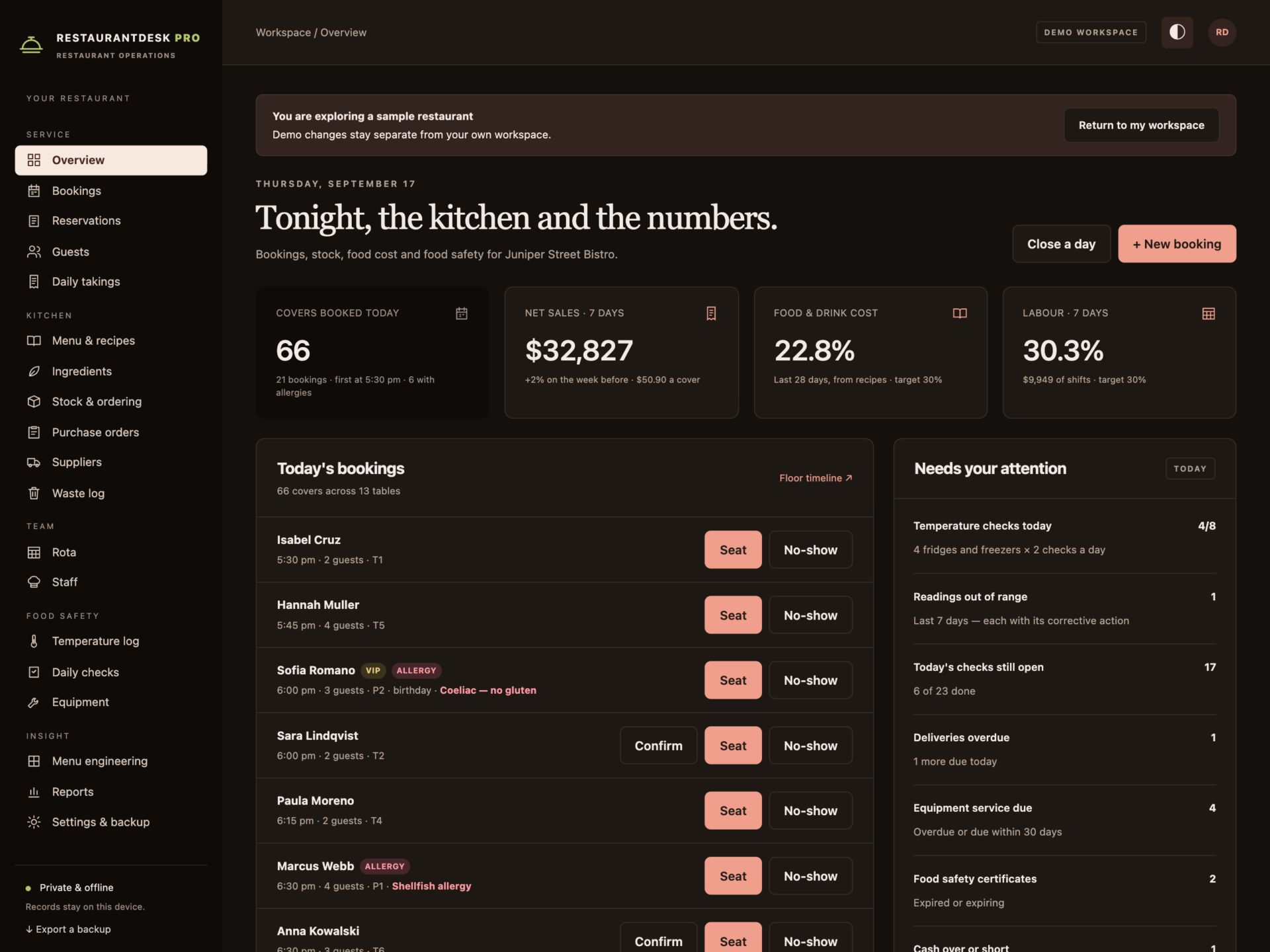
A short recording of the app, then the screens themselves.
$59.20
One-time purchase · yours to keep
Buy now- One payment - the file is yours to keep
- Works offline, no account, no subscription
- Your data stays on your own device
What's included
- 1 HTML file: the complete RestaurantDesk Pro application
- 1 Getting Started guide (HTML)
- 1 License file (HTML)
Delivery
Instant Download
Your files will be available to download once payment is confirmed.
Run the restaurant, not a pile of spreadsheets
RestaurantDesk Pro is a restaurant management system for independent restaurants, bistros, cafés, bars and small kitchens. Recipe costing, stock, bookings, daily takings, the rota and food safety records live in one offline file - and the numbers that usually take a Sunday night of spreadsheets calculate themselves.
Download the HTML application, open it in your browser and start with your own restaurant, or explore the sample bistro first: 23 dishes with full recipes, 54 ingredients, five weeks of day closes and deliveries, weekly stock counts, 17 tables with bookings, a team of 13 on the rota and a fortnight of temperature records.
Recipe costing that keeps up
- Usable cost for every ingredient from pack price, pack size and trim yield.
- Plate cost, food cost % and margin for every dish, live as you build the recipe.
- Price changes ripple through: change a pack price or receive a delivery at a new price and every dish using it is re-costed. The overview names the dishes pushed over your target.
- Printable recipe cards and a menu costing report.
Stock that counts itself
Expected stock is your last count, plus deliveries received, minus dishes sold and waste. Count in one screen and the difference is recorded as variance, valued at pack price. Items at their reorder level appear in Running low, and Create draft orders groups them by supplier with packs up to par - allowing for orders already placed, and never duplicated.
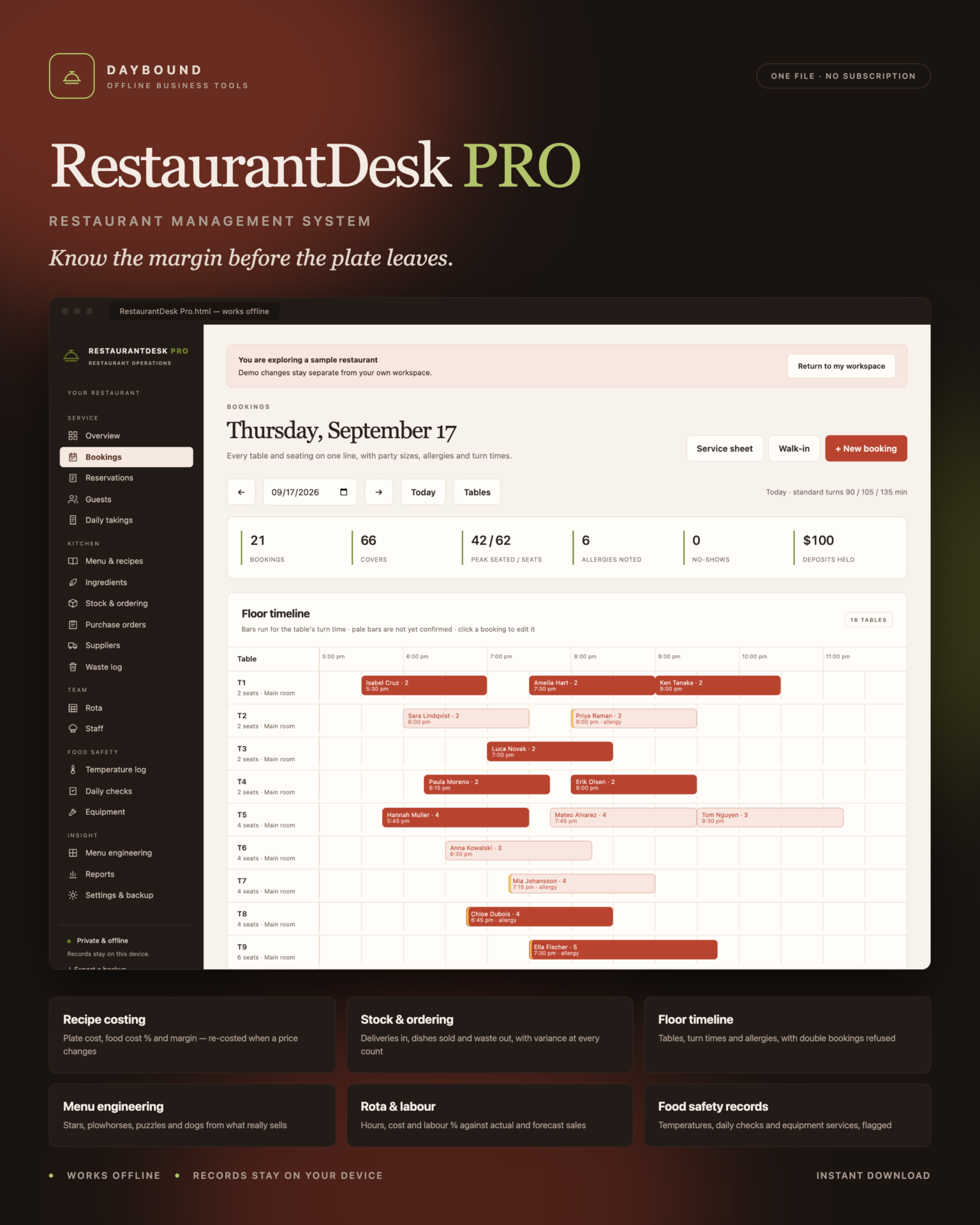
Bookings on a floor timeline
- Every table and booking for the day on one screen, with turn times and allergies.
- Leave the table empty and the smallest free table that fits is chosen.
- Refused, not double-booked: a party too big for the table, a table kept for bigger parties, closed days, times outside seating hours and overlapping bookings - the message names who has the table.
- Guest records with allergies, preferences, visits, no-shows and marketing consent, and a printable service sheet.
Takings, rota and labour
- Close each service in one form: covers, sales, discounts, tips, payments and the dishes sold. Over or short is flagged.
- A weekly rota with hours, labour cost and labour % against actual sales - or a forecast for days still to come. Copy last week without clashes.
- Overlapping shifts, shifts over 14 hours and breaks as long as the shift are refused; overnight shifts count correctly.
- Tip share for the last seven days, split by hours worked.
Menu engineering
Stars, plowhorses, puzzles and dogs for any period, from what really sold and what each plate really earns - with what to do about each.
Food safety records
- Temperature log for fridges, freezers, hot holding, cooking and deliveries, with your own limits in °F or °C. An out-of-range reading cannot be saved without the corrective action.
- Opening, closing and cleaning checklists created each day from your own lists.
- Equipment services flagged when overdue, food safety certificates before they expire.
- An allergen matrix for the whole menu, built from ingredient allergens.
Print what you need
Service sheet, recipe card, allergen matrix, menu costing report, purchase order, blind stock count sheet, rota, monthly temperature log, daily checks, tip share and the monthly report - all print or save as PDF. Monthly reports cover net sales, covers, average spend, food and drink cost, labour, prime cost, waste, purchases, stock variance, no-shows and cash over or short.
Private by design
Records are stored by your browser on your own device, separately from the HTML file, and are never uploaded. Export a full JSON backup at any time, restore one after a validation check, or export any list to CSV. A backup with two bookings overlapping on one table, a recipe listing an ingredient twice or overlapping shifts for one person is refused rather than loaded.
What you receive
- RestaurantDesk Pro.html: the complete offline application.
- Getting Started.html: setup, costing, stock, bookings, rota and food safety guide.
- License.html: the included licence for use within one business.
Delivered together in one ZIP download. Screenshots and the walkthrough show sample records from the app’s demo workspace.
Before you buy
Use a current browser with JavaScript and local storage enabled. A laptop, desktop or tablet is recommended. This is a digital download; no physical item is shipped.
RestaurantDesk Pro does not connect to your till, card terminal, booking website, suppliers or accounting software - takings and dishes sold are entered from your till’s reports. It does not take online bookings, send reminders, process payments or run payroll, and it does not sync between devices. Allergens are built from the ingredient records you enter and do not cover cross-contact; temperature limits are the ones you set. Check both against the food safety rules that apply to you.
Frequently asked questions
How does it work out food cost?
Each ingredient has a pack price, pack size and usable yield after trimming. Recipe quantities are costed at that usable cost, divided by the portions the recipe makes, and compared with the menu price - before tax if your prices include it. Change a price and every dish is re-costed.
Does it track stock automatically?
It calculates expected stock from your last count, the deliveries you receive, the dishes sold on each day close and the waste you record. When you count, the difference is recorded as variance so you can see what went missing.
Does it connect to my POS or till?
No. You enter each day’s takings and the dishes sold from your till’s product mix report. That keeps it offline and works with any till.
Can it stop double bookings?
Yes. A booking that overlaps another on the same table, is too big for the table, falls on a closed day or outside seating hours is refused, and the message tells you why. Leave the table empty and it picks the smallest free table that fits.
Can guests book online?
No. It’s a booking book for your team - bookings are entered by phone, email or walk-in. There is no public booking page.
Does it do payroll?
No. The rota calculates hours and labour cost from hourly rates, and tip share splits recorded tips by hours worked. It does not calculate tax or pay staff.
Is the allergen information guaranteed?
It is only as accurate as the allergens you tick on each ingredient, and it does not cover cross-contact in your kitchen. Check supplier labels whenever a product changes.
Where are my records stored?
In your browser’s local storage on your own device. Nothing is uploaded. Export a backup after each stock take and keep it somewhere private.
Do I need an internet connection or an account?
Only to download the file. After that it works completely offline, with no account.
Is it a subscription?
No. You pay once and the file is yours.
One-time purchase: $40, tax included. No recurring software subscription - the price you see is the price you pay.
At a glance
How it runs
-
1
Download
You get the application as one HTML file, with its documentation guide and its licence.
-
2
Open
Double-click it. It opens in the browser you already have - Chrome, Edge, Safari or Firefox. There is nothing to install and no account to create.
-
3
Keep
Your records save to that browser on that device. Export a backup from the app whenever you want a copy of your own.


