

BuildDesk Pro
For general contractors, builders and renovation firms.
Job costing, change orders, progress billing and site records, in one offline workspace.




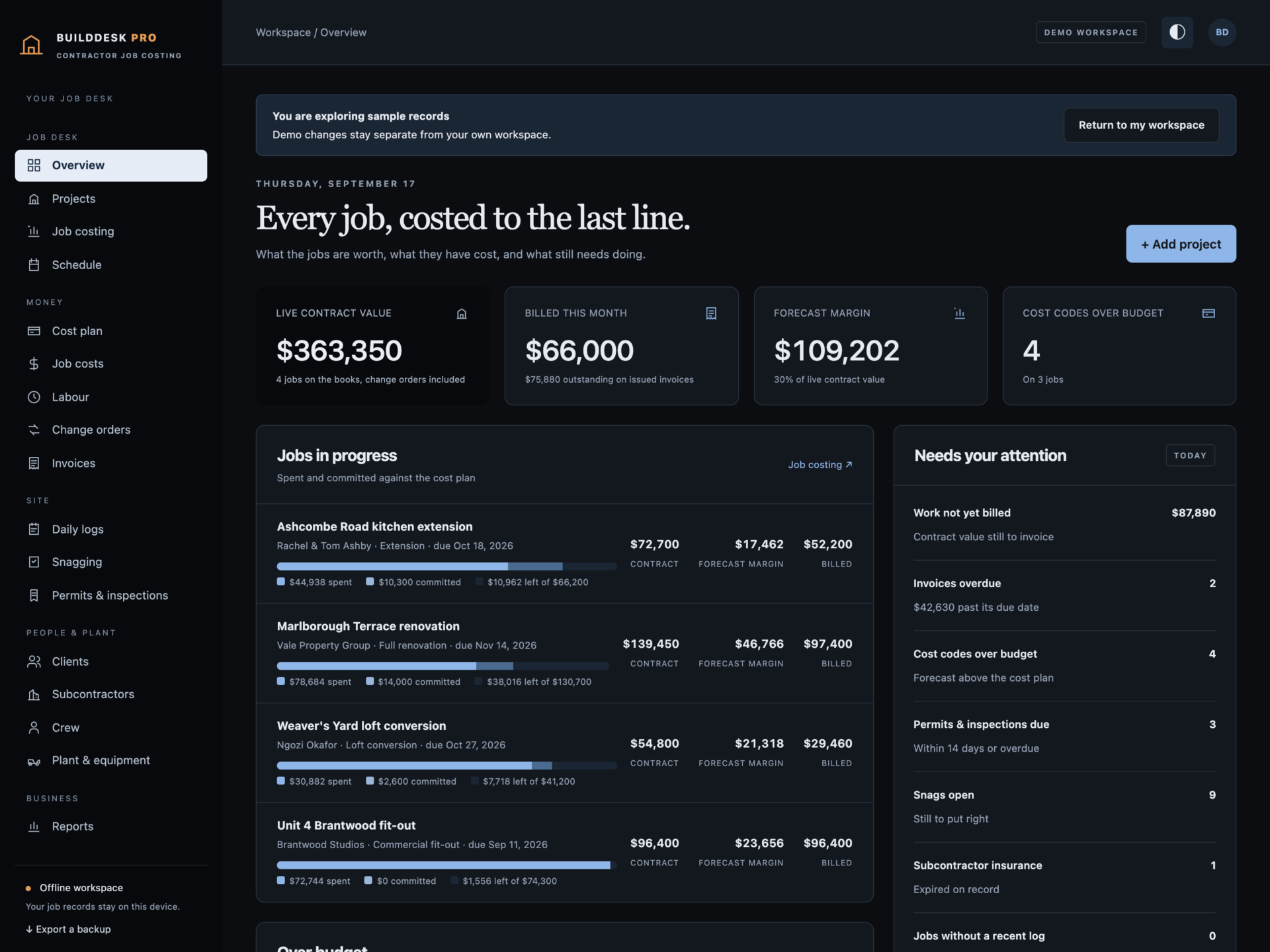
A short recording of the app, then the screens themselves.
$39
One-time purchase · yours to keep
Buy now- One payment - the file is yours to keep
- Works offline, no account, no subscription
- Your data stays on your own device
What's included
- 1 HTML file: the complete BuildDesk Pro application
- 1 Getting Started guide (HTML)
- 1 License file (HTML)
Delivery
Instant Download
Your files will be available to download once payment is confirmed.
Know the margin before the job ends
BuildDesk Pro is a job costing and site management desk for general contractors, builders, remodellers and fit-out firms. Cost plans, committed costs, labour, change orders, progress billing, daily logs and snagging live in one offline file - and every figure is built from what you recorded, not guessed.
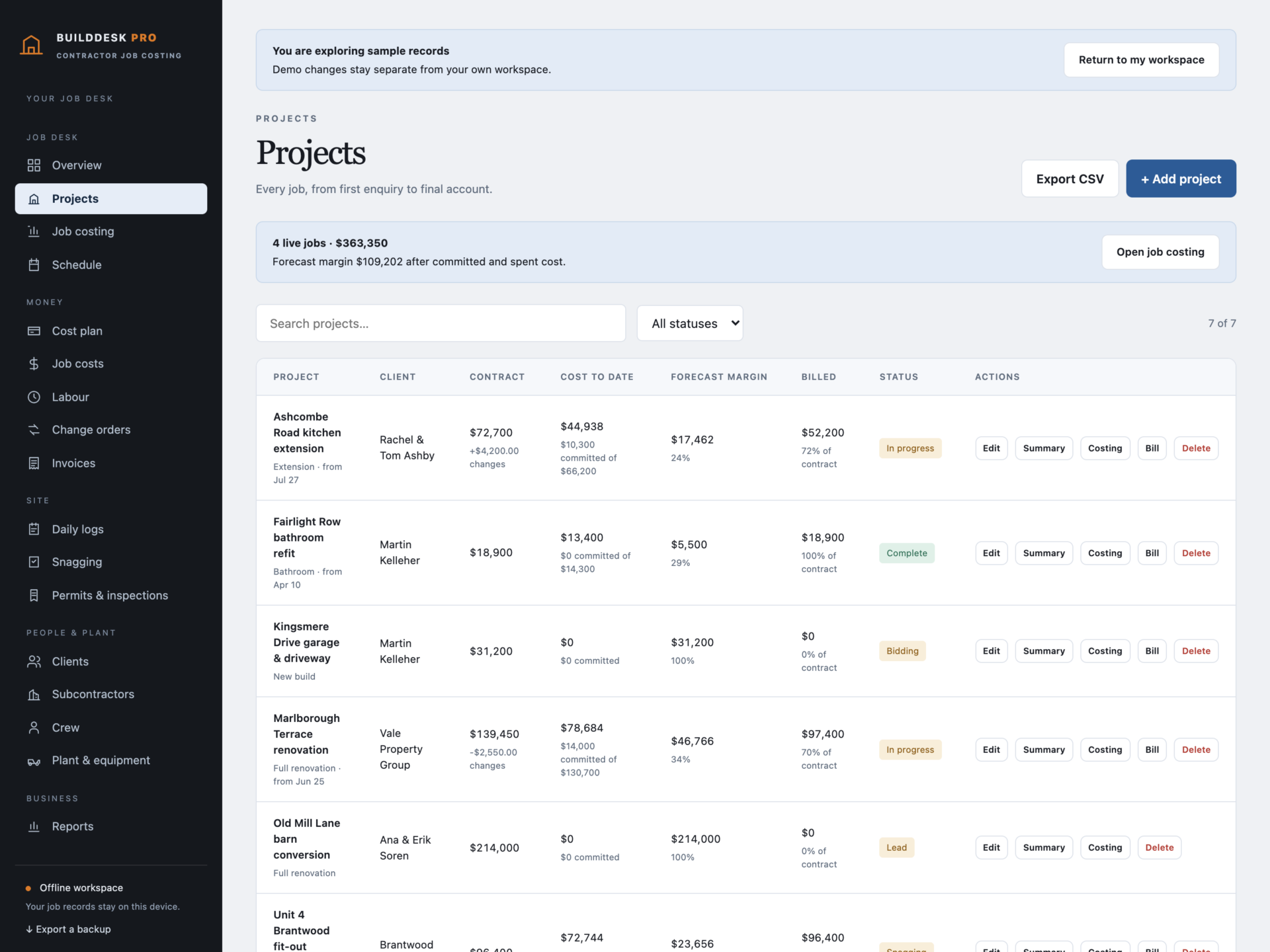
Download the HTML application, open it in your browser and start with your own jobs, or explore the sample contractor first: seven projects, a full cost plan, subcontracts, labour, change orders, progress bills with retainage, daily logs, snagging and permits.
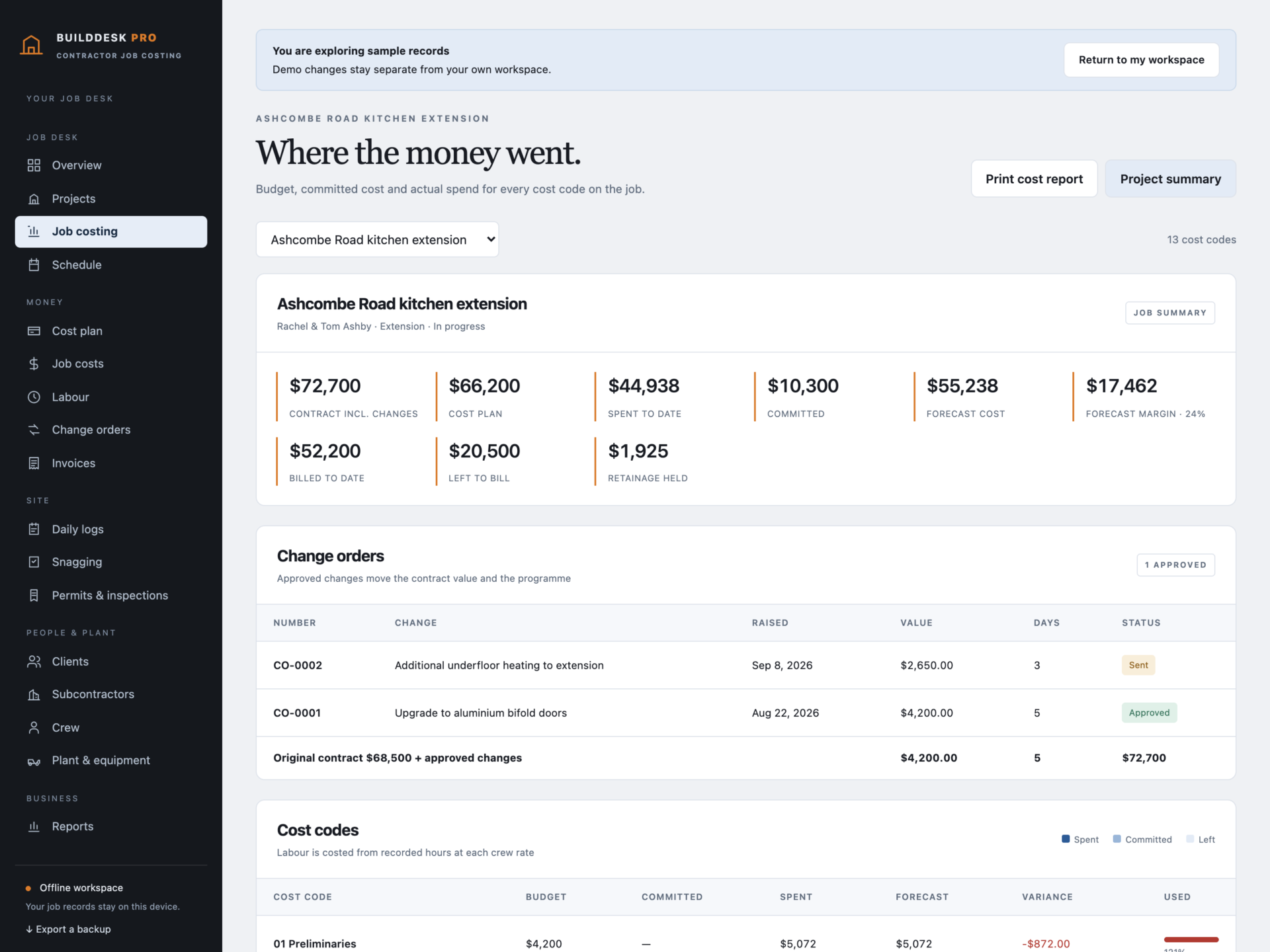
Job costing that adds up
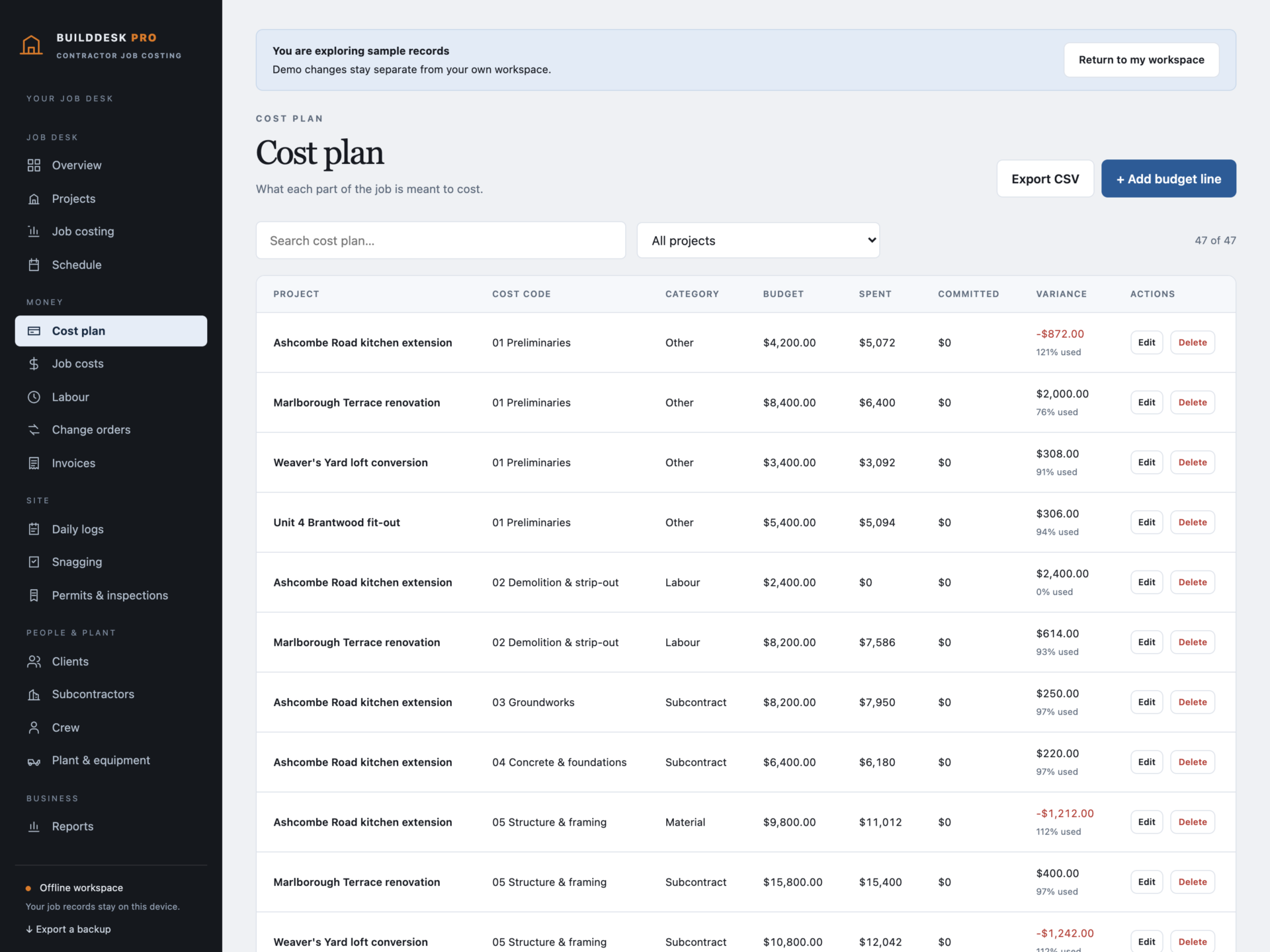
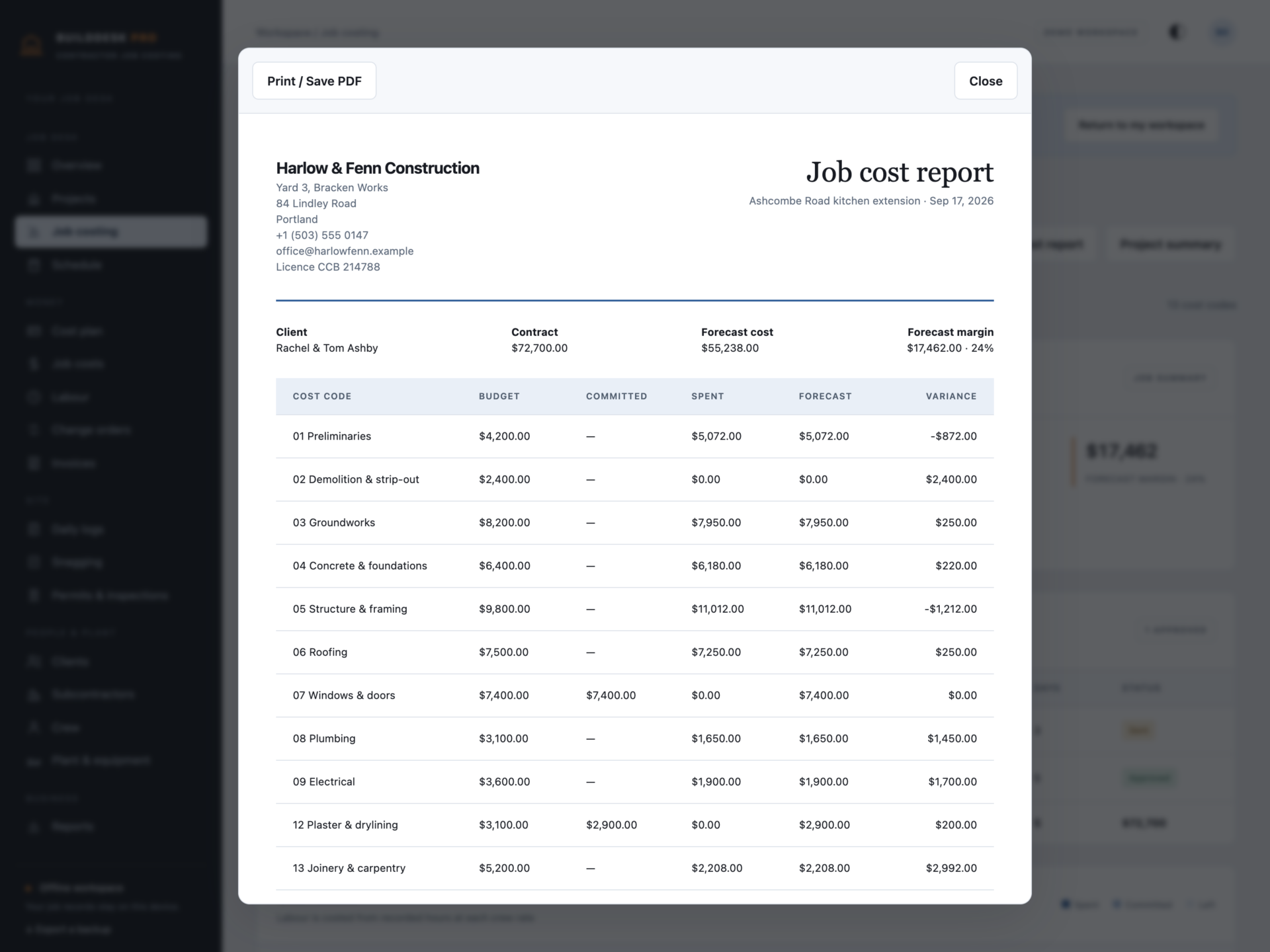
- Cost plan: one budget line per cost code, from preliminaries to waste and cleaning.
- Committed: subcontracts agreed and orders placed - promised but not yet billed to you.
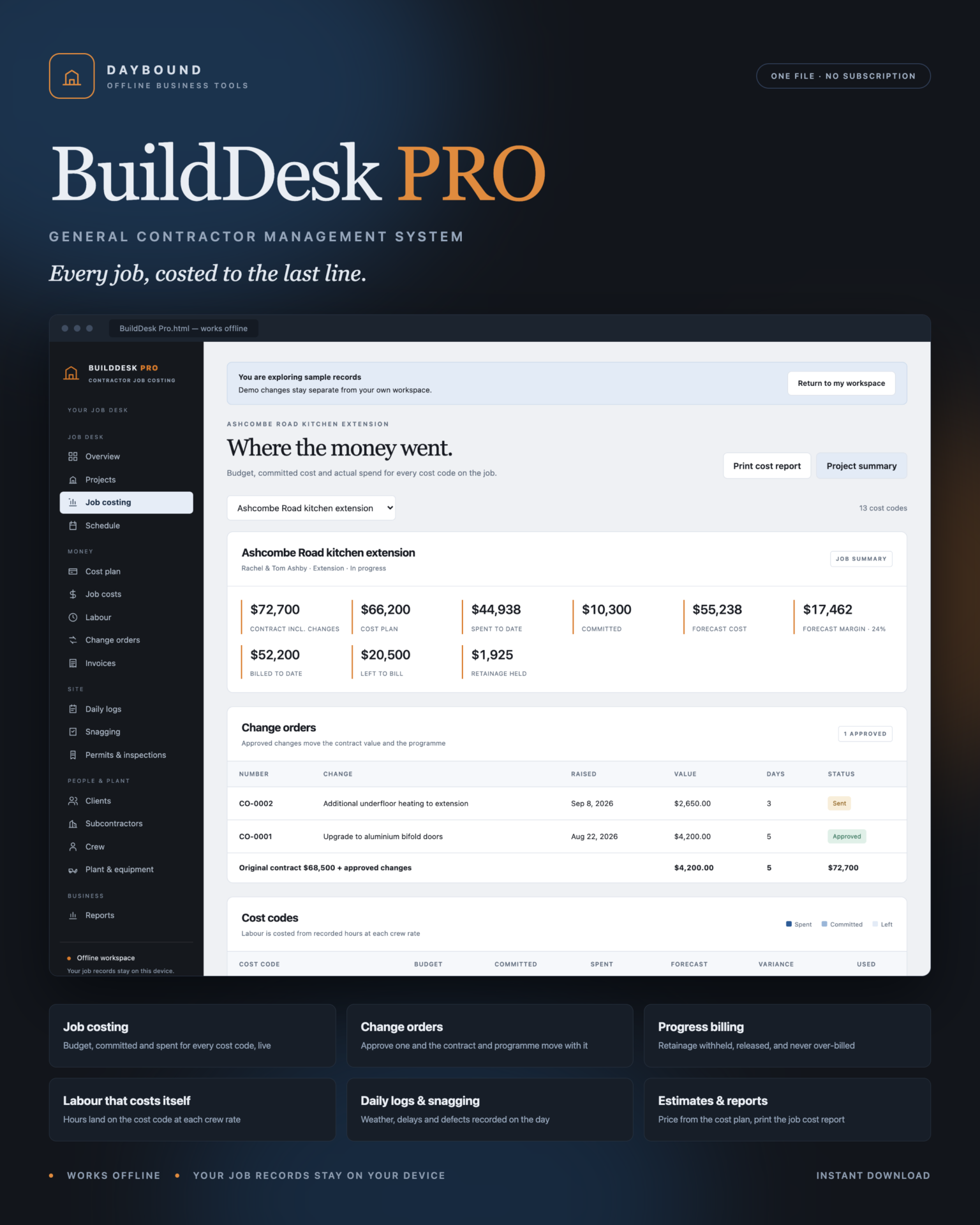
- Spent: costs invoiced or paid, plus every labour hour at that crew member’s cost rate.
- Forecast = spent + committed, with variance against the cost plan for every code.
- Forecast margin: contract value including approved change orders, minus forecast cost.
Marking a committed cost as invoiced moves it into spend without moving the forecast. That split is what tells you how much of the job is already through the books.
Change orders that move the contract
- Raise a change with its value, the days it adds to the programme and the reason.
- Draft and sent changes alter nothing. Approving one moves the contract value and the completion date.
- Print a change order showing the contract before, the change and the revised contract, with signature lines.
- Work beyond the contract cannot be billed until the change is approved - the refusal says how much is left.
Progress billing with retainage
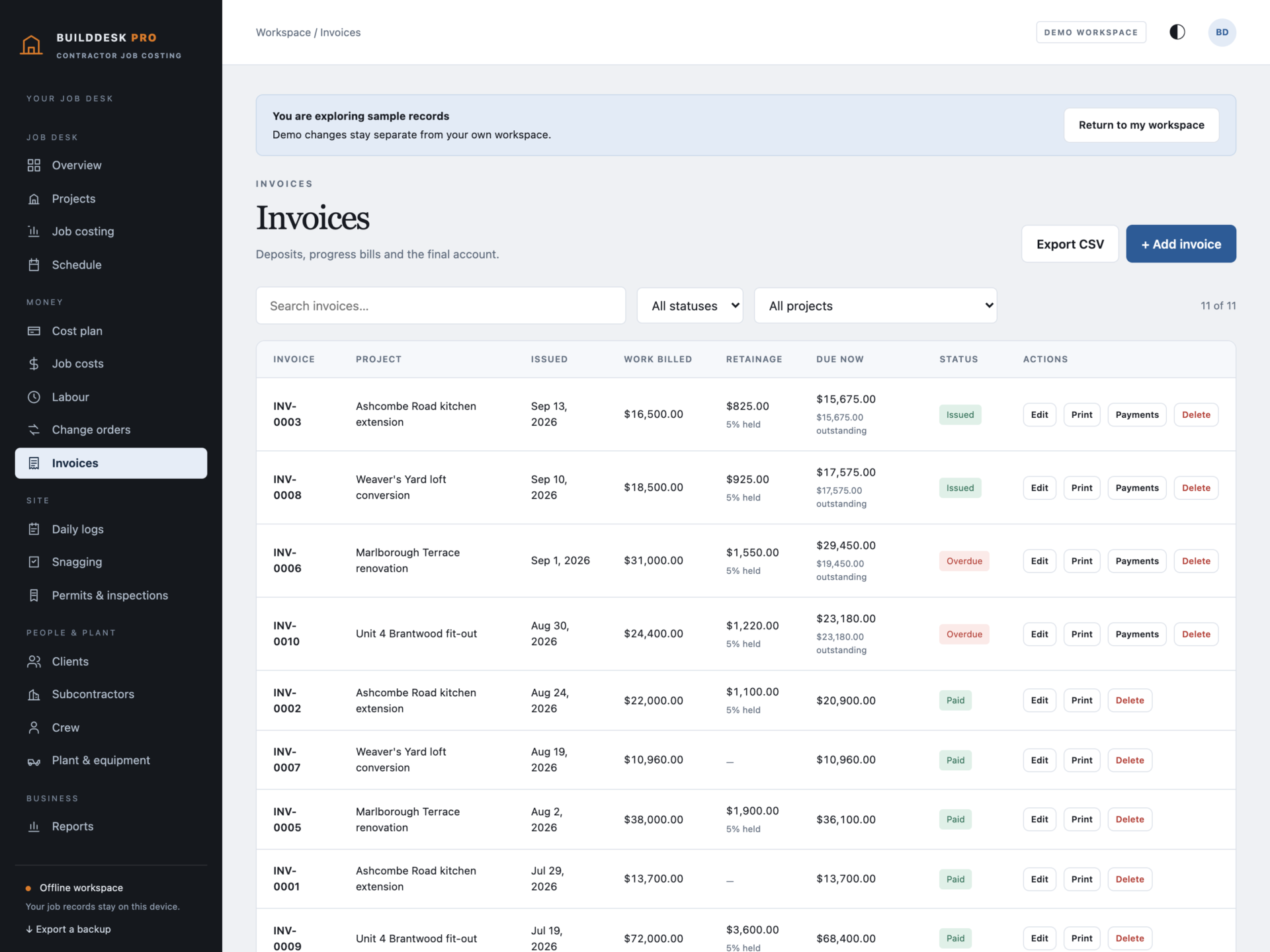
- Deposit, progress and final account invoices built from lines of work completed.
- Retainage withheld per invoice, tracked per job, and released with a retainage release invoice - never more than is held.
- Payments recorded against each invoice, never more than the invoice total.
- Billing suggestions based on how far costs have run against the cost plan.
Labour, trades and plant
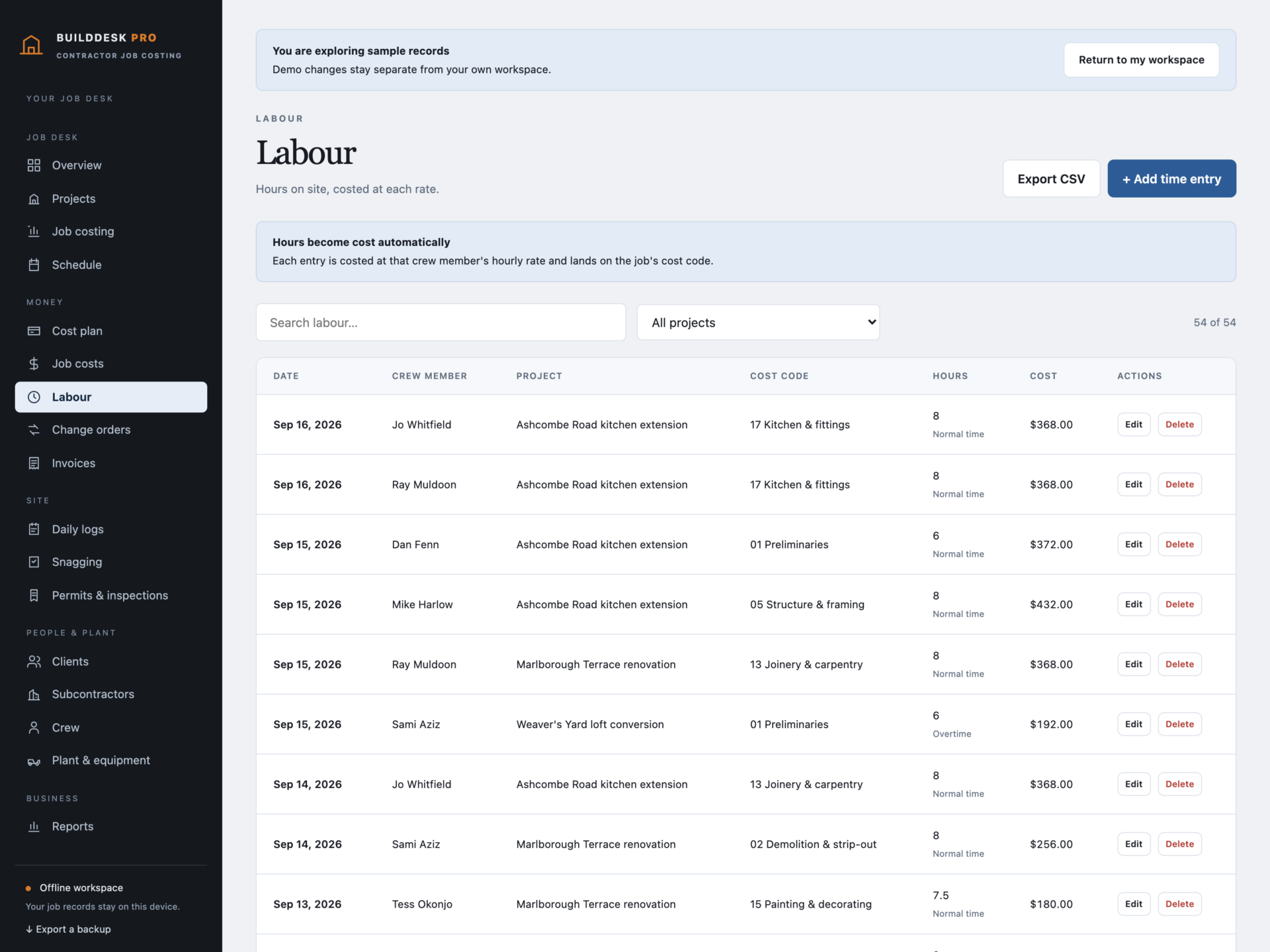
- Crew with hourly cost rates; hours land on the job’s cost code and become cost automatically.
- Subcontractors with trades, day rates, licences and insurance expiry - expired cover is flagged on the list and the dashboard.
- Plant and equipment: owned or hired, which site it is on, and when it is next due a service or off-hire.
The site record that holds up later
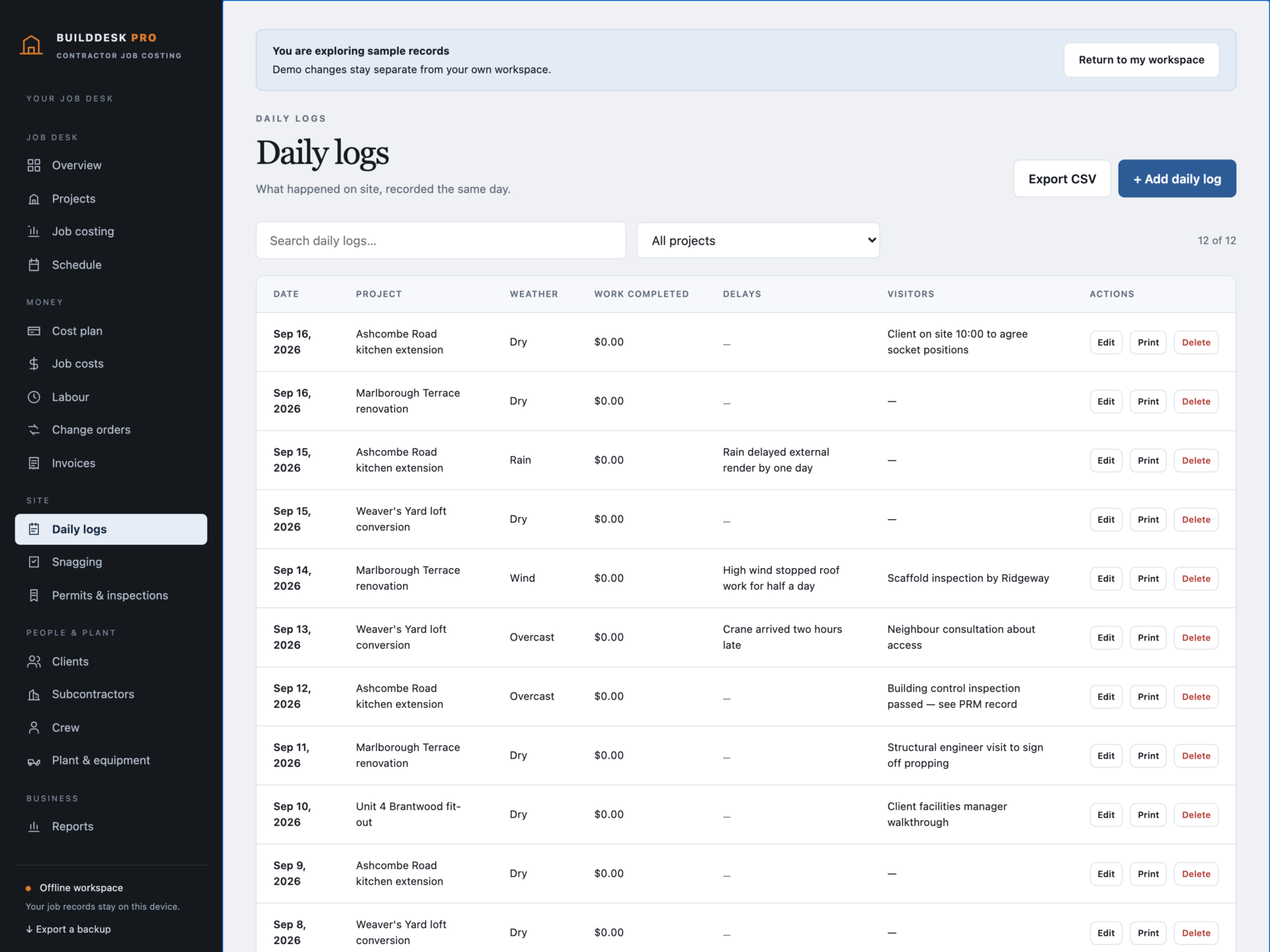
- Daily logs: weather, who was on site, work completed, delays, visitors and deliveries - one per job per day.
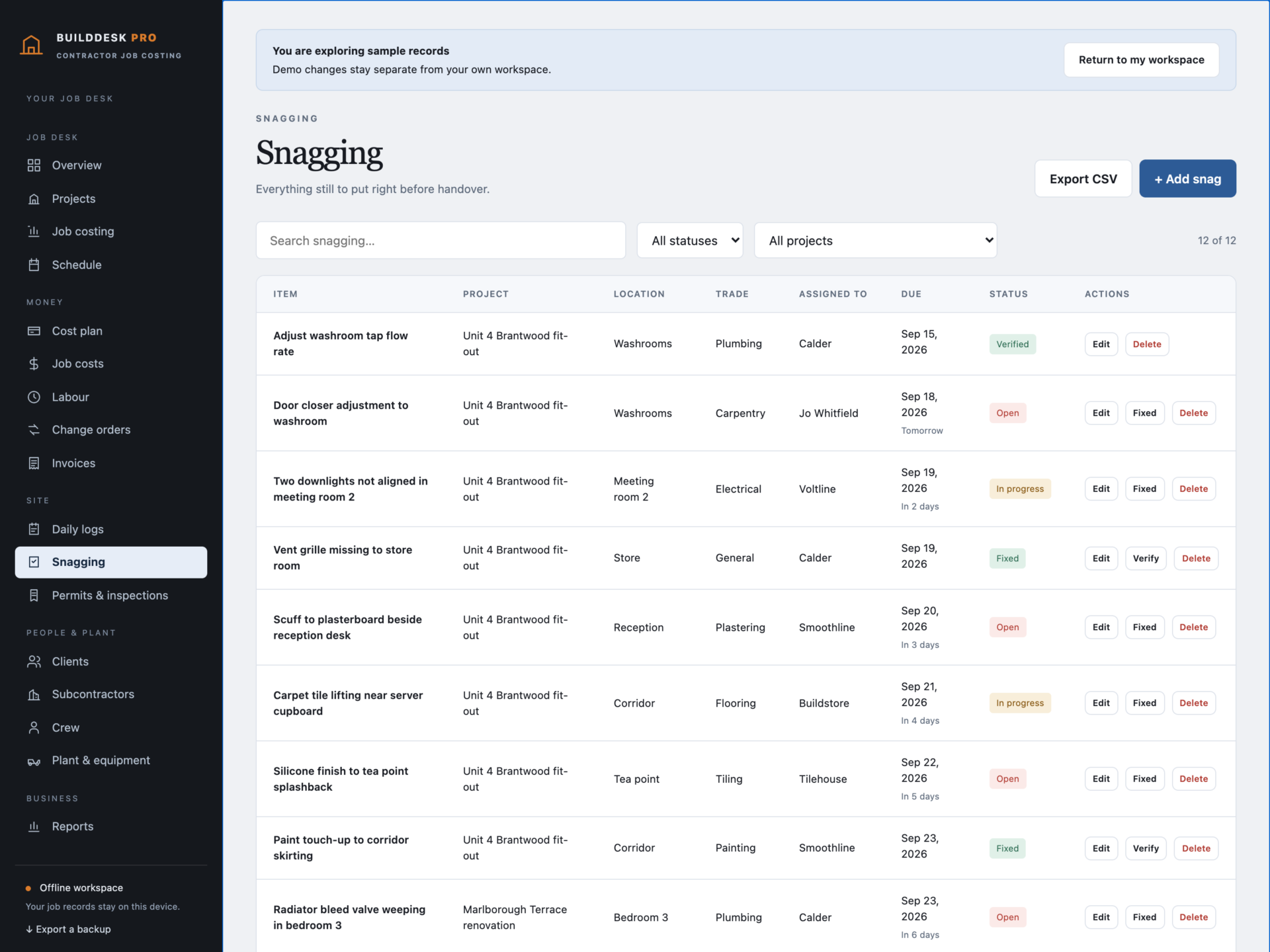
- Snagging: every defect with location, trade, owner and due date, moved Open → Fixed → Verified.
- Permits and inspections: applications, bookings, certificates, fees and expiry dates, flagged as they approach.
- Month schedule: job starts and completions, inspections, snag dates and invoice due dates in one view.
Print what the job needs
Estimates priced from the cost plan with your markup, invoices, change orders, job cost reports, project summaries, daily site logs, snagging lists and a monthly job report - all print or save as PDF.
Your data, your device
Records are stored by your browser on your own machine, separately from the HTML file, and are never uploaded. Export a full JSON backup at any time, restore one after a validation check, or export any filtered list to CSV for your accountant. A backup that would break the records - two cost plan lines on one code, two logs on one day, an invoice recording more paid than its total - is refused rather than loaded.
What you receive
- BuildDesk Pro.html: the complete offline application.
- Getting Started.html: setup, job costing, billing and backups.
- License.html: the included licence for use within one contracting business.
Delivered together in one ZIP download. Screenshots and the walkthrough show sample records from the app’s demo workspace.
Before you buy
Use a current browser with JavaScript and local storage enabled. A laptop or desktop is recommended for costing work. This is a digital download; no physical item is shipped.
BuildDesk Pro does not connect to accounting software, banking, payroll, takeoff or scheduling systems; does not process payments; does not email invoices; does not sync between devices; and does not store drawings, photographs or attachments. Labour is costed at each crew member’s current rate, so changing a rate restates past labour cost. Figures are management figures, not audited accounts, and the application gives no contractual, tax or health and safety advice.
Frequently asked questions
How is this different from a spreadsheet?
A spreadsheet holds numbers you type. Here the forecast is built: committed costs, invoiced costs and labour hours each land on a cost code, and the variance against the cost plan follows. Over-billing, double cost plan lines and impossible hours are refused rather than quietly accepted.
Does it handle retainage?
Yes. Each invoice can withhold a percentage, the app tracks what is held per job, and a retainage release invoice can only release what is actually being held.
What happens when the client asks for extra work?
Raise a change order. While it is draft or sent nothing changes. Approve it and the contract value and completion date move - and only then can you bill the extra.
Can I see whether a job is making money before it finishes?
That is the point of the job costing page: contract value including changes, cost plan, committed, spent, forecast and forecast margin, updated as you record costs and hours.
Does it track my crew’s hours?
Yes, with a cost rate per person. Hours become cost on the job’s cost code automatically, and appear on the printed job cost report.
Can I print something for the client?
Estimates, invoices, change orders with signature lines, project summaries, daily logs and snagging lists - all print or save as PDF.
Do I need an internet connection or an account?
Only to download the file. After that it works completely offline, with no account.
Is it a subscription?
No. You pay once and the file is yours.
One-time purchase: $39, tax included. No recurring software subscription - the price you see is the price you pay.
At a glance
How it runs
-
1
Download
You get the application as one HTML file, with its documentation guide and its licence.
-
2
Open
Double-click it. It opens in the browser you already have - Chrome, Edge, Safari or Firefox. There is nothing to install and no account to create.
-
3
Keep
Your records save to that browser on that device. Export a backup from the app whenever you want a copy of your own.


