

DadPilot Pro
For the parent holding the whole family schedule in their head.
Tasks, routines, meals, the shopping list, money and a record for each child.
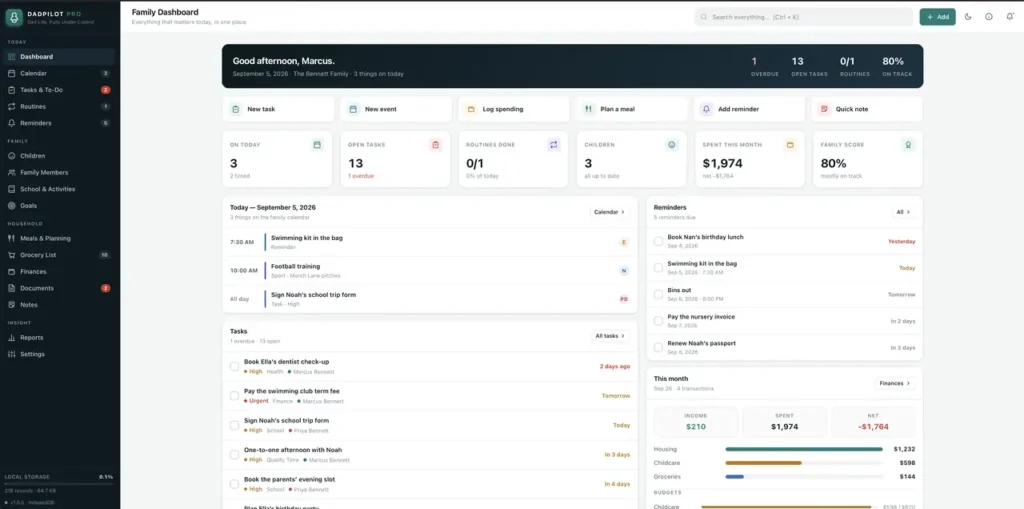
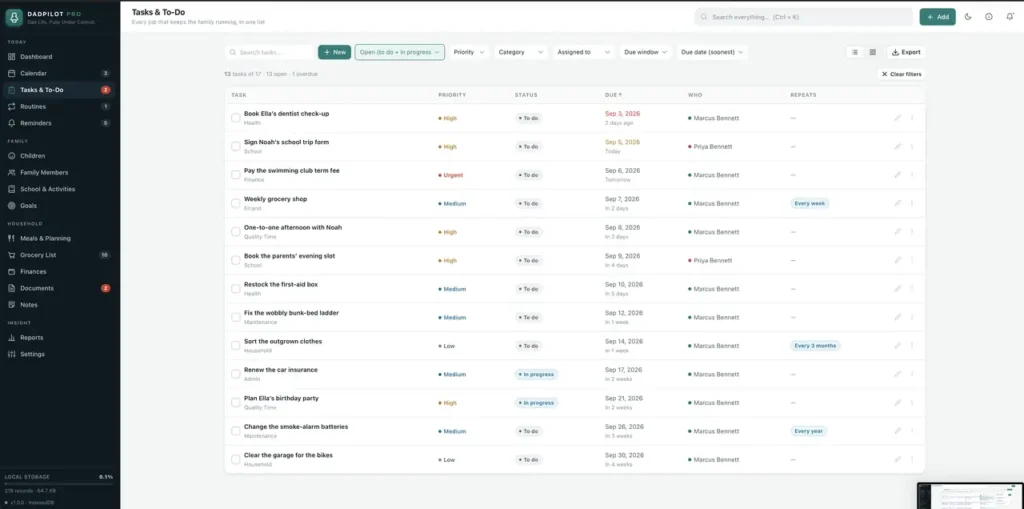
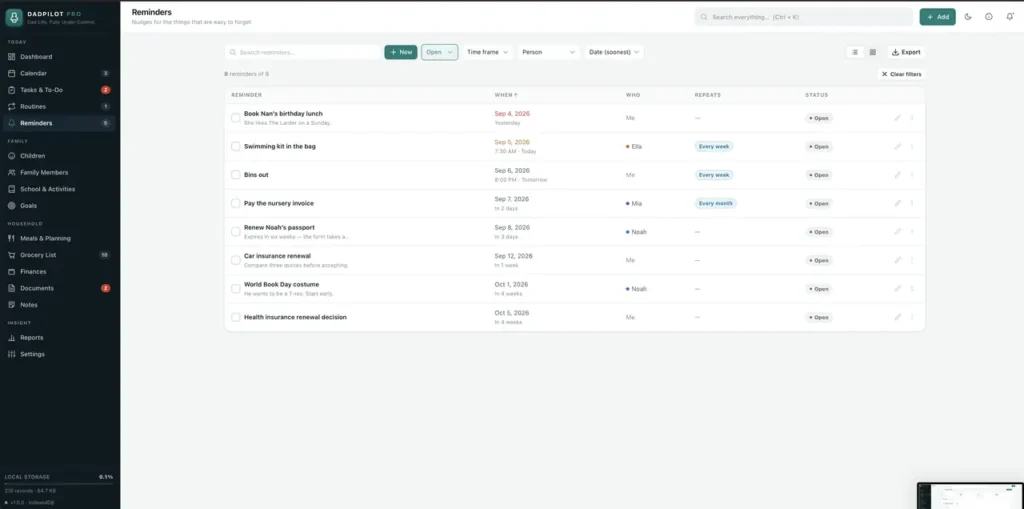
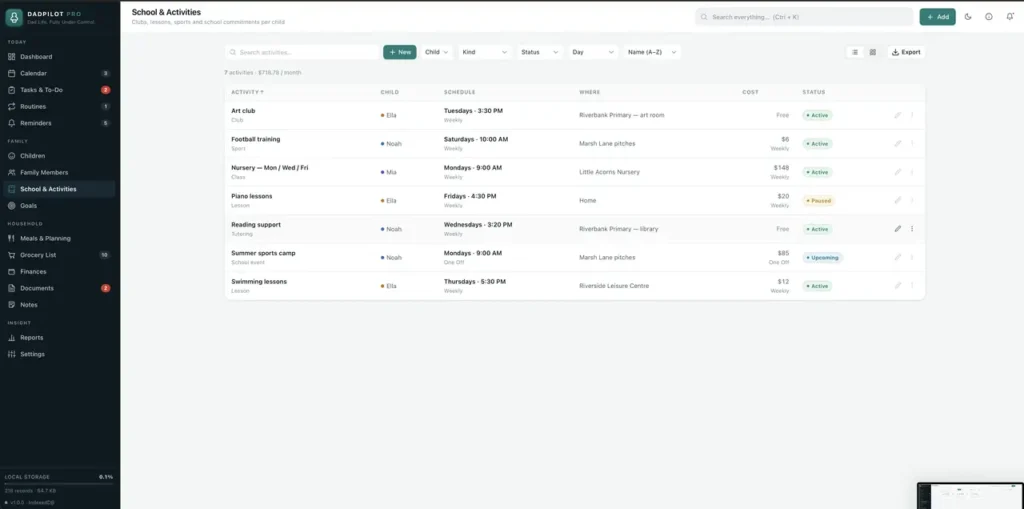
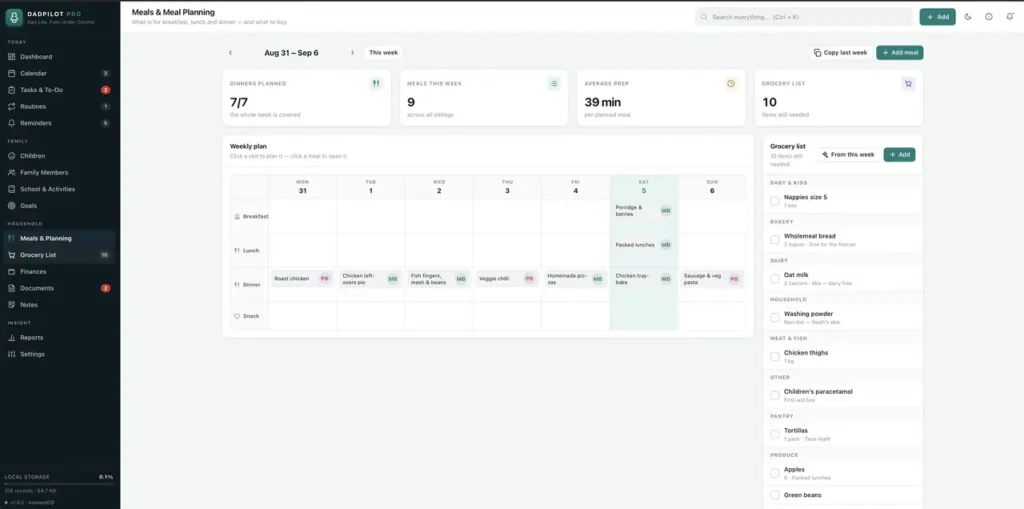
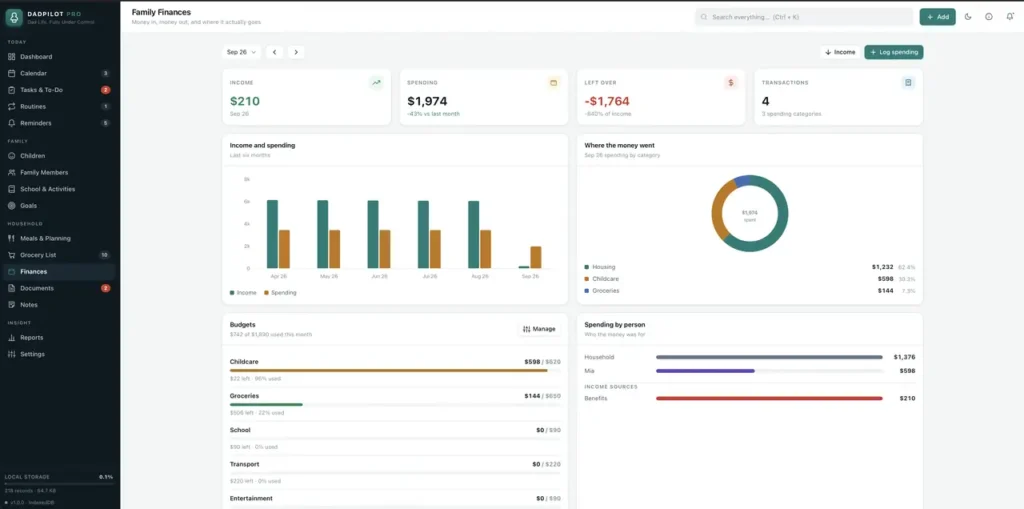
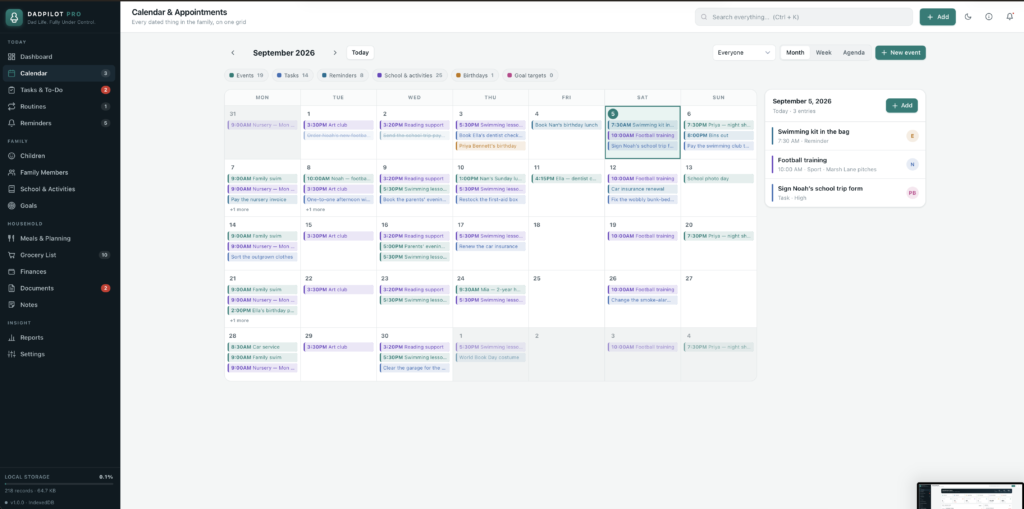
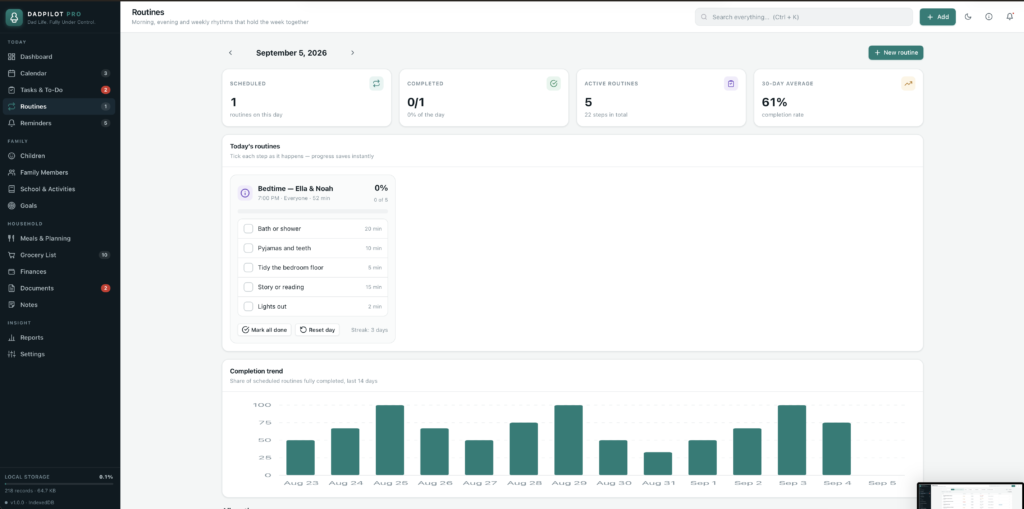
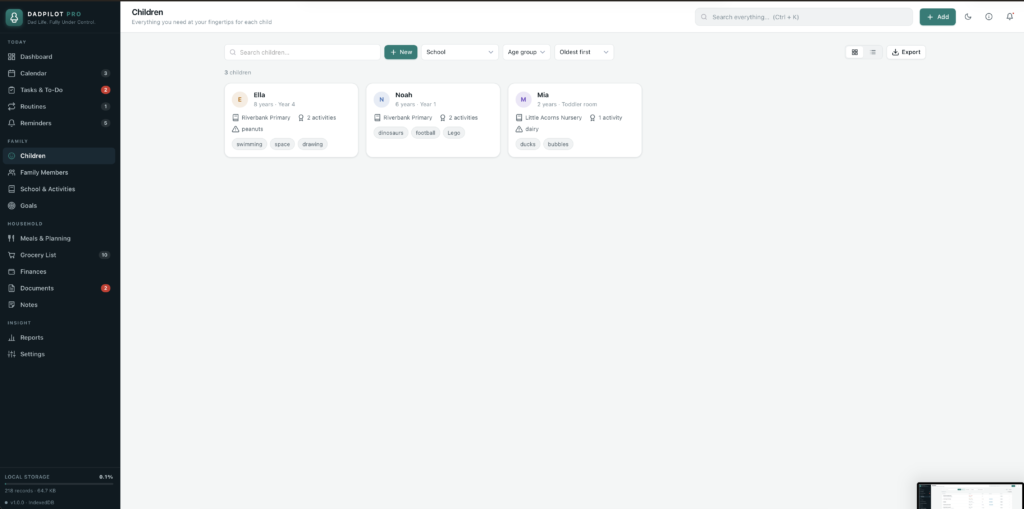
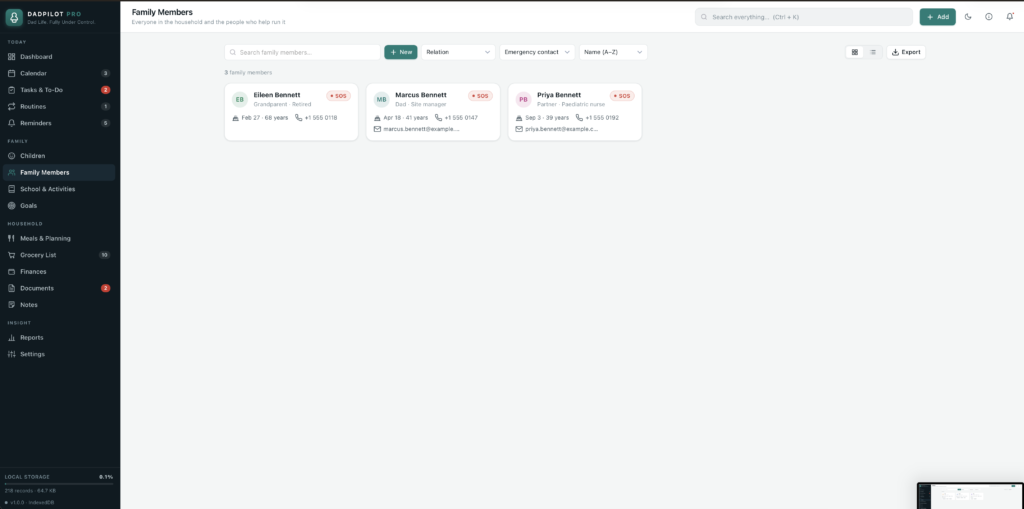
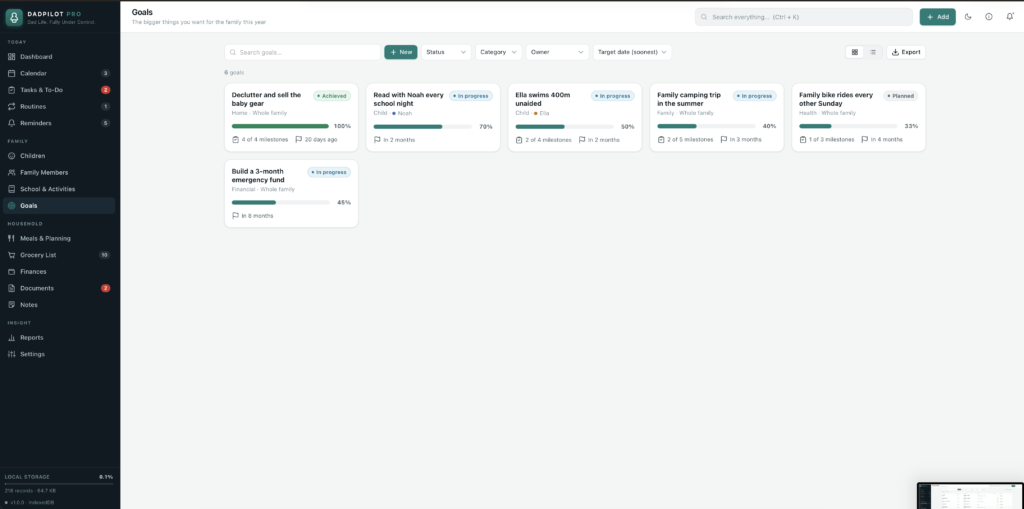
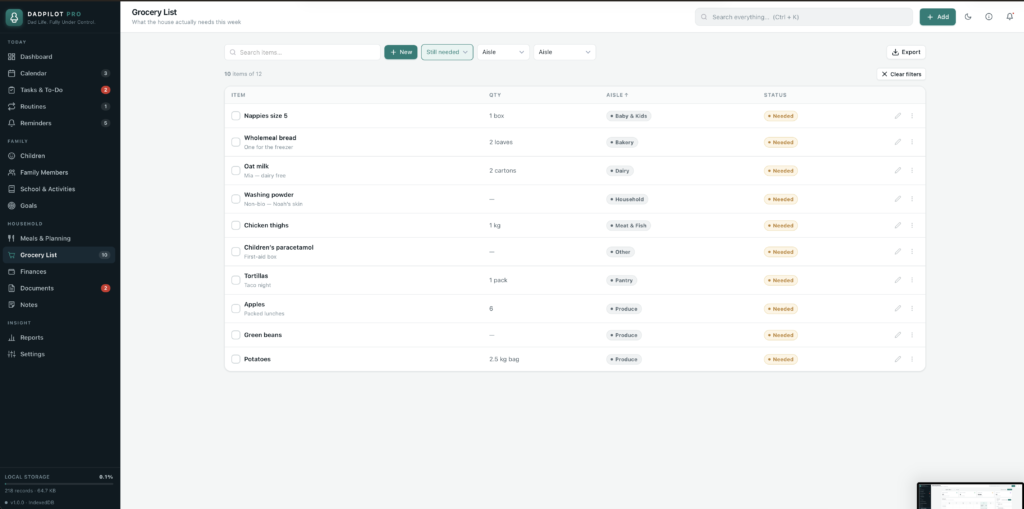
A short recording of the app, then the screens themselves.
$35
One-time purchase · yours to keep
Buy now- One payment - the file is yours to keep
- Works offline, no account, no subscription
- Your data stays on your own device
What's included
- 1 HTML file - the complete application
- 1 Getting Started guide (HTML)
- 1 License file
Delivery
Instant Download
Your files will be available to download once payment is confirmed.
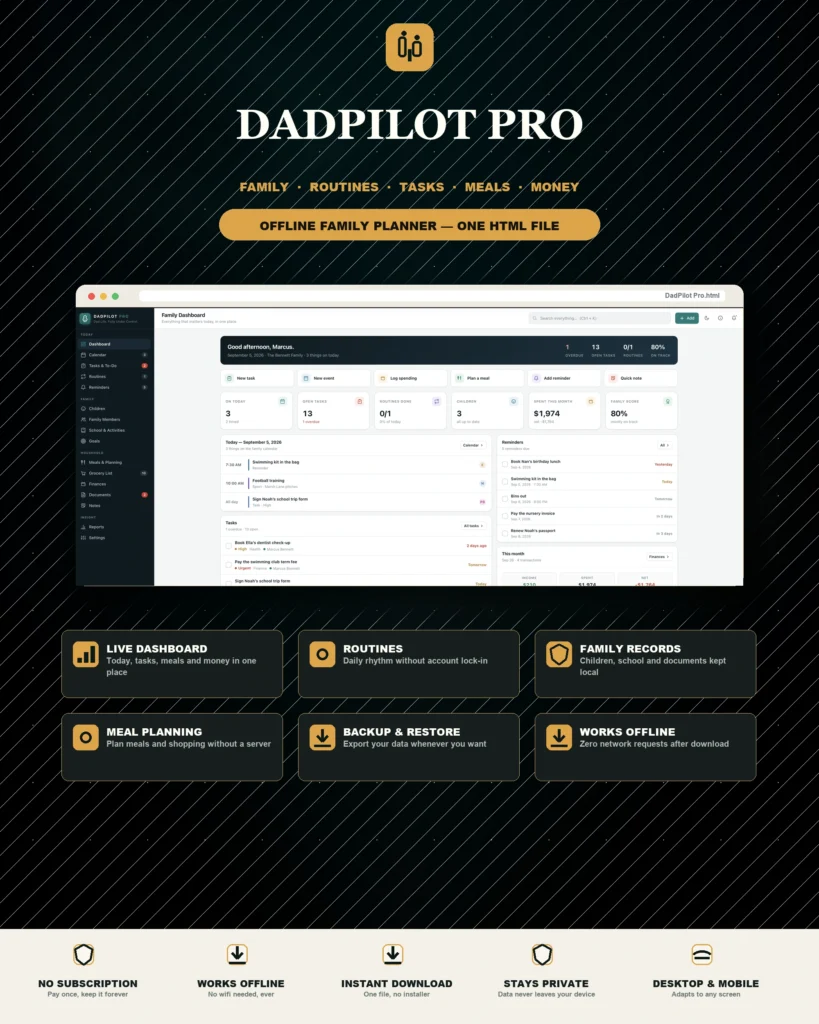
DadPilot Pro is a complete family planner and organiser for the parent who is holding the whole schedule in their head. It runs as a single HTML file - no installation, no account, no monthly subscription, and no internet connection after downloading.
Open it and everything about the household is in one place:
Dashboard
- Today's schedule, tasks, routines, reminders, spending, goals and recent activity in a single view
- A four-step setup checklist gets your own family in place: add the adults, add the children, create a morning routine, add the first task
- Opens with a complete demo household so nothing looks empty while you learn where things are - clear it in one step when you are ready
The week, planned
- Calendar with month, week and agenda views showing every dated record in the app at once
- Tasks & To-Do with priorities, due dates, categories, who it is for, and tasks that repeat
- Routines: morning, evening and weekly checklists with a day runner, streaks and completion rates
- Reminders that repeat daily, weekly, monthly or yearly
The people
- One record per child: school, health, allergies, sizes, and what they love right now
- Family Members for adults, grandparents and helpers, with emergency contacts
- School & Activities - clubs, lessons and sports per child, with what each one costs per month
- Goals for the family and for each person, with milestones and progress
Meals and the shop
- A weekly meal planner grid and a reusable meal library
- Ingredients jump straight onto the grocery list
- The grocery list groups itself by aisle, and fills itself from the week's meals
Money and paperwork
- Income, spending, categories, per-person totals, monthly trends and budgets
- Documents - an index of important paperwork with expiry warnings before renewals bite
- Notes for the things you would otherwise write on the back of an envelope
Reports
Seven report views across tasks, routines, family, money, goals and the calendar - so the end of the month is something you can read rather than guess at.
Make it yours
- Your name, currency, date format, week start and alert thresholds
- Light and dark mode
- Works on a phone: open it in your browser and use Add to Home Screen for an icon you can tap
Private by design
Nothing is ever uploaded anywhere. Everything you type stays in your own browser, on your own device, unless you export it yourself. It works with aeroplane mode on, permanently.
Compatibility
Works in any modern desktop or mobile browser: Chrome, Edge, Safari or Firefox. Fully responsive.
A note on your data
Your records are saved by the browser you open the file in, on the device you open it on - that is what keeps them private. Use Settings → Data → Export full backup every few weeks, and keep the backup somewhere safe. Clearing your browser's site data will erase anything you have not backed up.
This is a digital download - no physical item will be shipped. Change-of-mind purchases are final once the file has been delivered; faulty or misdescribed files are covered by the refund policy.
Questions
Do I need an internet connection?
Only to download the file. After that it works completely offline, including in aeroplane mode.
Do I have to install anything or create an account?
No. Double-click the file and it opens in your normal browser. There is no sign-up, no server and no software to install.
Where is my data stored?
In the browser you open the file in, on your own device. Nothing is uploaded anywhere. Export a full backup from Settings → Data whenever you want a copy.
Can I use it on my phone?
Yes. Open the file in your mobile browser and use Add to Home Screen for an icon you can tap. The layout adapts to small screens.
Can more than one person use it?
The app is built around one household, with separate records for each adult and child. Two people can each keep their own copy of the file and exchange backups, but it does not sync between devices on its own.
Is it a subscription?
No. You pay once and the file is yours.
At a glance
How it runs
-
1
Download
You get the application as one HTML file, with its documentation guide and its licence.
-
2
Open
Double-click it. It opens in the browser you already have - Chrome, Edge, Safari or Firefox. There is nothing to install and no account to create.
-
3
Keep
Your records save to that browser on that device. Export a backup from the app whenever you want a copy of your own.


