

EventDesk Pro
For wedding planners, event coordinators and venue teams.
Events, guests, seating, vendors, budgets and invoices, in one offline workspace.
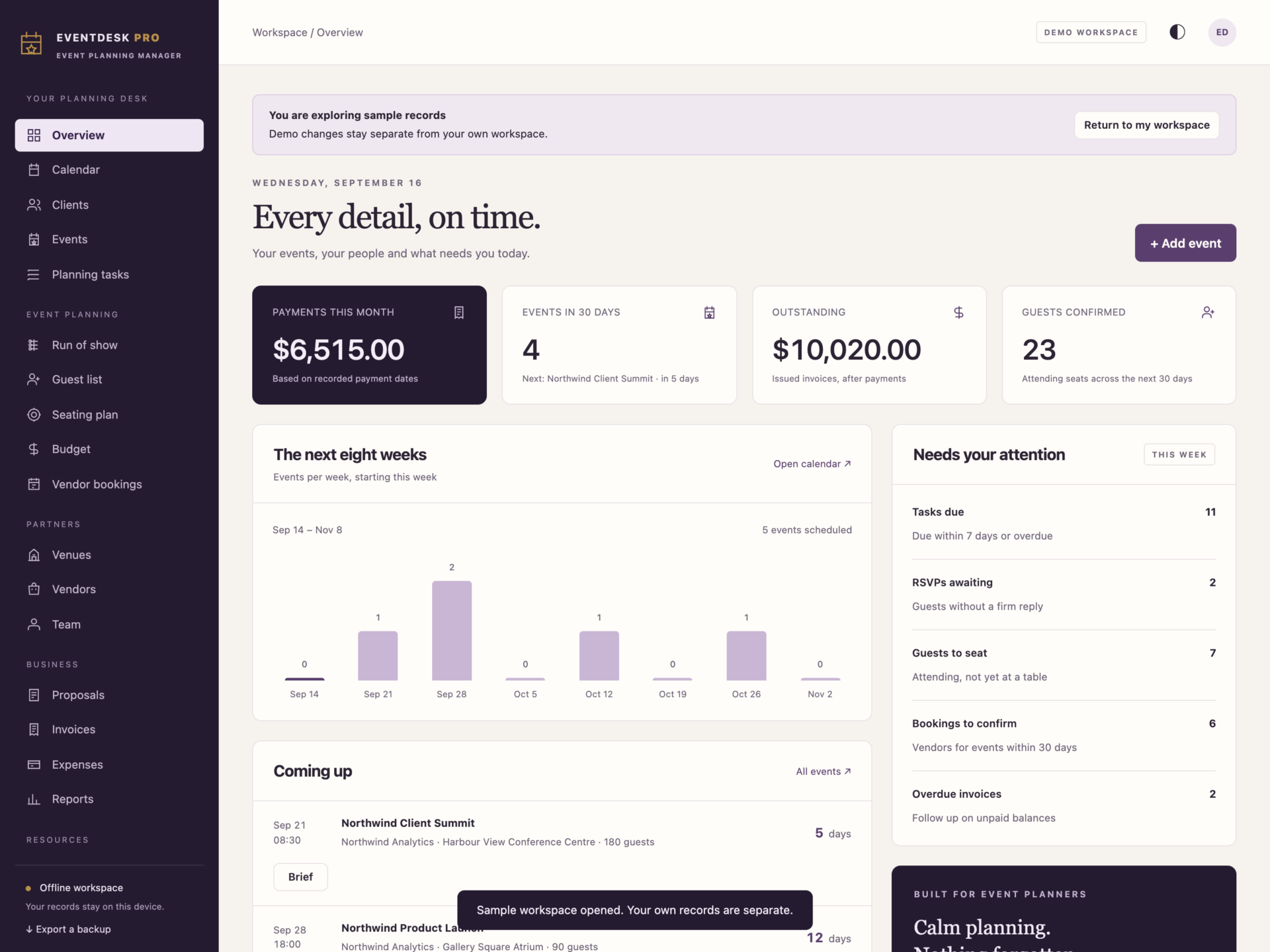
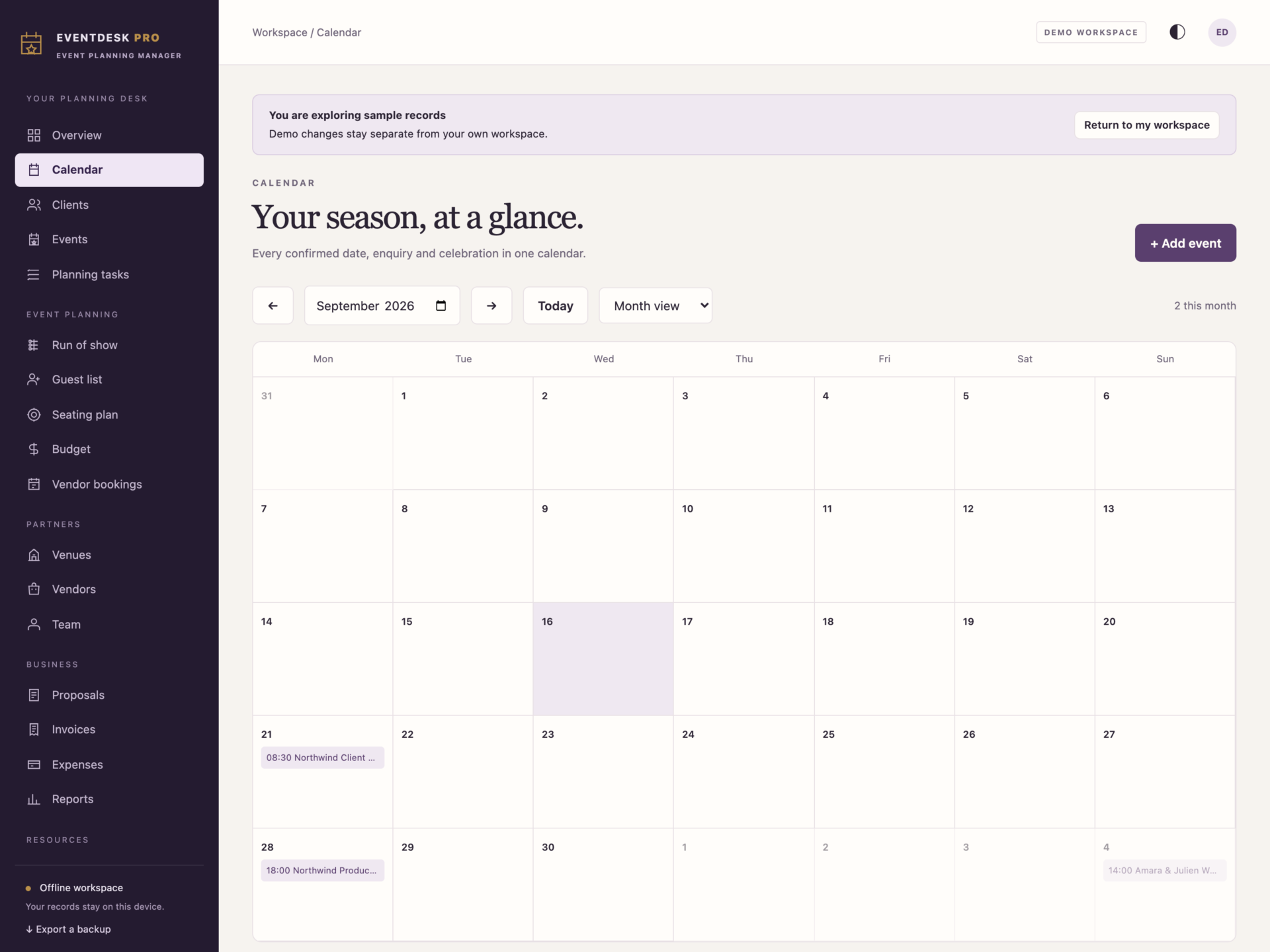
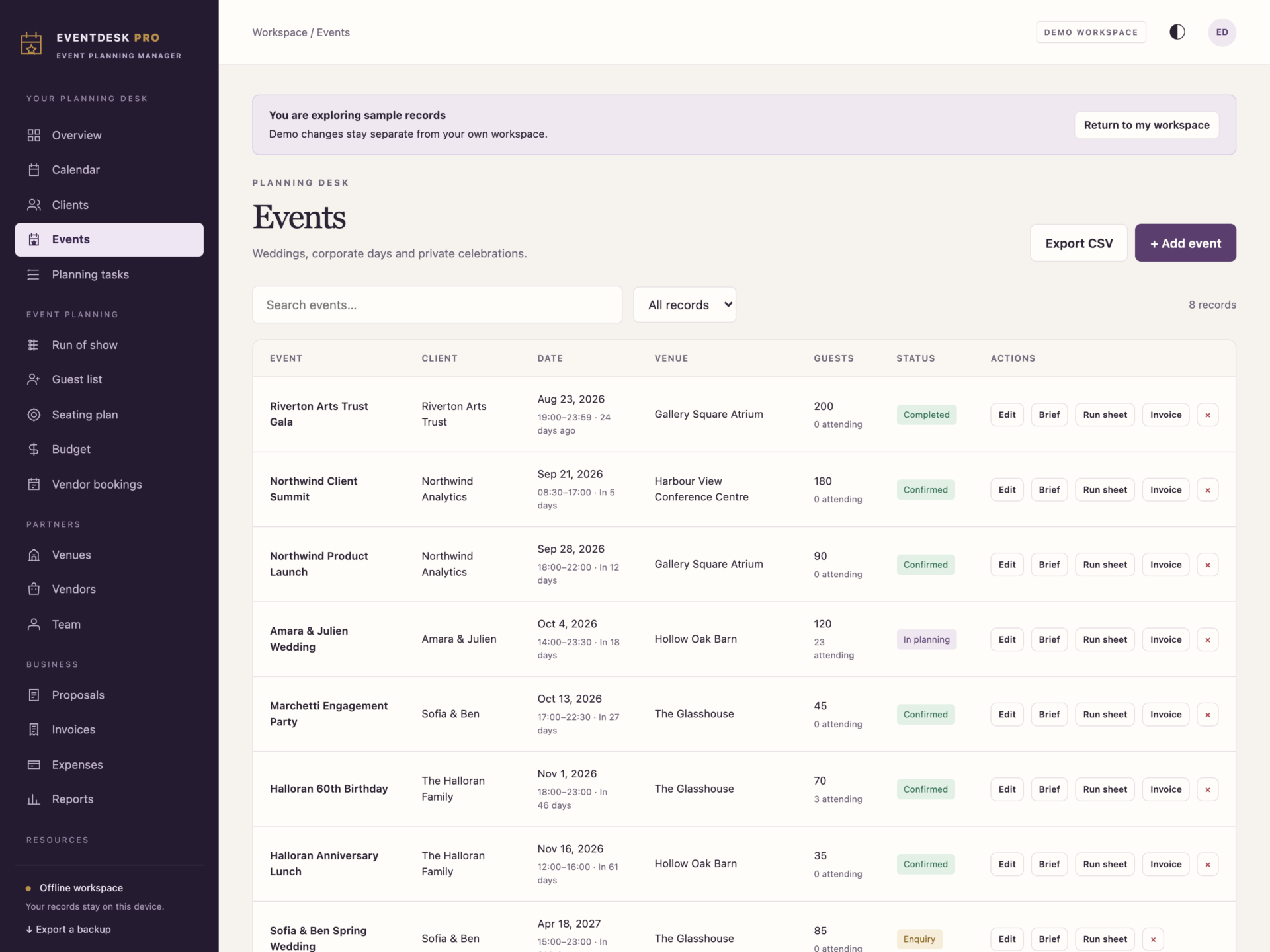
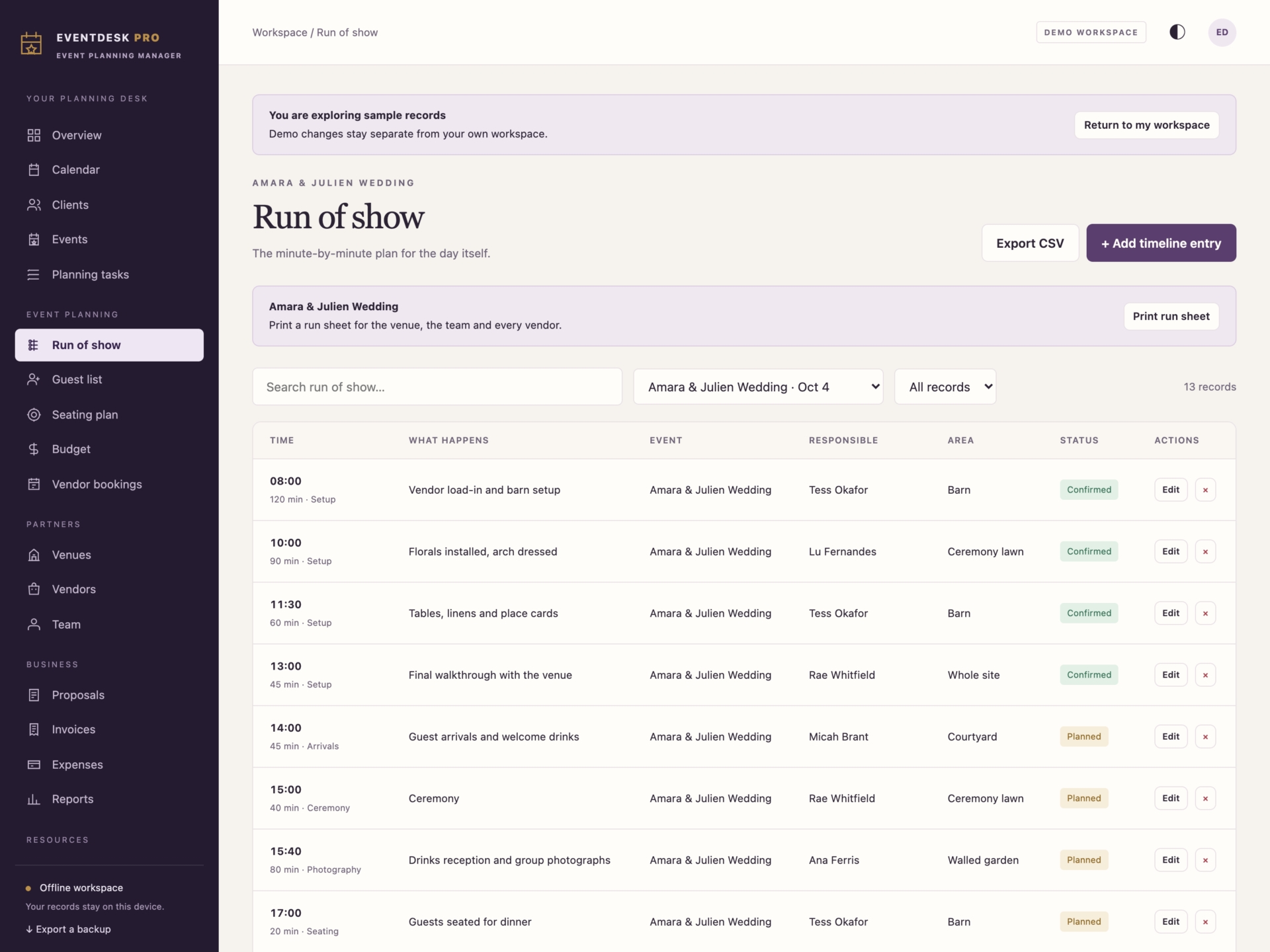
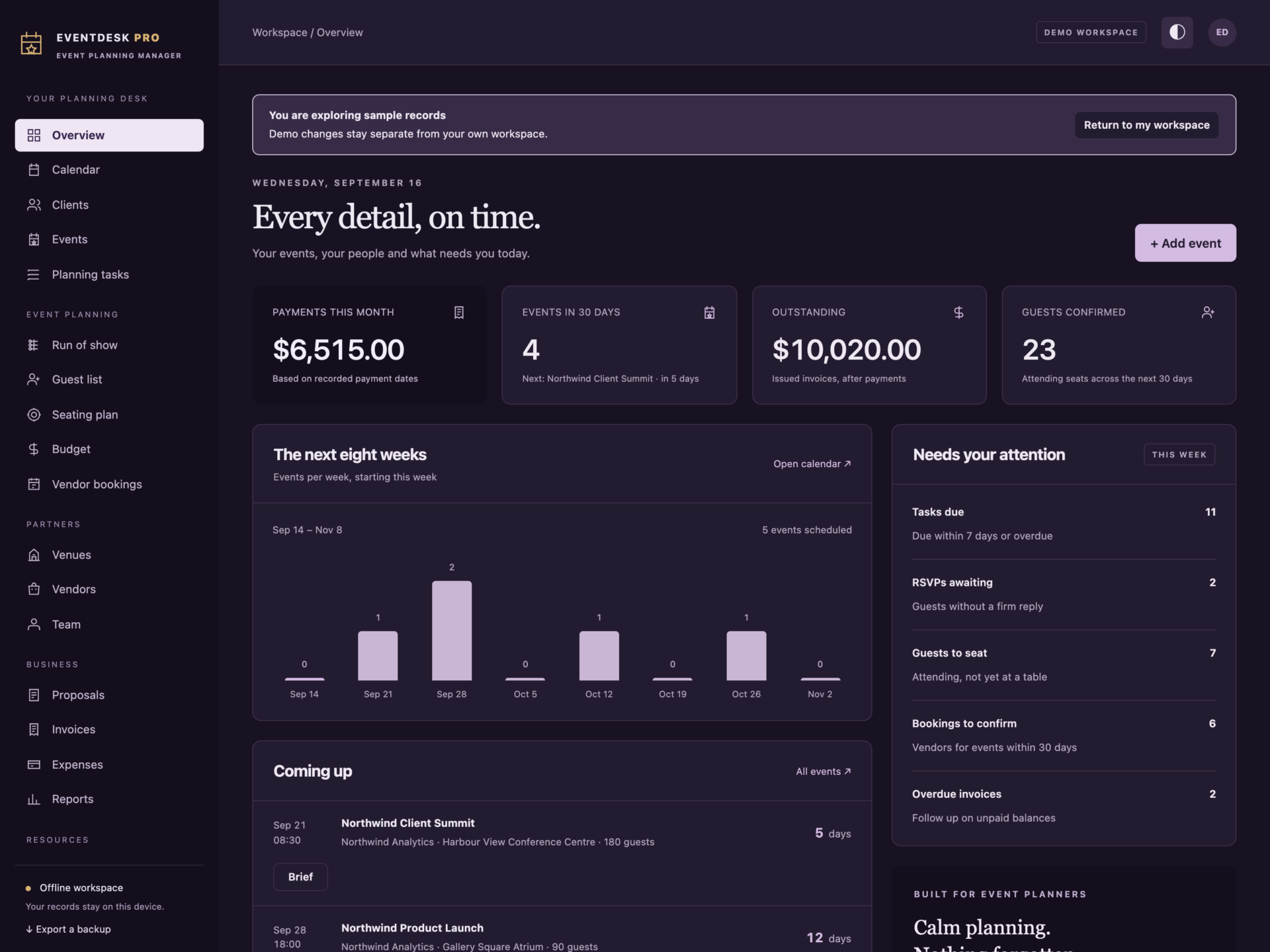
A short recording of the app, then the screens themselves.
$50
One-time purchase · yours to keep
Buy now- One payment - the file is yours to keep
- Works offline, no account, no subscription
- Your data stays on your own device
What's included
- 1 HTML file: the complete EventDesk Pro application
- 1 Getting Started guide (HTML)
- 1 License file (HTML)
Delivery
Instant Download
Your files will be available to download once payment is confirmed.
Event planning management, in one place
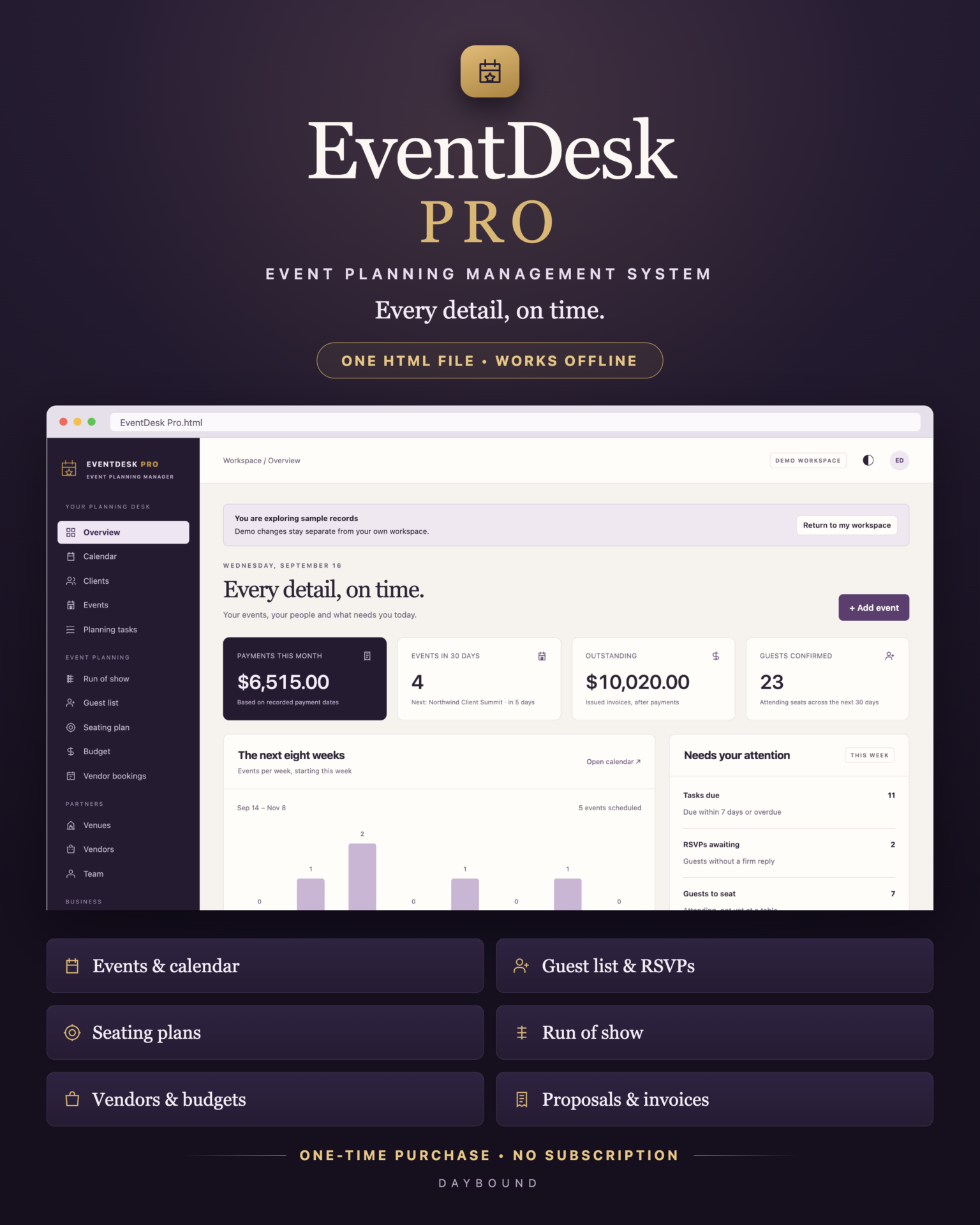
EventDesk Pro brings your clients, events, guests, vendors, budgets and invoices into one offline workspace. Plan a wedding, a corporate summit and a private celebration side by side, and see exactly what still needs your attention today, without a monthly software subscription.
Built for wedding planners, event coordinators, venue teams and anyone organising celebrations for other people. Download the HTML application, open it in your browser and start with your own records or explore the separate demo workspace.
From first enquiry to the final balance
- Clients and events: keep contacts, event type, date, times, venue, lead planner, expected guests and client budget together.
- Calendar: see the whole season in month or agenda view, including enquiries that have not been confirmed.
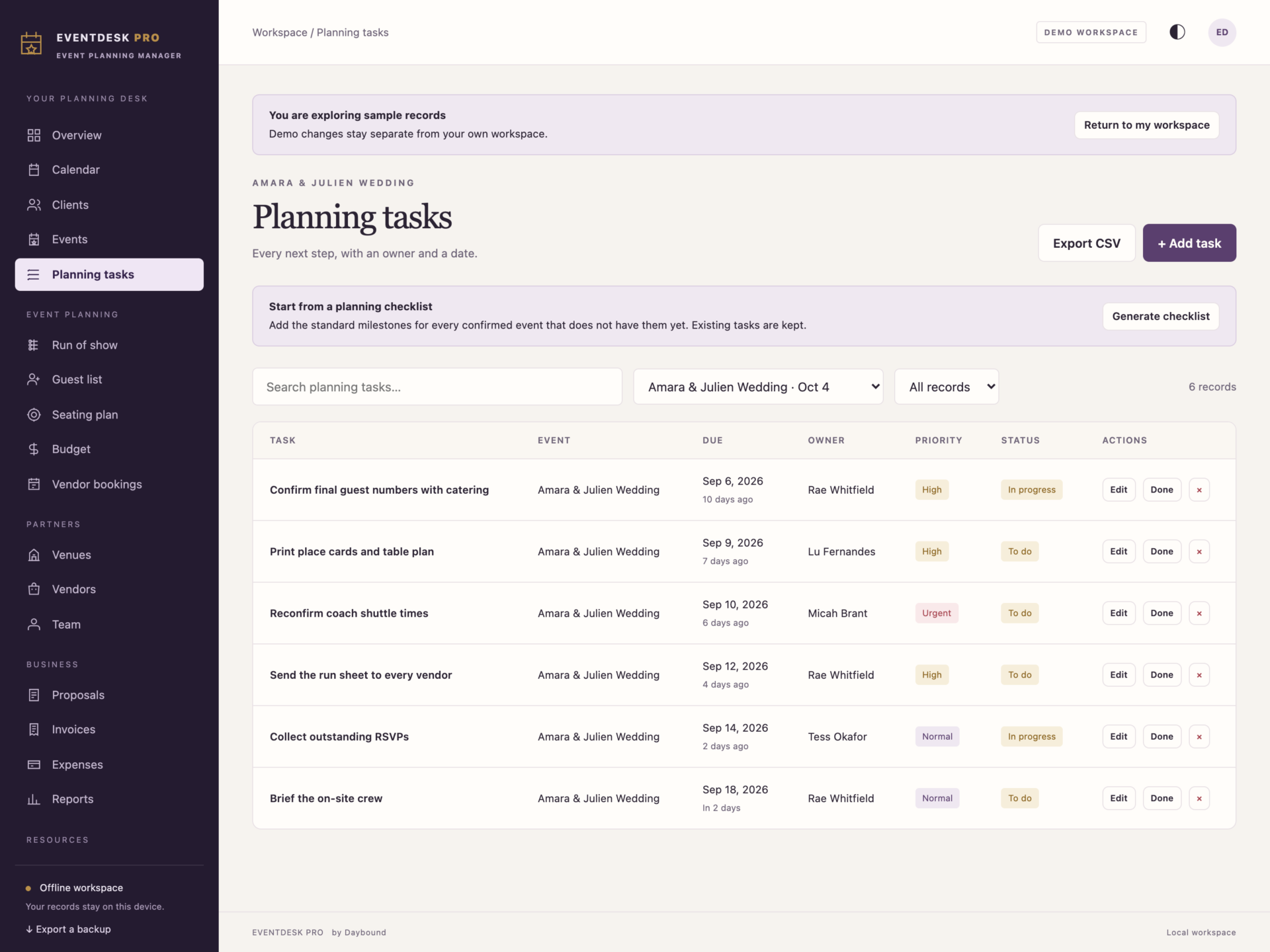
- Planning tasks: owners, due dates and priorities, plus a generated planning checklist of fifteen standard milestones counted back from each event date.
- Proposals: prepare itemised quotes with quantities, rates, discounts and tax, then turn an accepted proposal into a confirmed event.
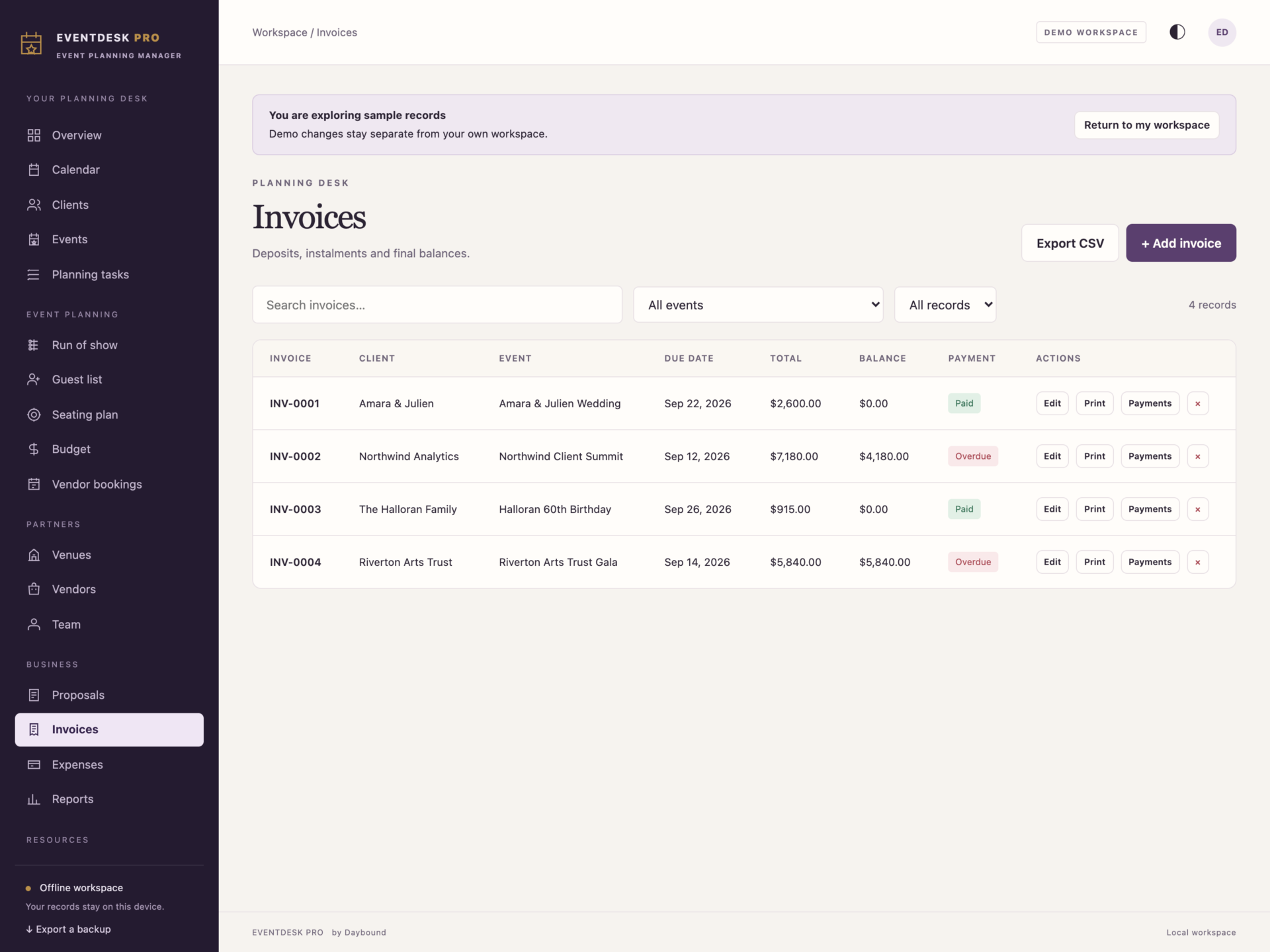
- Invoices and payments: raise deposit and balance invoices, record instalments as they arrive and follow every outstanding balance.
The parts that make the day work
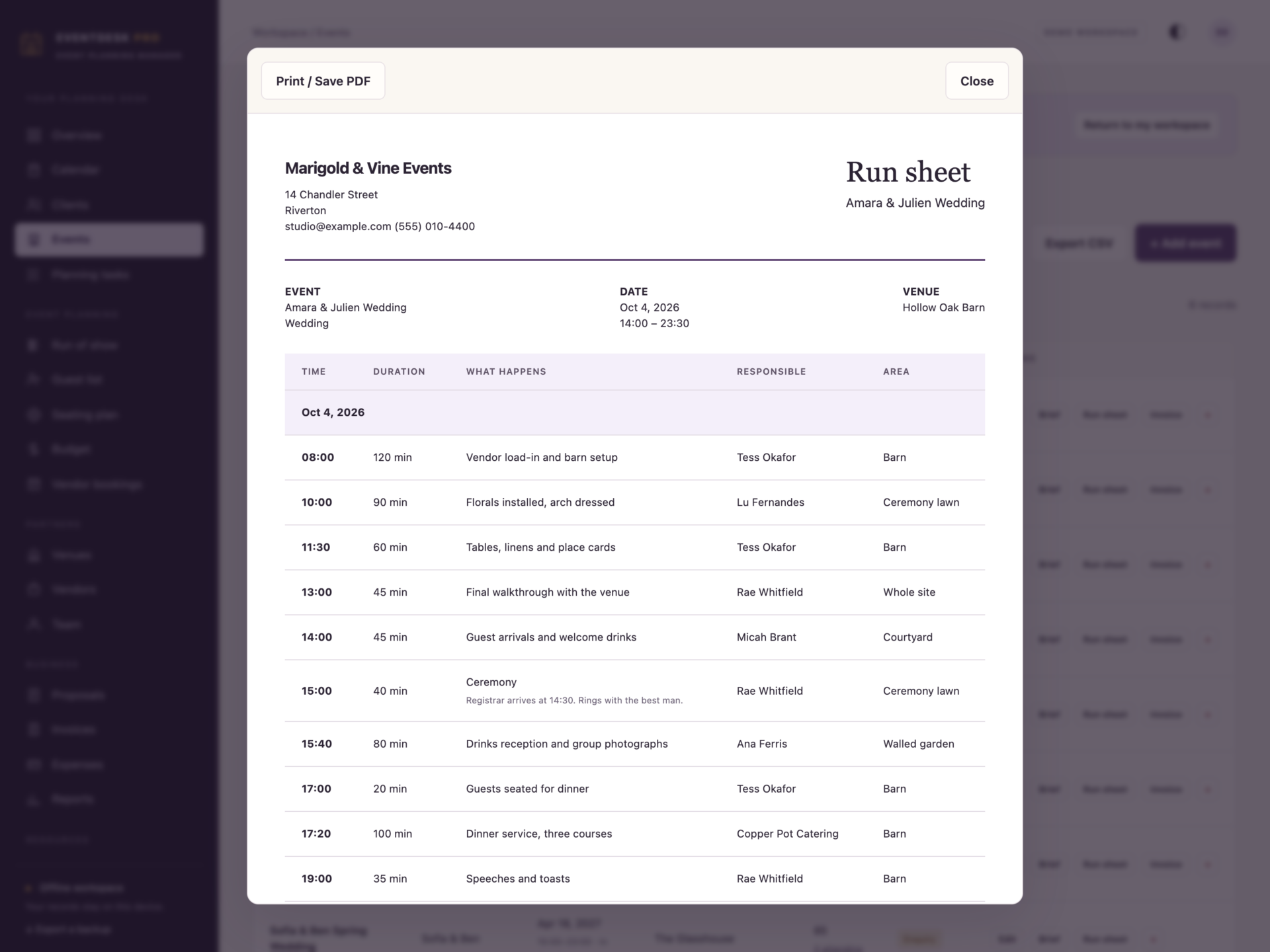
- Run of show: a timed plan from load-in to breakdown, with durations, responsible names and areas. Print a run sheet for the venue, your team and every vendor.
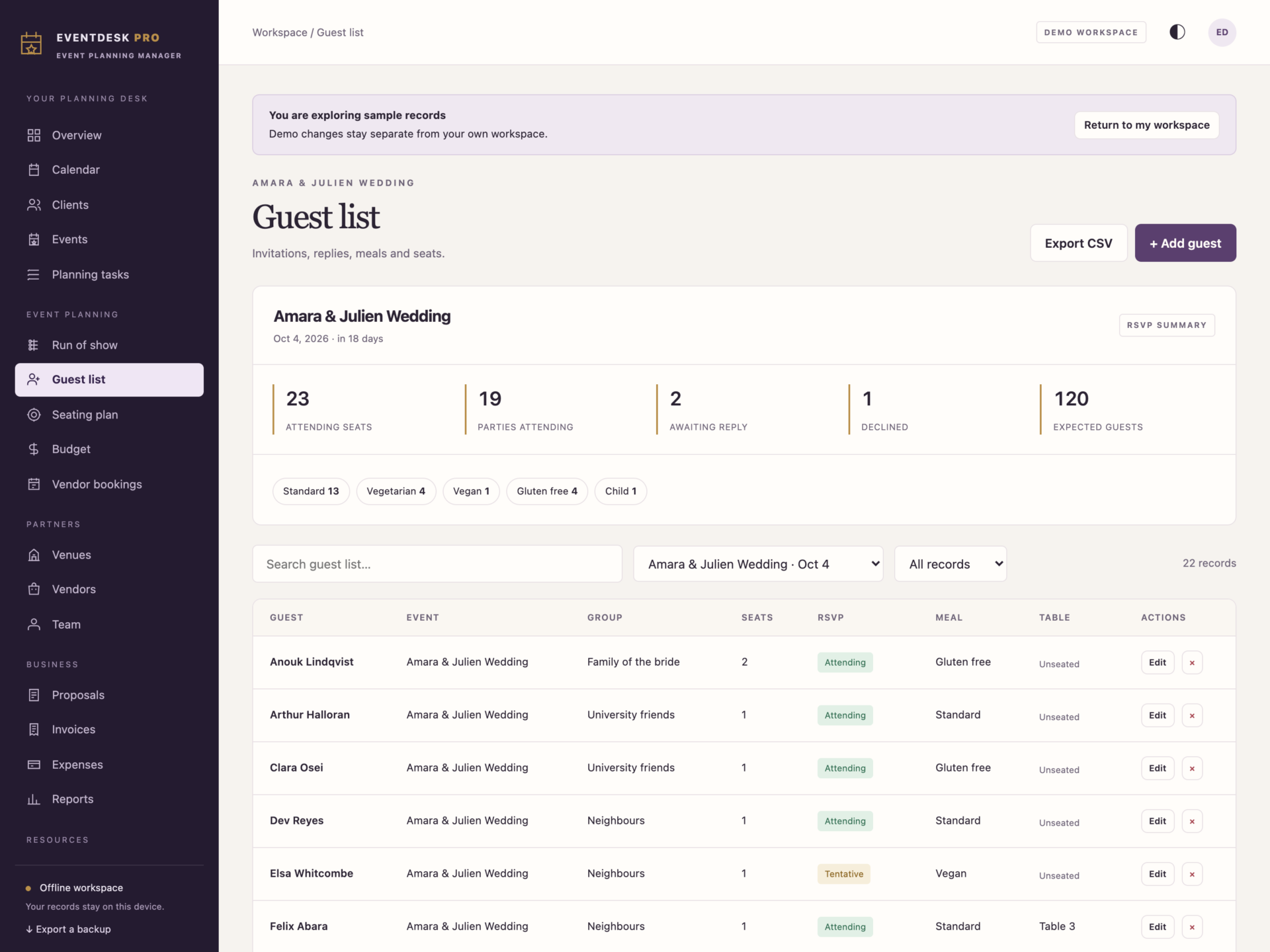
- Guest list: one row per party, with seats, RSVP state, meal choice and access notes, plus a live summary of attending seats, replies awaited and meal counts.
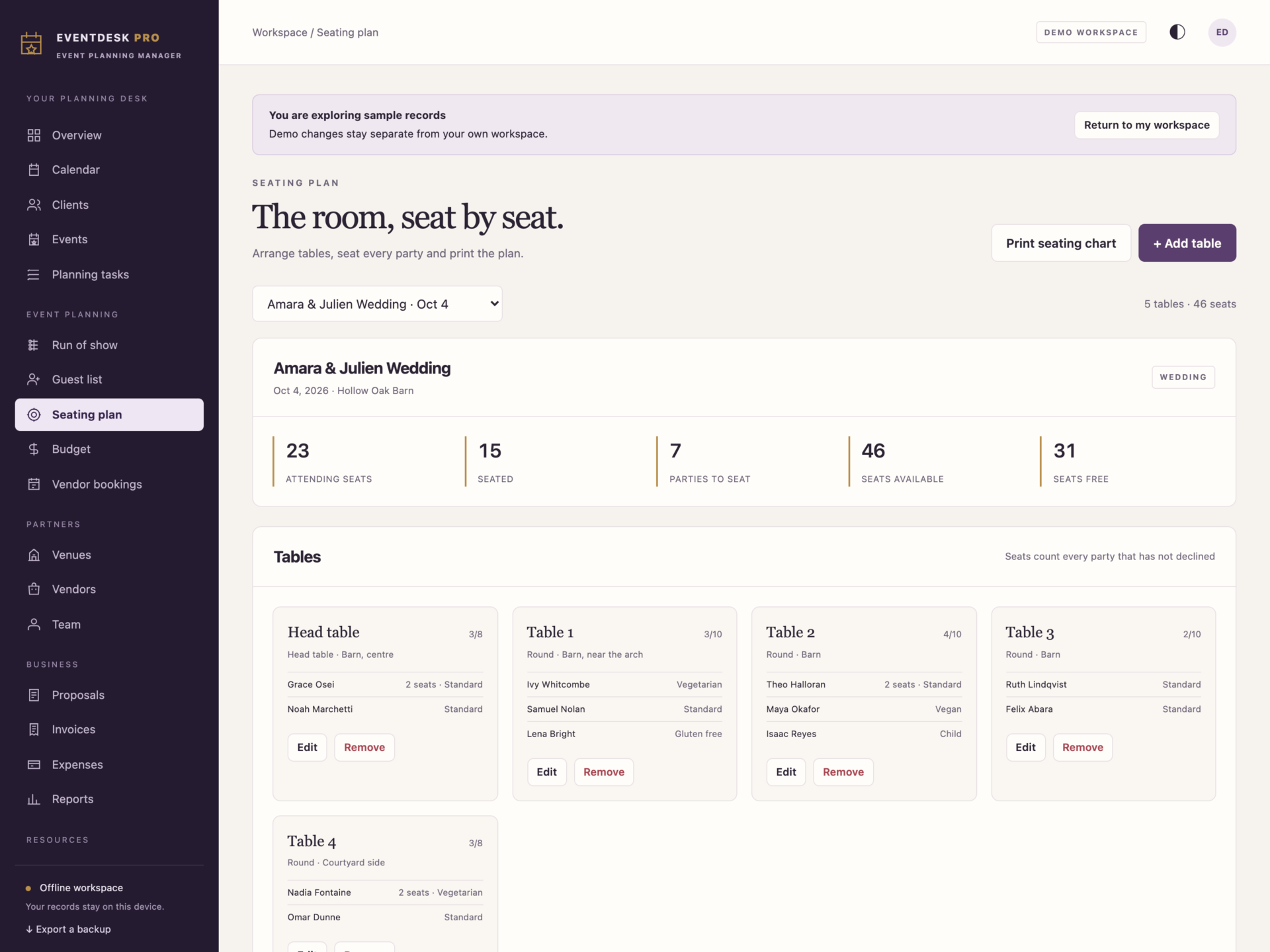
- Seating plan: build the room table by table, seat each party and see seats used, seats free and who is still unseated. A table cannot be overfilled and a guest who declined cannot hold a seat.
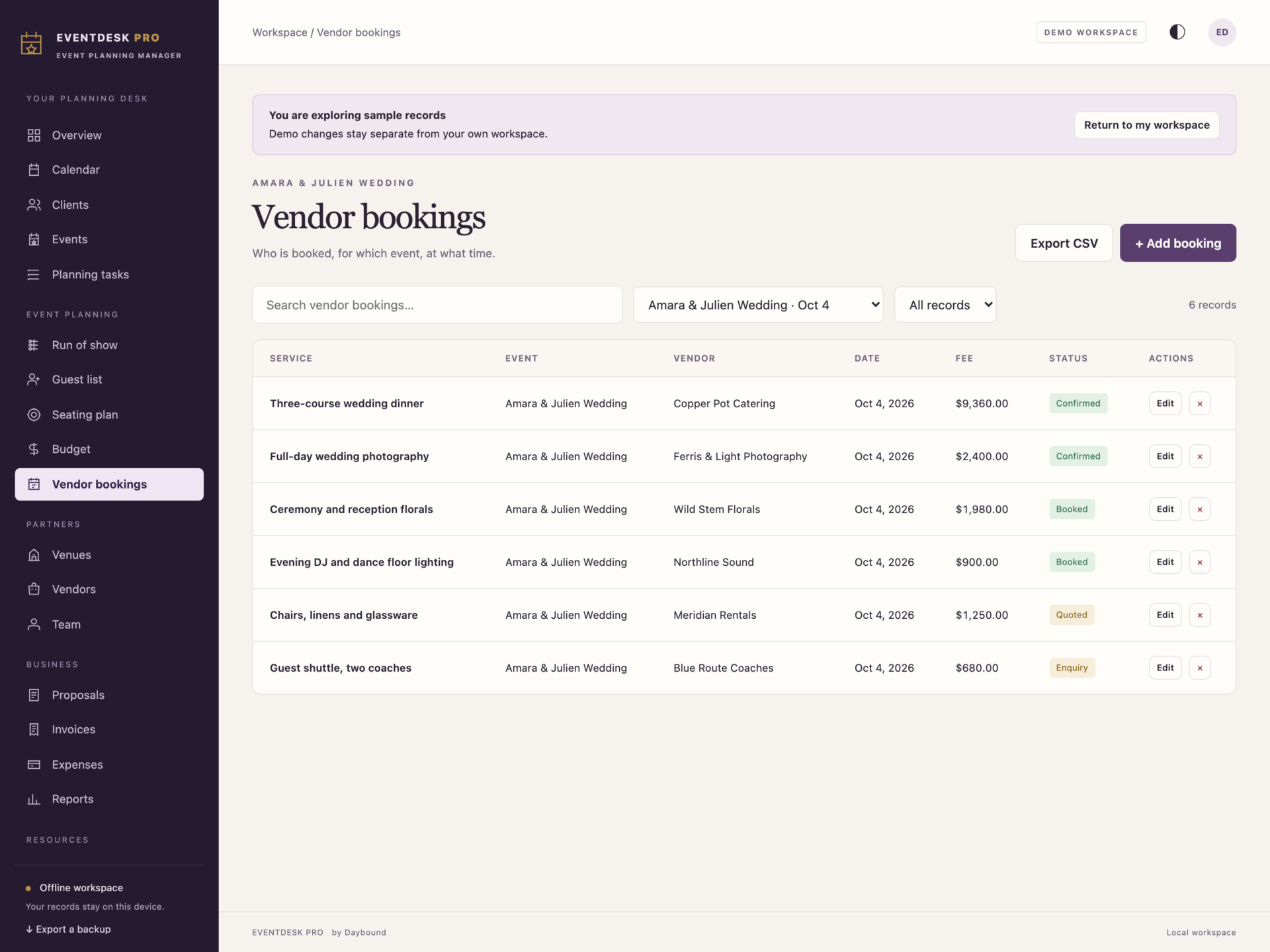
- Vendor bookings: call times, hours on site, fees, deposits and contract references, with a check that refuses to book the same vendor twice at overlapping times.
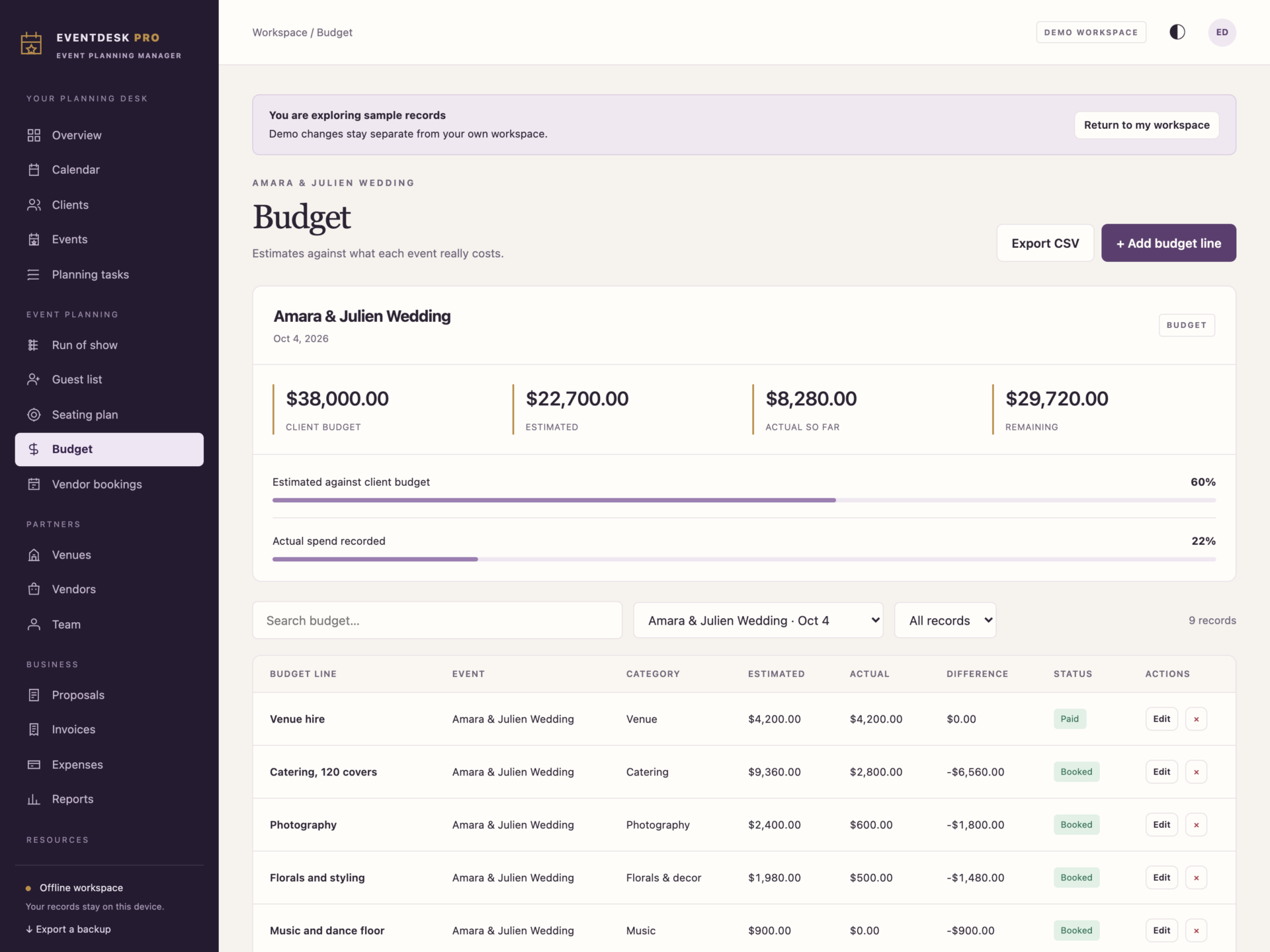
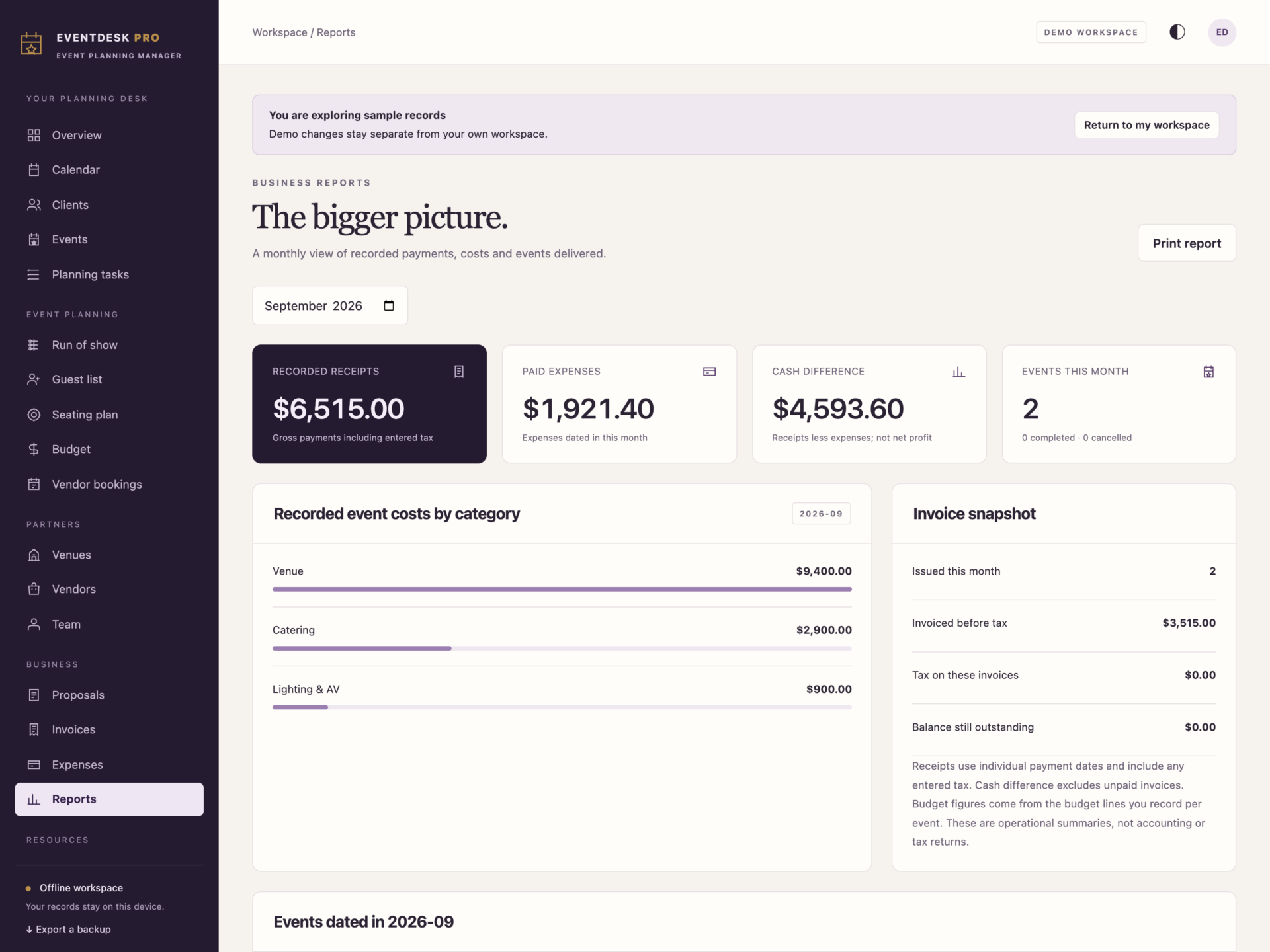
- Budget: estimated against actual cost per line and per category, measured against the client budget.
- Event brief: one printable page with client, venue, guests, budget, bookings, run of show and open tasks.
Your records, on your device
EventDesk Pro works offline after download. It does not require an account or send your client and guest records to a cloud service. Choose light or dark mode, print documents or save them as PDFs through your browser, export lists to CSV and back up your full workspace as JSON.
Data is stored in the browser on your device, separately from the HTML file. Export regular JSON backups and keep a copy somewhere safe. Clearing browser data can remove your records. Backups let you restore or move your workspace; there is no automatic cloud sync or shared multi-user access.
What you receive
- EventDesk Pro.html: the complete offline application.
- Getting Started.html: setup, workflow and backup instructions.
- License.html: the included licence for use within one business.
Delivered together in one ZIP download. Screenshots and the walkthrough show sample records from the app’s demo workspace.
Before you buy
Use a current desktop browser with JavaScript and local storage enabled. A laptop or desktop is recommended for day-to-day planning. This is a digital download; no physical item is shipped.
EventDesk Pro records invoices and payments but does not process payments, send invitations or emails, collect online RSVPs, or sync between devices. Guest replies, budget figures and stock quantities are maintained by you, and the seating plan is a table-by-table list rather than a drag-and-drop floor plan.
Frequently asked questions
Do I need an internet connection?
Only to download the file. After that it works completely offline - including from a USB stick.
Do I have to install anything or create an account?
No. Double-click the file and it opens in your normal browser.
Can I plan more than one event at a time?
Yes. Every event has its own tasks, run of show, guest list, tables, budget and bookings, and each page can be filtered to a single event or show them all.
Does it handle weddings and corporate events equally well?
Yes. Event types cover weddings, corporate days, conferences, galas, birthdays, anniversaries, engagements and private parties, and the same tools apply to each.
Can guests reply to invitations through the app?
No. There is no online RSVP form or email sending. You record replies as they reach you, and the guest list keeps the running totals.
Can I get my data out again?
Yes. Export a full JSON backup, or export any filtered list - the guest list, the budget, the booking schedule - as CSV for a spreadsheet.
Where are my guest records stored?
On your own device, in your browser’s local storage. Nothing is uploaded anywhere, which is what keeps client and guest details private.
Is it a subscription?
No. You pay once and the file is yours.
One-time purchase: $39, tax included. No recurring software subscription - the price you see is the price you pay.
At a glance
How it runs
-
1
Download
You get the application as one HTML file, with its documentation guide and its licence.
-
2
Open
Double-click it. It opens in the browser you already have - Chrome, Edge, Safari or Firefox. There is nothing to install and no account to create.
-
3
Keep
Your records save to that browser on that device. Export a backup from the app whenever you want a copy of your own.


