

GroveDesk Pro
For landscapers, lawn care businesses and small grounds maintenance teams.
Landscaping jobs, clients, estimates, invoices and equipment, in one offline workspace.
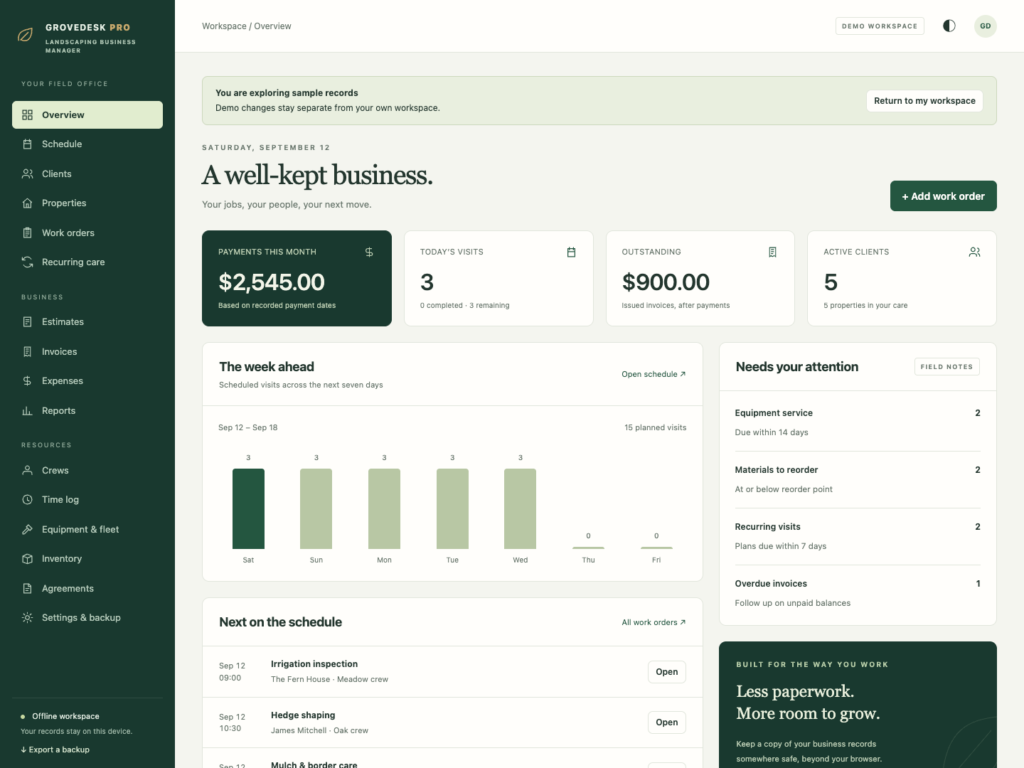
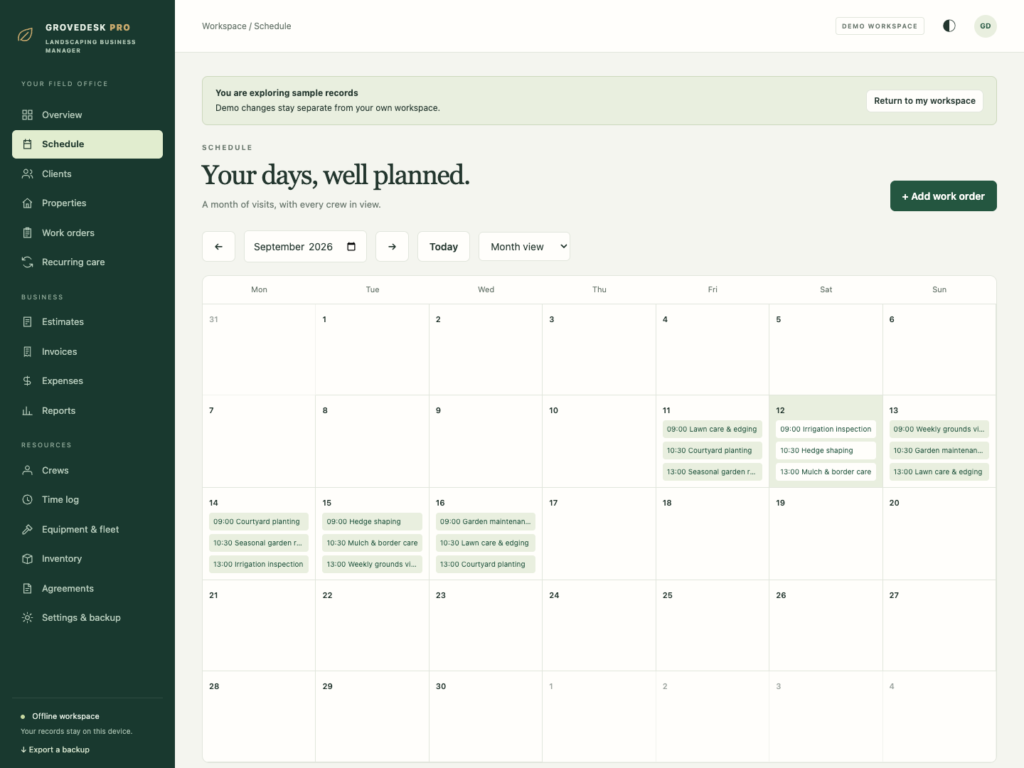

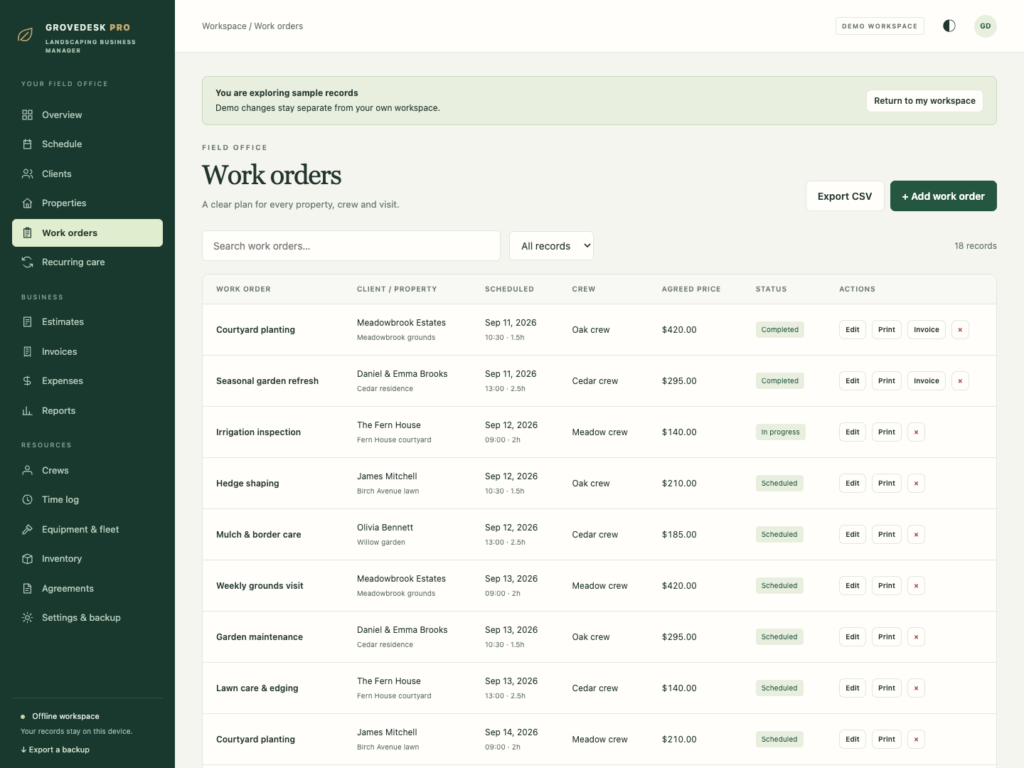

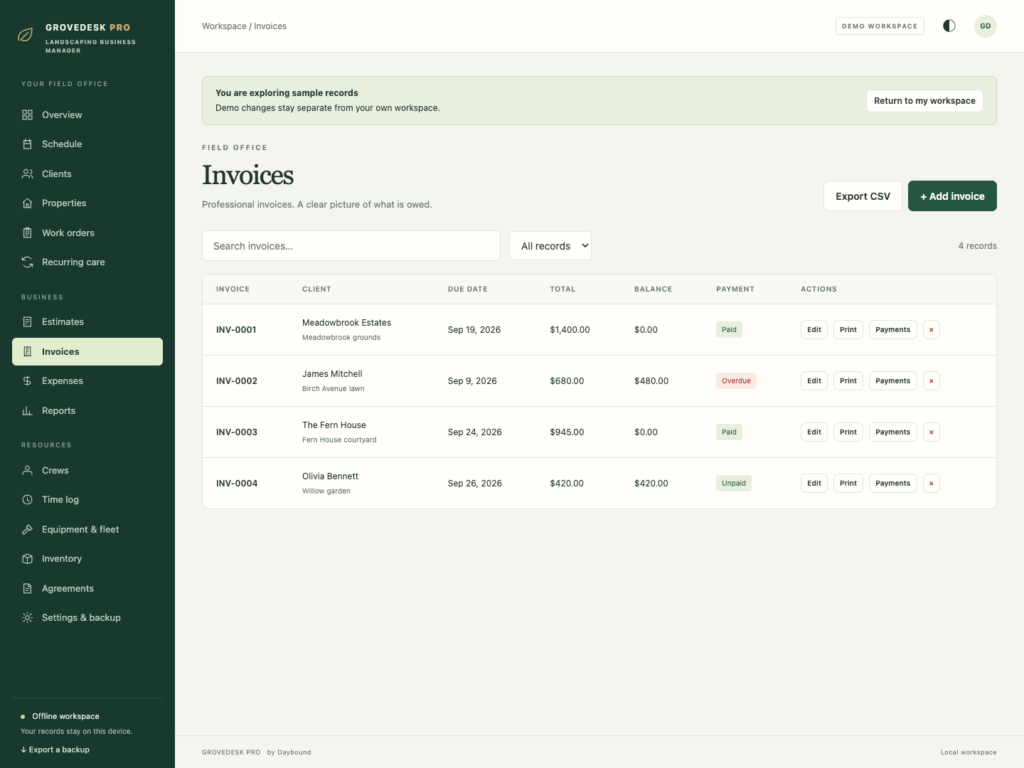
A short recording of the app, then the screens themselves.
$32.50
One-time purchase · yours to keep
Buy now- One payment - the file is yours to keep
- Works offline, no account, no subscription
- Your data stays on your own device
What's included
- 1 HTML file: the complete GroveDesk Pro application
- 1 Getting Started guide (HTML)
- 1 License file (HTML)
Delivery
Instant Download
Your files will be available to download once payment is confirmed.
Landscaping business management, in one place
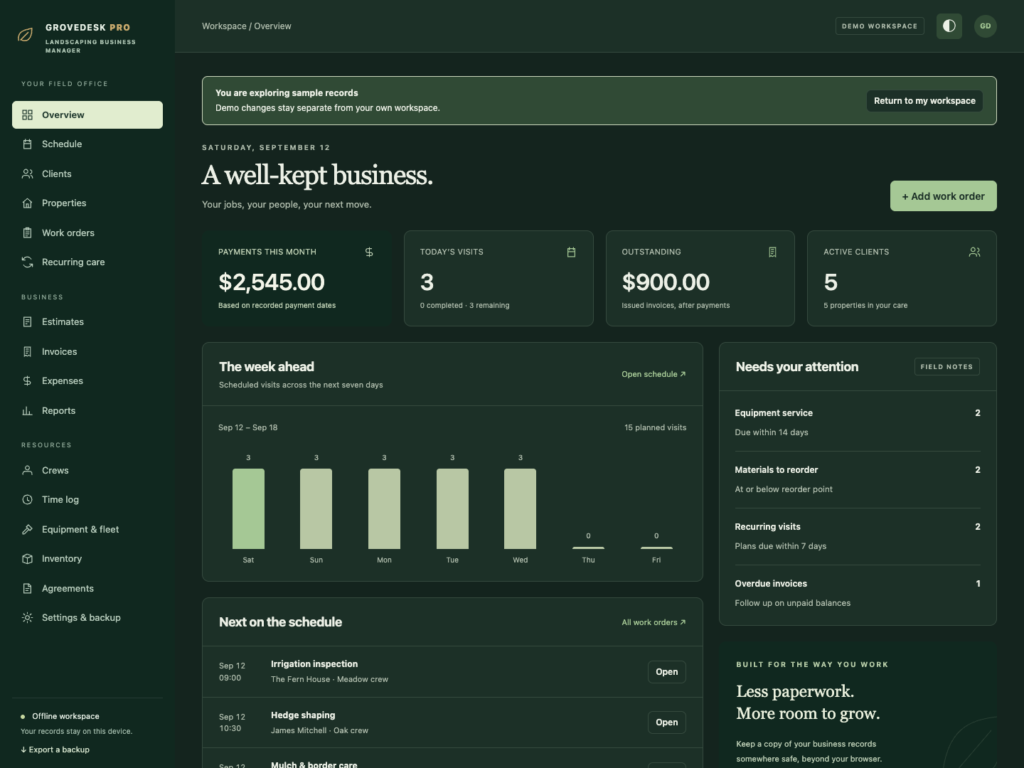
GroveDesk Pro brings your clients, properties, work orders, estimates and invoices into one offline workspace. Plan the week, keep track of recurring maintenance and see which payments still need attention, without a monthly software subscription.
Built for independent landscapers, lawn care businesses, gardeners and small grounds maintenance teams. Download the HTML application, open it in your browser and start with your own records or explore the separate demo workspace.
Plan your work from the first quote to the final invoice
- Clients and properties: keep contact details, site notes, access information and property records together.
- Schedule and work orders: organise visits in a calendar or agenda, assign crews and check for overlapping jobs.
- Recurring care: set service intervals and generate upcoming visits when you are ready to plan the next month.
- Estimates: prepare itemised quotes with quantities, rates, discounts and tax, then turn an accepted estimate into a work order.
- Invoices and payments: create invoices from completed work, record full or partial payments and follow outstanding balances.
Keep the business details within reach
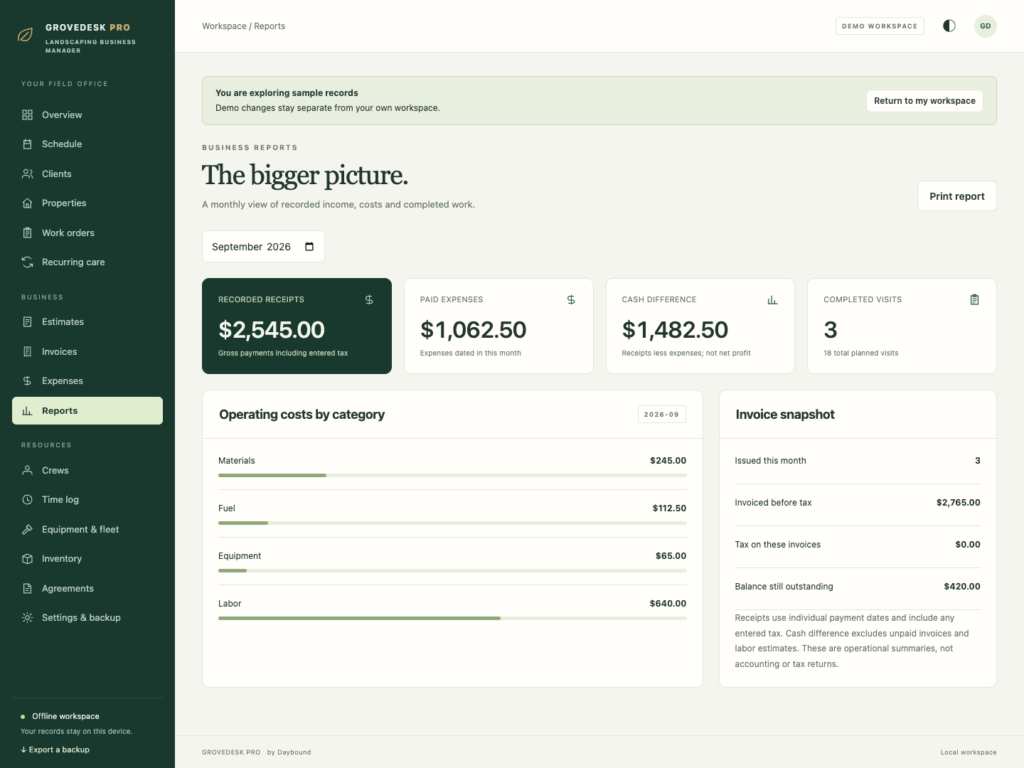
- Expenses and reports: review recorded receipts, expenses and the monthly cash difference. Labour estimates are shown separately.
- Crews and time logs: maintain team records and log time against work.
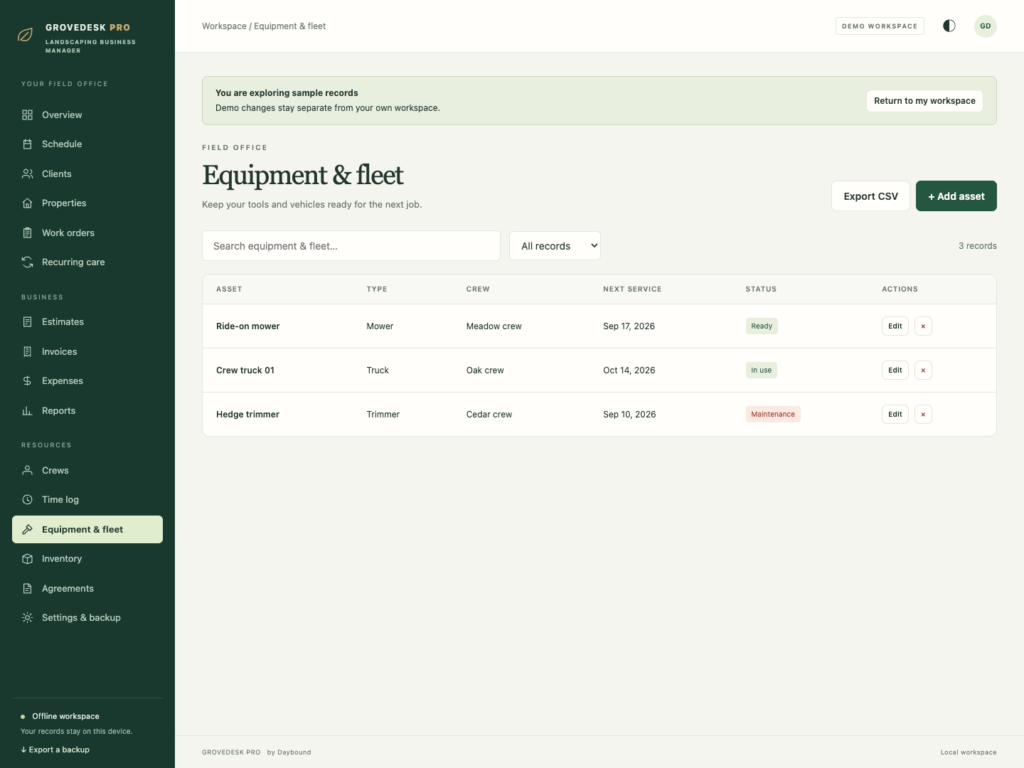
- Equipment and fleet: track equipment records, service dates and maintenance notes.
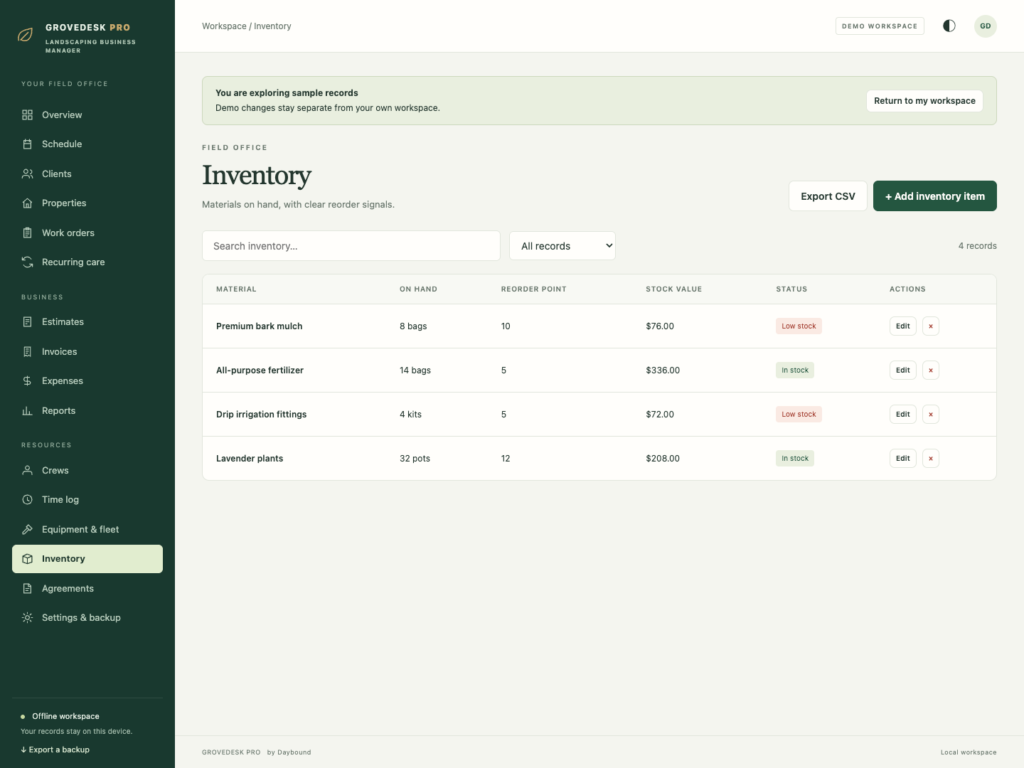
- Inventory: record material quantities and see items at or below their reorder point.
- Agreements: keep a register of service agreements and document references.
Your records, on your device
GroveDesk Pro works offline after download. It does not require an account or send your business records to a cloud service. Choose light or dark mode, print documents or save them as PDFs through your browser, export lists to CSV and back up your full workspace as JSON.
Data is stored in the browser on your device, separately from the HTML file. Export regular JSON backups and keep a copy somewhere safe. Clearing browser data can remove your records. Backups let you restore or move your workspace; there is no automatic cloud sync or shared multi-user access.
What you receive
- GroveDesk Pro.html: the complete offline application.
- Getting Started.html: setup, workflow and backup instructions.
- License.html: the included licence for use within one business.
Delivered together in one ZIP download. Screenshots and the walkthrough show sample records from the app’s demo workspace.
Before you buy
Use a current desktop browser with JavaScript and local storage enabled. A laptop or desktop is recommended for day-to-day administration. This is a digital download; no physical item is shipped.
GroveDesk Pro records invoices and payments but does not process payments, send emails, calculate payroll or provide accounting advice. Recurring visits are generated on request, inventory quantities are maintained manually, and agreement records do not include electronic signatures or file attachments.
Frequently asked questions
Do I need an internet connection?
Only to download the file. After that it works completely offline, with no account and no subscription.
How do recurring visits work?
Set a service interval on a client or property, and generate the upcoming visits whenever you are ready to plan the next month - nothing is scheduled automatically in the background.
Does it track my crew’s time?
Yes. Crew records keep time logged against work orders, alongside equipment and fleet maintenance notes.
Can it take payments or send invoices by email?
No. It records invoices and payments you enter yourself; it does not process payments, send emails or calculate payroll.
Where are my client and job records stored?
In your browser, on your own device, separately from the HTML file. Export regular JSON backups - clearing browser data can remove your records.
Is it a subscription?
No. One-time purchase, no recurring software subscription.
One-time purchase: $33 before applicable tax. No recurring software subscription. Review the final amount shown in Paddle Checkout before payment.
At a glance

How it runs
-
1
Download
You get the application as one HTML file, with its documentation guide and its licence.
-
2
Open
Double-click it. It opens in the browser you already have - Chrome, Edge, Safari or Firefox. There is nothing to install and no account to create.
-
3
Keep
Your records save to that browser on that device. Export a backup from the app whenever you want a copy of your own.


