

Student Planner Pro
For students planning a full semester.
Courses, assignments, exams, study sessions, grades and student life in one offline workspace.
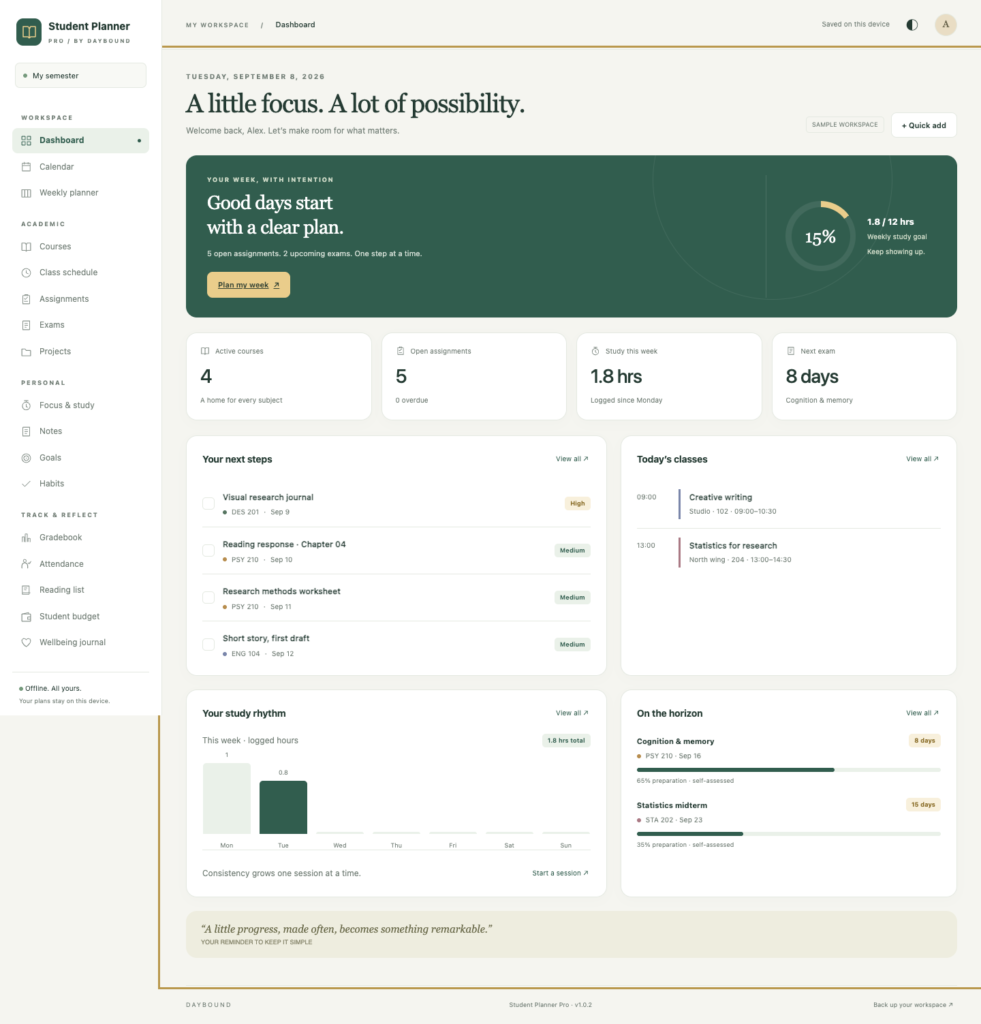
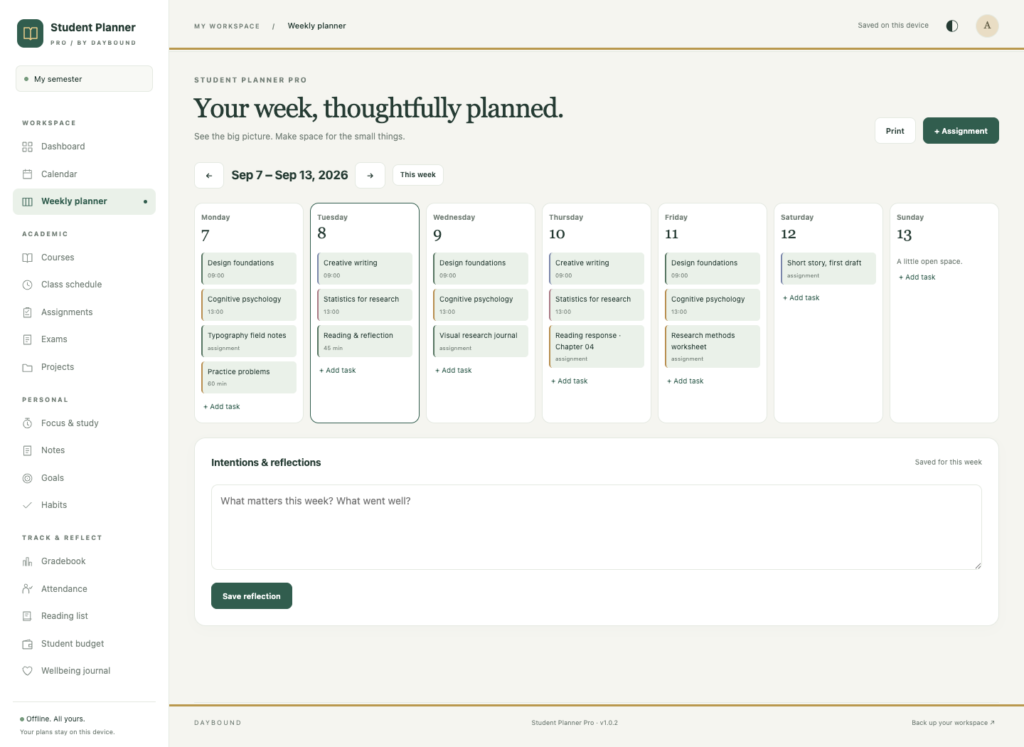
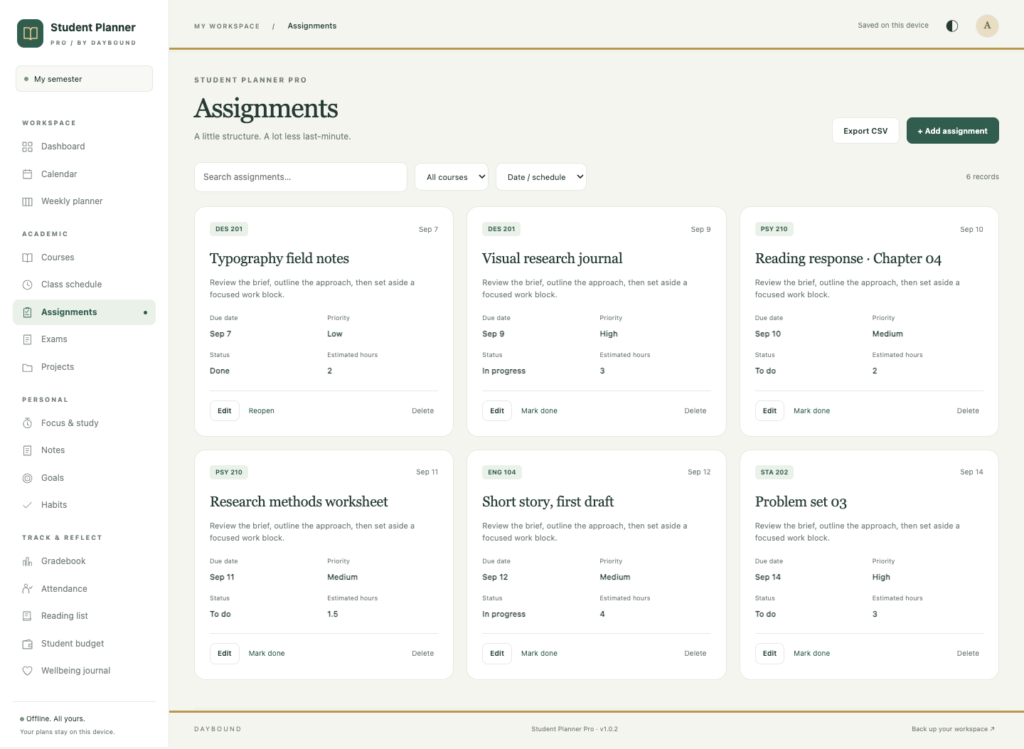
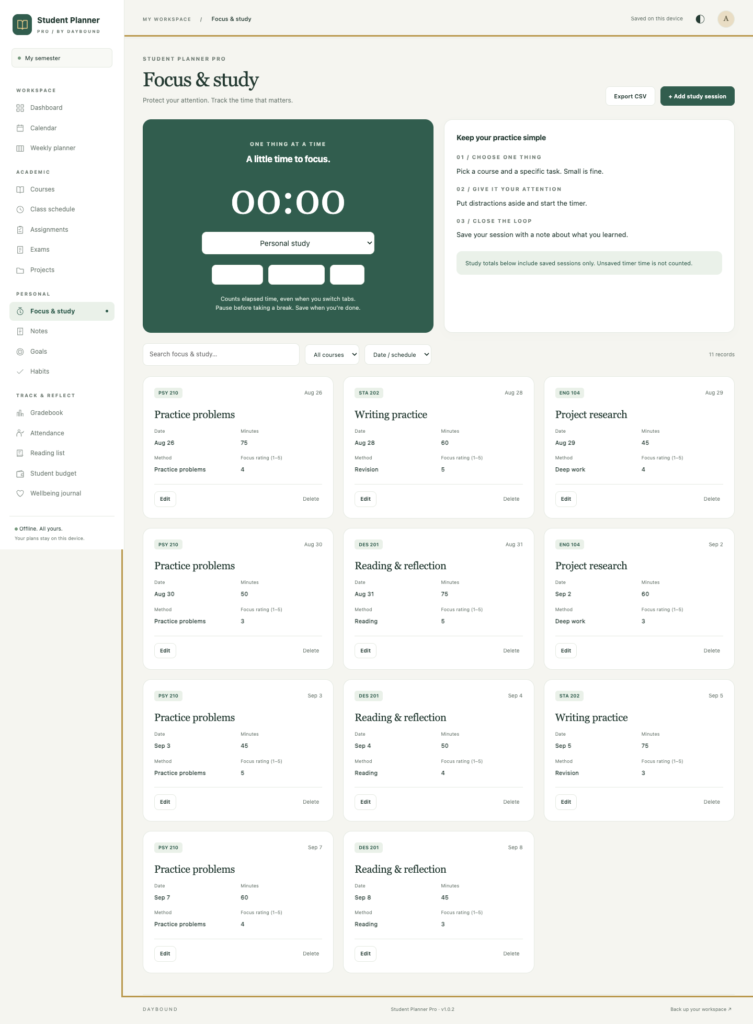
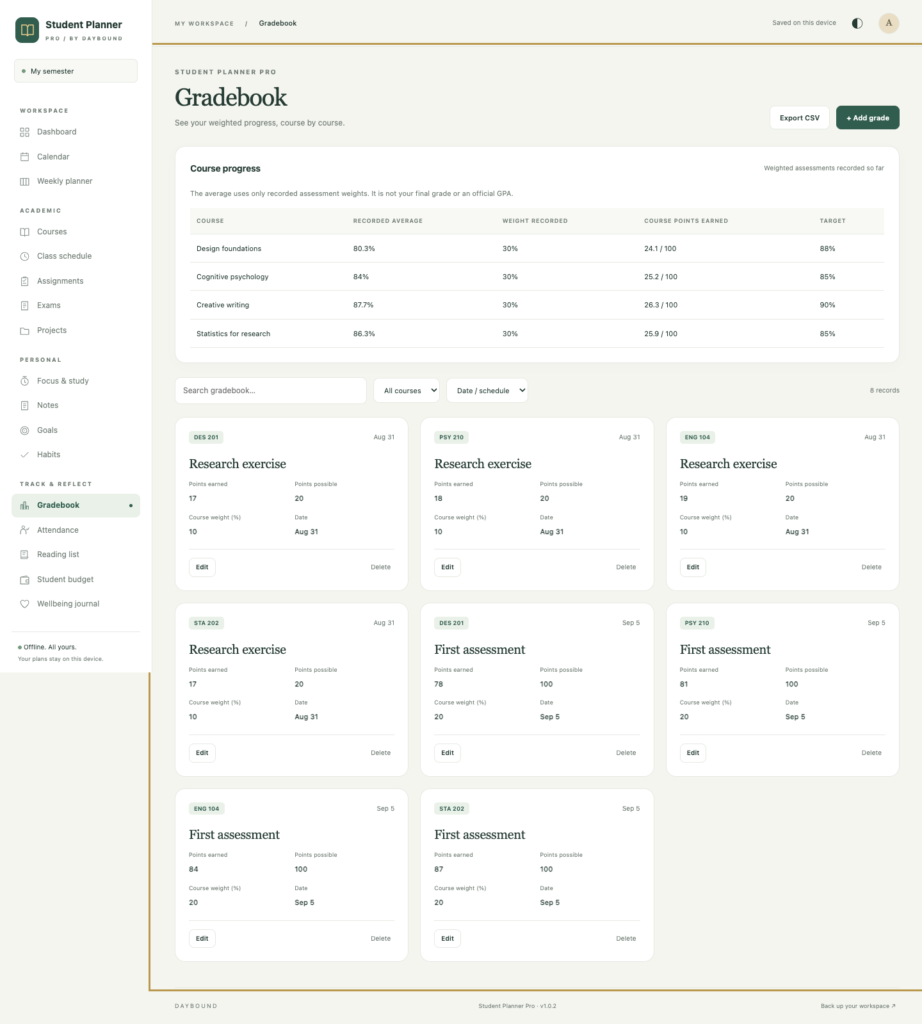
A short recording of the app, then the screens themselves.
$22
One-time purchase · yours to keep
Buy now- One payment - the file is yours to keep
- Works offline, no account, no subscription
- Your data stays on your own device
What's included
- 1 HTML file - the complete application
- 1 Getting Started guide (HTML)
- 1 License file
Delivery
Instant Download
Your files will be available to download once payment is confirmed.
Student Planner Pro is an offline student planner that brings your academic schedule and everyday student life together. Organize courses, track assignment deadlines, prepare for exams and keep your study records in one private workspace.
Open one HTML file in your desktop browser and start with an editable sample semester. Everything needed to run the application is included in the file, so you can use it without a runtime internet connection, an account or a subscription.
Plan courses, assignments and exams
Give each course a home with its name, code, instructor, credits, target grade and color. Build your recurring class timetable, then use the month calendar and weekly planner to see classes and deadlines together.
- Assignments: track due dates, priorities, estimated hours and completion status.
- Exams: record dates, times, locations and preparation progress.
- Projects: keep deadlines, progress, collaborators and milestone notes in one place.
- Weekly reflections: save your intentions and review how the week went.
Make your study time count
Choose a course, start the focus timer and pause when you take a break. Save completed sessions with their duration, study method, focus rating and notes. The elapsed-time timer survives a page reload.
Use Study insights to review logged hours, active study days, time by course and study methods. These summaries use the sessions you save, helping you see how you have spent your time.
Keep your academic records together
- Gradebook: record points and assessment weights, then review weighted averages for the assessments entered so far.
- Attendance: log present, absent, late and excused classes.
- Notes: organize searchable plain-text notes by course and topic.
- Reading list: keep titles, authors, reading deadlines and page progress together.
An offline student planner with data you control
Your records are saved in your browser on your device. Export a full JSON backup, restore it when needed, or export individual record sections as CSV for use in a spreadsheet. Print your calendar, weekly plan and study report from the browser.
There is no automatic cloud backup or device synchronization. Keep regular JSON backups, especially before clearing browser data, switching devices, or moving or renaming the application file.
Compatibility and use
Student Planner Pro is designed for current desktop Chrome. A responsive layout is included; opening and saving local HTML files on phones and tablets depends on the browser and file manager, so native mobile file opening is not a supported release target.
This is a personal planning and manual record-keeping tool. It does not connect to school systems or send background reminders. The single-user license covers use on your own devices. Resale and redistribution are not permitted.
Frequently asked questions
Do I need an internet connection or an account?
Only to download the file. Everything needed to run it is included, so it works without a runtime connection, an account or a subscription.
Which browser does it need?
Current desktop Chrome is the supported browser for this release. A responsive layout is included, but native mobile file opening is not a supported release target.
Is the gradebook an official GPA?
No. Recorded grade averages are worked out from the points and weights you enter - useful for tracking your own progress, but not an official GPA or final grade.
Does the focus timer survive a reload?
Yes. The elapsed time keeps counting if the page reloads, and completed sessions save with their duration, method, focus rating and notes.
Does it sync between my laptop and my phone?
No. There is no automatic cloud backup or device sync. Export a JSON backup before switching devices, clearing browser data, or moving the file.
Where are my grades and notes stored?
In your browser on your own device. Export a full JSON backup, or export individual sections as CSV for a spreadsheet.
Is it a subscription?
No. You pay once and the file is yours.
At a glance
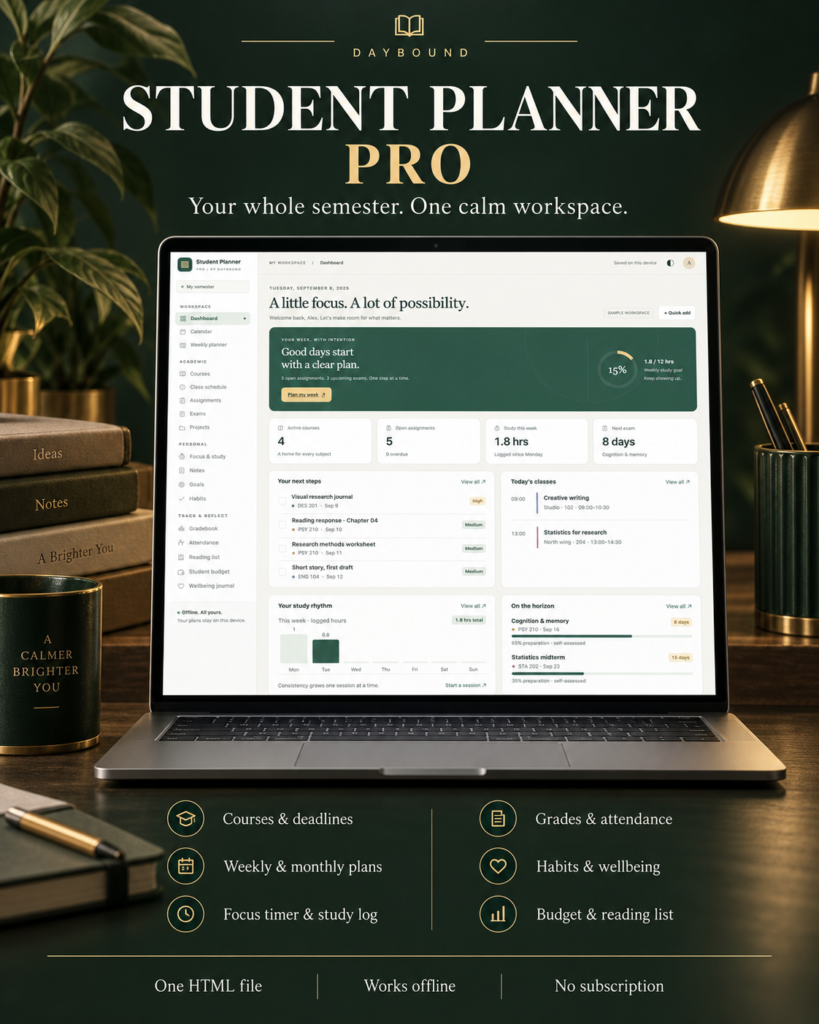
How it runs
-
1
Download
You get the application as one HTML file, with its documentation guide and its licence.
-
2
Open
Double-click it. It opens in the browser you already have - Chrome, Edge, Safari or Firefox. There is nothing to install and no account to create.
-
3
Keep
Your records save to that browser on that device. Export a backup from the app whenever you want a copy of your own.


